
giriiş
The Crossbeats RoadEye Dash Cam is a compact and reliable car camera designed to provide clear video evidence and enhance driving safety. It features Full HD 1080P recording, a 150° wide-angle lens, a 3-inch IPS screen, night vision, G-Sensor, loop recording, parking monitor, motion detection, and Advanced Driver Assistance System (ADAS).

Image: Crossbeats RoadEye Dash Cam highlighting its powerful, compact, and reliable design with key features like Ultra HD, Wi-Fi, G-Sensor, and Night Vision.
Kutu İçeriği
Lütfen aşağıda listelenen tüm öğelerin paketinizde yer aldığından emin olun:
- 1x Dash cam
- 1x Charging cable (3.5m/11.4 ft)
- 1x 3M Adhesive Sticky Mount
- 1x Electrostatic Film
- 1x Araç Şarj Cihazı
- 5x Wiring Buckle
- 1x Trim Remover
- 1x Kullanım Kılavuzu
- 1x Garanti Kartı
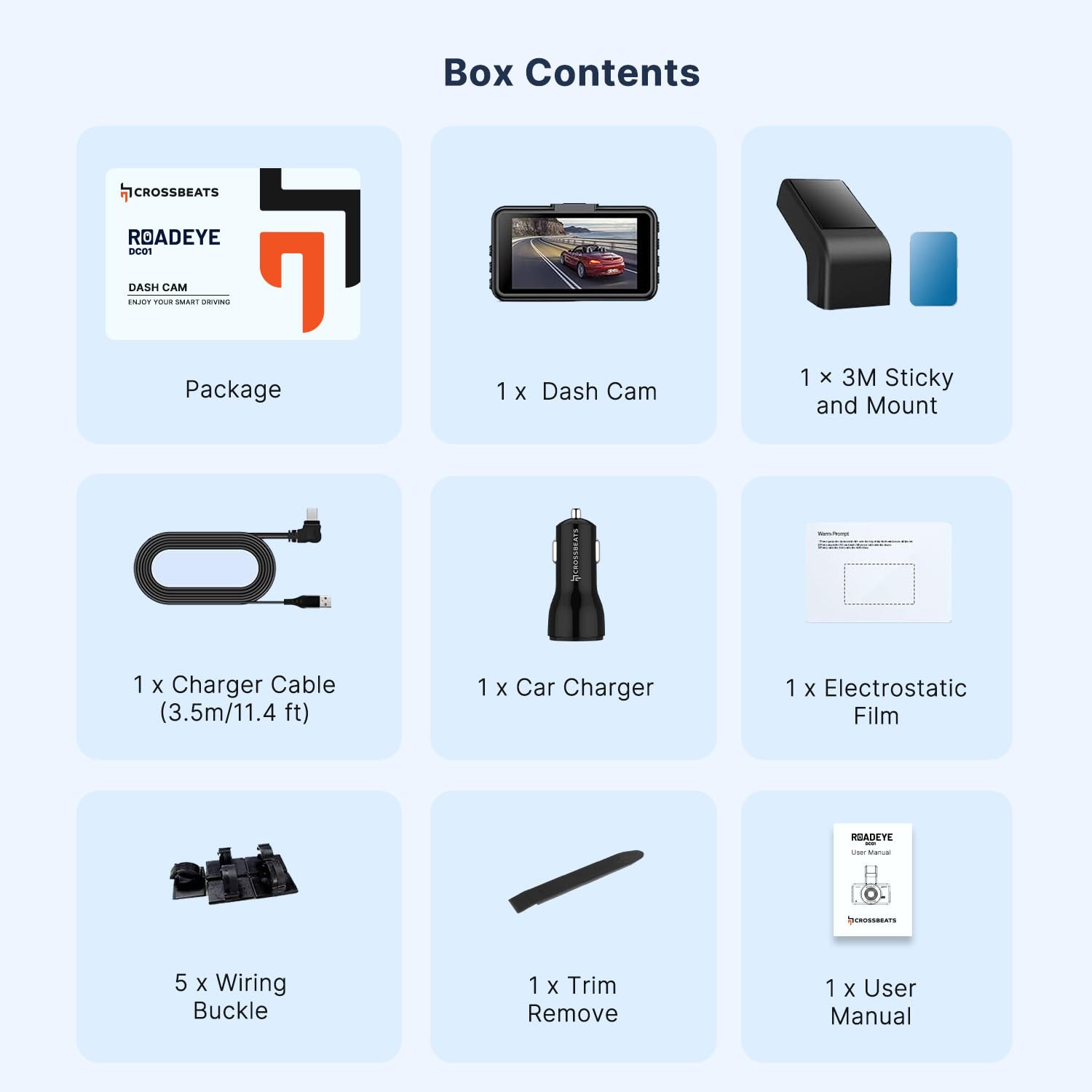
Image: A visual representation of all components included in the Crossbeats RoadEye Dash Cam package.
Ürün Özellikleri
Display & Video Quality
The RoadEye Dash Cam features a 3-inch IPS screen and records in Full HD 1080P at 30 frames per second, providing a crystal-clear view of the road. Its 150-degree wide-angle lens, combined with advanced IR sensors, ensures comprehensive coverage and eliminates blind spots.

Image: Illustration of the 150° wide-angle view, demonstrating the camera's ability to monitor the front of the car and two adjacent lanes clearly.
Connectivity & App Control
With built-in Wi-Fi, the dash cam easily connects to your mobile device (Android and iOS compatible). The KA-CAM App allows you to view footage, playback, live viewve indir files directly to your phone for convenient sharing.

Image: The dash cam's built-in dual-band 5GHz Wi-Fi for faster data transfer and smart app control via the KA-CAM app on a smartphone.
Gelişmiş Sürücü Yardım Sistemi (ADAS)
The ADAS feature detects road line markings and alerts the driver if they unintentionally depart from their lane (ALDA™). An alarm signal and visual warning are displayed if there is a risk of collision (FOCA™). Not: ADAS may not operate properly when weather or road conditions are unfavorable. ADAS can improve vehicle safety but has limits and cannot prevent all accidents.

Image: Visual representation of the ADAS system, including Lane Departure Warning System (LDWS) and Forward Collision Warning (FCW).
Recording Features (Loop Recording & G-Sensor Lock)
This dash cam seamlessly records 1/3/5 minute clips, overwriting the oldest video with the newest when the SD card is full. It also has a built-in G-Sensor, which automatically detects sudden shakes and immediately locks the current video file, saving it to an emergency file to prevent overwriting. These features provide crucial evidence in case of disputes.

Image: Illustration of the G-sensor locking video footage during an accident, ensuring critical moments are saved.
Gece Görüşü
The RoadEye dash camera is loaded with a super high-quality Sony Sensor, providing better night vision than many other sensors. Combined with an F1.8 Aperture 6 Elements Glass Lens, it delivers excellent clearer views in low-light conditions, capturing small details like license plates.

Image: Super Night Vision feature, showing clear capture of details like license plates even at night, powered by an Advanced Novatek Processor and Sony STARVIS IMX498 sensor.
Park Monitörü
The 24-hour parking monitor function works when connected to an external power source through a hardwire kit (not included). If someone hits your car and triggers the G-Sensor, the camera will turn on and record a one-minute video before locking and saving it as important evidence.

Image: Parking Monitor feature, illustrating how the dash cam detects impacts and records footage while the vehicle is parked.
Dayanıklılık
The dash cam is designed to operate in temperatures from -20℃ to 60℃, resisting significant temperature variations. With a high heat resistance chipset and adhesive pad, it works reliably and stays attached to the windshield even in hot sun.

Image: The dash cam operating in varying weather conditions, highlighting its extreme safe and stable design.
Kurmak
1. Prepare SD Card
Insert a compatible SD card (34GB/64GB/128GB U3 Class10 recommended) into the dash cam. Format the SD card within the dash cam settings before first use to ensure optimal performance and prevent data corruption.
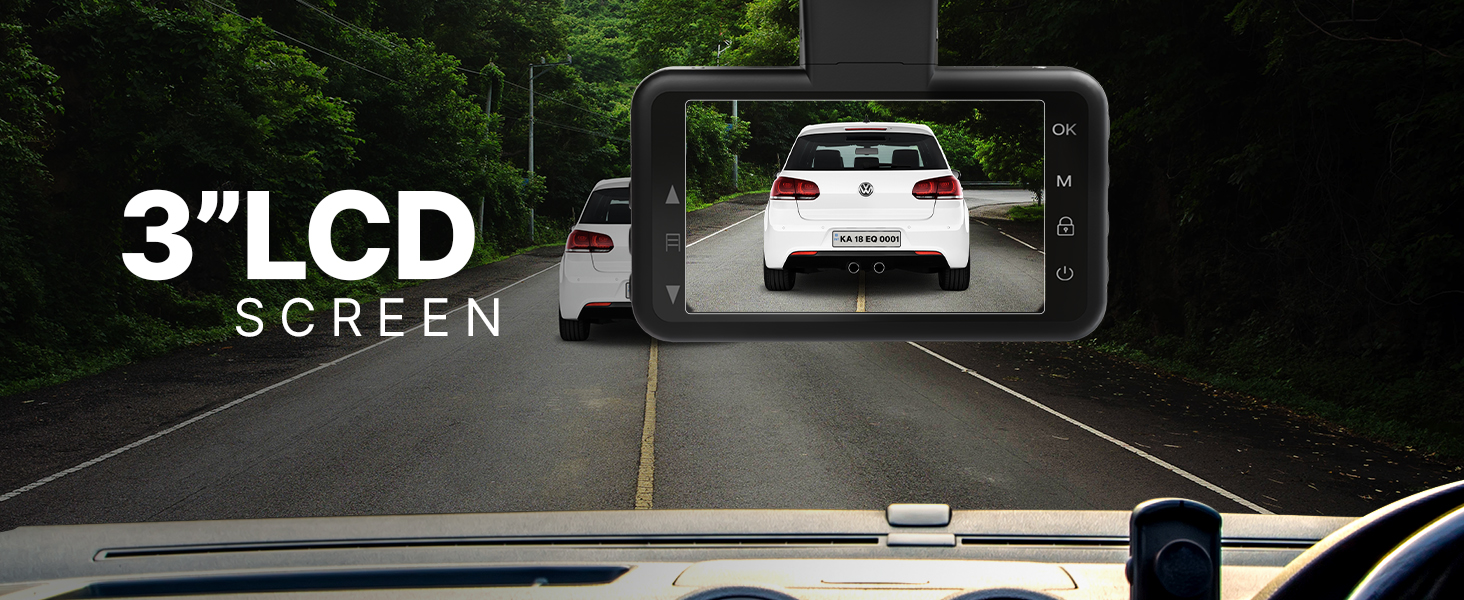
Image: Guide to compatible and incompatible SD cards for the Crossbeats RoadEye Dash Cam.
2. Araç Kamerasını Monte Edin
- Araç içi kameranın monte edileceği ön cam bölgesini temizleyin.
- Apply the electrostatic film to the windshield first, then attach the 3M adhesive sticky mount to the film.
- Çizgi kameranın net bir görüşe sahip olduğundan emin olun view Yolun üzerinde bulunur ve sürücünün görüşünü engellemez.
3. Gücü Bağlayın
- Connect the charging cable to the dash cam and the car charger.
- Araç şarj cihazını aracınızın 12V güç çıkışına takın.
- Route the cable neatly using the provided wiring buckles and trim remover.
Operasyon
Güç Açık/Kapalı
Araç kontağı açıldığında araç içi kamera otomatik olarak açılır ve kayda başlar. Kontak kapatıldığında ise otomatik olarak kapanır.
Kayıt Modları
- Döngü Kaydı: Continuously records video in segments (1/3/5 minutes) and overwrites the oldest files SD kart dolduğunda.
- G-Sensörü: Automatically detects collisions or sudden movements and locks the current video file üzerine yazılmasını önlemek için.
- Park Monitörü: When hardwired (kit not included), it records a short video if an impact is detected while parked.
Foo'ya Erişimtage
- Cihaz Üzerinde: Use the 3-inch IPS screen and navigation buttons to view kaydedilen videolar
- Uygulama aracılığıyla: Connect the dash cam to your smartphone via Wi-Fi using the KA-CAM App to view, download, and manage recordings.
Ayarlar
Adjust recording resolution, loop recording duration, G-sensor sensitivity, and other settings through the dash cam menu or the KA-CAM App.
Bakım
SD Kart Yönetimi
- Regularly format the SD card (at least once a month) to ensure optimal performance and prevent data corruption.
- Replace the SD card if it shows signs of wear or error messages.
Temizlik
- Wipe the lens with a soft, lint-free cloth to maintain clear video quality.
- Araç kamerasının gövdesini kuru veya hafif nemli bir bezle temizleyin.amp bez. Sert kimyasallar kullanmaktan kaçının.
Firmware güncellemeleri
Check the Crossbeats website or KA-CAM App for any available firmware updates to improve performance and add new features.
Sorun giderme
Araç Kamerası Açılmıyor
- Check the power connection to the car charger and the vehicle's 12V outlet.
- Aracın kontak anahtarının açık olduğundan emin olun.
- Şarj kablosunun hasarlı olmadığını doğrulayın.
Recording Issues (Stops Recording/Corrupted Files)
- SD kartı biçimlendirin.
- Ensure the SD card is a compatible U3 Class10 card.
- Kart arızasını elemek için farklı bir SD kart deneyin.
- Reduce G-sensor sensitivity if too many emergency fileyaratılıyor.
Wi-Fi Bağlantı Sorunları
- Araç kamerasının Wi-Fi özelliğinin etkinleştirildiğinden emin olun.
- Hem araç kameranızı hem de akıllı telefonunuzu yeniden başlatın.
- Araç içi kameranın Wi-Fi sinyalinin kapsama alanında olduğunuzdan emin olun.
- Reinstall the KA-CAM App if necessary.
Poor Video Quality (Blurry/Dark)
- Kamera lensini temizleyin.
- Adjust exposure settings in the dash cam menu.
- Ensure the protective film is removed from the lens.
- Verify night vision is enabled in low-light conditions.
ADAS Not Functioning Correctly
- Ön camın temiz ve engelsiz olduğundan emin olun.
- ADAS performance can be affected by weather and road conditions.
- Check settings in the dash cam menu or app.
Özellikler
| Özellik | Detay |
|---|---|
| Marka | CrossBeats |
| Model Adı | RoadEye-Dash cam |
| Görüntü Türü | IPS |
| Ekran Boyutu | 3 inç |
| Video Yakalama Çözünürlüğü | 1080p |
| Kare Hızı | 30FPS |
| Alanı View | 150 Derece |
| Bağlantı Teknolojisi | Kızılötesi, Wi-Fi |
| Özel Özellikler | 3” LCD screen, ALDA™ (Accidental Lane Departure Alerts), G-Sensor, HD 1296P Recording, Night Vision Enabled, Parking Monitor |
| Flash Bellek Türü | SD (Supports 34GB/64GB/128GB U3 Class10) |
| Kontrol Yöntemi | Uygulama |
| Çalışma Sıcaklığı | -20℃ ila 60℃ |
| Ürün Boyutları (D x G x Y) | 8.8D x 5.1G x 4Y Santimetre |
| Ürün Ağırlığı | 135 Gram |
| Menşei ülke | Çin |
Garanti ve Destek
Garanti
The Crossbeats RoadEye Dash Cam comes with a 12 ay garanti Satın alma tarihinden itibaren üretim hatalarına karşı garantilidir.
Müşteri Desteği
Lifetime customer support is available for this product. For any assistance, technical queries, or warranty claims, please refer to the contact information provided in your warranty card or visit the official Crossbeats webDestek kaynakları için site.
Resmi Ürün Videoları
For visual guides and demonstrations of the Crossbeats RoadEye Dash Cam's features and functionality, please refer to the official product videos available on the product's Amazon detail page or the Crossbeats official website. These videos provide helpful insights into installation, operation, and advanced features.