
1. Giriş
The TECLAST M50 is a 10.1-inch Android 13 tablet designed for versatile use, from entertainment to productivity. It features an Octa-Core processor, 12GB RAM, 128GB internal storage expandable up to 1TB, and supports Dual SIM 4G LTE connectivity. This manual provides essential information for setting up, operating, maintaining, and troubleshooting your device.
2. Kutuda Neler Var?
Upon unboxing your TECLAST M50 tablet, please ensure all the following items are present:
- TECLAST M50 Tablet
- Güç Adaptörü (Şarj Cihazı)
- USB C Tipi Kablo
- SIM İtici Aracı
- Kullanıcı Kılavuzu
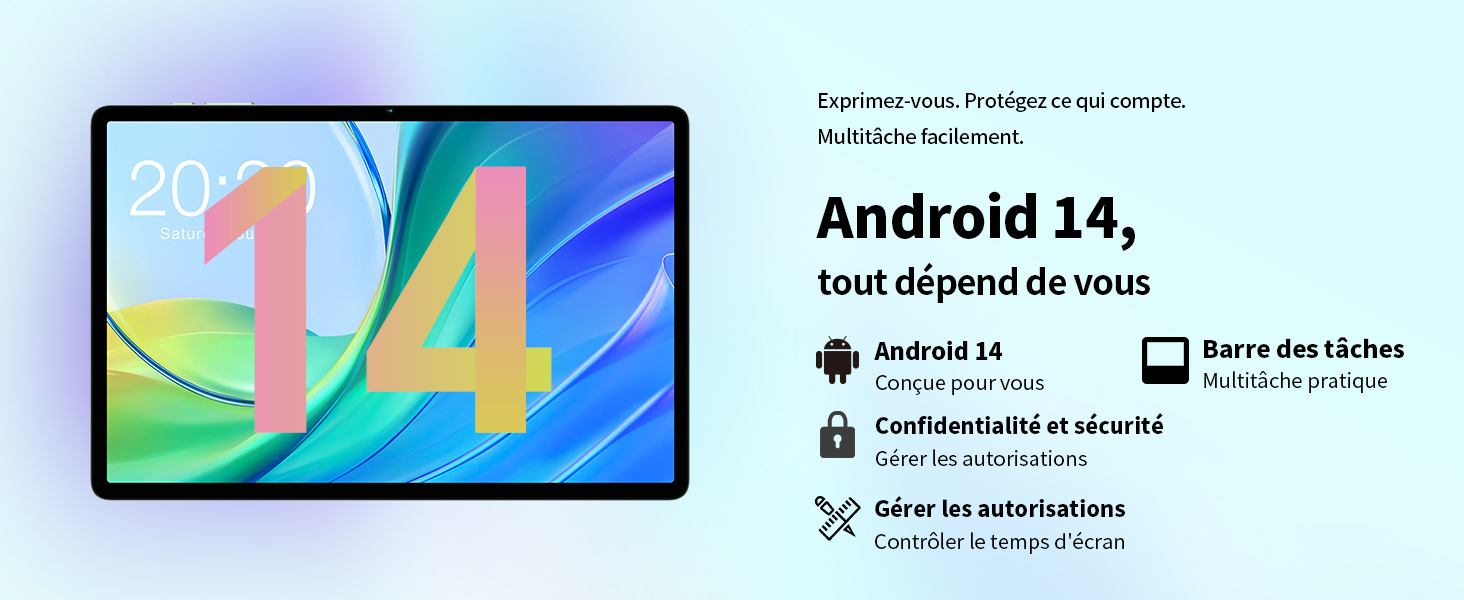
Image: Contents of the TECLAST M50 tablet box, showing the tablet, power adapter, USB cable, SIM ejector tool, and user manual.
3. Ürün Bittiview
The TECLAST M50 tablet features a sleek design with a 10.1-inch display and a lightweight build of approximately 460 grams. It measures 23L x 20l x 1Ép centimeters. Familiarize yourself with the tablet's physical components:

Image: TECLAST M50 tablet from various angles, illustrating the location of the power button, volume controls, USB-C port, 3.5mm headphone jack, and speaker grilles.
Temel Bileşenler:
- Güç Düğmesi: Cihazın yan tarafında bulunur ve cihazı açıp/kapatmak veya uyandırıp/uyku moduna almak için kullanılır.
- Ses Düğmeleri: Ses seviyesini ayarlayın.
- USB Tip-C Bağlantı Noktası: Şarj ve veri aktarımı için.
- 3.5 mm Kulaklık Girişi: Kablolu kulaklıkları bağlayın.
- Hoparlör Izgaraları: Four stereo speakers for enhanced audio output.
- Ön Kamera: 5MP camera for video calls and facial unlock.
- Arka Kamera: Fotoğraf ve video çekimi için 13 MP kamera.
- SIM/MicroSD Kart Yuvası: Insert SIM cards for cellular connectivity and a MicroSD card for expanded storage.
4. Kurulum
4.1 İlk Şarj
Before first use, it is recommended to charge the TECLAST M50 tablet for at least 30 minutes. Connect the USB Type-C cable to the tablet's charging port and the power adapter to a wall outlet. The battery icon on the screen will indicate charging status.
4.2 Açma/Kapatma
- Açmak İçin: Press and hold the Power button until the TECLAST logo appears.
- Kapatmak İçin: Güç seçenekleri menüsü görüntülenene kadar Güç düğmesini basılı tutun, ardından 'Kapat' seçeneğini seçin.
- Yeniden başlatmak: Press and hold the Power button, then select 'Restart'.
4.3 SIM ve MicroSD Kartların Takılması
The TECLAST M50 supports dual SIM cards for 4G LTE connectivity and a MicroSD card for storage expansion up to 1TB.
- Tabletin yan tarafında bulunan SIM/MicroSD kart yuvasını bulun.
- SIM kart çıkarma aracını tepsinin yanındaki küçük deliğe yerleştirin ve tepsi dışarı çıkana kadar hafifçe bastırın.
- Carefully place your Nano-SIM cards and/or MicroSD card into the designated slots on the tray. Ensure the gold contacts are facing down and the cards are correctly oriented.
- Tepsiyi yerine oturana kadar yavaşça tabletin içine doğru itin.

Image: Illustration of inserting SIM cards and a MicroSD card into the tablet's tray.
4.4 İlk Android Kurulumu
After powering on for the first time, follow the on-screen prompts to complete the initial setup process. This includes selecting your language, connecting to a Wi-Fi network, signing in with your Google account, and setting up security features like facial unlock.
5. Kullanım Talimatları
5.1 Ekran Özellikleri
The TECLAST M50 features a 10.1-inch TDDI HD display with a resolution of 1280x800 pixels. The TDDI technology integrates touch sensors directly into the LCD, providing a more responsive touch experience. It also supports Widevine L1, allowing for high-definition streaming from platforms like Disney+ and Amazon Prime Video.

Image: Visual representation of the TECLAST M50's 10.1-inch HD display with 1280x800 resolution and IPS wide viewaçı.
5.2 Performans ve Depolama
Powered by an Octa-Core UNISOC T606 processor and Mali-G57 GPU, the M50 delivers efficient performance. It comes with 6GB of RAM, expandable to 12GB using virtual memory technology, and 128GB of internal storage. Storage can be further expanded up to 1TB via a MicroSD card.

Image: Details of the UNISOC T606 Octa-Core processor and Mali-G57 graphics processor.

Image: Information on RAM and ROM capacity, including expandable storage options.
5.3 Bağlantı
Stay connected with the TECLAST M50's comprehensive connectivity options:
- Çift SIM 4G LTE: Supports TD-LTE and FDD-LTE networks for mobile data and VoLTE calls.
- Çift bantlı Wi-Fi: Connect to 2.4GHz and 5GHz Wi-Fi networks (802.11ac).
- Bluetooth 5.0: Kulaklık ve klavye gibi kablosuz aksesuarları bağlamak için.
- GPS navigasyon: Supports GPS, BeiDou, GLONASS, and Galileo for accurate positioning.

Resim: Üzeriview of Wi-Fi, Bluetooth, and 4G LTE capabilities.

Image: Tablet showing GPS navigation in use.
5.4 Kamera İşlevselliği
The M50 is equipped with a 13MP rear camera and a 5MP front camera. The rear camera features AI-based auxiliary optimization for improved focus and image results, especially in low-light conditions. The 5MP front camera supports facial unlock for convenient device access.

Image: Details of the tablet's front and rear cameras.
5.5 Ses Sistemi
Experience immersive sound with the M50's Momentum III audio system, featuring four stereo speakers and a Smart K amplifier for clear and rich audio output.

Image: Representation of the tablet's 4-speaker audio system.
5.6 Android 13 Özellikleri
The tablet runs on Android 13, offering enhanced privacy controls, a convenient taskbar for multitasking, and improved permission management. It also includes features for parental controls to manage screen time and application access.

Image: Android 13 interface showcasing privacy and multitasking features.

Image: Parental control interface for managing tablet usage.
6. Bakım
6.1 Pil Bakımı
The TECLAST M50 is equipped with a 6000mAh battery, providing up to 15 hours of usage. To maximize battery life:
- Aşırı sıcaklıklardan kaçının.
- Lütfen ürünle birlikte verilen şarj aletini ve kablosunu kullanın.
- Pilin sık sık tamamen bitmesini önleyin.
- Uzun süreli saklama için tabletinizi yaklaşık %50 oranında şarj edin ve kapatın.

Image: Battery capacity and charging method.
6.2 Temizlik
Tabletinizi temizlemek için yumuşak, tüy bırakmayan bir bez kullanın. İnatçı lekeler için hafifçe silin.ampBezi suyla veya elektronik cihazlar için özel olarak tasarlanmış bir ekran temizleyiciyle silin. Sert kimyasallar veya aşındırıcı malzemeler kullanmaktan kaçının.
6.3 Yazılım Güncellemeleri
Periodically check for system updates to ensure your tablet has the latest features and security patches. Navigate to Ayarlar > Sistem > Sistem güncellemesi Mevcut güncellemeleri kontrol etmek ve yüklemek için.
7. Sorun Giderme
If you encounter issues with your TECLAST M50 tablet, try the following basic troubleshooting steps:
- Cihaz açılmıyor: Pilin şarjlı olduğundan emin olun. Şarj cihazını bağlayın ve tekrar açmayı denemeden önce birkaç dakika bekleyin.
- Ekran donmuş veya yanıt vermiyor: Yeniden başlatmayı zorlamak için Güç düğmesini yaklaşık 10-15 saniye basılı tutun.
- Wi-Fi/Bluetooth bağlantı sorunları: Try toggling Wi-Fi/Bluetooth off and on. Restart your tablet and/or your router/Bluetooth device.
- Uygulamalar çöküyor: Sorunlu uygulamanın önbelleğini ve verilerini temizleyin (Ayarlar > Uygulamalar > [Uygulama Adı] > Depolama > Önbelleği temizle/Verileri temizle). Sorun devam ederse, uygulamayı kaldırıp yeniden yükleyin.
- Yavaş performans: Close unnecessary background apps. Clear cached data. Consider performing a factory reset as a last resort (back up your data first).
- SIM kart algılanmadı: Ensure the SIM card is correctly inserted and activated with your carrier. Restart the tablet.
For more complex issues, refer to the official TECLAST support resources.
8. Özellikler
| Özellik | Şartname |
|---|---|
| Model Adı | TECLAST M50 |
| İşletim Sistemi | Android 13 |
| İşlemci | UNISOC T606 Sekiz Çekirdekli (1.6 GHz) |
| Grafik İşlemcisi | Mali-G57 MP1 |
| Veri deposu | 12 GB (6GB physical + 6GB expansion) |
| Dahili Depolama | 128 GB |
| Genişletilebilir Depolama | 1 TB'a kadar MicroSD kart desteği |
| Ekran Boyutu | 10.1 inç |
| Ekran Çözünürlüğü | 1280x800 Pixels (TDDI, IPS) |
| Arka Kamera | 13 MP |
| Ön Kamera | 5 MP |
| Pil Kapasitesi | 6000 mAh (22 Wh) |
| Pil Ömrü (Ortalama) | 15 saat |
| Bağlantı | 4G LTE (Dual SIM), Wi-Fi (802.11ac), Bluetooth 5.0 |
| Navigasyon | GPS, BeiDou, GLONASS, Galileo |
| Ses | 4 Stereo Speakers (Momentum III) |
| Limanlar | 1x USB Type-C, 1x 3.5mm Headphone Jack |
| Ağırlık | 460 Gram |
| Boyutlar (U x G x Y) | 23x20x1 cm |
9. Garanti ve Destek
9.1 Garanti Bilgileri
The TECLAST M50 tablet comes with a manufacturer's warranty of 1 yıl Satın alma tarihinden itibaren geçerlidir. Bu garanti, normal kullanım koşullarındaki malzeme ve işçilik kusurlarını kapsar. Garanti talepleriniz için lütfen satın alma belgenizi saklayın.
9.2 Müşteri Desteği
For any questions, technical assistance, or warranty inquiries, please contact TECLAST customer support. Our team provides professional advice and aims to respond to all inquiries within one working day. You can find contact information on the official TECLAST websitenizden veya perakendeciniz aracılığıyla.
Çevrimiçi Kaynaklar: For additional support and FAQs, please visit the official TECLAST webalan: TECLAST Brand Store