
1. Giriş
This manual provides essential instructions for the safe and effective operation of your Losfom WD9 2K Body Mounted Camera. Please read this manual thoroughly before using the device to ensure proper functionality and to prevent damage. The WD9 camera is designed for reliable video and audio recording in various environments, featuring 2K/1440P resolution, GPS tracking, remote control capabilities, and a durable waterproof design.
2. Paket İçeriği
Aşağıda listelenen tüm öğelerin paketinizde bulunduğunu doğrulayın:
- 1x WD9 Body Camera
- 1x Uzaktan Kumanda
- 1x USB Kablosu
- 1x Short Clip
- 1x Long Clip
- 1x Şarj İstasyonu
- 1x Kullanım Kılavuzu
3. Ürün Özellikleri
- 2K/1440P Ultra HD Recording: Captures video at 1440P resolution and photos at 48M, providing clear and wide footage for evidence and memory.
- Uzaktan Kumanda Fonksiyonu: Allows remote operation of video/photo recording from a distance of several meters in open areas, enhancing convenience.
- GPS Etkin: Records video with location data, enabling route playback on seller-provided GPS Player software to trace video file origins.
- 12 Hours Rechargeable Large Battery: Equipped with a 3500mAh battery capacity and charging dock, providing 11-12 hours of continuous recording, suitable for multiple shifts.
- Waterproof Rate & 256GB Memory Card: Features a durable ABS shell with IP66 waterproof rating, capable of withstanding heavy rains. Includes a built-in 256GB memory card for extensive footage depolama.
- 2-inch Colorful Display: Gerçek zamanlı entegre ekran viewing and playback of recordings.
- Süper Gece Görüşü: Detects up to 10 feet with 140° wide angle and 6PCS infrared lights for clear recording in low-light conditions.
- Çok Yönlü Montaj Seçenekleri: Includes short and long clips for various body attachments (e.g., shoulder, pocket) and can be adapted for dash camera use (car suction cup not included).
4. Kurulum
4.1 Kamerayı Şarj Etme
Before first use, fully charge the camera. Place the camera into the charging dock and connect the USB cable to a power source. The charging indicator will show progress. A full charge typically takes approximately 4 hours.
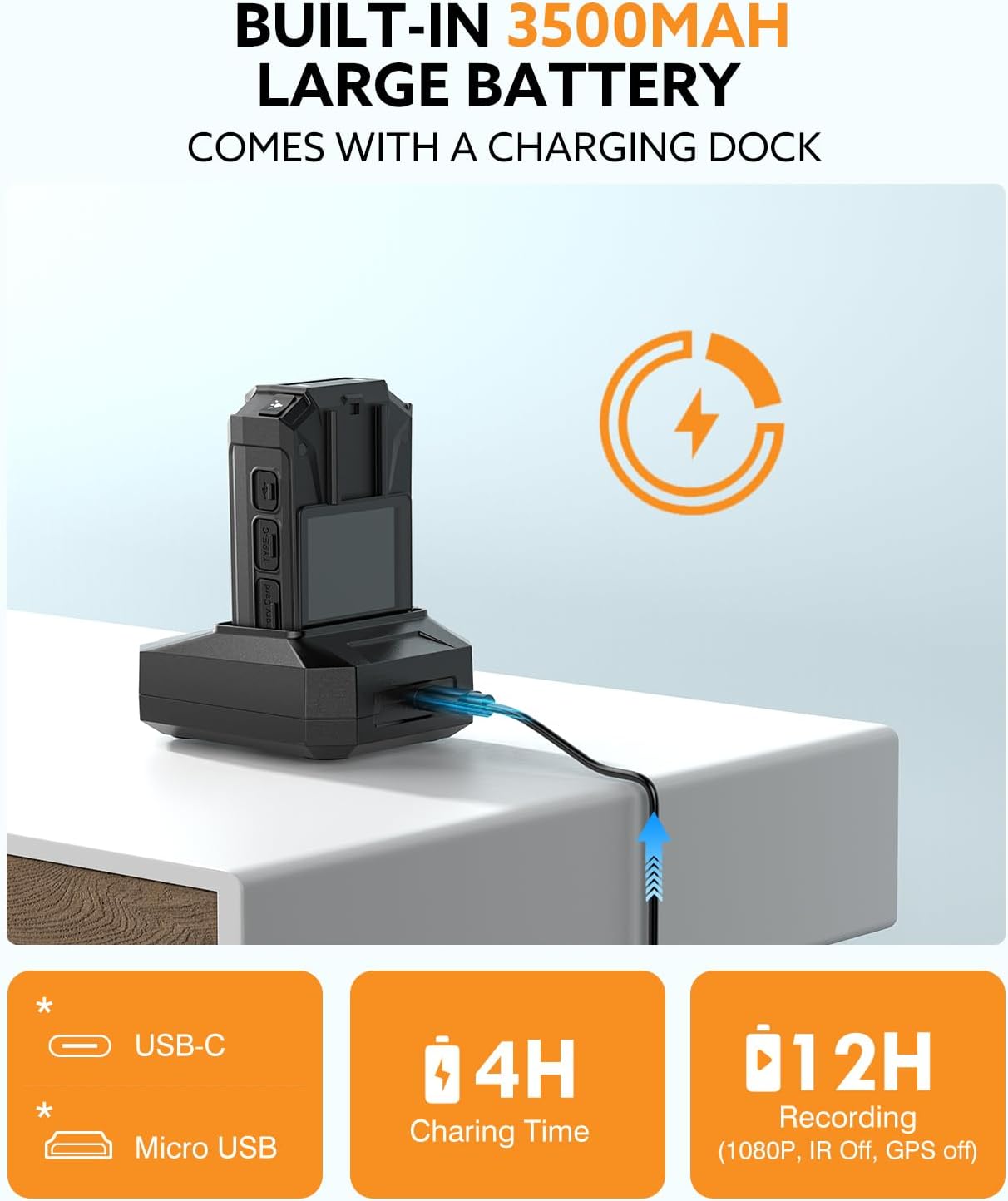
Image: Losfom WD9 Body Camera in its dedicated charging dock, connected via USB cable, indicating the charging process.
4.2 Attaching Mounting Clips
The camera comes with a short clip and a long clip for various attachment needs. To attach a clip, align it with the slot on the back of the camera and slide it until it clicks securely into place. The clips are rotatable for optimal positioning.
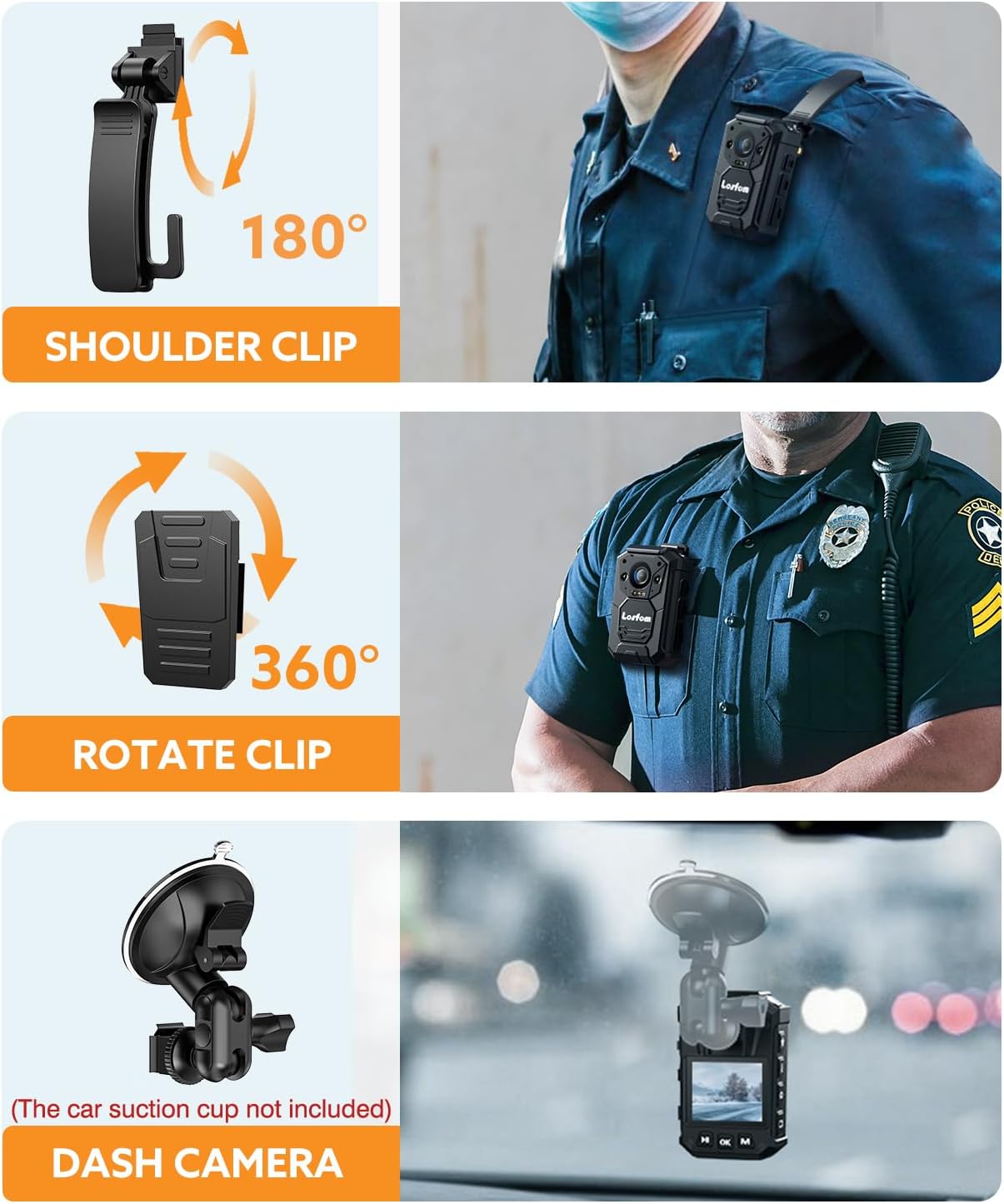
Image: Losfom WD9 Body Camera shown with different clips attached, demonstrating its versatility for shoulder, pocket, or dash mounting.
5. Kullanım Talimatları
5.1 Güç Açma/Kapatma
- To power on, long-press the Power button until the screen illuminates.
- To power off, long-press the Power button until the screen shuts down.
5.2 Recording Video and Audio
- To start video recording, press the Video button. The screen will display recording indicators.
- To stop video recording, press the Video button again.
- To record audio only, press the Audio button. Press again to stop.
5.3 Fotoğraf Çekme
- To take a photo, press the Photo button.
5.4 Gece Görüşü
The camera automatically activates night vision in low-light conditions. You can also manually toggle night vision on/off via the menu settings.

Image: Losfom WD9 Body Camera displaying a scene captured using its night vision capabilities, showing clear details in a dark environment.
5.5 Uzaktan Kumandanın Kullanımı
The included remote control allows for convenient activation of video and photo recording from a distance. Ensure the remote is within range and pointed towards the camera for optimal performance.

Image: A hand holding the remote control, pointing towards the Losfom WD9 Body Camera, demonstrating its remote operation feature.
5.6 Tekrarviewinmek FileCihazda s
Use the navigation buttons below the screen to browse through recorded videos and photos. Press the OK button to play videos or view Fotoğraflar.

Image: The 2-inch colorful display of the Losfom WD9 Body Camera showing a captured image, indicating file review işlevsellik.
5.7 Aktarma FileBilgisayara s
Connect the camera to your computer using the provided USB cable. The camera will appear as a removable disk. You can then copy recorded files to your computer. For GPS route playback, use the seller-provided GPS Player software.

Image: Losfom WD9 Body Camera connected to a computer monitor, which displays a video playback alongside a GPS map, illustrating the GPS tracking feature.
6. Bakım
6.1 Su Yalıtımı
The WD9 camera has an IP66 waterproof rating, making it resistant to heavy rains. However, it is crucial to protect the charging port and other open interfaces from water exposure to prevent damage.

Image: Losfom WD9 Body Camera shown outdoors in the rain, emphasizing its IP66 waterproof capability.
6.2 Pil Bakımı
To prolong battery life, avoid fully discharging the battery frequently. Charge the camera using only the provided charging dock and USB cable. Store the camera in a cool, dry place when not in use for extended periods.
7. Sorun Giderme
- Kamera açılmıyor: Ensure the battery is charged. Connect to the charging dock and check if the indicator light appears.
- Kayıt sorunları: Check if the memory is full. Ensure the camera is not in a low-power state.
- Files not transferring: USB kablosunun hem kameraya hem de bilgisayara güvenli bir şekilde bağlandığından emin olun. Farklı bir USB bağlantı noktası veya kablo deneyin.
- GPS takibi yapmıyor: Kameranın net olduğundan emin olun view of the sky for satellite reception. Verify the GPS function is enabled in the settings.
8. Özellikler
| Marka | Losfom |
| Model Numarası | WD9 |
| Ürün Ağırlığı | 1.08 pound |
| Paket Boyutları | 5.55 x 4.06 x 3.66 inç |
| Piller | 1 Lityum Polimer pil gereklidir |
| Özel Özellikler | Su geçirmez |
| Fotoğraf Sensörü Teknolojisi | CMOS |
| Video Yakalama Çözünürlüğü | 1440p |
| Maksimum Odak Uzaklığı | 25 Milimetre |
| Maksimum Diyafram | 2 derece |
| Flash Bellek Türü | Mikro SD |
| Video Yakalama Formatı | MP4 |
| Desteklenen Ses Biçimi | AAC |
| Ekran Boyutu | 2 inç |
| Bağlantı Teknolojisi | USB |
9. Garanti ve Destek
The Losfom WD9 Body Mounted Camera typically comes with a 1-year manufacturer's warranty. For warranty claims, technical support, or further assistance, please refer to the contact information provided in your product packaging or visit the official Losfom webalan.