
giriiş
This manual provides instructions for the Brizled Smart Christmas Tree Topper, Model STPRGB001. This device is designed to enhance your holiday decorations with customizable lighting effects, controlled via a smartphone application or voice commands through compatible smart home assistants.

Figure 1: Brizled Smart Christmas Tree Topper with app control interface.
Önemli Güvenlik Bilgileri
- Ensure the product is used indoors or in a protected outdoor environment suitable for electronic devices.
- Cihazı aşırı neme veya aşırı sıcaklıklara maruz bırakmayın.
- Çocukların ve evcil hayvanların erişemeyeceği yerde saklayınız.
- Temizlik veya herhangi bir bakım yapmadan önce elektrik bağlantısını kesin.
- Use only with the specified power adapter.
Paket İçeriği
Please verify that all items are present:
- Brizled Smart Christmas Tree Topper (1 unit)
- Güç Adaptörü (1 adet)
- Kullanım Kılavuzu (bu belge)
Özellikler
| Özellik | Detay |
|---|---|
| Model Numarası | STPRGB001 |
| Boyut | 7.5 inç (19.4 cm) |
| LED Miktarı | 11 LED |
| Kurşun Uzunluğu | 9.84 fit |
| Bağlantı | Wi-Fi (sadece 2.4 GHz) |
| Kontrol Yöntemleri | Uygulama Kontrolü, Ses Kontrolü (Alexa, Google Asistan) |
| Renk Seçenekleri | 16 Milyon RGB Renk |
| Güç Kaynağı | AC Power Adapter (No batteries required) |
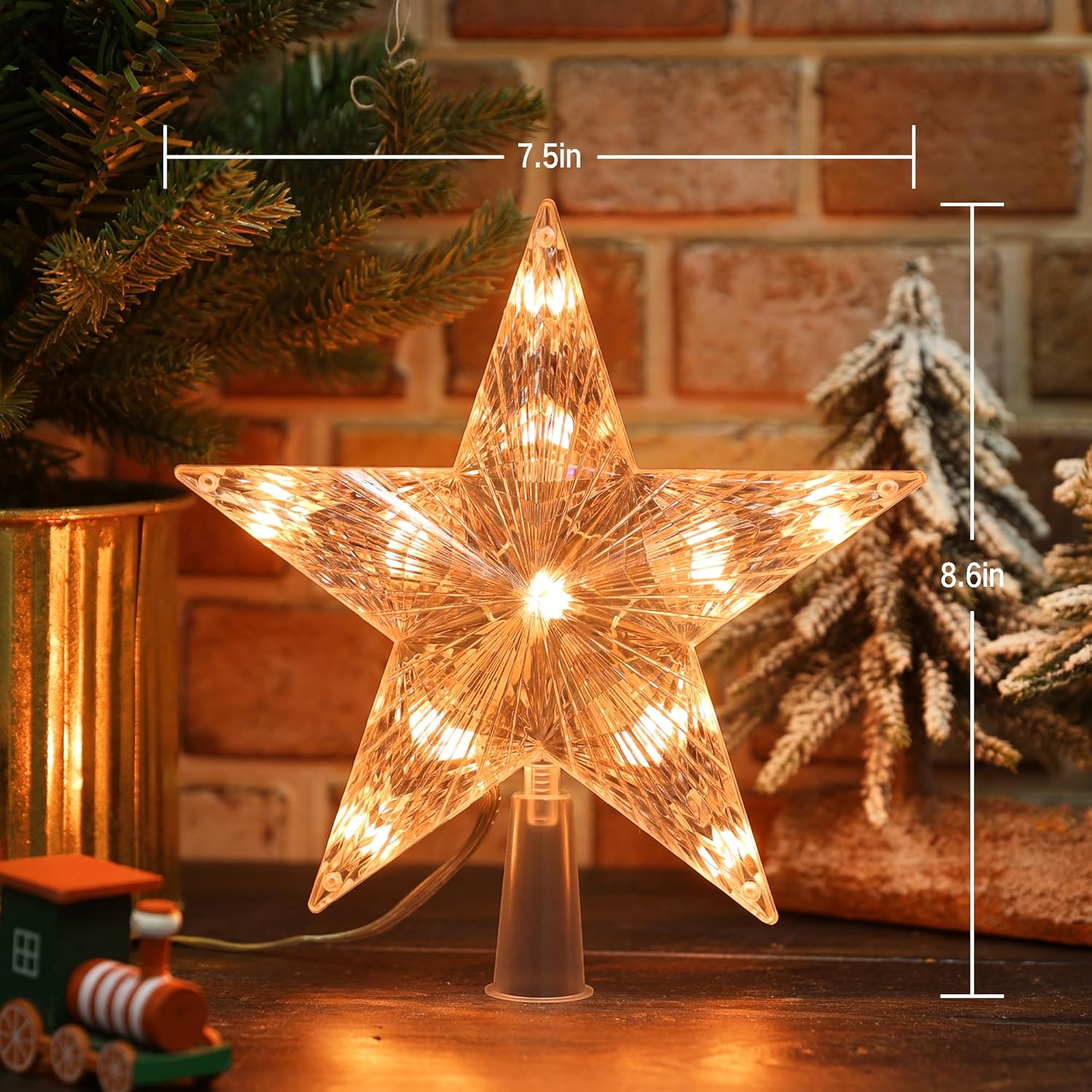
Figure 2: Product dimensions for the Brizled Smart Christmas Tree Topper.
Kurulum Talimatları
1. Fiziksel Kurulum
- Carefully remove the Brizled Smart Christmas Tree Topper from its packaging.
- Place the base of the star topper securely onto the top of your Christmas tree. Ensure it is stable and upright.
- Connect the power adapter to the tree topper and then plug it into a standard electrical outlet.
2. Uygulama İndirme ve Kurulumu
The Brizled Smart Christmas Tree Topper is controlled via a dedicated smartphone application. Arama "Brizled" or "Smart Tree Topper" in your device's app store.
- For iOS devices: Download from the Apple Uygulama Mağazası.
- For Android devices: Download from the Google Play Mağazası.
Install the application and create an account if you are a new user.

Figure 3: App interface showing Wi-Fi connection status for the tree topper.
3. Wi-Fi'ye Bağlanma ve Eşleştirme
- Ensure your smartphone is connected to a 2.4GHz Wi-Fi network. 5GHz networks are not supported.
- Yüklenen uygulamayı açın.
- Follow the in-app instructions to add a new device. This typically involves selecting "Lighting" or "Christmas Lights" and then following prompts to put the tree topper into pairing mode (often indicated by a blinking light).
- İstenildiğinde Wi-Fi ağınızın şifresini girin.
- Once connected, you can rename your device for easier identification.
Kullanım Talimatları
1. Uygulama Kontrolü
The Brizled app provides comprehensive control over your tree topper:
- Renk Seçimi: Choose from 16 million RGB colors using a color wheel or preset options.
- Parlaklık Ayarı: Işık yoğunluğunu %0 ile %100 arasında ayarlayın.
- Dinamik Modlar: Select from various pre-programmed lighting effects such as fades, flashes, chases, and more.
- Custom DIY Modes: Create and save your own unique lighting patterns and color sequences.
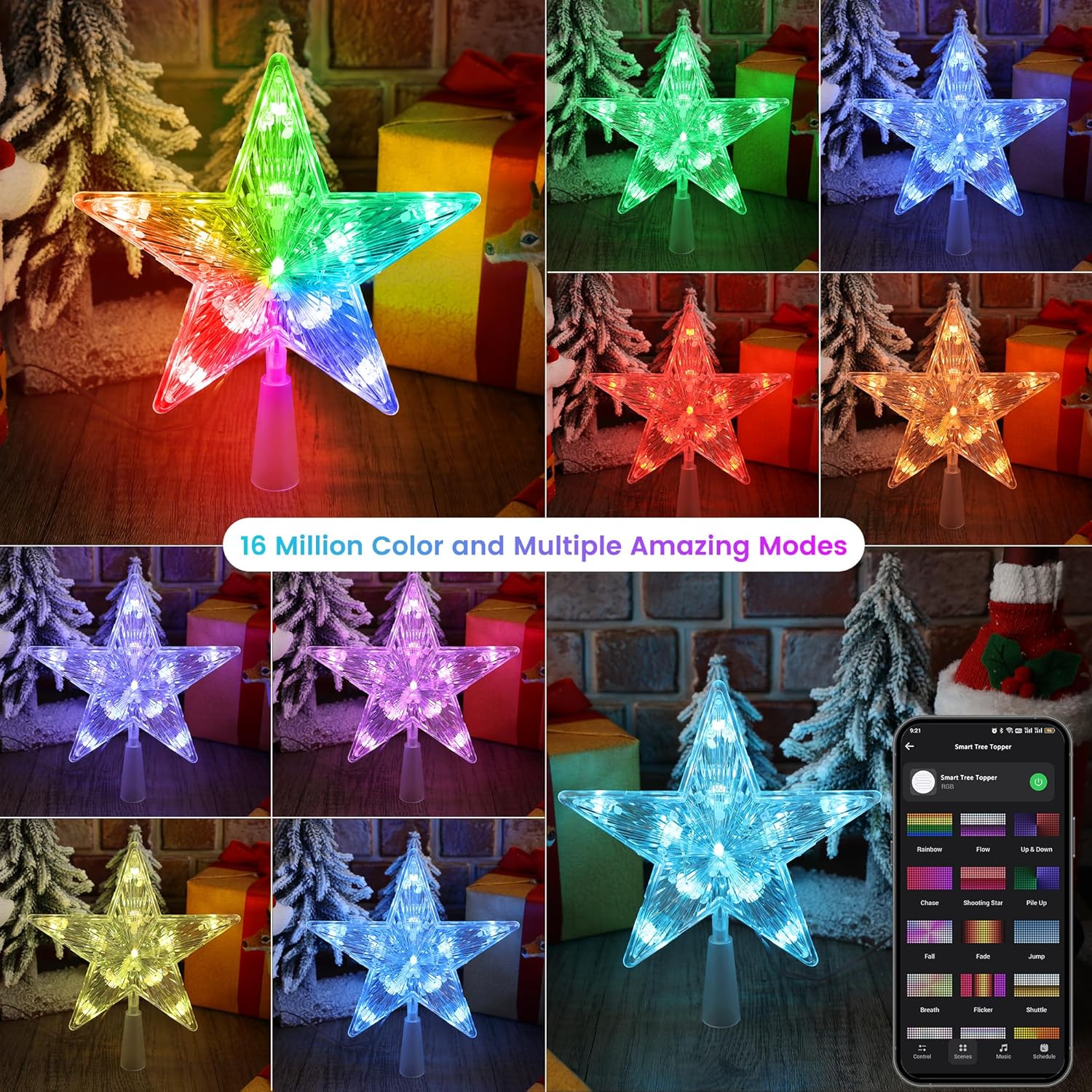
Şekil 4: Ör.amples of 16 million color options and multiple dynamic modes available via the app.

Figure 5: The app interface showing various preset stunning modes for the tree topper.
2. Ses Kontrolü (Alexa ve Google Asistan)
Integrate your tree topper with Amazon Alexa or Google Assistant for hands-free control. Ensure your device is linked within the respective smart home app.
Ortak Sesli Komutlar:
- "Alexa, [Cihaz Adı]'nı aç."
- "Hey Google, [Cihaz Adı]'nı kapat."
- "Alexa, set [Device Name] to red."
- "Hey Google, brighten [Device Name] to 75%."
- "Alexa, dim [Device Name]."

Figure 6: Voice control integration with smart assistants like Alexa and Google Home.
3. Automations and Schedules
Set up custom schedules and automations within the app to control when your tree topper turns on/off, changes colors, or activates specific modes.
- Programlar: Program specific times for the topper to operate daily or on selected days.
- Otomasyonlar: Create rules based on conditions like sunrise/sunset, or in conjunction with other smart devices.
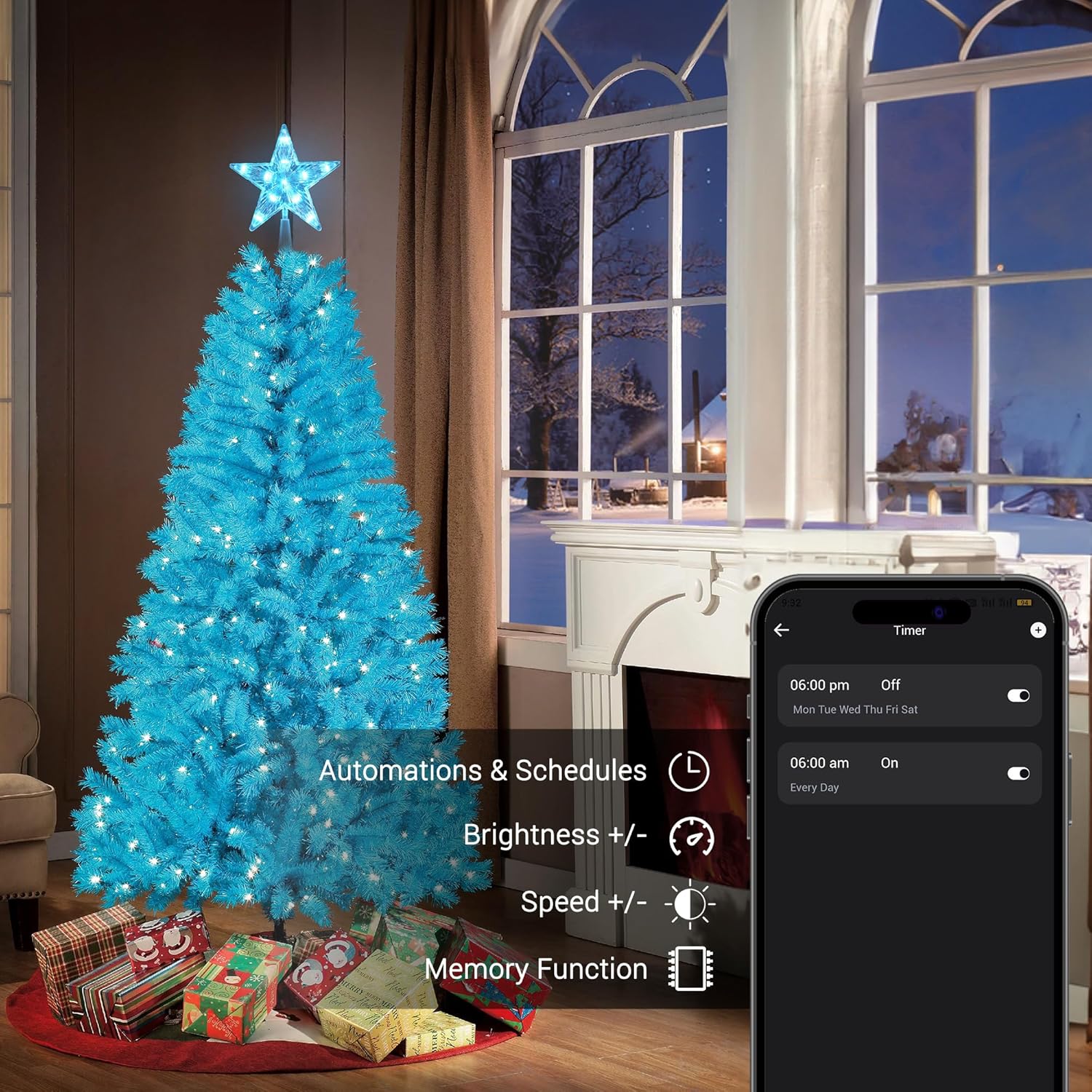
Figure 7: App interface for setting automations and schedules, including brightness and speed adjustments.
4. Music Sync
The tree topper can synchronize its lighting effects with music played through your smartphone's microphone or a connected audio source. Select from various rhythm types within the app.

Figure 8: The app's music sync feature, allowing lights to dance to music.
5. Grup Kontrolü
If you have multiple Brizled smart lighting products, you can group them within the app to control them simultaneously. This allows for synchronized color changes, brightness adjustments, and scene activations across all grouped devices.
Bakım
- Temizlik: Gently wipe the tree topper with a soft, dry cloth. Do not use abrasive cleaners or solvents.
- Depolamak: When not in use, store the tree topper in its original packaging or a protective container in a cool, dry place.
- Denetleme: Periodically check the power cord and connections for any signs of damage. Discontinue use if damage is found.
Sorun giderme
| Sorun | Olası Neden | Çözüm |
|---|---|---|
| Topper does not light up. | No power, loose connection, or device malfunction. | Ensure the power adapter is securely plugged into the topper and the wall outlet. Check if the outlet is functional. |
| Wi-Fi'ye bağlanılamıyor. | Incorrect Wi-Fi band, wrong password, or too far from router. | Confirm your router is broadcasting a 2.4GHz network. Re-enter Wi-Fi password carefully. Move the topper closer to the router during setup. |
| Ses kontrolü çalışmıyor. | Not linked to smart assistant, incorrect device name, or internet connectivity issues. | Verify the topper is linked in your Alexa/Google Home app. Use the exact device name. Check your internet connection. |
| Işıklar titriyor veya düzensiz çalışıyor. | Unstable power supply or software glitch. | Unplug the topper for 30 seconds, then plug it back in. Ensure the power source is stable. |
Garanti ve Destek
Brizled products are designed for quality and reliability. For warranty information, technical support, or customer service inquiries, please refer to the contact information provided on the product packaging or visit the official Brizled webalan.
Ayrıca ziyaret edebilirsiniz Brizled Store on Amazon Ek ürün bilgileri ve destek kaynakları için.