
BoxWave ClearTouch Crystal Screen Protector for Juan JA2215 Baby Monitor (3.2 in)
BoxWave ClearTouch Crystal Screen Protector User Manual
For Juan JA2215 Baby Monitor (3.2 in)
1. Giriş
The BoxWave ClearTouch Crystal Screen Protector is designed to provide superior protection for your Juan JA2215 Baby Monitor's 3.2-inch screen. This high-quality film shields your device from scratches, dust, and daily wear, while maintaining optimal clarity and vibrant color display. Its precision-cut design ensures a perfect fit, and the glueless adhesive allows for easy application and residue-free removal.
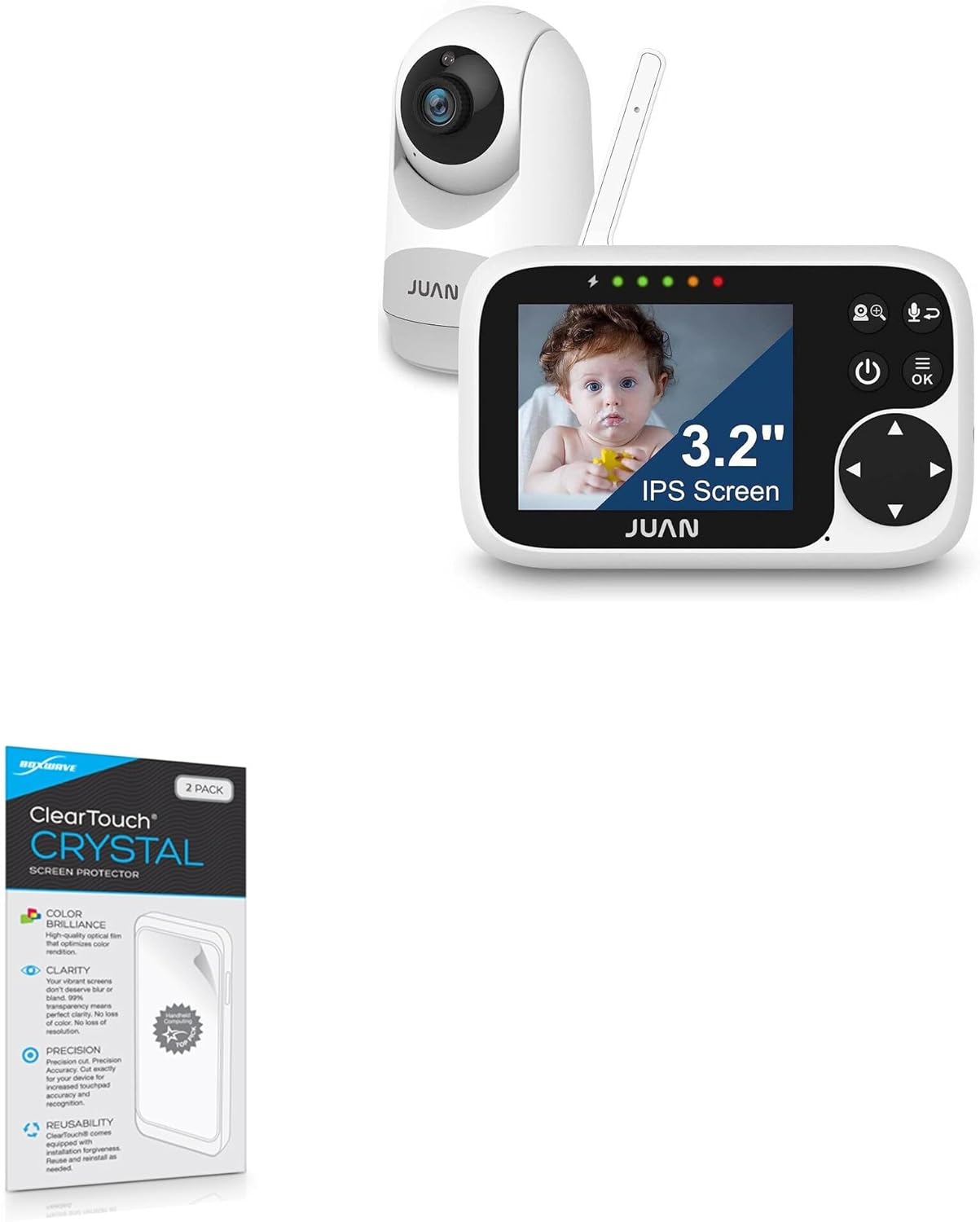
Image: BoxWave ClearTouch Crystal Screen Protector packaging shown alongside the Juan JA2215 Baby Monitor, illustrating compatibility.
2. Neler Dahil?
Each BoxWave ClearTouch Crystal Screen Protector package contains the following items:
- Two (2) ClearTouch Crystal Screen Protectors
- One (1) ClearTouch Applicator Card
- One (1) Microfiber Cleaning Cloth
- One (1) Dust Removing Sticker

Image: The package contents, including two screen protectors, an applicator card, and a microfiber cleaning cloth.

Resim: Ayrıntılı view of the included accessories: applicator card, microfiber cleaning cloth, and dust removing sticker.
3. Kurulum: Kurulum Kılavuzu
Follow these steps carefully for optimal installation of your ClearTouch Crystal Screen Protector:
- Ekranı Temizleyin: Use the provided microfiber cleaning cloth to thoroughly wipe the screen of your Juan JA2215 Baby Monitor. Ensure there are no dust particles, smudges, or fingerprints. For stubborn marks, a small amount of screen cleaner (not included) can be used, followed by drying with the cloth.
- Tozu Temizleyin: Use the dust removing sticker to lift any remaining dust particles from the screen. Gently dab the sticker across the screen surface.
- Peel Back Layer 1: Carefully peel back a small portion of the protective film labeled "Layer 1" from one end of the screen protector. Avoid touching the adhesive side.
- Hizala ve Uygula: Align the exposed adhesive edge of the screen protector with one edge of your baby monitor's screen. Ensure precise alignment with the screen's contours and any cutouts (e.g., for camera or sensors).
- Kabarcıkları Düzeltin: Slowly lower the rest of the screen protector onto the screen. As you apply, use the ClearTouch Applicator Card to gently push out any air bubbles towards the edges. Work from the center outwards.
- Remove Layer 2: Once the screen protector is fully adhered and all major air bubbles are removed, carefully peel off the top protective film labeled "Layer 2".
- Final Smoothing: Use the microfiber cloth to gently wipe the newly applied screen protector, smoothing out any tiny remaining bubbles or imperfections. Note: Small air gaps around the edges may take up to 2 days of regular use to fully clear out.

Image: Visual representation highlighting the clarity and thinness of the ClearTouch Crystal screen protector compared to a standard screen.
4. Operating the Screen Protector
Once installed, the ClearTouch Crystal Screen Protector operates seamlessly with your Juan JA2215 Baby Monitor. It is designed to be virtually invisible, preserving the original touch sensitivity and display quality of your device.
- Dokunma Hassasiyeti: The ultra-thin film ensures that the touch response of your baby monitor's screen remains unaffected.
- Clarity and Color: With 99% visual transparency, the screen protector maintains the vibrant colors and sharp resolution of your monitor's display.
- Koruma: The primary function is to protect your screen from scratches, abrasions, and dust accumulation during daily use.

Image: The screen protector showcasing its high definition clarity, allowing the vibrant colors of the underlying image to shine through.
5. Bakım ve Özen
To ensure the longevity and effectiveness of your screen protector, follow these maintenance guidelines:
- Temizlik: Use the provided microfiber cleaning cloth to gently wipe away dust, smudges, and fingerprints. For more persistent marks, slightly dampBezi su veya ekrana zarar vermeyen bir temizleme solüsyonuyla silin. Sert kimyasallardan veya aşındırıcı malzemelerden kaçının.
- Keskin Nesnelerden Kaçının: While the protector is scratch-resistant, extreme pressure or sharp objects can still damage it.
- Tekrar kullanılabilirlik: The ClearTouch Crystal screen protector is designed with installation forgiveness. If removed carefully, it can be reused and reinstalled if needed, provided the adhesive side remains clean.
6. Sorun Giderme
Karşılaşabileceğiniz yaygın sorunlara yönelik çözümler şunlardır:
| Sorun | Çözüm |
|---|---|
| Air Bubbles After Installation | Small air bubbles are common immediately after installation. Use the applicator card to gently push them towards the nearest edge. For tiny bubbles, they often dissipate naturally within 2 days of regular use as the adhesive fully cures. |
| Dust Under Protector | If dust particles are trapped, carefully lift the nearest corner of the screen protector, use the dust removing sticker to dab the dust off both the screen and the protector's adhesive side, then reapply. Ensure a clean environment during application. |
| Protector Not Sticking at Edges | Ensure the screen is perfectly clean and free of oils or residue. Apply firm, even pressure with the applicator card along the edges. The low-tack adhesive may take a short time to fully adhere; allow up to 2 days for full adhesion. |
| Reduced Touch Sensitivity | This is rare with ClearTouch Crystal. Ensure the protector is correctly aligned and not overlapping any sensors. If the issue persists, re-installation might be necessary to ensure proper adhesion. |
7. Özellikler
| Özellik | Detay |
|---|---|
| Ürün Adı | BoxWave ClearTouch Crystal Screen Protector |
| Uyumluluk | Juan JA2215 Baby Monitor (3.2 inch screen) |
| Malzeme | Polietilen Tereftalat (PET) |
| Şeffaflık | 99% Visual Transparency |
| Özel Özellikler | Scratch Resistant, Glueless Adhesive, Reusable, Precision-Cut |
| Paket Miktarı | 2 Screen Protectors per pack |
| Ürün Ağırlığı | 0.7 ons (yaklaşık) |
| Üretici | Kutu dalgası |
| Menşei ülke | Çin |
8. Garanti ve Destek
BoxWave stands behind the quality of its products. For specific warranty information regarding your ClearTouch Crystal Screen Protector, please refer to the packaging or visit the official BoxWave website. If you encounter any issues or require assistance, please contact BoxWave customer support:
- Çevrimiçi destek: Ziyaret etmek www.boxwave.com/support for FAQs, troubleshooting guides, and contact forms.
- E-posta Desteği: Refer to the BoxWave webEn güncel müşteri hizmetleri e-posta adresi için siteyi ziyaret edin.
- Telefon Desteği: Refer to the BoxWave webMevcut telefon destek numaraları ve çalışma saatleri için siteyi ziyaret edin.
Please have your product model (ClearTouch Crystal Screen Protector for Juan JA2215 Baby Monitor) and purchase details ready when contacting support.
Ask a question about this manual
Ask about setup, troubleshooting, compatibility, parts, safety, or missing instructions. Manuals+ will review the question and use this page’s manual context to help answer it.