
1. Ürün Bittiview
The Manba Mini Wireless Controller is a compact and portable gaming device designed for classic and retro games. Its small size makes it convenient for on-the-go use. This controller offers multi-platform compatibility, supporting various operating systems and gaming consoles.
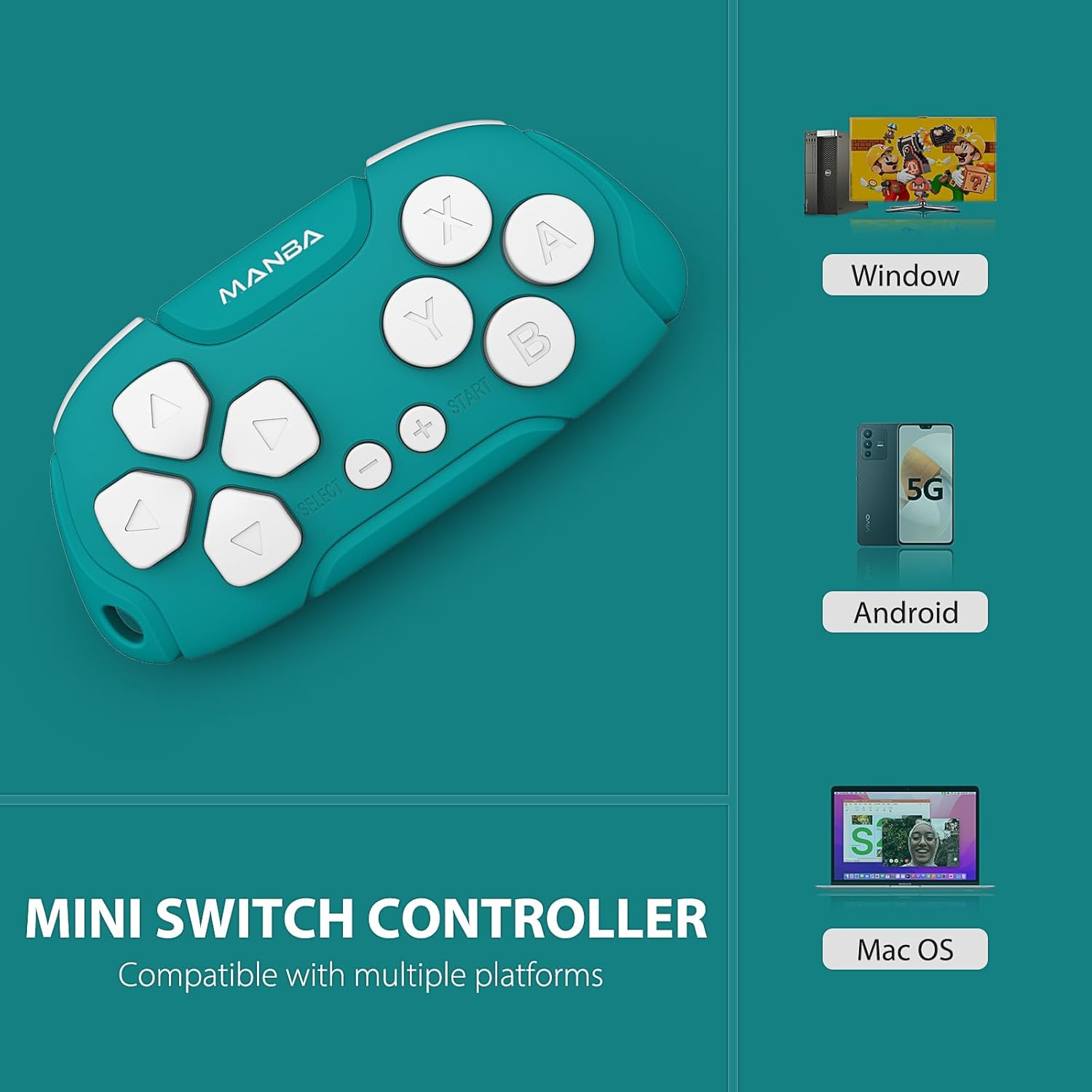
Image 1.1: Manba Mini Wireless Controller compatible with multiple platforms.
Beyond gaming, the controller can function in keyboard mode, making it suitable for applications like Anki (with remapping) and Clip Studio Paint, transforming it into a compact shortcut device.
2. Paket İçeriği
Paketinizde tüm öğelerin mevcut olduğundan emin olun:
- 1 × Manba Mini Wireless Controller
- 1 × Mikro-USB Şarj Kablosu
- 1 × Instruction Manual (this document)
3. Kurulum ve Bağlantı
3.1 Kontrol Ünitesinin Şarj Edilmesi
Before first use, fully charge the controller. Connect the provided micro-USB cable to the controller's charging port and the other end to a USB power source (e.g., computer USB port, USB wall adapter). The LED indicator will show charging status and turn off when fully charged. A full charge typically takes 1-2 hours and provides approximately 8 hours of play time.
3.2 Açma/Kapatma
- Açmak İçin: Press and hold the START button for a few seconds until the indicator light illuminates.
- Kapatmak İçin: Press and hold the START button for a few seconds until the indicator light turns off. The controller will also automatically power off after a period of inactivity.
3.3 Cihazlarla Eşleştirme
The Manba Mini Wireless Controller supports various connection modes for different platforms. Refer to the specific instructions below for your device.
3.3.1 Nintendo Switch / Switch Lite / Switch OLED

Image 3.1: Controller compatibility with Nintendo Switch models.
- Nintendo Switch'inizde ANA MENÜ'ye gidin.
- Seçme Kontrolörler > Tutma Yerini/Sırayı Değiştir.
- On the Manba Mini Controller, press and hold the Y + BAŞLAT buttons simultaneously until the LED indicator starts flashing rapidly.
- Once the controller appears on the Switch screen and the LED indicator becomes solid, the pairing is complete.
3.3.2 Windows (X-input)
- On the Manba Mini Controller, press and hold the X + BAŞLAT buttons simultaneously until the LED indicator starts flashing rapidly.
- On your Windows PC, go to Bluetooth & other devices settings.
- Seçme Bluetooth veya başka bir cihaz ekleyin > Bluetooth.
- Select the controller from the list of available devices.
- Once connected, the LED indicator on the controller will become solid.
3.3.3 Android / MacOS
- On the Manba Mini Controller, press and hold the A + BAŞLANGIÇ buttons simultaneously until the LED indicator starts flashing rapidly.
- On your Android device or Mac, go to Bluetooth ayarları.
- Bluetooth'u etkinleştirin ve yeni cihazları arayın.
- Select the controller from the list of available devices.
- Once connected, the LED indicator on the controller will become solid.
4. Kullanım Talimatları
4.1 General Gaming Use
The Manba Mini Wireless Controller is optimized for classic and retro games. It features a D-pad, action buttons (A, B, X, Y), and shoulder buttons (L, R). Familiarize yourself with the button layout for optimal gameplay.
4.2 Keyboard Mode for Productivity
In keyboard mode, the controller can be used as a shortcut remote for various applications. This is particularly useful for:
- Anki: For efficient flashcard review. Custom mapping may be required using software like Karabiner Elements on macOS.
- Clip Studio Paint: As a compact shortcut controller for digital art.

Image 4.1: Controller use with Anki for efficient study.
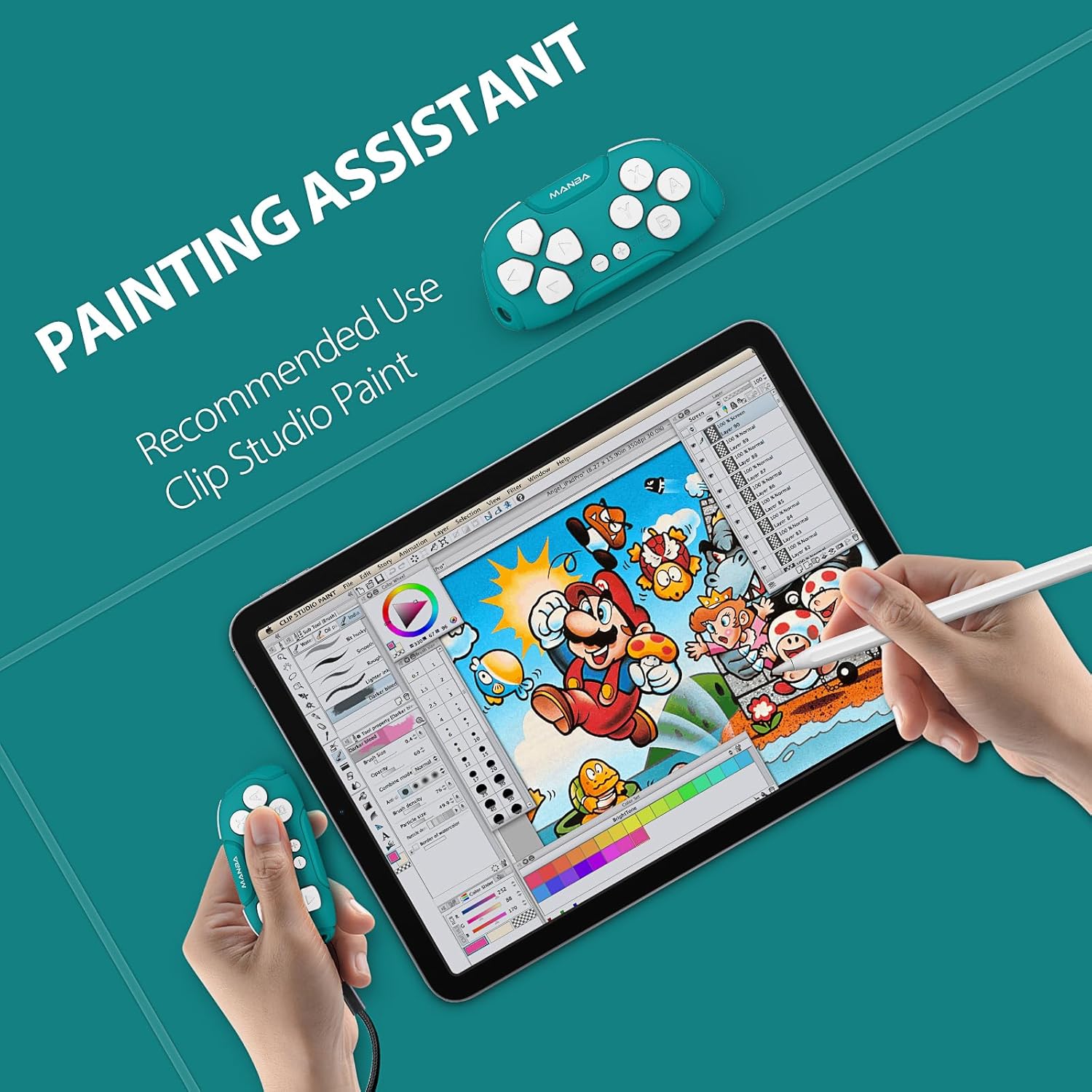
Image 4.2: Controller functioning as a painting assistant for Clip Studio Paint.
5. Bakım ve Onarım
To ensure the longevity and optimal performance of your Manba Mini Wireless Controller, follow these care guidelines:
- Temizlik: Kumandayı silmek için yumuşak, kuru bir bez kullanın. İnatçı kirler için hafifçe kurulayın.ampBezi suyla yıkayın. Sert kimyasallardan veya aşındırıcı temizleyicilerden kaçının.
- Depolamak: Kontrol cihazını serin, kuru ve doğrudan güneş ışığından ve aşırı sıcaklıklardan uzak bir yerde saklayın.
- Damlalardan Kaçının: Dayanıklı olmasına rağmen, tekrarlanan düşmeler iç bileşenlere zarar verebilir. Dikkatli kullanın.
- Sıvıya Maruz Kalma: Kumanda cihazını suya veya diğer sıvılara maruz bırakmayın.
6. Sorun Giderme
If you encounter issues with your Manba Mini Wireless Controller, refer to the following common problems and solutions:
- Controller Not Connecting/Pairing:
- Kontrol cihazının tam şarjlı olduğundan emin olun.
- Cihazınızda Bluetooth'un etkin olduğunu doğrulayın.
- Make sure you are using the correct button combination for pairing with your specific platform (Y+START for Switch, X+START for Windows, A+START for Android/MacOS).
- Hem kontrol cihazını hem de cihazınızı yeniden başlatmayı deneyin.
- Cihazınızın Bluetooth ayarlarından kumandanın önceki tüm eşleştirmelerini kaldırın ve tekrar eşleştirmeyi deneyin.
- Düğmeler Doğru Şekilde Yanıt Vermiyor:
- Kontrol cihazının doğru şekilde eşleştirildiğinden ve bağlandığından emin olun.
- For keyboard mode applications like Anki, ensure any necessary remapping software (e.g., Karabiner Elements for macOS) is correctly configured.
- D-Pad Functionality: Note that the D-pad on this controller consists of four individual buttons, not a single connected piece with a pivot point like some traditional controllers. This means it is possible to press opposing directions simultaneously (e.g., left and right), which may affect performance in certain platformers or timing-sensitive games. This design is intentional for its versatility in keyboard mode but differs from standard gaming D-pads.
- Kısa Pil Ömrü:
- Ensure the controller is being charged for the recommended 1-2 hours.
- Pil performansı, yoğun kullanım sonucunda zamanla düşebilir.
- Ensure the controller is powered off when not in use to conserve battery.
7. Teknik Özellikler

Image 7.1: The compact size of the Manba Mini Wireless Controller.
| Üretici | Manba |
| Örnek | Mini Wireless Controller |
| ASIN | B0CFQJFQZG |
| Paket Boyutları | 3.7 x 2.13 x 1.18 inç |
| Pil | 1 Lithium Polymer battery (included), 180 mAh capacity |
| Pil Ömrü | Approximately 8 hours after 1-2 hours charging |
| Uyumluluk | Nintendo Switch, Windows (X-input), Android, macOS |
8. Garanti ve Destek Bilgileri
For warranty information or technical support, please refer to the documentation included with your purchase or visit the official Manba brand store. Contact details for customer service are typically provided on the manufacturer's webalan.
You can visit the Manba Store for more information: Manba Official Store