
giriiş
This manual provides detailed instructions for the installation, operation, and maintenance of your Cooler Master MasterLiquid Atmos 360 Black CPU Liquid Cooler. This all-in-one (AIO) water cooling system is designed to deliver efficient thermal performance for your CPU, featuring a dual-chamber pump, pre-installed SickleFlow 120 Edge fans, and Addressable Gen 2 RGB lighting.
The MasterLiquid Atmos 360 is compatible with a wide range of Intel LGA (1700/1200/1151/1150/1155/1156) and AMD (AM5/AM4) sockets.

Image: The Cooler Master MasterLiquid Atmos 360 Black CPU Liquid Cooler, showcasing its radiator, three RGB fans, and illuminated pump head.
Paket İçeriği
Kuruluma başlamadan önce, lütfen pakette tüm bileşenlerin mevcut olduğundan emin olun:
- 360mm Radiator with pre-installed SickleFlow 120 Edge Fans
- CPU Water Block/Pump Unit
- Mounting Hardware for Intel LGA 1700/1200/115x sockets
- AMD AM5/AM4 soketleri için montaj donanımı
- Termal Macun
- ARGB Gen 2 Controller (if included)
- Various Cables (PWM fan cables, ARGB cables)
- Kullanıcı Kılavuzu

Resim: Kapsamlı bir view of all included components for the MasterLiquid Atmos 360, including the radiator, fans, pump, mounting brackets, and accessories.
Kurulum ve Yükleme
Follow these steps carefully to install your liquid cooler. Refer to your motherboard and PC case manuals for specific guidance on component placement and cable routing.
1. CPU Soketini Hazırlayın
- Identify your CPU socket type (Intel LGA or AMD AM).
- Install the appropriate backplate (for Intel) or retention clips (for AMD) as per the included hardware guide.
- İşlemci yüzeyini kalıntıları gidermek için izopropil alkolle temizleyin.
2. Isıl Macun Uygulayın
- Apply a small, pea-sized amount of the included thermal paste to the center of your CPU's integrated heat spreader (IHS).
- Do not spread the paste manually; the pressure from the cold plate will distribute it evenly.
3. Radyatör ve Fanların Montajı
- PC kasanızda 360 mm radyatör için en uygun montaj yerini belirleyin (genellikle üst veya ön).
- Secure the radiator to the case using the provided screws. The SickleFlow Edge fans are pre-installed on the radiator for convenience.
4. Pompa/Soğutma Plakasını Monte Edin
- Attach the correct mounting brackets to the pump unit for your CPU socket.
- Pompa/soğutma plakası tertibatını montaj deliklerini hizalayarak dikkatlice CPU'nun üzerine yerleştirin.
- Secure the pump unit with the appropriate screws, tightening them in a diagonal pattern until snug. Do not overtighten.
5. Kabloları Bağlayın
- Pompanın 3 pinli güç kablosunu anakartınızdaki kullanılabilir bir CPU_FAN veya AIO_PUMP başlığına bağlayın.
- Connect the PWM fan cables from the SickleFlow Edge fans to the CPU_FAN or other available fan headers on your motherboard. It is recommended to connect them to a single header using a splitter if necessary, to ensure synchronized fan speed control.
- Connect the ARGB cables from the pump and fans to an Addressable Gen 2 RGB header on your motherboard (5V-D-G) or to the included ARGB controller.

Image: The assembled MasterLiquid Atmos 360, showing the radiator, fans, and pump unit connected by tubing.
Kullanım Talimatları
İlk Güç Açma
After installation, power on your system. The pump and fans should begin operating. Monitor your CPU temperatures using system monitoring software to ensure proper function.
RGB Aydınlatma Kontrolü
The MasterLiquid Atmos 360 features Addressable Gen 2 RGB lighting on both the pump and fans. You can control the lighting effects through several methods:
- Anakart Senkronizasyonu: If connected to a compatible ARGB motherboard header, use your motherboard's RGB software (e.g., ASUS Aura Sync, MSI Mystic Light, Gigabyte RGB Fusion, ASRock Polychrome Sync) to customize lighting.
- Included ARGB Controller: If an ARGB controller is included, use its physical buttons to cycle through pre-set lighting modes and colors.
- Cooler Master MasterCTRL/MasterPlus Software: Download and install Cooler Master's MasterCTRL or MasterPlus software for advanced customization of lighting effects and device performance.
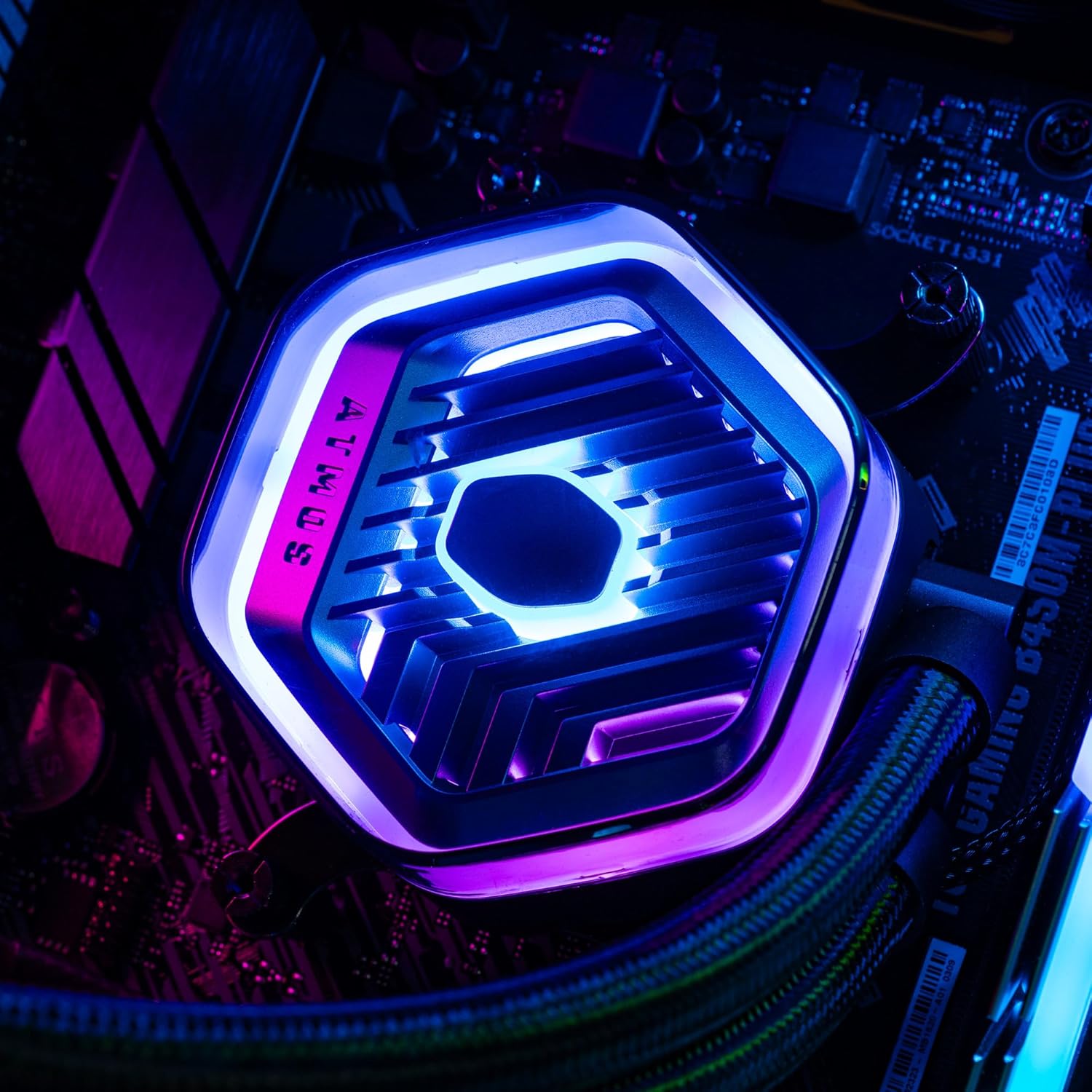
Resim: Ayrıntılı view of the MasterLiquid Atmos pump head, showcasing its unique design and customizable RGB illumination.
Fan Hız Kontrolü
The SickleFlow Edge fans are PWM (Pulse Width Modulation) controlled. Their speed can be managed via your motherboard's BIOS/UEFI settings or through motherboard-specific software. Adjust fan curves to balance cooling performance and noise levels according to your preferences.
Bakım
Düzenli bakım, sıvı soğutucunuzun optimum performans göstermesini ve uzun ömürlü olmasını sağlar.
- Toz Temizleme: Periodically clean dust from the radiator fins and fan blades using compressed air or a soft brush. Ensure the system is powered off before cleaning.
- Görsel Muayene: Boruları ve bağlantıları zaman zaman sızıntı veya hasar belirtileri açısından kontrol edin. AIO soğutucular kapalı sistemler olsa da, hızlı bir görsel kontrol olası sorunları önleyebilir.
- Yazılım Güncellemeleri: Keep your Cooler Master MasterCTRL/MasterPlus software and motherboard BIOS/UEFI updated to ensure compatibility and access to the latest features and performance optimizations.
Sorun giderme
If you encounter issues with your MasterLiquid Atmos 360, refer to the following common troubleshooting steps:
Yüksek CPU Sıcaklıkları
- Pompa bağlantısını kontrol edin: Ensure the pump's power cable is securely connected to the correct motherboard header (CPU_FAN or AIO_PUMP) and receiving power.
- Fan Çalışmasını Doğrulayın: Confirm that all radiator fans are spinning. Check their connections to the motherboard or fan controller.
- Termal Macun: Ensure thermal paste was applied correctly and the cold plate has good contact with the CPU. Re-apply if necessary.
- Hava akışı: Check your PC case's overall airflow. Ensure radiator fans are oriented correctly for intake or exhaust as desired.
RGB Aydınlatma Çalışmıyor
- ARGB Bağlantısı: Verify that the ARGB cables are correctly connected to a 5V-D-G header on your motherboard or the ARGB controller. Ensure it is not connected to a 12V RGB header, which can damage the LEDs.
- Yazılım: Check your motherboard's RGB software or Cooler Master's MasterCTRL/MasterPlus software for lighting settings. Ensure the lighting is enabled and configured.
- Kontrolör Gücü: If using an external ARGB controller, ensure it is receiving power (usually via SATA power connector).
Olağandışı Pompa Sesi
- Hava Kabarcıkları: New AIOs may have some air bubbles that can cause gurgling noises initially. These usually dissipate within a few hours of operation. Gently tilt your PC case to help move air bubbles to the radiator.
- Montaj: Pompanın sağlam bir şekilde monte edildiğinden ve diğer bileşenlere sürtünerek titreşmediğinden emin olun.
If problems persist, please contact Cooler Master customer support.
Özellikler
| Özellik | Şartname |
|---|---|
| Model Numarası | MLX-D36M-A25PZ-R1 |
| Ürün Boyutları (U x G x Y) | 15.51" x 4.71" x 1.07" (394 x 119.6 x 27.2 mm) |
| Soğutma Yöntemi | Sıvı (Hepsi Bir Arada) |
| Uyumlu Cihazlar | Desktop, Server |
| Uyumlu Prizler | Intel LGA 1700/1200/1151/1150/1155/1156, AMD AM5/AM4 |
| Gürültü Seviyesi | 27.2 Decibels (Fan) |
| Maximum Rotational Speed (Fan) | 2500 RPM |
| Air Flow Capacity (Fan) | 70.7 CFM |
| Malzeme | Alüminyum (Radyatör) |
| Güç Konektörü Türü | 3 Pin (Pompa), 4 Pin PWM (Fanlar) |
| Cilttage | 12 Volt |
| Netage | 3.6 watt |
| Ürün Ağırlığı | 1.42 Kilogram |
Garanti Bilgileri
The Cooler Master MasterLiquid Atmos 360 Black CPU Liquid Cooler comes with a 5 Yıllık Garanti satın alma tarihinden itibaren. Bu garanti, normal kullanımda malzeme ve işçilikteki kusurları kapsar.
For warranty claims or detailed terms and conditions, please retain your proof of purchase and visit the official Cooler Master websiteye gidin veya müşteri desteğiyle iletişime geçin.
Destek
For further assistance, technical support, or to download the latest software and drivers, please visit the official Cooler Master webalan:
You may also find helpful resources, FAQs, and community forums on their support pages.