
1. Giriş
This manual provides essential information for setting up, operating, and maintaining your TCL 65QM8B Mini LED QLED 4K HDR Google TV. Please read it thoroughly before use to ensure proper functionality and safety. This television combines advanced Mini LED and QLED technologies with a 144Hz refresh rate, 4K HDR Premium 1300nits brightness, and the Google TV smart platform, offering a premium viewoyun ve oyun deneyimi.
2. Önemli Güvenlik Bilgileri
- Elektriksel Güvenlik: Always ensure the power cable is securely connected to a grounded outlet. Do not overload power strips. Disconnect the power plug during lightning storms or when unused for long periods.
- Havalandırma: Maintain adequate space around the TV for proper ventilation. Do not block ventilation openings. Avoid placing the TV on soft surfaces like carpets or beds that may obstruct airflow.
- Temizlik: Unplug the TV before cleaning. Use a soft, dry cloth to clean the screen and cabinet. Avoid liquid cleaners, aerosols, or abrasive cloths.
- İşleme: The TV is heavy. Always use at least two people when lifting or moving the television to prevent injury or damage.
- Çocuklar: Do not allow children to climb on the TV or stand. Ensure the TV is placed on a stable surface or securely wall-mounted to prevent tipping.
- Nem: Televizyonunuzu yağmura veya neme maruz bırakmayın. Vazo gibi sıvı dolu nesneleri televizyonun üzerine koymayın.
3. Paket İçeriği
Paketin içinde tüm öğelerin mevcut olduğundan emin olun:
- TCL 65QM8B 65-inch Mini LED QLED 4K HDR Google TV
- Uzaktan kumanda
- AAA Piller (2x)
- Güç kablosu
- Kullanım Kılavuzu (bu belge)
- TV Sehpası Bileşenleri (Taban ve Vidalar)
4. Kurulum Kılavuzu
4.1 Paketten Çıkarma ve Yerleştirme
Carefully remove the TV from its packaging. It is recommended that two people handle the TV due to its size and weight. Place the TV on a flat, stable surface or prepare for wall mounting.
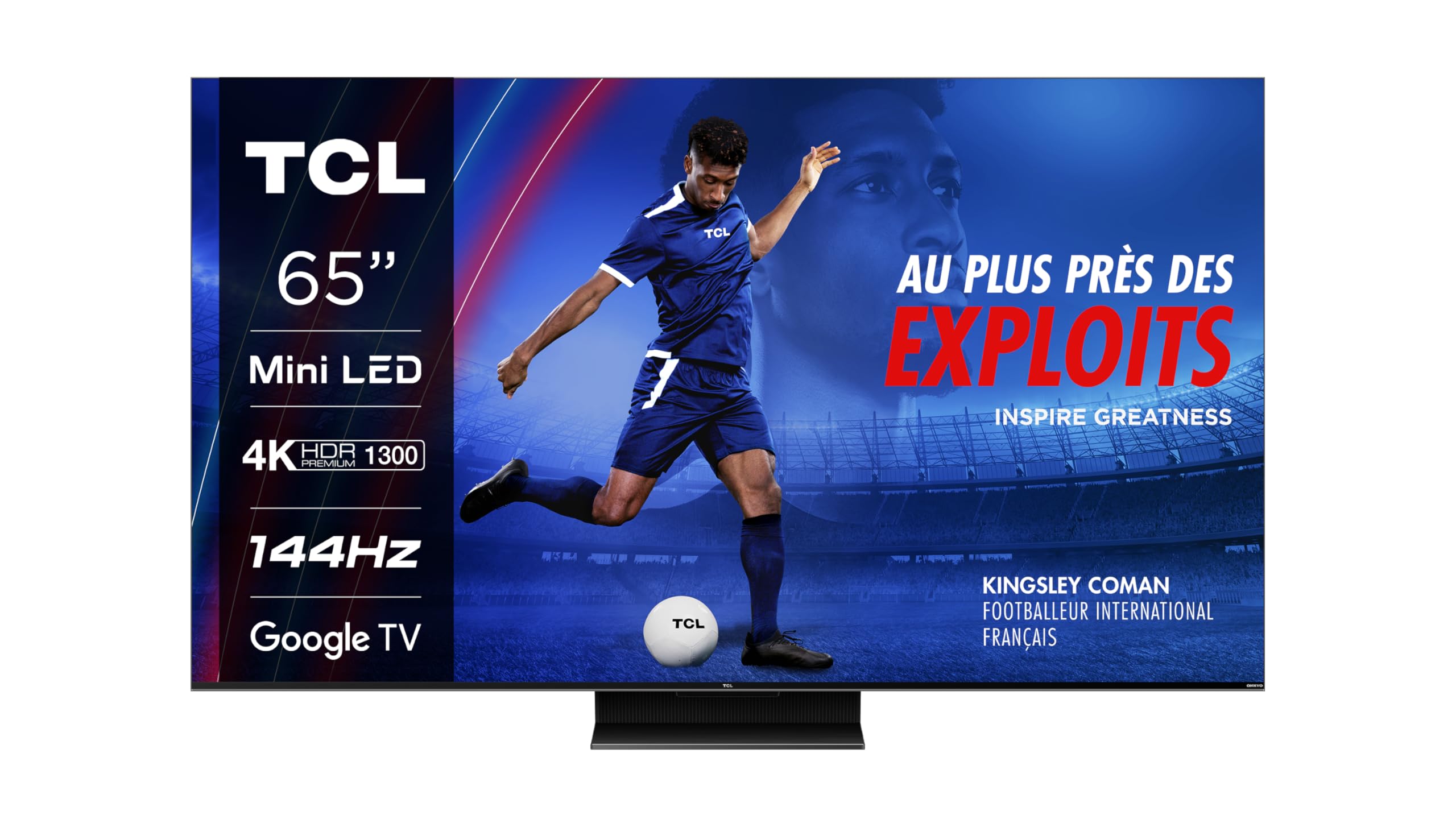
Resim: Ön view of the TCL 65QM8B TV on its stand.
4.2 Assembling the Stand / Wall Mounting
If using the included stand, attach the base to the TV following the instructions provided in the separate quick start guide. Ensure all screws are tightened securely. For wall mounting, the TV supports a VESA standard of 300 x 300 mm. Use a compatible wall mount bracket (sold separately) and consult a professional for installation.

Image: Technical drawing showing the dimensions of the TCL 65QM8B TV with its stand, and a view uzaktan kumandanın.
4.3 Çevre Birimlerini Bağlama
Harici cihazlarınızı mevcut bağlantı noktalarını kullanarak televizyona bağlayın:
- HDMI (x4): For high-definition devices such as game consoles (PlayStation, Xbox), Blu-ray players, and soundbars.
- USB (x1): Medya oynatmak için USB depolama aygıtlarını bağlamak için fileveya yazılım güncellemeleri için.
- LAN (Ethernet): Sabit kablolu internet bağlantısı için.
- Optik (Dijital Ses Çıkışı): For connecting to external audio receivers or sound systems.
- AV Girişi: Kompozit video ve stereo ses çıkışlarına sahip eski cihazları bağlamak için.
- Kulaklık: Özel ses dinleme için.
- CI Yuvası: For inserting a Conditional Access Module (CAM) for encrypted digital TV services.

Image: Diagram illustrating the various connectivity ports on the TCL 65QM8B TV, including HDMI, USB, LAN, Optical, AV Input, Headphone, and CI Slot.
5. TV'nizi Çalıştırma
5.1 First-Time Setup and Google TV
After connecting the power cable and turning on the TV, follow the on-screen instructions for the initial setup. This includes selecting your language, connecting to a Wi-Fi network, and logging in with your Google account to access Google TV features and apps.

Image: The TCL 65QM8B TV screen showing the Google TV home interface with various streaming app icons and content recommendations.
5.2 Uzaktan Kumanda İşlevleri
The included remote control allows you to navigate the TV's interface and control various functions. Key buttons include Power, Volume Up/Down, Channel Up/Down, Input Source selection, and a dedicated Google Assistant button for voice commands.
5.3 Temel Özellikler
Mini LED Technology
The TCL 65QM8B utilizes Mini LED backlighting, which consists of thousands of tiny LEDs. This technology allows for precise light control, delivering deeper blacks, brighter whites, and enhanced contrast compared to traditional LED TVs.

Image: A visual representation of Mini LED technology, showing how small LEDs provide precise backlighting for improved picture quality.
Full Array Local Dimming (FALD)
The TV's screen is divided into over 500 local dimming zones. Full Array Local Dimming precisely adjusts the brightness of each zone, optimizing contrast and ensuring that dark areas remain dark while bright areas shine, revealing more detail in every scene.

Image: A diagram demonstrating Full Array Local Dimming, showing how different zones of the backlight are controlled independently to enhance contrast.
QLED Ekran
Quantum Dot (QLED) technology enhances color reproduction, allowing the TV to display over a billion shades of vibrant, accurate colors. This results in a wider color gamut and more lifelike images.
144Hz VRR for Gaming
Designed for gamers, the 144Hz Variable Refresh Rate (VRR) ensures ultra-smooth motion and reduced input lag. This feature, combined with Game Master Pro 2.0 and AMD FreeSync Premium, provides a highly responsive and immersive gaming experience without screen tearing or stuttering.

Image: A person enjoying a video game on the TCL 65QM8B TV, highlighting the immersive gaming experience.
Dolby Vision IQ ve Dolby Atmos
Experience cinematic visuals with Dolby Vision IQ, which intelligently optimizes picture quality based on ambient light. Complementing this, Dolby Atmos delivers immersive, multi-dimensional audio through the integrated Onkyo 2.0 sound system, placing you in the center of the action.
6. Bakım
6.1 TV'nizin Temizlenmesi
Ekranı temizlemek için yumuşak, tiftiksiz bir bezle hafifçe silin. İnatçı lekeler için hafifçe silin.ampen the cloth with water. Never spray liquid directly onto the screen. For the TV cabinet, use a soft, dry cloth. Avoid using harsh chemicals or abrasive materials.
6.2 Yazılım Güncellemeleri
Your TCL TV may receive software updates to improve performance and add new features. To check for updates, navigate to the Settings menu on your Google TV interface and look for the 'About' or 'System Update' section. Ensure your TV is connected to the internet for updates.
7. Sorun Giderme
Televizyonunuzda sorunlarla karşılaşırsanız, aşağıdaki yaygın sorunlara ve çözümlere bakın:
| Sorun | Olası Çözüm |
|---|---|
| Güç Yok | Check if the power cable is securely plugged into the TV and a working electrical outlet. Try a different outlet. |
| Resim Yok / Siyah Ekran | Ensure the correct input source is selected. Check all HDMI/AV cables for secure connections. Try restarting the TV. |
| Ses Yok | Check the volume level. Ensure the TV is not muted. Verify audio output settings (e.g., internal speakers vs. external sound system). Check audio cables if using external speakers. |
| Uzaktan Kumanda Çalışmıyor | Pilleri değiştirin. Uzaktan kumanda ile televizyonun kızılötesi sensörü arasında herhangi bir engel olmadığından emin olun. |
| Ağ Bağlantı Sorunları | Check your Wi-Fi router and modem. Restart network equipment. Re-enter Wi-Fi password in TV settings. Try a wired Ethernet connection if Wi-Fi fails. |
| Resim Kalitesi Sorunları (örneğin, bulanık, bozuk) | Check the resolution of the input source. Adjust picture settings (brightness, contrast, sharpness) in the TV menu. Ensure cables are high-quality and properly connected. |
8. Teknik Özellikler
Below are the detailed technical specifications for the TCL 65QM8B TV:
| Özellik | Şartname |
|---|---|
| Model Numarası | 65QM8BX1 |
| Ekran Boyutu | 65 inç (164 cm) |
| Ekran Teknolojisi | Mini LED, QLED |
| Çözünürlük | 4K UHD (3840x2160) |
| Yenileme Hızı | 144 Hz (VRR) |
| HDR Desteği | HDR Premium 1300nits, Dolby Vision IQ |
| Ses Sistemi | Onkyo 2.0, Dolby Atmos, DTS:X |
| İşletim Sistemi | Google televizyon |
| Bağlantı | 4x HDMI, 1x USB, LAN, Wi-Fi, Bluetooth 5.0, Optical Out, AV Input, Headphone, CI Slot |
| VESA Montaj Standardı | 300x300 mm |
| Boyutlar (standlı) | 144.4 cm (G) x 89.8 cm (Y) x 32 cm (D) |
| Ağırlık (standsız) | 20.7 Kilogram |
| Güç Tüketimi (SDR) | 111 kWh/1000h |
| Güç Tüketimi (HDR) | 240 kWh/1000h |
| Dahil Bileşenler | Remote control, batteries, manual, power cable |

Image: EU Energy Efficiency Label for the TCL 65QM8B TV, showing energy class G for SDR and HDR, and power consumption values.
Daha fazla bilgi için şu adresi ziyaret edin: EPREL veritabanı.
9. Garanti ve Destek
Your TCL 65QM8B TV comes with a limited warranty. Please refer to the warranty card included in your package for specific terms and conditions.
- Genel Garanti: 2 yıl
- Software Updates Guaranteed: Up to 8 years from the date of market placement.
- Yedek Parça Bulunabilirliği: Guaranteed for 8 years from the date of market placement.
- Product Support Guaranteed: 8 yıl.
Üretici İletişim Bilgileri
For technical support, service, or warranty inquiries, please contact TCL customer support:
- Üretici: TCL
- Webalan: www.tcl.com
- Telefon: +48 46 854 01 00 (Please note this number may be specific to a region; check the TCL web(Yerel iletişim bilgileri için siteyi ziyaret edin.)