
giriiş
This manual provides comprehensive instructions for the installation, operation, maintenance, and troubleshooting of your Yeelight YLKG07YL Smart Dimmer. Please read this manual thoroughly before use to ensure proper functionality and safety.
Ürün Bittiview
The Yeelight YLKG07YL is a mountable smart dimmer designed to control compatible lighting fixtures. It features Wi-Fi connectivity and touch/push-button control for convenient operation.
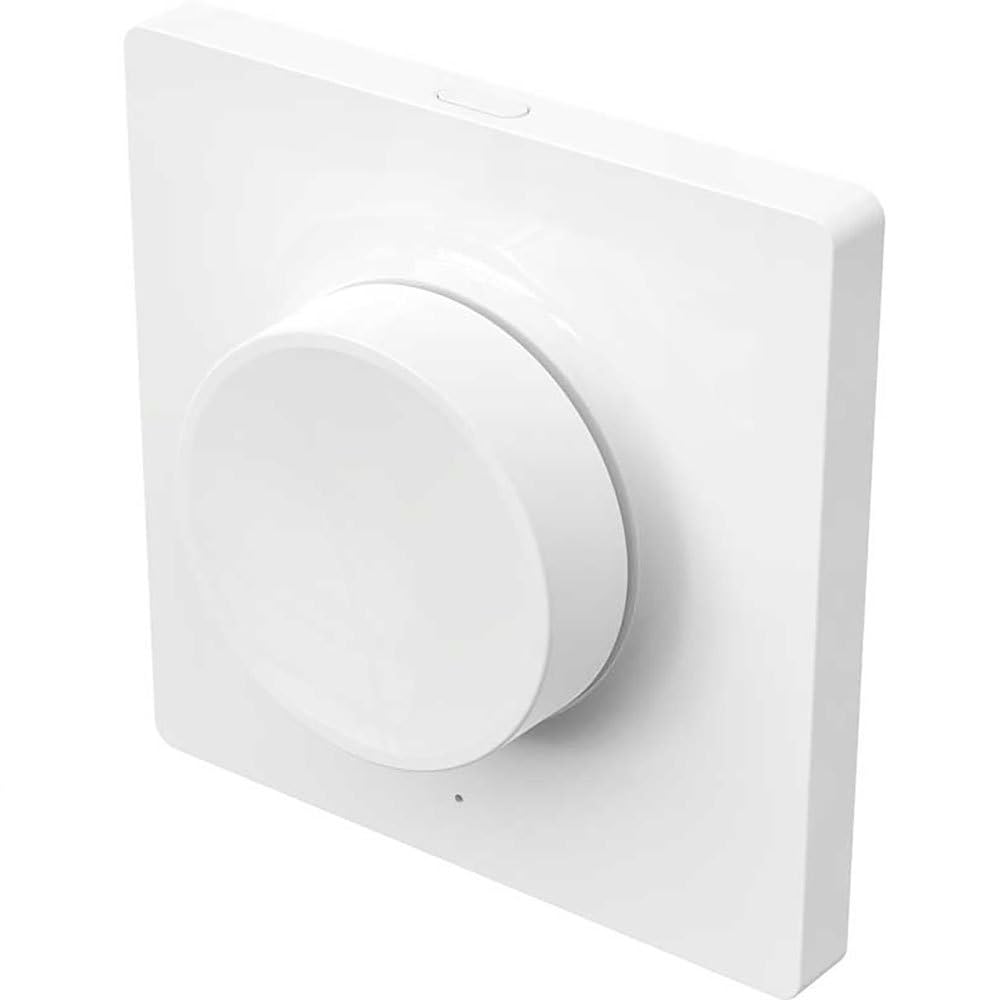
Figure 1: Yeelight YLKG07YL Smart Dimmer. This image displays the front of the dimmer, highlighting its sleek design and touch-sensitive control area.
Güvenlik Bilgileri
- Kurulum veya bakım işlemlerinden önce daima devre kesiciden elektriği kesin.
- Eğer emin değilseniz, montajı mutlaka kalifiye bir elektrikçiye yaptırmalısınız.
- Cihazı aşırı neme veya aşırı sıcaklıklara maruz bırakmayın.
- Ensure the dimmer is compatible with your lighting fixtures before installation.
Kurulum ve Yükleme
- Güç Bağlantısının Kesilmesi: Turn off the main power supply to the circuit at the circuit breaker. Verify power is off using a voltage test cihazı.
- Eski Anahtarı Kaldır: Carefully remove the existing wall switch from its electrical box. Disconnect the wires, noting their connections.
- Dimmer'ı kablolayın: Connect the wires from the electrical box to the Yeelight YLKG07YL dimmer according to the wiring diagram (refer to product packaging for specific diagrams). Ensure secure connections.
- Dimmer'ı monte edin: Gently push the wired dimmer into the electrical box. Secure it with screws. Attach the faceplate.
- Gücü Geri Yükle: Ana güç kaynağını devre kesiciden tekrar açın.
- Pairing (Wi-Fi): Follow the instructions in the Yeelight app to pair the dimmer with your Wi-Fi network and smart home system.
Kullanım Talimatları
The Yeelight YLKG07YL Smart Dimmer offers both physical and smart control options.
Physical Control:
- Açık/Kapalı: Press the main button to toggle the connected lights on or off.
- Karartma: Touch and hold the designated dimming area (if applicable, or use up/down buttons) to adjust brightness.
Smart Control (via Yeelight App):
- Open the Yeelight application on your smartphone or tablet.
- Select the YLKG07YL dimmer from your device list.
- Use the in-app controls to turn lights on/off, adjust brightness, set schedules, or integrate with other smart home devices.
Bakım
- Temizlik: Wipe the dimmer's surface with a soft, dry cloth. Do not use abrasive cleaners or solvents.
- Donanım Yazılımı Güncellemeleri: Regularly check the Yeelight app for available firmware updates to ensure optimal performance and security.
- Çevresel Koşullar: Hasar oluşmasını önlemek için çalışma ortamının belirtilen sıcaklık ve nem aralıklarında kalmasını sağlayın.
Sorun giderme
| Sorun | Olası Neden | Çözüm |
|---|---|---|
| Dimmer yanıt vermiyor | No power, incorrect wiring, device malfunction. | Devre kesiciyi kontrol edin. Kablo bağlantılarını doğrulayın. Sorun devam ederse destek ekibiyle iletişime geçin. |
| Lights flicker or do not dim properly | Incompatible bulb type, overloaded circuit, faulty wiring. | Ensure bulbs are dimmable and compatible. Check total wattage. Re-check wiring. |
| Wi-Fi'ye bağlanılamıyor | Incorrect Wi-Fi password, router too far, network issues. | Verify Wi-Fi password. Move router closer or use a Wi-Fi extender. Restart router. |
Özellikler
- Modeli: YLKG07YL
- Boyutlar: 10 x 5 x 1.3 cm (U x G x Y)
- Ağırlık: 1 Kilogram
- Malzeme: Plastic (body), Aluminium (contact)
- Bağlantı: Wifi
- Kontrol Yöntemi: Touch, Push-button
- Montaj Tipi: Duvara Montaj
- Güncel Puan: 1A
- IP Derecelendirmesi: IP65 (International Protection Marking)
Garanti Bilgileri
This Yeelight YLKG07YL Smart Dimmer comes with a 2 yıllık üretici garantisi Satın alma tarihinden itibaren geçerlidir. Bu garanti, normal kullanım koşullarında malzeme ve işçilik kusurlarını kapsar. Yanlış kullanım, kazalar, yetkisiz değişiklikler veya hatalı montajdan kaynaklanan hasarları kapsamaz. Garanti talepleri için lütfen satın alma belgenizi saklayın.
Destek
For technical assistance, troubleshooting, or warranty inquiries, please visit the official Yeelight website or contact their customer support. You can often find FAQs and additional resources online.
Resmi Webalan: www.yeelight.com