
giriiş
Thank you for choosing the AWEI A996BL Bluetooth Over-Ear Headphones. This manual provides detailed instructions for setting up, operating, and maintaining your headphones to ensure optimal performance and longevity. Please read this manual carefully before use.
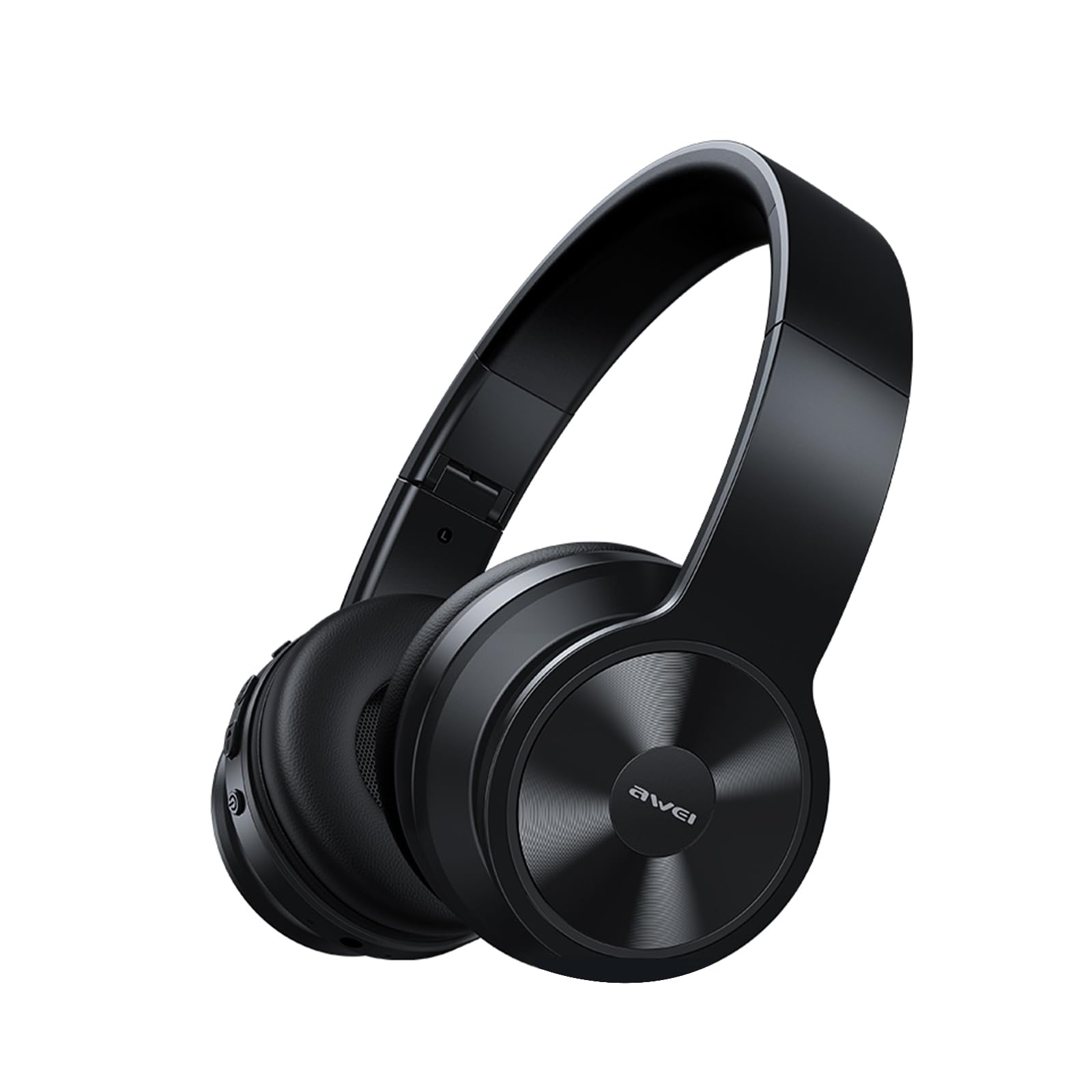
Image: AWEI A996BL over-ear headphones, showcasing tasarımlarını.
The AWEI A996BL headphones feature advanced Bluetooth 5.3 technology for stable connections, 40mm drivers for immersive stereo sound, and a comfortable, foldable design with soft protein earpads. Enjoy up to 16 hours of playtime on a single charge, with the flexibility of both wireless and wired (AUX) listening modes.
Paket İçeriği
- AWEI A996BL Bluetooth Over-Ear Headphones
- USB Şarj Kablosu
- Kullanıcı Kılavuzu
- (Note: An AUX cable may be included for wired connection, depending on the specific package.)
Ürün Bittiview
Kulaklığın bileşenlerini ve kontrollerini iyice öğrenin.

Image: Right earcup of the AWEI A996BL headphones, highlighting the control buttons.
Kontroller ve Göstergeler:
- Çok Fonksiyonlu Düğme (MFB): Power On/Off, Play/Pause, Answer/End Call, Reject Call, Activate Voice Assistant.
- Sesi Aç / Sonraki Parça Düğmesi: Sesi Açmak için Kısa basın, Sonraki Parça için Uzun basın.
- Sesi Azaltma / Önceki Parça Düğmesi: Kısa basışta Sesi Azaltma, Uzun basışta Önceki Parça.
- LED Göstergesi: Cihazın güç durumunu, eşleştirme modunu ve şarj durumunu gösterir.
- Mikrofon: Eller serbest görüşmeler için.
- USB-C Şarj Portu: Kulaklıkları şarj etmek için.
- 3.5 mm AUX Bağlantı Noktası: Kablolu ses bağlantısı için.
Kurmak
1. Kulaklıkları Şarj Etme
İlk kullanımdan önce kulaklıkları tamamen şarj edin. Tam şarj yaklaşık 2 saat sürer.
- USB şarj kablosunu kulaklıktaki USB-C şarj portuna takın.
- Kablonun diğer ucunu bir USB güç adaptörüne (dahil değildir) veya bir bilgisayarın USB portuna bağlayın.
- The LED indicator will show a red light during charging and turn off or blue when fully charged.

Image: Visual representation of the 300mAh battery capacity, indicating long battery life.
2. Açma/Kapama
- Güç Açık: Press and hold the Multi-function Button (MFB) for approximately 3 seconds until the LED indicator flashes blue and a voice prompt confirms "Power On".
- Kapat: Press and hold the Multi-function Button (MFB) for approximately 3 seconds until the LED indicator flashes red and a voice prompt confirms "Power Off".
3. Bluetooth Eşleştirme (Kablosuz Mod)
The headphones use Bluetooth 5.3 for a stable connection.
- Kulaklığın tamamen şarj edilmiş ve kapalı olduğundan emin olun.
- Press and hold the Multi-function Button (MFB) for approximately 5-7 seconds until the LED indicator flashes blue and red alternately. This indicates pairing mode.
- Cihazınızda (akıllı telefon, tablet, PC) Bluetooth'u etkinleştirin ve kullanılabilir cihazları arayın.
- Bulunan cihazlar listesinden "AWEI A996BL"yi seçin.
- Once paired, the LED indicator will flash blue slowly, and a voice prompt will confirm "Connected".
- Parola gerekiyorsa "0000" girin.

Image: Headphones connected wirelessly to a laptop and smartphone, demonstrating a stable Bluetooth connection. Note: The product features Bluetooth 5.3 for enhanced performance.
4. Kablolu Bağlantı (AUX Modu)
You can use the headphones in wired mode even when the battery is depleted or with non-Bluetooth devices.
- Connect one end of a 3.5mm audio cable (not included) to the AUX port on the headphones.
- Kabloyu diğer ucundan cihazınızın 3.5 mm ses çıkış jakına bağlayın.
- The headphones will automatically switch to wired mode. Note that controls on the headphones (volume, play/pause) may not function in wired mode; control playback from your connected device.

Image: Headphones showing both USB-C charging port and 3.5mm AUX port, illustrating wired and wireless options.
Kullanım Talimatları
Kulaklık Takmak
Adjust the headband for a comfortable fit. The soft protein earpads are designed for extended wear.

Image: A person wearing the AWEI A996BL headphones, highlighting their lightweight and comfortable design with adjustable headband and bendable earmuffs.
Basic Functions (Wireless Mode)
| İşlev | Operasyon |
|---|---|
| Müzik Çal/Duraklat | Short press the Multi-function Button (MFB). |
| Sesi Aç | "Sesi Aç / Sonraki Parça" düğmesine kısa süre basın. |
| Sesi Azalt | "Ses Kısma / Önceki Parça" düğmesine kısa süre basın. |
| Sonraki Parça | "Sesi Aç / Sonraki Parça" düğmesine uzun süre basın. |
| Önceki Parça | "Ses Kısma / Önceki Parça" düğmesine uzun süre basın. |
| Cevapla/Çağrıyı Sonlandır | Short press the Multi-function Button (MFB). |
| Çağrıyı Reddet | Long press the Multi-function Button (MFB). |
| Sesli Asistanı Etkinleştir | Double-press the Multi-function Button (MFB). |
Bakım
Temizlik
- Kulaklığınızı yumuşak, kuru ve tiftiksiz bir bezle silin.
- Aşındırıcı temizleyiciler, alkol veya kimyasal çözücüler kullanmayın.
- Herhangi bir açıklıktan içeriye nem girmesini önleyin.
Depolamak
- Kullanmadığınız zaman kulaklıklarınızı serin, kuru, doğrudan güneş ışığından ve aşırı sıcaklıklardan uzak bir yerde saklayın.
- Kulaklıklar, kolay saklama ve taşınabilirlik için katlanabilir bir tasarıma sahiptir.
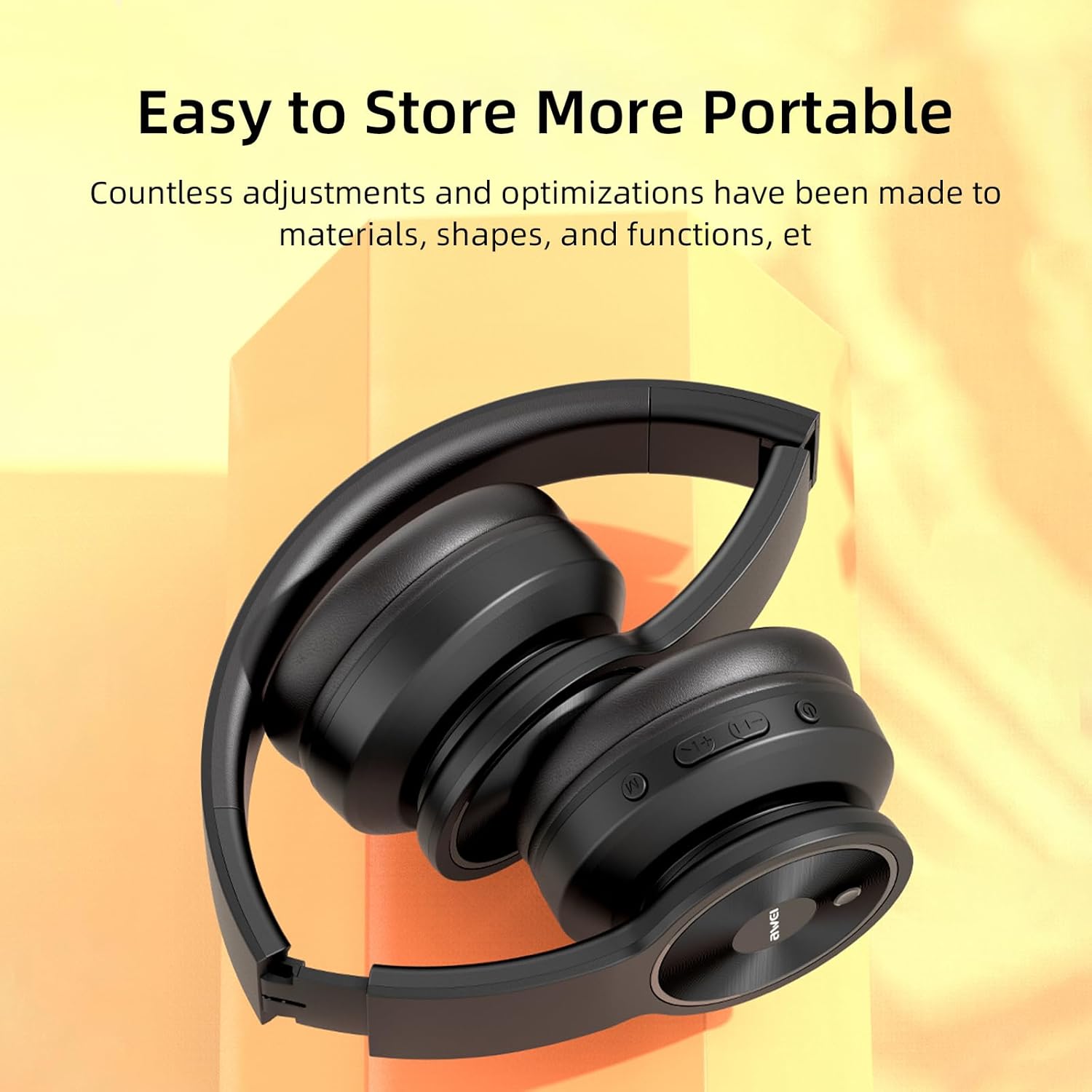
Image: The AWEI A996BL headphones in a folded position, demonstrating their portable and easy-to-store design.
Pil Bakımı
- Pil ömrünü korumak için, sık kullanmasanız bile kulaklığınızı düzenli olarak şarj edin.
- Pilin uzun süre tamamen boşalmasından kaçının.
- Pili yüksek sıcaklıklara maruz bırakmayın.
Sorun giderme
| Sorun | Çözüm |
|---|---|
| Kulaklık açılmıyor. | Kulaklıkların şarjının dolu olduğundan emin olun. USB kablosunu kullanarak bir güç kaynağına bağlayın. |
| Cihazla eşleştirilemiyor. |
|
| Ses yok veya ses seviyesi düşük. |
|
| Ses kalitesi zayıf veya kesintili. |
|
| Mikrofon çalışmıyor. |
|
Özellikler
| Özellik | Detay |
|---|---|
| Örnek | A996BL |
| Bluetooth Sürümü | 5.3 |
| Sürücü Boyutu | 40mm |
| Pil Kapasitesi | 300mAh |
| Oyun Zamanı | 16 saate kadar |
| Şarj Süresi | Yaklaşık 2 saat |
| kablosuz Menzil | 33 feet'e (10 metre) kadar |
| Bağlantı | Kablosuz (Bluetooth), Kablolu (3.5 mm AUX) |
| Özel Özellikler | Ergonomic, Lightweight, Foldable design |
| Kulak Yerleşimi | Kulak Üstü |
Garanti ve Destek
AWEI provides a 12-month warranty for the A996BL headphones from the date of purchase, covering manufacturing defects. A 30-day return policy is also available. For any questions, technical support, or warranty claims, please contact our customer service team.
Müşteri Desteği:
- E-posta: support@awei.com
- Webalan: www.awei.com
Tüm sorulara 12 saat içinde cevap vermeyi hedefliyoruz.