
1. Giriş
This manual provides essential information for setting up, operating, and maintaining your FOREVER Colorum CW-300 Smartwatch. Please read this guide thoroughly before using your device to ensure proper function and longevity. Keep this manual for future reference.
2. Ürün Bittiview
The FOREVER Colorum CW-300 is a versatile smartwatch designed for daily activity tracking and smart notifications. It features a round 1.20-inch touchscreen display with 240x240 px resolution and Bluetooth 5.0 connectivity for seamless integration with Android and iOS smartphones. The watch is IP68 waterproof, making it suitable for various activities, including swimming.

Image: The FOREVER Colorum CW-300 Smartwatch on a user's wrist, displaying activity metrics.
Key functionalities include a comprehensive activity tracker, heart rate monitoring, sleep analysis, and 14 distinct sport modes. It also offers convenient features such as music and camera remote control for your smartphone.
3. Başlangıç (Kurulum)
3.1 Kutudan Çıkarma ve Bileşenler
Paketi açtığınızda tüm bileşenlerin mevcut olduğundan emin olun:
- FOREVER Colorum CW-300 Akıllı Saat
- Manyetik Şarj Kablosu
- Protective Case (optional, if included in your specific package)
- Kullanım Kılavuzu (bu belge)
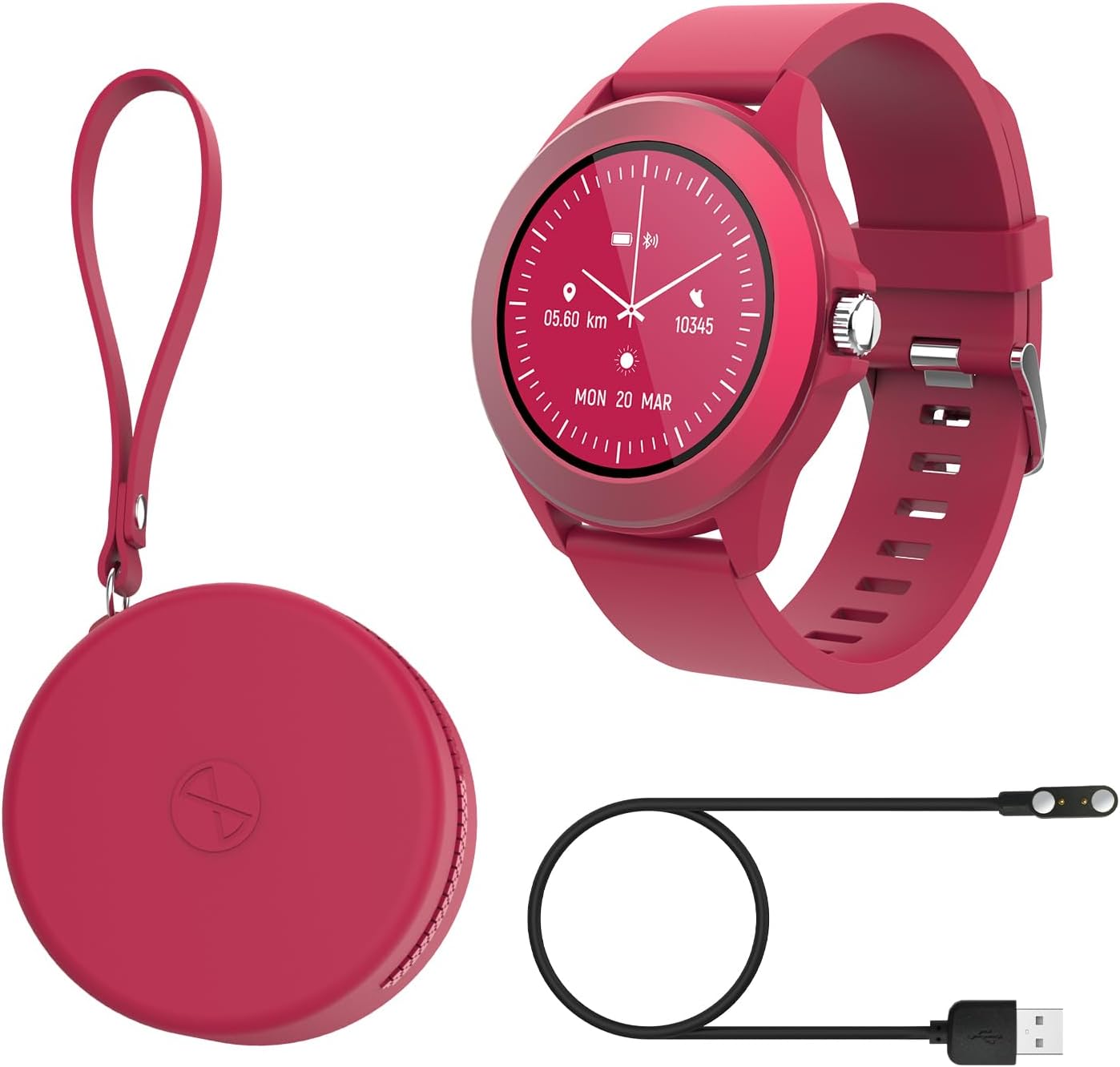
Image: Contents of the FOREVER Colorum CW-300 package, including the smartwatch, charging cable, and case.
3.2 Akıllı Saati Şarj Etme
Before first use, fully charge your smartwatch. Connect the magnetic charging cable to the charging contacts on the back of the watch and plug the USB end into a standard USB power adapter (not included) or a computer's USB port. The watch display will indicate charging status. A full charge typically takes approximately 2 hours.
3.3 Akıllı Telefonunuzla Eşleştirme
- Download the companion app (e.g., 'Forever Smart' or similar, check packaging for exact app name) from your smartphone's app store (Google Play Store for Android, Apple App Store for iOS).
- Akıllı telefonunuzda Bluetooth'un etkinleştirildiğinden emin olun.
- Uygulamayı açın ve hesap oluşturmak veya giriş yapmak için ekrandaki talimatları izleyin.
- In the app, select 'Add Device' or 'Pair Device' and choose 'CW-300' from the list of available devices.
- Eşleştirme isteğini hem akıllı telefonunuzdan hem de akıllı saatinizden onaylayın.
4. Akıllı Saatinizi Çalıştırma
4.1 Temel Gezinme
The CW-300 features a full touchscreen display. Swipe left, right, up, or down to navigate through menus and functions. Press the physical button on the side to return to the home screen or wake the device.
4.2 Time Display and Watch Faces
The default screen displays the time. You can customize watch faces through the companion app or by long-pressing the watch face on the device and swiping to select a new one.
4.3 Bildirimler
Once paired, the smartwatch will display notifications from your smartphone, including calls, messages, and app alerts. Manage which app notifications appear on your watch through the companion app settings.
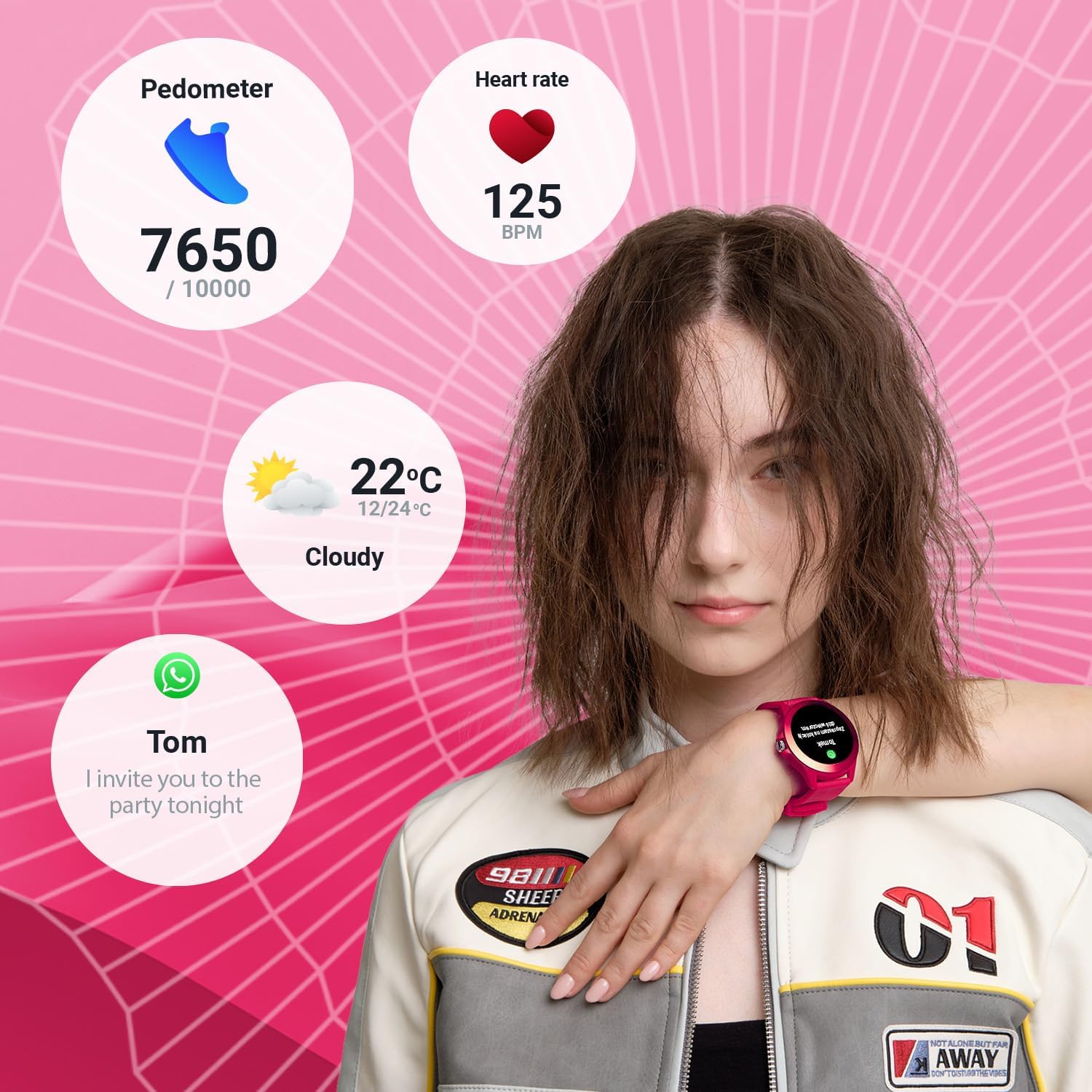
Image: The smartwatch display showing various data points including steps, heart rate, weather, and a message notification.
4.4 Müzik Kontrolü
Access the music control feature on your watch to play, pause, skip tracks, and adjust volume for music playing on your connected smartphone.
4.5 Camera Remote
Use the camera remote function to trigger your smartphone's camera shutter from your smartwatch, making it easier to take photos.
5. Sağlık ve Fitness Takibi
5.1 Etkinlik Takipçisi
The smartwatch continuously tracks your daily activity, including steps taken and calories burned. View your progress towards daily goals on the watch or in the companion app.
5.2 Kalp Atış Hızı Monitörü
The built-in heart rate sensor monitors your heart rate throughout the day. Access real-time readings on the watch and review Uygulamadaki geçmiş veriler.

Resim: Yakın çekim view of two smartwatches, highlighting the heart rate monitoring feature with a graph.
5.3 Uyku Monitörü
Wear your smartwatch to bed to track your sleep patterns. The device analyzes sleep quality, including deep and light sleep stages, providing insights in the companion app.
5.4 Spor Modu
The CW-300 offers 14 different sport modes to accurately track your workouts. These include:
- Koşma
- Uygunluk
- Bisikletçilik
- Yüzme
- Tırmanma
- Mart
- Merdiven
- Golf
- Yoga
- Doğa yürüyüşü
- Yörüngede
- Badminton
- Kayakçılık
- Koşu bandı

Resim: Akıllı saatin ekranıasing the icons for its 14 different sport modes.
5.5 Menstrual Cycle Monitor
For female users, the integrated menstrual monitor allows for easy tracking of the menstrual cycle within the companion app.
6. Bakım
6.1 Temizlik
Akıllı saatinizi ve kayışınızı düzenli olarak yumuşak, kuru bir bezle temizleyin. Gerekirse, biraz daha kuru bir bez kullanın.amp Hafif sabunlu bir bezle silin ve ardından kurulayın. Sert kimyasallardan veya aşındırıcı malzemelerden kaçının.
6.2 Suya Dayanıklılık (IP68)
The CW-300 is IP68 rated, meaning it is resistant to dust and can withstand immersion in water up to 1.5 meters for up to 30 minutes. It is suitable for showering and swimming in shallow water. However, it is not recommended for diving, high-pressure water activities, or exposure to hot water/steam, which can compromise the seal.
6.3 Pil Bakımı
To prolong battery life, avoid fully discharging the watch frequently. Charge the device regularly, and if storing for an extended period, ensure it has at least a 50% charge.
7. Sorun Giderme
7.1 Saat Açılmıyor
- Saatinizin tam şarjlı olduğundan emin olun. Saatinizi en az 30 dakika şarj cihazına takın.
- Zorunlu yeniden başlatmayı denemek için yan düğmeyi 10-15 saniye basılı tutun.
7.2 Akıllı Telefonla Eşleştirme Yapılamıyor
- Akıllı telefonunuzda Bluetooth'un etkin olduğundan ve saatin kapsama alanında olduğundan emin olun.
- Hem akıllı telefonunuzu hem de akıllı saatinizi yeniden başlatın.
- Eşlik eden uygulamanın en son sürüme güncellendiğinden emin olun.
- Daha önce eşleştirildiyse, telefonunuzun Bluetooth ayarlarından cihazın eşleştirmesini kaldırıp ardından uygulama üzerinden yeniden eşleştirmeyi deneyin.
7.3 Hatalı Sağlık Verileri
- Saatin bileğinize tam oturduğundan, ancak çok da sıkı olmadığından emin olun.
- Saatin arkasındaki sensörleri temizleyin.
- Çevresel faktörler ve bireysel fizyoloji, sensörün doğruluğunu etkileyebilir.
7.4 Bildirimler Görünmüyor
- Saatinizin Bluetooth aracılığıyla akıllı telefonunuza düzgün bir şekilde bağlanıp bağlanmadığını kontrol edin.
- Verify notification permissions for the companion app in your phone's settings.
- Ensure specific app notifications are enabled within the companion app.
8. Özellikler
| Marka | SONSUZA KADAR |
| Model Adı | CW-300 |
| İşletim Sistemi | AsteroidOS |
| Ekran Boyutu | 1.20 Inches (1.22 Inches in some specifications) |
| Ekran Çözünürlüğü | 240 x 240 piksel |
| Bağlantı | Bluetooth 5.0 |
| Suya Dayanıklılık | IP68 |
| Özel Özellikler | Time display, Alarm clock, Pedometer, Heart Rate Monitor, Sleep Monitor, Calorie Counter, 14 Sport Modes, Menstrual Cycle Monitor, Music Control, Camera Remote |
| Uyumlu Cihazlar | Akıllı telefon (Android/iOS) |
| Pil Türü | Lityum iyon |
| Küresel Konumlama Sistemi | Akıllı telefon aracılığıyla |
| Şekil | Yuvarlak |
9. Garanti ve Destek
Information regarding specific warranty details, availability of spare parts, and guaranteed software updates for the FOREVER Colorum CW-300 Smartwatch is not available in the provided product data.
For any issues not covered in this manual or for further assistance, please refer to the official FOREVER webSiteyi ziyaret edin veya doğrudan müşteri hizmetleriyle iletişime geçin. Satın alma belgenizi herhangi bir garanti talebi için saklayın.