
giriiş
Thank you for choosing the ciciglow SK-299 Mini Digital Voice Recorder. This compact and versatile device is designed for high-quality audio recording with intelligent noise reduction, making it ideal for meetings, lectures, interviews, and personal notes. Please read this manual carefully to ensure proper use and optimal performance of your device.
Ürün Bittiview
Temel Özellikler
- Yüksek Kaliteli Kayıt: Integrated professional high-end recording and processing scheme ensures clear and crisp sound reproduction.
- Akıllı Gürültü Azaltma: Filters unwanted background noise for excellent recording quality.
- Uzun Ömürlü Pil: High-capacity polymer battery provides sufficient recording duration for extended sessions.
- Kolay Kullanım: One-click MP3 recording and intelligent voice control function simplify use, even in low-light conditions.
- Çok Yönlü İşlevsellik: Supports MP3 and WAV formats, with driver-free U disk function for easy file Aktar.
Paket İçeriği
- 1 x SK-299 Digital Voice Recorder
- 1 x Kulaklık
- 1 x Harici Mikrofon
- 1 x USB Veri Kablosu
Note: A small memory card is required for normal operation (not included).

The SK-299 recorder comes with essential accessories for immediate use.
Cihaz Düzeni
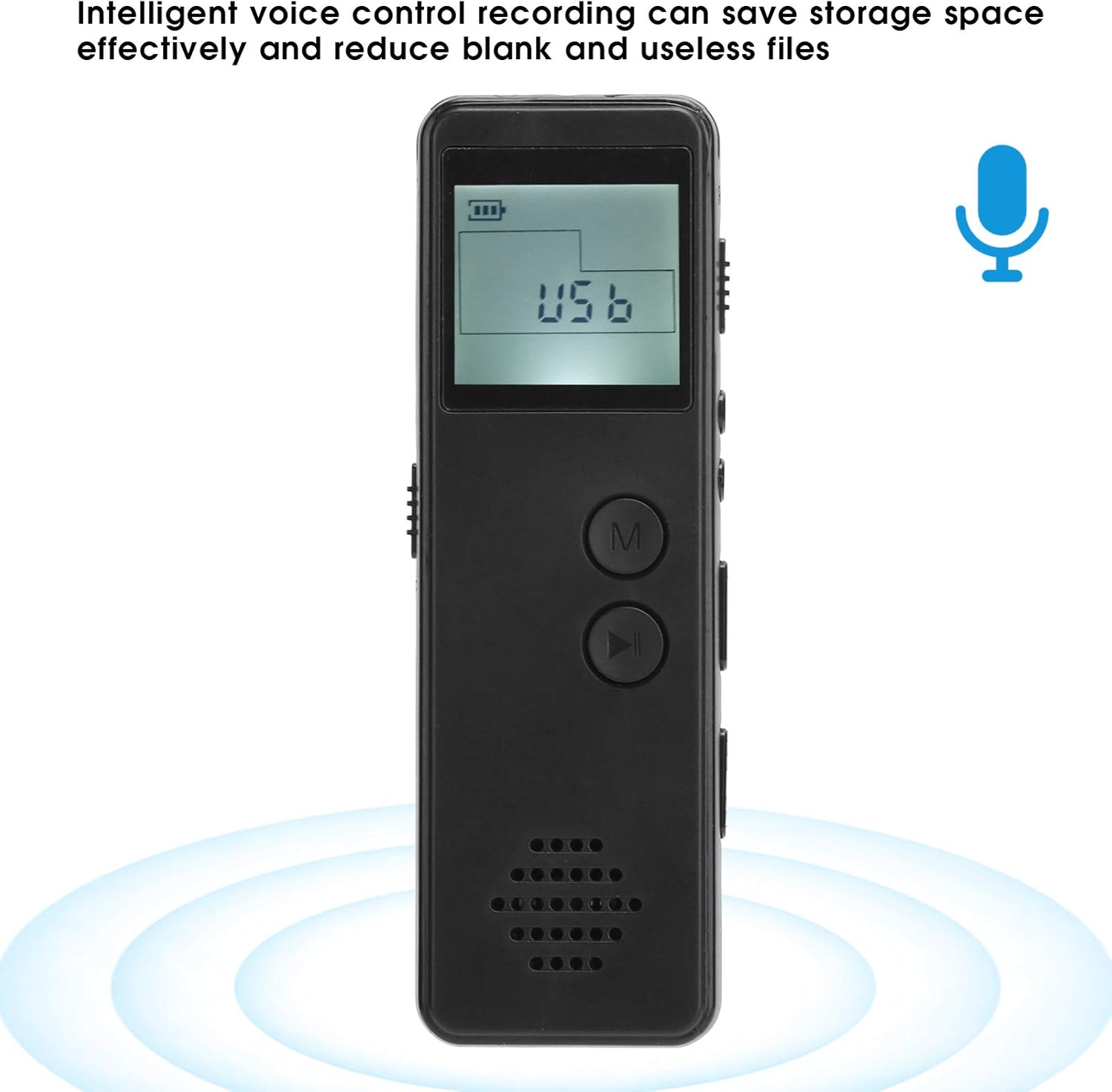
Ön View: Features the LCD display, 'M' (Menu) button, and Play/Pause button. The speaker grille is located at the bottom.
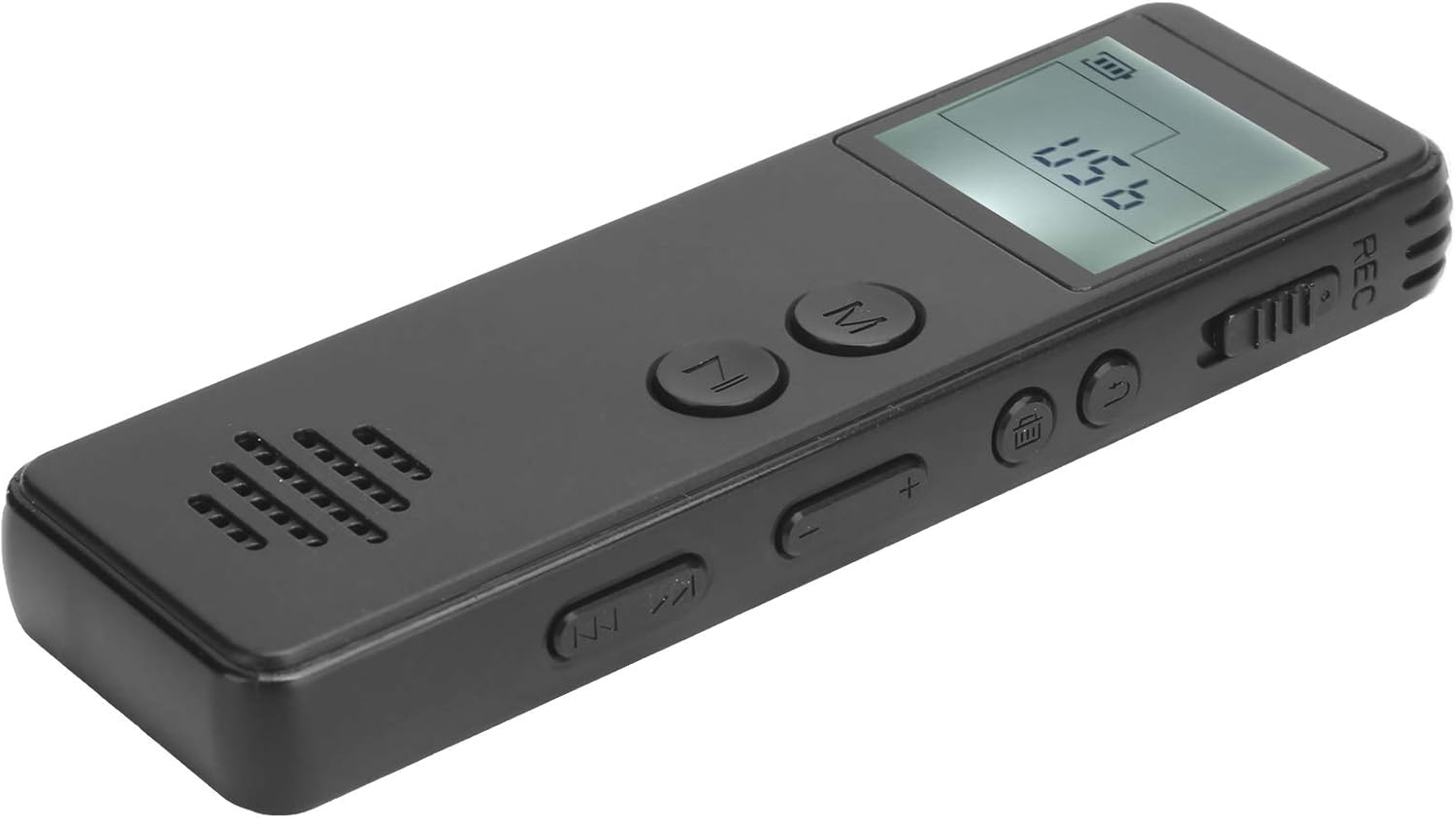
Sağ Taraf: Includes the REC (Record) switch, volume control buttons (+/-), and track navigation buttons (previous/next).

Sol Taraf: Features the ON/OFF power switch and the USB port for charging and data transfer.
Kurmak
1. Cihazın Şarj Edilmesi
Before first use, fully charge the voice recorder. Connect the supplied USB data cable to the device's USB port and to a computer's USB port or a compatible USB wall adapter. The battery indicator on the display will show charging status.
2. Inserting a Memory Card (Required)
The SK-299 requires a small memory card for normal operation. Locate the memory card slot (usually on the side or bottom) and insert a compatible microSD card. Ensure it is inserted correctly until it clicks into place.
3. Açma/Kapama
To power on the device, slide the ON/OFF switch to the 'ON' position. To power off, slide the switch to the 'OFF' position.
Kullanım Talimatları
1. Temel Kayıt
- Cihazın açık olduğundan emin olun.
- To start recording, slide the REC switch to the 'REC' position. The display will show a recording indicator, and the recording will begin automatically in MP3 format.
- To stop recording, slide the REC switch back to the 'OFF' or neutral position. The recording will be saved automatically.

The device supports one-click recording in MP3 format, simplifying the process.
2. Sesle Etkinleştirilen Kayıt (VOR)
The SK-299 features intelligent voice control recording to save storage space by only recording when sound is detected.
- While in standby or playback mode, press the 'M' (Menu) button to access settings.
- Navigate through the menu options using the track navigation buttons until you find the 'VOR' or 'Voice Activated' setting.
- Select 'ON' to enable voice activated recording.
- Exit the menu. When you start recording (as per 'Basic Recording' steps), the device will now only record when sound is present.
3. Oynatma
- Cihazın açık olduğundan emin olun.
- Press the Play/Pause button to enter playback mode.
- Use the track navigation buttons (previous/next) to select the desired recording.
- Press the Play/Pause button again to start or pause playback.
- Adjust the volume using the '+' and '-' buttons on the side.
4. Connecting to a Computer (U Disk Function)
The device can function as a driver-free U disk for easy file Aktar.
- Connect the voice recorder to your computer using the supplied USB data cable.
- The device will be recognized as a removable disk.
- You can now access, copy, or delete recorded files from the device's memory card.
Bakım
- Temizlik: Cihazı temizlemek için yumuşak, kuru bir bez kullanın. Sıvı temizleyiciler veya çözücüler kullanmaktan kaçının.
- Depolamak: Cihazı serin, kuru ve doğrudan güneş ışığından ve aşırı sıcaklıklardan uzak bir yerde saklayın.
- Pil Bakım: Pil ömrünü uzatmak için, pili sık sık tamamen boşaltmaktan kaçının. Cihazı uzun süre kullanmasanız bile düzenli olarak şarj edin.
- Veri Yedekleme: Regularly back up important recordings to your computer to prevent data loss.
Sorun giderme
| Sorun | Olası Neden | Çözüm |
|---|---|---|
| Cihaz açılmıyor. | Pil seviyesi düşük; Güç düğmesi KAPALI konumda. | Charge the device; Slide the power switch to ON. |
| Kayıt yapılamıyor. | Memory card full or not inserted; REC switch not engaged; Device in playback mode. | Check memory card space and insertion; Slide REC switch to REC; Exit playback mode. |
| Kayıt kalitesi düşük. | Microphone obstructed; Recording environment too noisy; Low battery. | Ensure microphone is clear; Record in a quieter environment; Charge the device. |
| Aygıt bilgisayar tarafından tanınmıyor. | Faulty USB cable; Loose connection; Computer port issue. | Try a different USB cable or port; Ensure cable is securely connected. |
| External microphone not working. | Microphone not properly connected; Faulty microphone. | Ensure external microphone is fully plugged into the correct port. Test with another microphone if available. |
Özellikler
| Özellik | Detay |
|---|---|
| Örnek | SK-299 |
| Ekran Görüntüsü | Broken screen display (LCD) |
| Kayıt Biçimi | MP3 |
| Bit Hızını Kaydetme | 128 Kbit/sn |
| Pil Türü | 3.7V-4.2V 270mAh Lithium Polymer |
| Sürekli Kayıt Süresi | Yaklaşık 10 saat |
| Oynatma Süresi | Yaklaşık 5 saat |
| Malzeme | ABS |
| Arayüz | USB |
| Mikrofon Form Faktörü | Entegre |
| Supported Digital Media Formats | MP3 audio, WAV |
Garanti ve Destek
Garanti bilgileri ve teknik destek için lütfen satın alma sırasında sağlanan belgelere bakın veya satıcınızla iletişime geçin. Herhangi bir garanti talebi için satın alma belgenizi saklayın.