Tilta Full Camera Cage for Sony FX3/FX30 V2 Instruction Manual
Model: TA-T16-FCC-B
Ürün Bittiview
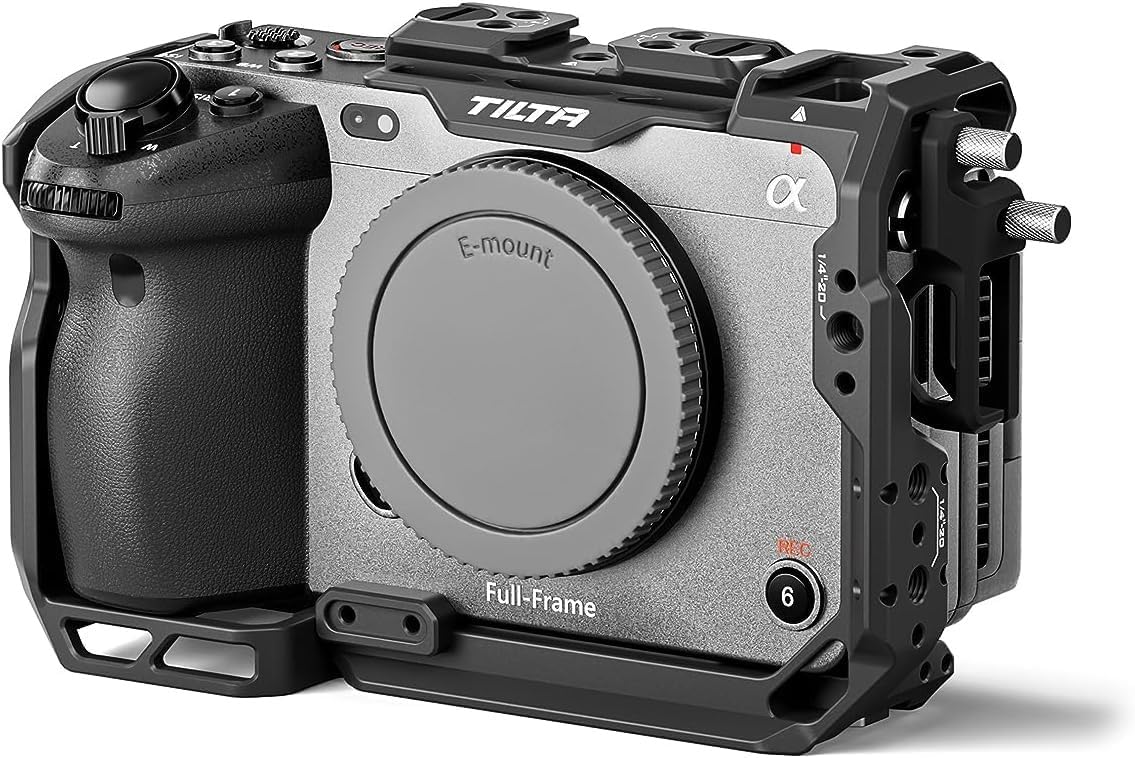
The Tilta Full Camera Cage for Sony FX3/FX30 V2 provides protective armor and enhanced mounting options for your Sony FX3 or FX30 camera. Designed to minimize wear and tear, this cage offers a robust framework while maintaining access to essential camera functions.
Key features include multiple mounting points for accessories, a convenient cable clamp, a modular design supporting various configurations, and an Arca-Swiss standard bottom plate for quick release.
Image: The Tilta Full Camera Cage securely mounted on a Sony FX3 camera, showcasing its protective design and integrated mounting points.
Temel Özellikler:
Protective Armor: Designed specifically for Sony FX3 & FX30 to minimize wear and tear.
Aksesuar Montajı: Features a top plate NATO rail, cold shoe receivers, 1/4"-20 and 3/8"-16 threads with locating pins.
Kablo Clamp: Secures cables in place with a convenient thumb screw design.
Modüler Tasarım: Supports various configurations, including compatibility with the XLR top handle.
Arca-Swiss Ready: Integrated DJI Arca-Swiss standard bottom plate for quick mounting.
Video: Official product video demonstrating the Tilta Camera Cage compatible with Sony FX3/FX30 V2, highlighting its features and design.
Neler Dahil?
The Tilta Full Camera Cage kit includes all necessary components for immediate use and assembly with your Sony FX3 or FX30 camera.
1x Full Camera Cage Compatible with Sony FX3/FX30 V2
1x HDMI Cable Clamp Attachment Compatible with Sony FX3/FX30 V2
1x Allen Anahtarı (32123.00001.00.00)
1x 2.5mm Allen Key (32123.00052.00.00)
Kurulum Kılavuzu
Follow these steps to properly install your Tilta Full Camera Cage onto your Sony FX3 or FX30 camera.
1. Attaching the Camera to the Cage:
Kameranızın kapalı olduğundan emin olun.
Align the camera with the base plate of the cage. The cage is designed for a custom fit, ensuring full access to ports and controls.
Secure the camera to the cage using the integrated 1/4"-20 screw on the bottom. Tighten firmly but do not overtighten.
Utilize the thumb screw design for easy and secure attachment.
Resim: Arka view of the Sony FX3 camera mounted within the Tilta Full Camera Cage, demonstrating the secure fit and accessibility to the camera's screen and controls.
2. Installing the HDMI Cable Clamp:
Locate the HDMI port on your camera.
Attach the HDMI cable clamp to the designated mounting point on the cage, typically near the HDMI port.
Route your HDMI cable through the clamp and tighten the thumb screw to secure the cable, preventing accidental disconnections or damage.
Image: The Tilta camera cage with an HDMI cable clamp attached, illustrating how cables are secured to prevent accidental disconnection.
3. Attaching Optional Accessories:
The cage provides various mounting points for additional accessories:
Top Plate NATO Rail: For quick attachment and release of top handles or other NATO-compatible accessories.
Cold Shoe Receivers: Ideal for mounting microphones, small LED lights, or wireless receivers.
1/4"-20 and 3/8"-16 Threads: Use these threaded holes with locating pins for secure attachment of articulating arms, monitor mounts, or other rigging components.
Image: The Tilta Full Camera Cage shown with an attached XLR top handle, demonstrating the modular design and accessory compatibility.
Operating the Camera Cage
The Tilta Full Camera Cage is designed to enhance your camera's functionality and protection during operation.
1. Maintaining Access to Camera Controls:
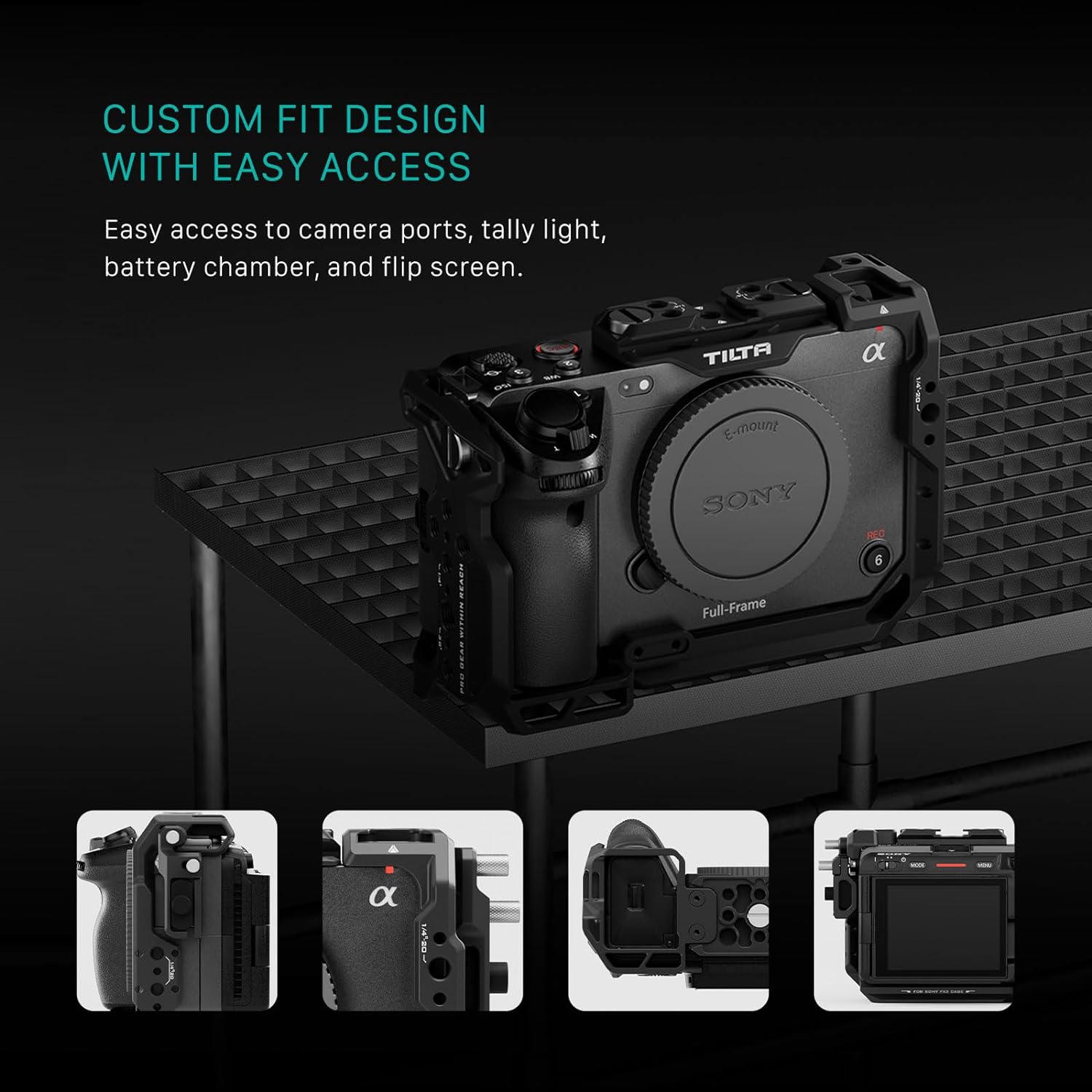
The custom-fit design ensures that all camera buttons, dials, battery compartments, and the flip screen remain fully accessible. This allows for uninterrupted operation and quick adjustments without removing the cage.
Image: The Tilta camera cage highlighting easy access to camera ports, tally light, battery chamber, and the flip screen.
2. Using the Arca-Swiss Quick Release:
The integrated DJI Arca-Swiss standard bottom plate allows for rapid transitions between handheld, tripod, and gimbal setups. Simply slide the camera and cage assembly onto any Arca-Swiss compatible baseplate for quick installation.
Image: The Tilta camera cage featuring an Arca-Swiss compatible bottom plate for quick installation onto baseplates and gimbals.
Video: Resmi ürün video gösterimiasing the Tilta Camera Cage for FX3/FX30, demonstrating its features and how it integrates with the camera.
Bakım
To ensure the longevity and optimal performance of your Tilta Full Camera Cage, follow these simple maintenance guidelines:
Temizlik: Kafesi düzenli olarak yumuşak, kuru bir bezle silerek toz ve parmak izlerinden arındırın. İnatçı kirler için biraz daha yumuşak bir bez kullanın.amp Bezle kurulayın ve iyice kurulayın. Sert kimyasallardan veya aşındırıcı maddelerden kaçının.
Screw Inspection: Periodically check all screws and mounting points for tightness. Re-tighten any loose screws using the provided Allen keys to ensure the camera remains securely mounted.
Depolamak: When not in use, store the camera cage in a clean, dry environment, preferably in a padded bag or case to prevent scratches and impacts.
Aşırı sıkmaktan kaçının: While securing components, avoid excessive force when tightening screws to prevent stripping threads or damaging the cage/camera.
Özellikler
Marka
Tilta
Model Adı
TA-T16-FCC-B
Uyumlu Cihazlar
Sony FX3, FX30
Renk
Siyah
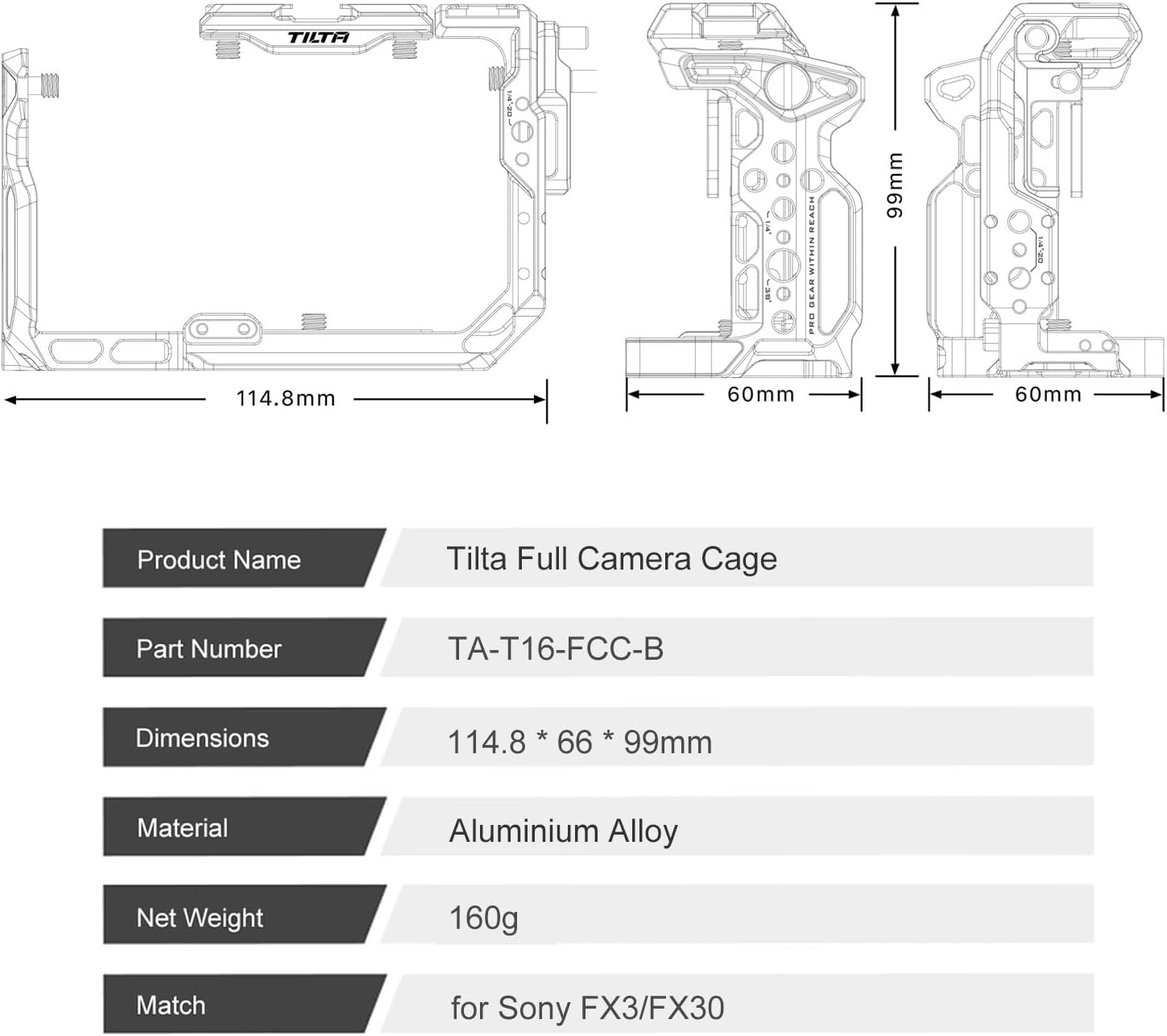
Ürün Boyutları (D x G x Y)
3.5"D x 9"G x 6"Y
Ürün Ağırlığı
259 Gram
UPC
810076276519
Malzeme
Alüminyum Alaşımı
Net ağırlığı
160 gr
Image: Detailed specifications and dimensions of the Tilta Full Camera Cage, including material and weight.
Garanti ve Destek
Garanti Bilgileri:
The Tilta Full Camera Cage comes with a 2 Yıllık Mekanik Garanti ve bir 1-Year Electronic Warranty. This covers defects in materials and workmanship under normal use.
For specific terms and conditions, please refer to the official Tilta warranty policy or contact customer support.
Müşteri Desteği:
For any questions, technical assistance, or warranty claims, please contact Tilta customer support through their official webÜrünün satın alındığı site veya perakendeci.
Ayrıca ziyaret edebilirsiniz Tilta Mağazası Amazon'da Daha fazla ürün bilgisi ve destek kaynakları için.
Ask a question about this manual
Ask about setup, troubleshooting, compatibility, parts, safety, or missing instructions. Manuals+ will review the question and use this page’s manual context to help answer it.