
FOAOOD DQ201-B2
FOAOOD 2K Wireless Outdoor Solar Security Camera Instruction Manual
Model: DQ201-B2
1. Giriş
This manual provides detailed instructions for the installation, operation, and maintenance of your FOAOOD 2K Wireless Outdoor Solar Security Camera (Model DQ201-B2). Please read this manual thoroughly before using the product to ensure proper functionality and safety.
The FOAOOD DQ201-B2 is a 2K QHD resolution, 360° Pan-Tilt-Zoom (PTZ) outdoor security camera featuring solar power, color night vision, PIR motion detection, and two-way audio. It is designed for continuous outdoor surveillance with IP66 weather resistance.
2. Paket İçeriği
Paketinizde tüm bileşenlerin mevcut olduğunu doğrulayın:
- FOAOOD 2K Wireless Outdoor Solar Security Camera (x2)
- Güneş Paneli (x2)
- Montaj Braketi ve Vidaları
- USB Şarj Kablosu
- Kullanım Kılavuzu (bu belge)

Image: Two FOAOOD DQ201-B2 cameras with solar panels, illustrating the main product components.
3. Özellikler
| Özellik | Detay |
|---|---|
| Örnek | DQ201-B2 |
| Video Yakalama Çözünürlüğü | 3 MP (2K QHD) |
| Bağlantı Teknolojisi | Kablosuz (yalnızca 2.4GHz Wi-Fi) |
| Montaj Tipi | Duvara Montaj |
| Özel Özellikler | 360° PTZ, 2-Way Audio, Color Night Vision, PIR Motion Detection, IP66 Waterproof |
| Güç Kaynağı | Solar Powered with Rechargeable Lithium Polymer Battery |
| İşletim Sistemi Uyumluluğu | Android, iOS |
| Malzeme | Metal |
| Çalışma Sıcaklığı | -20°C ila 60°C |
4. Kurulum Kılavuzu
4.1 İlk Şarj
Before installation, fully charge the camera using the provided USB cable. Connect the cable to the camera's charging port and a standard 5V USB power adapter (not included). The charging indicator will show the status.
4.2 Uygulama Yükleme ve Hesap Oluşturma
Download the companion mobile application to your smartphone. The app is available for both Android and iOS devices.
- Android için: Download from Google Play Store
- iOS için: Download from Apple App Store
After installation, open the app and follow the on-screen instructions to create a new user account or log in if you already have one.

Image: A smartphone displaying the camera's mobile application, indicating app functionality.
4.3 Camera Pairing with App
- Open the app and select "Add Device" or the '+' icon.
- Choose your camera model or scan the QR code on the camera/packaging.
- Ensure your phone is connected to a 2.4GHz Wi-Fi network. 5GHz Wi-Fi is not supported.
- Kamerayı Wi-Fi ağınıza bağlamak için uygulamanın talimatlarını izleyin. Bu genellikle uygulama tarafından oluşturulan bir QR kodunu kamera merceğiyle taramayı içerir.
- Bağlantı kurulduktan sonra kameranıza bir isim verin ve kurulumu tamamlayın.
4.4 Kamera ve Güneş Panelinin Montajı
Görüş alanını genişleten bir montaj yeri seçin. view İzlemek istediğiniz alanın ve aldığı verilerin ample direct sunlight for the solar panel. The camera is IP66 waterproof, suitable for outdoor use.
- Konumlandırma: Mount the camera at a height that offers optimal coverage and detection. The solar panel should be positioned to maximize sun exposure throughout the day.
- Delme: Use the mounting bracket as a template to mark drill holes. Drill pilot holes and insert wall anchors if necessary.
- Güvenli Montaj: Attach the camera and solar panel mounting brackets securely to the wall or desired surface using the provided screws.
- Güneş Panelini Bağlayın: Güneş paneli kablosunu kameranın şarj portuna bağlayın.

Image: A FOAOOD camera mounted outdoors, showing its 360-degree rotation capability and remote control via a mobile app.

Image: An outdoor camera installation on a wooden surface, illustrating the solar panel connection for continuous power and 2.4GHz Wi-Fi requirement.
5. Kullanım Talimatları
5.1 Canlı View ve PTZ Kontrolü
Open the app and select the desired camera to view the live feed. Use the on-screen controls to pan (horizontal rotation) and tilt (vertical rotation) the camera for a 360° coverage. You can also zoom in on the live feed.
5.2 İki Yönlü Ses
The camera features a built-in microphone and speaker. Tap the microphone icon in the app to speak through the camera, and listen to audio from the camera's location.

Image: A user interacting with the two-way audio feature on the mobile app, demonstrating communication with someone near the camera.
5.3 Hareket Algılama ve Uyarılar
The camera uses PIR (Passive Infrared) human detection to minimize false alarms. When motion is detected, the camera can trigger various alerts:
- Mobil Bildirimler: Akıllı telefonunuza anında bildirimler alın.
- Işık Alarmı: The camera's built-in light will activate.
- Siren Alarmı: The camera will emit an audible siren.
You can customize detection zones, sensitivity levels, and alarm schedules within the app settings.

Image: An illustration of the camera's smart features, including customizable detection zones, scheduling, siren, and sensitivity settings.

Image: A night scene showing the camera's light alarm activated by a detected person, with a notification pop-up on a phone.
5.4 Gece Görüş Modları
The camera supports both color night vision and infrared night vision for clear monitoring in low-light conditions.
- Renkli Gece Görüşü: Geceleyin tam renkli video sağlamak için dahili spot ışıklarını kullanır.
- Kızılötesi Gece Görüşü: Uses infrared LEDs for black and white video in complete darkness, conserving power.
You can switch between these modes or set the camera to automatically select the appropriate mode based on ambient light.
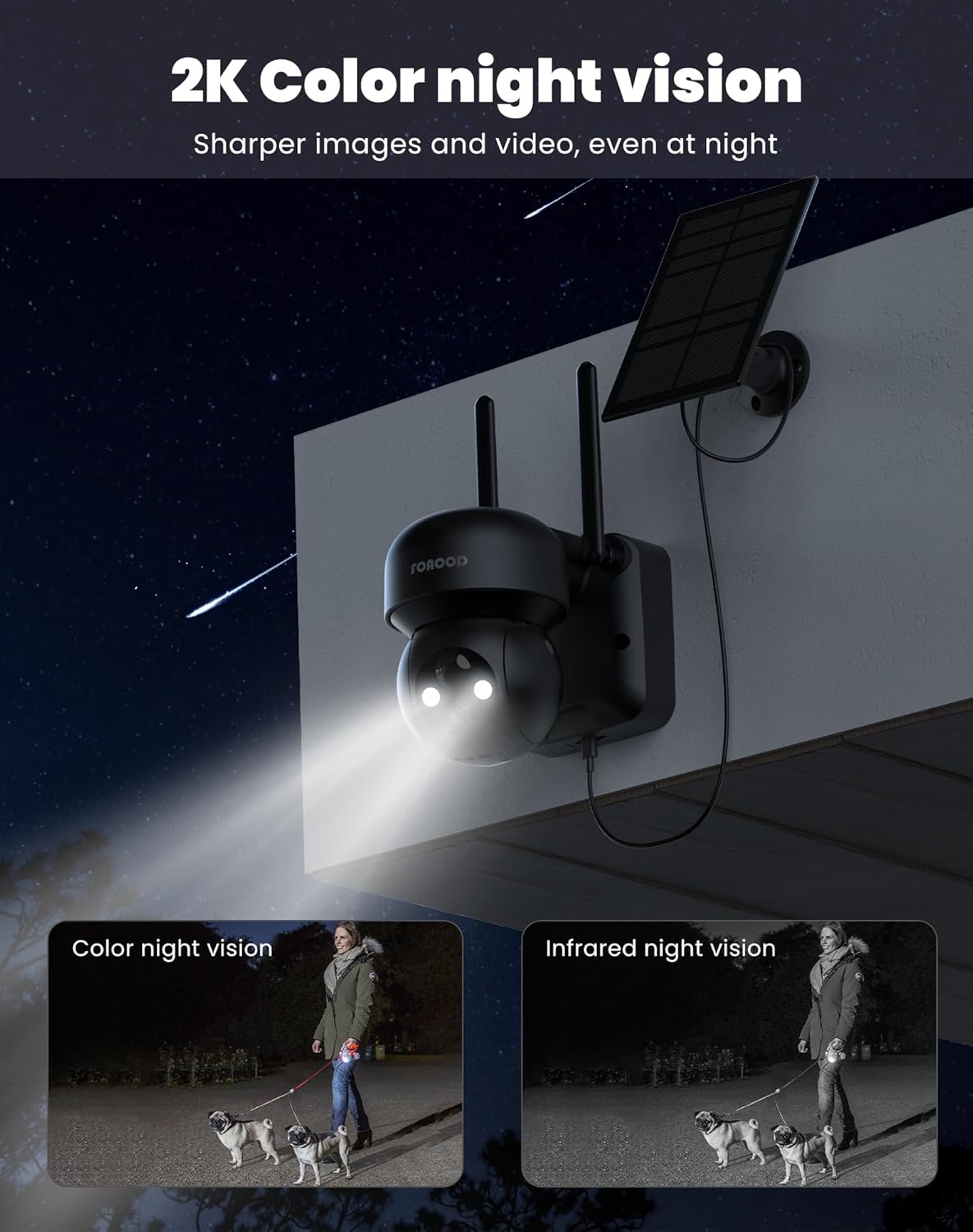
Image: A night view of the camera with its lights on, demonstrating the clarity of color night vision compared to infrared night vision.
5.5 Depolama Seçenekleri
The camera supports local storage via an SD card (not included) and cloud storage (subscription may be required). Recorded footage'ye erişilebilir ve yeniden erişilebilir.viewed through the mobile app.
5.6 Aile Paylaşımı
You can share camera access with up to 5 family members or trusted individuals through the app, allowing multiple users to view live feeds and recordings simultaneously.

Image: A graphic depicting the family sharing function, where multiple users can access the camera feed from different locations.
6. Bakım
- Temizlik: Kamera lensini ve güneş panelini yumuşak bir bezle düzenli olarak temizleyin.amp En iyi performansı sağlamak için bez kullanın. Aşındırıcı temizleyicilerden kaçının.
- Pil Sağlığı: The solar panel is designed to keep the battery charged. In prolonged periods of low sunlight, the camera can operate for 60-90 days on a full charge. If the battery level drops significantly, consider temporarily charging it via USB.
- Donanım Yazılımı Güncellemeleri: Check the app regularly for firmware updates to ensure your camera has the latest features and security enhancements.
7. Sorun Giderme
- Kamera Wi-Fi'ye bağlanmıyor:
- Wi-Fi ağınızın 2.4 GHz olduğundan emin olun. 5 GHz ağlar desteklenmez.
- Kameranın bulunduğu konumdaki Wi-Fi sinyal gücünü kontrol edin.
- Yönlendiricinizi ve kameranızı yeniden başlatın.
- Kameranın Wi-Fi yönlendiricinizin kapsama alanında olduğundan emin olun.
- Görüntü kalitesi düşük:
- Kamera lensini temizleyin.
- İnternet bağlantı hızınızı kontrol edin.
- Objektifin önünde herhangi bir engel bulunmadığından emin olun.
- Güneş paneli şarj olmuyor:
- Güneş panelinin günde birkaç saat doğrudan güneş ışığı alacak şekilde konumlandırıldığından emin olun.
- Güneş panelinin yüzeyini temizleyin.
- Güneş paneli ile kamera arasındaki bağlantı kablosunu kontrol edin.
- Hareket algılama çalışmıyor veya çok fazla yanlış alarm veriyor:
- Adjust the PIR sensitivity settings in the app.
- Configure detection zones to exclude areas with frequent irrelevant motion (e.g., busy roads, swaying trees).
- Kamera lensinin temiz olduğundan emin olun.
8. Garanti ve Destek
FOAOOD provides technical support for its products. For any issues not covered in this manual, or for warranty inquiries, please contact FOAOOD customer service.
İletişim E-postası: foaood@520newice.com
Belirli garanti şartları ve koşulları için lütfen satın alma belgelerinize bakın.
Ask a question about this manual
Ask about setup, troubleshooting, compatibility, parts, safety, or missing instructions. Manuals+ will review the question and use this page’s manual context to help answer it.