
giriiş
This manual provides detailed instructions for the installation, operation, and maintenance of your LETIANPAI 82ft/25m Smart RGB LED Strip Lights. Please read this manual thoroughly before use to ensure proper functionality and safety.
Güvenlik Bilgileri
- Kurulum veya bakımdan önce güç kaynağının bağlantısının kesildiğinden emin olun.
- Yalnızca ürünle birlikte verilen güç adaptörünü kullanın. Uyumsuz bir adaptör kullanmak ürüne zarar verebilir veya güvenlik riski oluşturabilir.
- Do not expose the LED strips or controller to water or high humidity. This product is designed for indoor use.
- Avoid bending the LED strips sharply, as this can damage the circuit.
- Do not cover the power adapter or controller during operation to prevent overheating.
- Çocukların erişemeyeceği yerde saklayınız.
- If any damage occurs to the strip, power adapter, or controller, discontinue use immediately and contact customer support.
Paket İçeriği
Paketinizde tüm öğelerin mevcut olduğundan emin olun:
- 2 x 41ft (12.5m) RGB LED Strip Lights (Total 82ft/25m)
- 1 x Smart Controller Box
- 1 x IR Uzaktan Kumanda
- 1 x Certified Power Adapter
- 1 x Kullanım Kılavuzu (Bu belge)

Resim: Üzeriview of the LETIANPAI 82ft/25m Smart RGB LED Strip Lights, showing the two rolls of LED strips, smart controller, IR remote, and power adapter.
Kurulum ve Yükleme
1. Yüzey Hazırlığı
Before applying the LED strips, ensure the surface is clean, dry, and smooth. Dust, oil, or moisture can reduce the adhesive's effectiveness.
2. Bileşenlerin Bağlanması
- Connect the LED strip(s) to the smart controller box. Ensure the arrows on the strip connector and the controller connector align.
- Connect the power adapter to the smart controller box.
- Güç adaptörünü standart bir elektrik prizine takın.

Image: Connection diagram illustrating how to connect the LED strips to the controller, and the controller to the power adapter. Emphasizes aligning arrows on connectors.


Image: A certified power adapter and a close-up of the LED strip showing its adhesive backing.
3. Applying the LED Strips
- Unroll the LED strips carefully.
- Peel off the protective film from the adhesive backing.
- Press the strip firmly onto the desired clean surface.
4. Cutting the LED Strips (Optional)
The LED strips can be cut to your desired length. Locate the designated cutting marks (usually indicated by a scissor icon or copper pads) on the strip. Cut only at these marks to avoid damaging the circuit.
5. Uygulama İndirme ve Eşleştirme
To utilize smart features, download the "HiLighting" app:
- Scan the QR code on the smart controller box or visit http://www.easytrack.net.cn/download/165JINGZEKONGGU to download the "HiLighting" app.
- Uygulamayı akıllı telefonunuza yükleyin.
- Telefonunuzda Bluetooth'un etkin olduğundan emin olun.
- Open the "HiLighting" app. The app should automatically detect and connect to your LED strip lights.
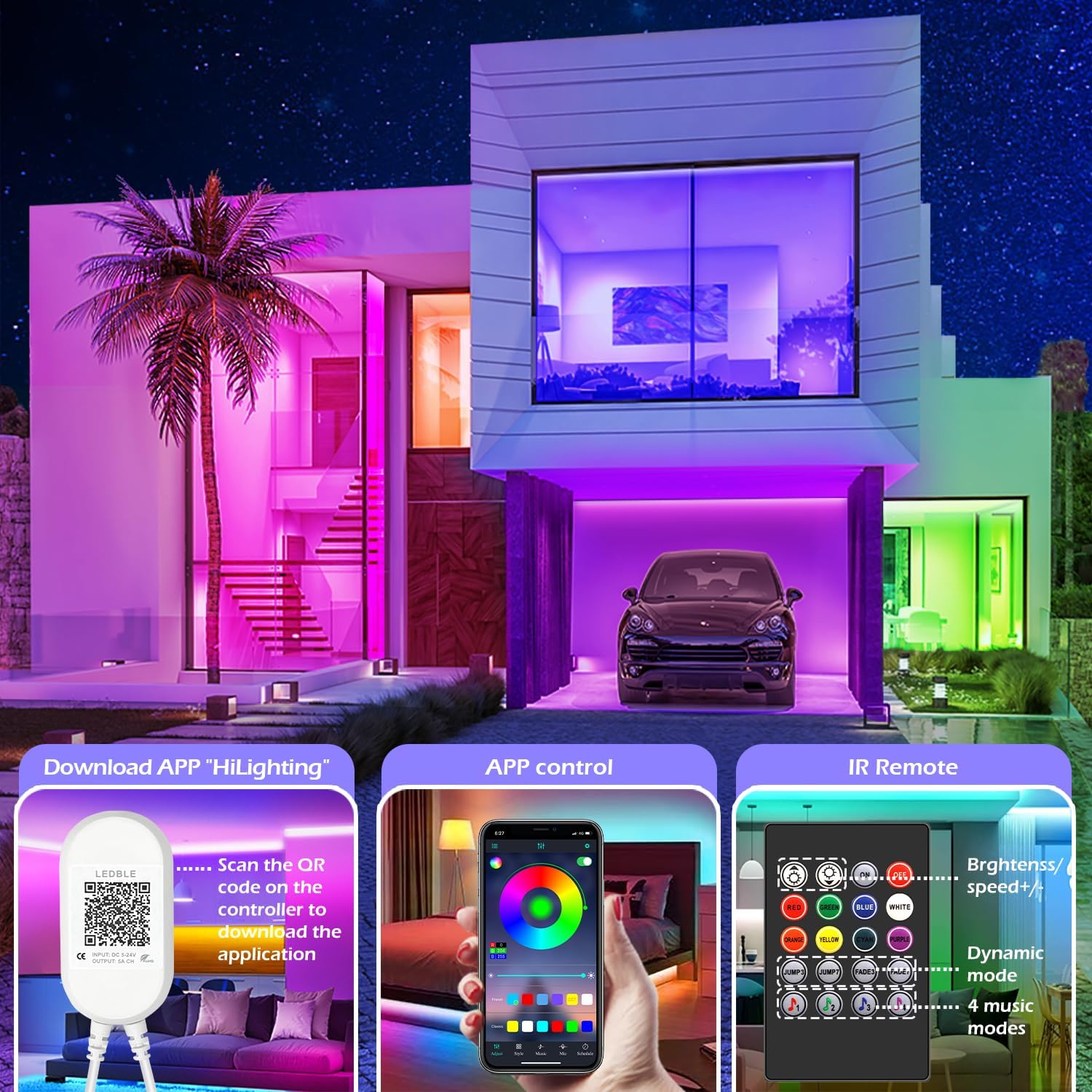
Image: Illustration of downloading the "HiLighting" app by scanning a QR code on the controller, and a preview of the app's color selection interface.

Image: Close-up of the LED controller showing the QR code for downloading the "HiLighting" application.
Kullanım Talimatları
1. App Control (HiLighting App)
The "HiLighting" app offers comprehensive control over your LED strip lights:
- Renk Seçimi: Choose from 16 million vivid colors using the color wheel.
- Parlaklık Ayarı: Işık yoğunluğunu %0 ile %100 arasında ayarlayın.
- Dinamik Modlar: Select from 29 pre-set dynamic modes (e.g., flash, rotate, fade).
- Müzik Senkronizasyon Modu: The lights will change color in rhythm with music played through your phone.
- MİK Modu: The lights will pulsate and change colors in response to ambient sounds or your voice, detected by the phone's microphone.
- Zamanlama Fonksiyonu: Işıkların belirli zamanlarda otomatik olarak açılıp kapanması için zamanlama ayarlayın.
- Grup Yönetimi: Control multiple sets of LETIANPAI LED strip lights simultaneously or individually by organizing them into groups within the app.


Image: Screenshots of the "HiLighting" app interface, demonstrating color selection and brightness adjustment features.

Image: Depicts individuals enjoying music, with text explaining Music Sync and MIC Mode functionalities of the LED strip lights.

Image: Illustrates the timing function, allowing users to set automatic on/off schedules for the LED lights, such as turning off at 11:00 PM and on at 7:00 AM.

Image: Shows the "Group Management" feature, enabling control of multiple light sets simultaneously or individually, with examples in different rooms.
2. IR Uzaktan Kumanda
The included IR remote control provides convenient access to basic functions:
- Güç Açma/Kapatma: Işıkları açın veya kapatın.
- Renk Seçimi: Directly select common colors (Red, Green, Blue, White, Orange, Yellow, Cyan, Purple).
- Parlaklık/Hız Ayarı: Increase or decrease brightness, or adjust the speed of dynamic modes.
- Dinamik Modlar: Access various pre-set dynamic modes (e.g., Jump3, Jump7, Fade3, Fade7).
- Müzik Modları: Activate 4 different music-responsive modes.

Image: Close-up of the IR remote control, detailing buttons for power, color selection, brightness/speed adjustment, dynamic modes, and music modes.
Bakım
- Temizlik: LED şeritlerini tozdan arındırmak için kuru, yumuşak bir bezle nazikçe silin. Sıvı temizleyiciler veya aşındırıcı malzemeler kullanmayın.
- Depolamak: If storing the lights for an extended period, ensure they are clean, dry, and stored in a cool, dark place.
- Denetleme: Periodically check the connections and the strip for any signs of damage.
Sorun giderme
| Sorun | Olası Neden | Çözüm |
|---|---|---|
| Işıklar açılmıyor. | Güç adaptörü bağlı değil veya arızalı. LED strip not properly connected to controller. Uzaktan kumandanın pili bitti. | Güç adaptörünün güvenli bir şekilde takılı olduğundan emin olun. Check all connections, ensuring arrows align. Replace remote control battery (CR2025, not included). |
| Lights show incorrect colors or only one color. | Incorrect connection between strip and controller. App/remote setting issue. | Disconnect and reconnect the LED strip to the controller, ensuring arrows align. Reset the lights via the app or remote, then re-select desired color. |
| App cannot connect to the lights. | Bluetooth kapalı. Uygulama güncel değil. Parazit yapmak. | Akıllı telefonunuzda Bluetooth'un etkinleştirildiğinden emin olun. Update the "HiLighting" app to the latest version. Move closer to the controller. Restart the app and try again. |
| Uzaktan kumanda çalışmıyor. | Pil bitmiş. Obstruction between remote and controller. Plastik şerit çıkarılmadı. | CR2025 pilini değiştirin. Ensure a clear line of sight to the controller. Uzaktan kumandanın pil bölmesindeki şeffaf plastik etiketi çıkarın. |
Özellikler
| Model Numarası | 100 Ayak |
| Marka | LETIANPAI |
| Uzunluk | 82ft / 25m (2 rolls of 41ft) |
| Işık Kaynağı Türü | LED (5050 RGB) |
| Açık Renk | RGB (Kırmızı, Yeşil, Mavi) |
| Kontrol Yöntemi | Bluetooth App ("HiLighting"), IR Remote Control |
| Güç Kaynağı | Kablolu Elektrik |
| Cilttage | 12 Volt |
| Netage | 24 Watt |
| İç/Dış Mekan Kullanımı | Kapalı |
| Özel Özellikler | Cuttable, Low energy consumption, Music Sync, Strong self-adhesive, Flexible |
| UPC | 611834347362 |
Garanti ve Destek
LETIANPAI is committed to providing quality products and customer service. All accessories included with your LED rope lights are officially certified, and the power adapter has undergone rigorous testing for safety.
If you encounter any issues during installation or operation, please contact LETIANPAI customer support directly. We aim to resolve all inquiries within 24 hours. Full refunds or free replacements are provided for quality-related issues.