
giriiş
This manual provides detailed instructions for the setup, operation, maintenance, and troubleshooting of your Divoom Songbird Karaoke Bluetooth Speaker. Please read this manual thoroughly before using the product to ensure proper function and longevity.

Figure 1: The Divoom Songbird Karaoke Bluetooth Speaker system, including the main speaker unit, two wireless microphones, and their charging base.
Paket İçeriği
Before proceeding with setup, please verify that all components are present in the package:
- 1 x SongBird-HQ Speaker Unit
- 2 x Kablosuz Mikrofon
- 1 x Microphone Charging Base
- 1 x Kullanım Kılavuzu (bu belge)
- 1 x USB-C Şarj Kablosu
- 1 x Yardımcı Kablo
- 1 x Giftbag (packaging)

Figure 2: All items included in the Divoom Songbird Karaoke Bluetooth Speaker package, showing the speaker, microphones, cables, and manual.
Kurmak
1. Cihazın Şarj Edilmesi
The Divoom Songbird speaker and microphones are powered by internal Lithium Ion batteries. For optimal performance, fully charge all components before first use.
- Connect the provided USB-C cable to the charging port on the speaker unit and to a compatible USB power adapter (not included).
- Place the two microphones onto their charging base. Ensure they are seated correctly for charging.
- Charging indicators (LEDs) on the speaker and microphones will illuminate during charging and turn off or change color when fully charged.
2. İlk Güç Açma
- To power on the speaker, locate the power button (refer to Figure 3 for control layout) and press and hold it until you hear an audible prompt or see an indicator light.
- To power on the microphones, slide the power switch on each microphone to the 'ON' position.

Figure 3: Top panel of the Divoom Songbird speaker, illustrating the various control knobs and buttons for operation.
Kullanım Talimatları
1. Bluetooth Bağlantısı
The Divoom Songbird speaker uses Bluetooth for wireless audio streaming.
- Ensure the speaker is powered on and in Bluetooth pairing mode (usually indicated by a blinking LED).
- On your mobile device or computer, navigate to the Bluetooth settings.
- Arama available devices and select "Divoom Songbird" from the list.
- Bağlantı sağlandığında hoparlör sesli bir onay verecek ve LED göstergesi sabit yanacaktır.
2. Yardımcı (AUX) Bağlantı
For wired audio playback, use the provided 3.5mm Aux cable.
- Connect one end of the Aux cable to the 3.5mm Aux-in port on the speaker.
- Connect the other end to the headphone jack or audio output of your audio source (e.g., smartphone, MP3 player).
- Hoparlör otomatik olarak AUX moduna geçecek veya mod düğmesi aracılığıyla manuel seçim gerektirebilir.
3. Using the Microphones for Karaoke
The two wireless microphones are designed for karaoke functionality.
- Ensure both the speaker and microphones are powered on.
- The microphones should automatically pair with the speaker. If not, refer to the troubleshooting section.
- Adjust microphone volume and echo effects using the dedicated knobs on the speaker's top panel (refer to Figure 3).
- Sing into the microphone while playing music through the speaker via Bluetooth or AUX.

Figure 4: The two wireless microphones for the Divoom Songbird speaker, shown resting in their charging base.
Bakım
1. Temizlik
Hoparlörünüzün görünümünü ve işlevselliğini korumak için:
- Dış yüzeyleri yumuşak, kuru ve tüy bırakmayan bir bezle silin.
- Yüzeye zarar verebileceğinden aşındırıcı temizleyiciler, alkol, benzen veya diğer kimyasal çözücüler kullanmayın.
- Herhangi bir açıklıktan içeriye nem girmesini önleyin.
2. Depolama
Uzun süre kullanılmadığında:
- Store the speaker and microphones in a cool, dry place, away from direct sunlight and extreme temperatures.
- Ensure the batteries are partially charged (around 50%) before long-term storage to preserve battery health.
3. Pil Bakımı
The device contains a built-in rechargeable Lithium Ion battery. To maximize battery lifespan:
- Pilin sık sık tamamen boşaltılmasından kaçının.
- Avoid leaving the device plugged in constantly after it's fully charged.
- Düzenli olarak kullanılmıyorsa, cihazı en az üç ayda bir şarj edin.
Sorun giderme
If you encounter issues with your Divoom Songbird speaker, refer to the following common problems and solutions:
| Sorun | Olası Neden | Çözüm |
|---|---|---|
| Güç yok/Cihaz açılmıyor | Pil bitmiş. | Charge the speaker and microphones fully using the provided USB-C cable. |
| Bluetooth üzerinden bağlanılamıyor | Hoparlör eşleştirme modunda değil; cihazın Bluetooth'u kapalı; hoparlörden çok uzakta. | Ensure speaker is in pairing mode. Turn Bluetooth off and on again on your device. Move closer to the speaker (within 10 meters). Forget the device on your phone and re-pair. |
| Hoparlörden ses gelmiyor | Volume is too low; incorrect input mode; audio source issue. | Increase volume on both the speaker and your audio source. Ensure the correct input mode (Bluetooth/AUX) is selected. Check if the audio source is playing correctly. |
| Mikrofonlar çalışmıyor. | Microphones are off; not charged; not paired with speaker. | Ensure microphones are powered on and charged. Power cycle both the speaker and microphones. They should automatically pair. |
Özellikler
Detailed technical specifications for the Divoom Songbird Karaoke Bluetooth Speaker:
- Model Numarası: 90100058218
- Marka: Divoom
- Ürün Ölçüleri: 28x10x25 cm
- Ürün Ağırlığı: 1.3 kilo
- Güç Kaynağı: Pille Çalışan (1 Lityum İyon pil dahil)
- Ses gücü: 50 Vat
- Mikrofonlar: Dual Microphone 24bit
- Pil Ömrü: Yaklaşık 8 saat
- Bağlantı Teknolojisi: Yardımcı, Bluetooth
- Bağlantı Tipi: 3.5 mm Jak
- Özel Özellikler: Bluetooth, Taşınabilir
- Renk: Yeşil
- Önerilen Kullanımlar: For music players, Karaoke
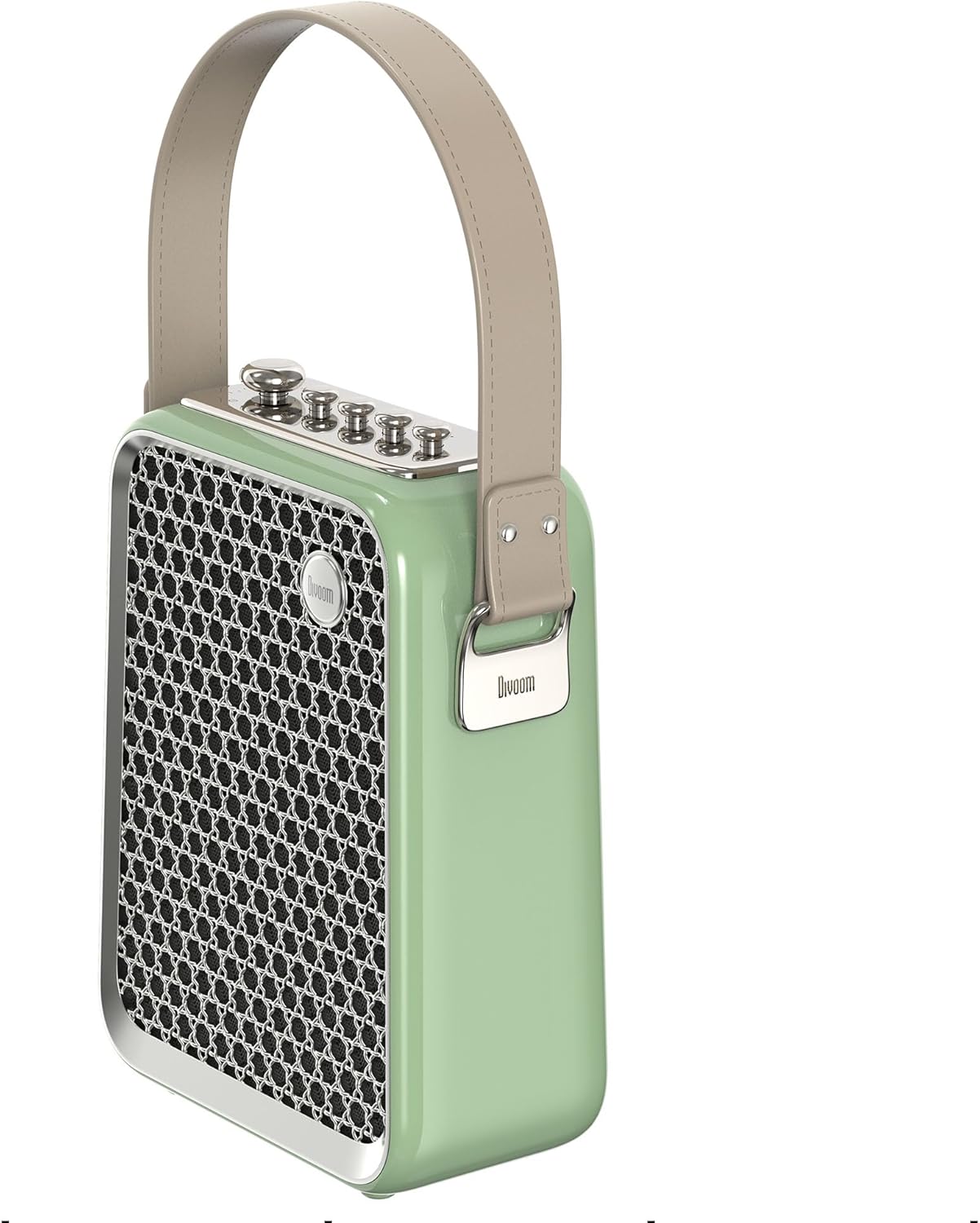
Şekil 5: Yan profile of the Divoom Songbird speaker, highlighting its compact dimensions and integrated carrying handle.
Garanti ve Destek
Garanti Bilgileri
This product may be eligible for extended warranty plans and accidental damage protection plans. Please refer to your purchase documentation or contact your retailer for specific warranty terms and conditions applicable to your region.
- 1 Yıl Uzatılmış Garanti Planı: Satın alınabilir.
- 1 Yıllık Kaza Sonucu Hasar Koruma Planı: Satın alınabilir.
- 2 Yıl Uzatılmış Garanti Planı: Satın alınabilir.
Müşteri Desteği
For technical assistance, troubleshooting beyond this manual, or warranty claims, please contact Divoom customer support. Visit the official Divoom website for contact information or refer to the support details provided with your product packaging.
Ayrıca ziyaret edebilirsiniz Divoom brand page on Amazon Daha fazla bilgi için.