
giriiş
This user manual provides detailed instructions for setting up, operating, maintaining, and troubleshooting your DUODUOGO A7 Android Tablet. Please read this manual carefully before using your device to ensure optimal performance and longevity.
Ürün Bittiview
The DUODUOGO A7 is a high-performance Android 11 tablet designed for a wide range of uses, from entertainment to productivity. It features a vibrant 10.1-inch FHD IPS display, a powerful 8-core processor, ample memory, and versatile connectivity options.

Image: The DUODUOGO A7 Android Tablet shown with its detachable keyboard case, displaying the Android 11 interface and various app icons.
Kurmak
1. İlk Şarj
Before first use, fully charge the tablet using the provided Type-C cable and power adapter. The 7000mAh battery ensures extended usage time.

Image: A visual representation of the tablet's 7000mAh battery capacity and charging status.
2. Güç Açma/Kapatma
To power on, press and hold the power button located on the side of the tablet until the DUODUOGO logo appears. To power off, press and hold the power button, then select 'Power off' from the options.
3. SIM/TF Kart Kurulumu
Locate the card slot on the side of the tablet. Carefully insert your SIM card(s) for 4G connectivity and/or a TF (microSD) card for expanded storage (up to 512GB). Ensure the cards are inserted correctly as shown in the diagram.

Resim: Ayrıntılı view of the tablet's Type-C interface and the card insertion slot, highlighting its dual SIM and 4G LTE capabilities.
4. İlk Yapılandırma
Upon first boot, follow the on-screen prompts to select your language, connect to a Wi-Fi network, and sign in with your Google account. The tablet is GMS certified, ensuring access to Google Play Store and services.
Kullanım Talimatları
1. Temel Gezinme
The DUODUOGO A7 runs on Android 11, offering an intuitive user experience. Use touch gestures to navigate: tap to select, swipe to scroll, pinch to zoom. The 10.1-inch IPS display provides a clear and responsive interface.

Image: The tablet displaying the clean and modern interface of the Android 11 operating system.
2. Bağlantı
- Wifi: Go to Settings > Network & internet > Wi-Fi to connect to available networks. Supports 802.11a/b/g/n.
- Bluetooth: Enable Bluetooth in Settings > Connected devices to pair with Bluetooth keyboards, headphones, or other accessories.
- 4G LTE: If a SIM card is installed, mobile data can be enabled via Settings > Network & internet > Mobile network.
3. Kamera Kullanımı
The tablet is equipped with a 5MP front camera and an 8MP rear camera. Open the Camera app to capture photos and videos. Switch between front and rear cameras as needed.

Image: Demonstrates the tablet's 8MP rear camera for capturing moments and the 5MP front camera for video calls and selfies.
4. Media Playback and Storage
Enjoy movies, music, and games on the FHD IPS display. The tablet comes with 64GB of internal storage, expandable up to 512GB with a TF card, providing ampMedyanız için alan files.
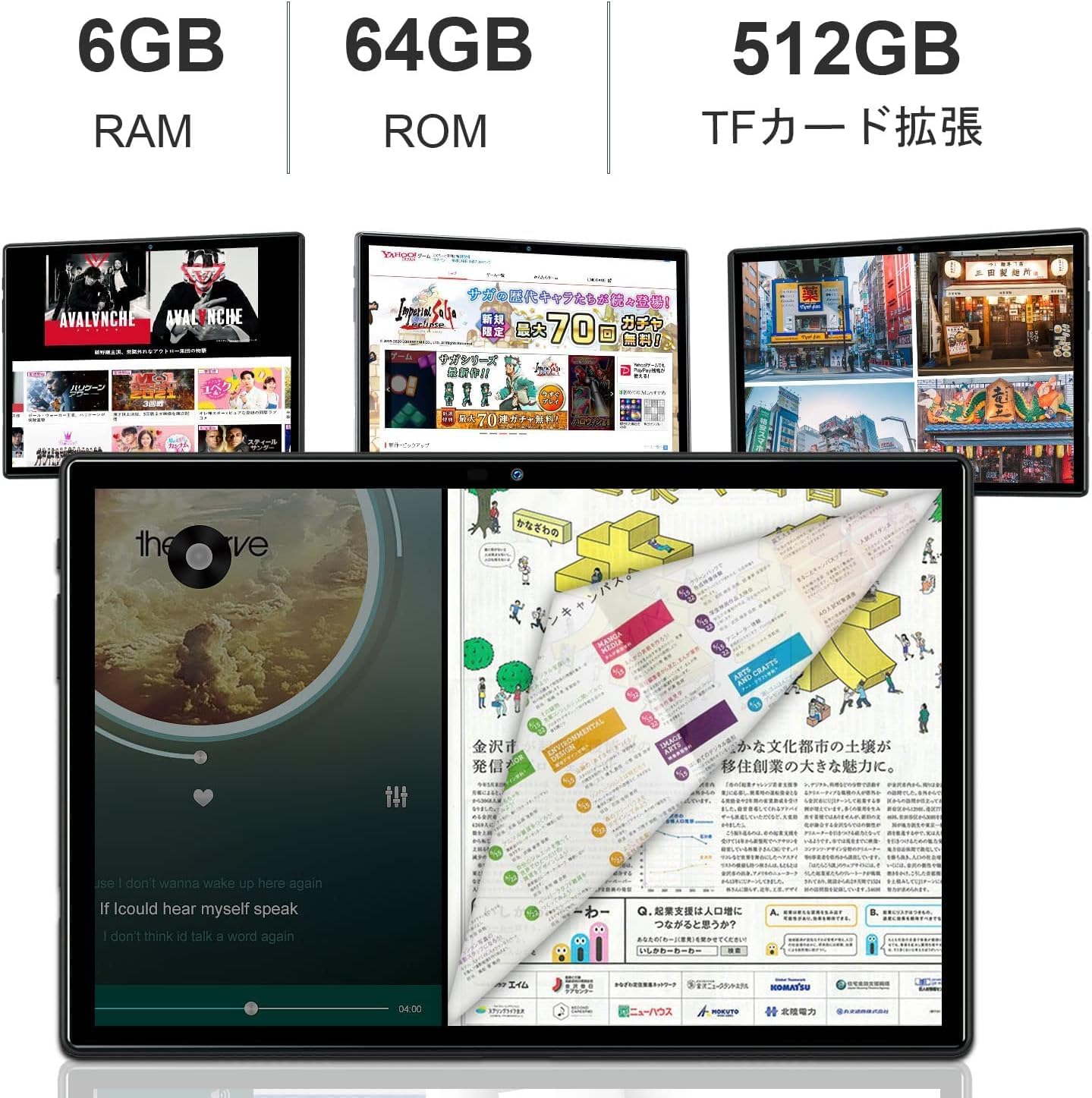
Image: Illustrates the tablet's 6GB RAM, 64GB ROM, and the option for 512GB TF card expansion.
5. Kablosuz Projeksiyon
The tablet supports wireless projection, allowing you to mirror your screen to compatible displays for presentations or larger viewing experiences. Refer to the Android 11 settings for screen casting options.
6. Çok Yönlü Kullanım
The DUODUOGO A7 is suitable for various activities including online meetings, office tasks, sharing content, video calls, watching videos, using GPS navigation, and playing games.

Image: A collage demonstrating various applications of the tablet, such as for meetings, office work, content sharing, video calls, GPS, and gaming.
Bakım
1. Pil Bakımı
To prolong battery life, avoid extreme temperatures. It is recommended to fully charge the tablet before it completely drains. For long-term storage, charge the battery to about 50%.
2. Temizlik
Tabletin ekranını ve gövdesini temizlemek için yumuşak, tiftiksiz bir bez kullanın. Yüzeye zarar verebilecek sert kimyasallar veya aşındırıcı malzemeler kullanmaktan kaçının.
3. Yazılım Güncellemeleri
Tabletinizin en yeni özelliklere ve güvenlik yamalarına sahip olduğundan emin olmak için sistem güncellemelerini düzenli olarak kontrol edin. Ayarlar > Sistem > Sistem güncellemesi yolunu izleyin.
4. Depolama Yönetimi
Gereksiz olanları düzenli olarak temizleyin files and apps to maintain optimal performance. You can manage storage in Settings > Storage.
Sorun giderme
Yaygın Sorunlar ve Çözümleri:
- Cihaz açılmıyor: Pilinizin dolu olduğundan emin olun. Şarj cihazını bağlayın ve tekrar deneyin.
- Wi-Fi bağlantı sorunları: Restart the tablet and your Wi-Fi router. Check Wi-Fi settings to ensure correct password and network selection.
- Uygulamaların çökmesi veya donması: Close the app and reopen it. If the issue persists, clear the app's cache (Settings > Apps & notifications > App info > Storage & cache > Clear cache).
- Yavaş performans: Close background apps, clear cache, or consider a factory reset as a last resort (Settings > System > Reset options > Erase all data).
Özellikler
| Özellik | Şartname |
|---|---|
| Marka | DUODUOGO |
| Model Adı | DUODUOGO A7 |
| İşletim Sistemi | Android 11 |
| Ekran Boyutu | 10.1 inç |
| Ekran Çözünürlüğü | 1920 x 1200 (FHD IPS) |
| CPU Hızı | 2.0 GHz (8-Core) |
| Veri deposu | 6 GB |
| Dahili Depolama | 64 GB |
| Genişletilebilir Depolama | 512 GB'a kadar (TF Kartı) |
| Pil Kapasitesi | 7000 mAh (Lityum Polimer) |
| Arka Kamera | 8 MP |
| Ön Kamera | 5 MP |
| Kablosuz Tip | 802.11a/b/g/n (Wi-Fi), Bluetooth |
| İletişim Formatı | Kablosuz, 4G LTE |
| Konuşmacılar | Çift Hoparlörler |
| Bağlantı | Tip-C |
Garanti ve Destek
This DUODUOGO A7 tablet comes with a 1 yıllık garanti. If you encounter any issues or have questions, please contact our customer support. We aim to respond within 24 hours to assist you.
For further assistance, please visit the official DUODUOGO webLütfen siteyi ziyaret edin veya satın alma işleminizle birlikte verilen iletişim bilgilerine başvurun.