
giriiş
Thank you for choosing the Quantum Men's Analog Watch, Model TTG1003.069. This manual provides essential information for the proper setup, operation, and maintenance of your new timepiece. Please read these instructions carefully to ensure optimal performance and longevity of your watch.
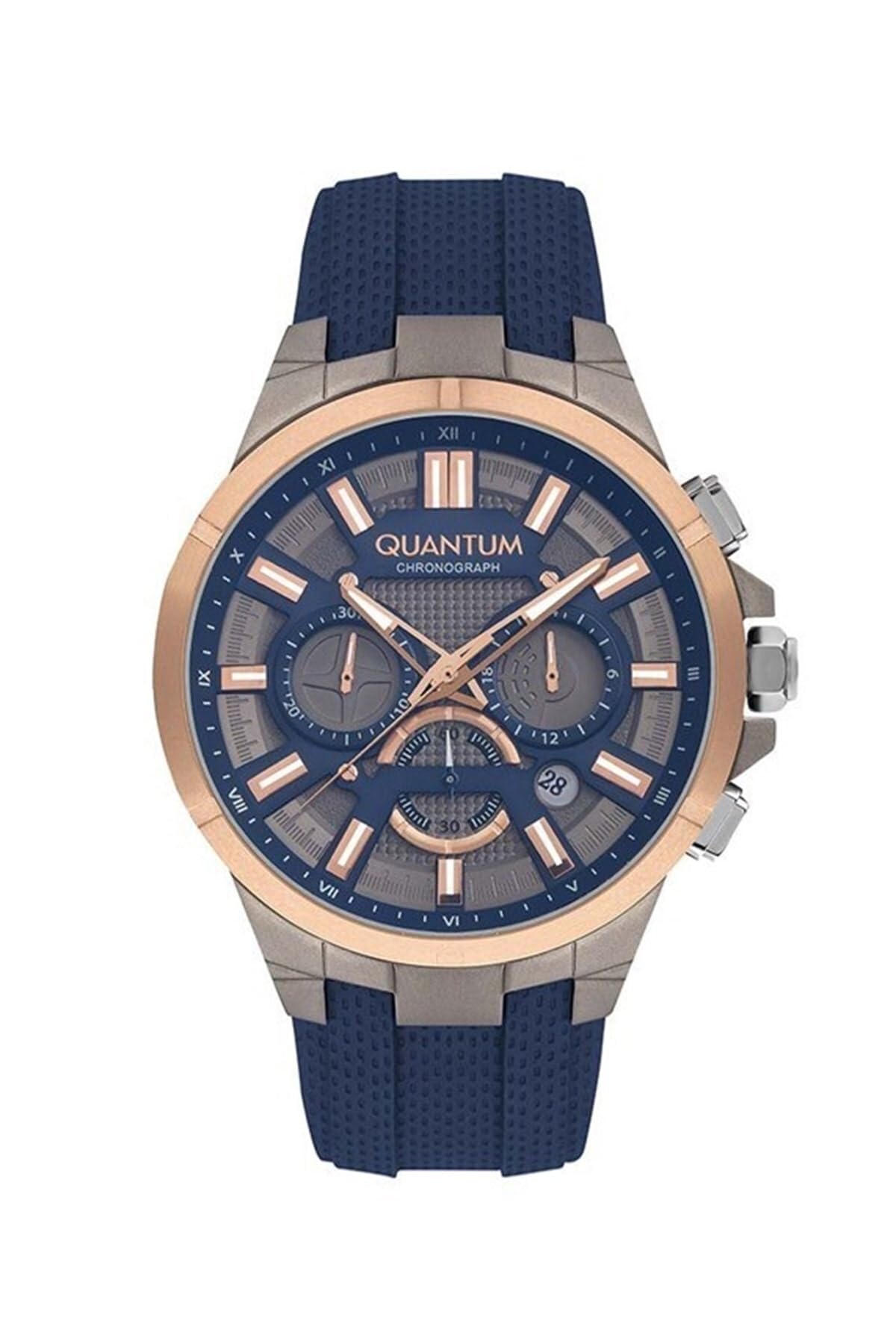
Image: The Quantum Men's Analog Watch TTG1003.069, showcasing its design with a blue silicone strap and analog display.
Kurulum ve İlk Kullanım
- Kutudan Çıkarma: Carefully remove the watch from its packaging. Inspect for any protective films on the crystal or case back and remove them gently.
- Taç Konumu: The watch crown (the small knob on the side of the watch case) may be in a pulled-out position to conserve battery during shipping.
- Zamanın Ayarlanması:
- Pull the crown out to the time-setting position (usually the outermost position).
- Saat ve dakika kollarını doğru zamana ayarlamak için tepeyi saat yönünde veya saat yönünün tersine çevirin.
- Once the time is set, push the crown back into its normal operating position against the watch case. The second hand should begin to move, indicating the watch is running.
Saatinizi Çalıştırma
Your Quantum TTG1003.069 watch is an analog timepiece powered by a quartz movement. It displays time using hour, minute, and second hands.
Zaman Ayarlaması
To adjust the time, follow the steps outlined in the 'Setting the Time' section above. Ensure the crown is fully pushed in after adjustment to maintain water resistance.
Bakım ve Özen
Temizlik
To clean your watch, wipe the case and crystal with a soft, dry cloth. For the silicone strap, you may use a slightly damp cloth with mild soap, then rinse thoroughly and dry completely. Avoid using harsh chemicals or abrasive materials, as these can damage the watch's finish.
Suya Dayanıklılık
This watch is rated for 100 metre (10 ATM) water resistance. This rating generally indicates suitability for swimming and snorkeling. However, the manufacturer specifically recommends against submerging the watch in water, stating it is designed to withstand only splashes, such as during hand washing or light rain. To ensure the longevity and integrity of your watch, it is advised to follow the manufacturer's more conservative recommendation and avoid full submersion.
Always ensure the crown is fully pushed in before any contact with water. Do not operate the crown while the watch is wet or submerged.
Pil Değişimi
Your watch is powered by a quartz movement, which requires a battery. When the watch stops running, it indicates the battery needs replacement. It is recommended to have the battery replaced by a qualified watch technician to ensure proper sealing and maintain water resistance.
Sorun giderme
- İzle Çalışmıyor:
- Kurma kolunun tam olarak içeri itildiğinden emin olun.
- Pil bitmiş olabilir. 'Pil Değiştirme' bölümüne bakın.
- Zaman Hatası:
- Zaman ayarını yaptıktan sonra kurma kolunun tamamen içeri itildiğinden emin olun.
- Extreme temperatures or strong magnetic fields can affect accuracy. Avoid exposing the watch to such conditions.
- If inaccuracy persists, the watch may require servicing by a professional.
Özellikler
| Model Numarası | TTG1003.069 |
| Marka | Kuantum |
| Hareket Türü | Kuvars |
| Görüntü Türü | Analog |
| Kasa Malzemesi | Alaşımlı Çelik |
| Kayış Malzemesi | Silikon |
| Kayış Rengi | Mavi |
| Kadran Rengi | Gümüş |
| Kristal malzeme | Mineral Cam |
| Kasa Çapı | 47 mm |
| Kasa Kalınlığı | 164 mm |
| Suya Dayanıklılık | 100 Metre (10 ATM) |
| Toka Tipi | Toka |
| Güç Kaynağı | Pil |
Garanti ve Destek
Your Quantum watch comes with a Limited Warranty. For specific details regarding warranty coverage, duration, and terms, please refer to the warranty card included with your purchase or visit the official Quantum webalan.
For technical support, service, or warranty claims, please contact Quantum customer service through their official channels. Ensure you have your model number (TTG1003.069) and proof of purchase available when contacting support.