
SYNCWIRE SW-EV952
SYNCWIRE Tip 2 EV Şarj Kablosu 22kW (5m) Kullanım Kılavuzu
Model: SW-EV952 | Brand: SYNCWIRE
giriiş
Thank you for choosing the SYNCWIRE Type 2 EV Charging Cable. This manual provides essential information for the safe and efficient use of your charging cable. Please read it thoroughly before use and keep it for future reference.
This cable is designed for charging electric vehicles and plug-in hybrids equipped with Type 2 and CCS2 connectors. It supports charging up to 22kW (32 Amp, 3-Phase) and is 5 meters in length.

Image: The SYNCWIRE Type 2 EV Charging Cable, showing both ends of the cable, the included waterproof storage bag, and a cleaning cloth. The cable is white and black, indicating its 22kW, 32 Amp, 3-Phase capability.
Güvenlik Bilgileri
- Ensure the charging cable is fully dry before connecting. If the connector is wet, the cable will automatically activate short-circuit protection. Use a hairdryer to dry the connector completely before use.
- Do not use the cable if it appears damaged or frayed.
- Avoid placing heavy objects on the cable during charging. While designed for durability (2-ton pressure resistance), excessive force can cause damage.
- -35°C ile +50°C belirtilen sıcaklık aralığında çalıştırın.
- The cable is IP54 rated for water and dust resistance, but avoid submerging it in water.
- Always connect the cable to a compatible Type 2 charging station and vehicle.
Kurulum ve Bağlantı
- Kabloyu inceleyin: Before each use, visually inspect the cable and connectors for any signs of damage, dirt, or moisture.
- Aracı Hazırlayın: Elektrikli aracınızın kapalı olduğundan ve şarj portu kapağının açık olduğundan emin olun.
- Şarj istasyonuna bağlayın: Insert one end of the Type 2 charging cable into the charging port of the EV charging station. Ensure it clicks securely into place.
- Araca Bağlan: Insert the other end of the Type 2 charging cable into your vehicle's charging inlet. The connector features a clear power output indicator sticker to help match the correct charging input. Ensure a secure connection.
- Şarjı Başlatın: Follow the instructions on your charging station or vehicle's infotainment system to start the charging process.

Image: A hand connecting the SYNCWIRE Type 2 EV charging cable to an electric vehicle's charging port. The connector clearly displays "22kW 32 Amp 3 Phase" and the SYNCWIRE logo, indicating its specifications.
Kullanım Talimatları
Once both ends of the cable are securely connected and charging has been initiated, your vehicle will begin to charge. The cable supports ultra-fast charging up to 22kW (32A, 3-phase). Charging times will vary based on your vehicle's battery capacity and the charging station's output.
- During full power charging, it is normal for the cable to become slightly warm.
- To stop charging, follow the procedure outlined by your charging station or vehicle manufacturer.
- Always disconnect the cable from the vehicle first, then from the charging station.
Bakım ve Depolama
- Temizlik: Use the included high-quality flannel cloth to easily clean your cable and the waterproof storage bag. Do not use harsh chemicals or abrasive cleaners.
- Drying Connectors: If connectors become wet, use a hairdryer to dry them completely before use to prevent short-circuit protection activation.
- Depolamak: The cable features a unique crimp marker and two removable Velcro straps for easy tidying. Store the cable neatly in the provided waterproof and portable storage bag.

Image: A person demonstrating how to tidy up the SYNCWIRE EV charging cable using the removable strap and a crimp marker, highlighting the cable's user-friendly design for storage.
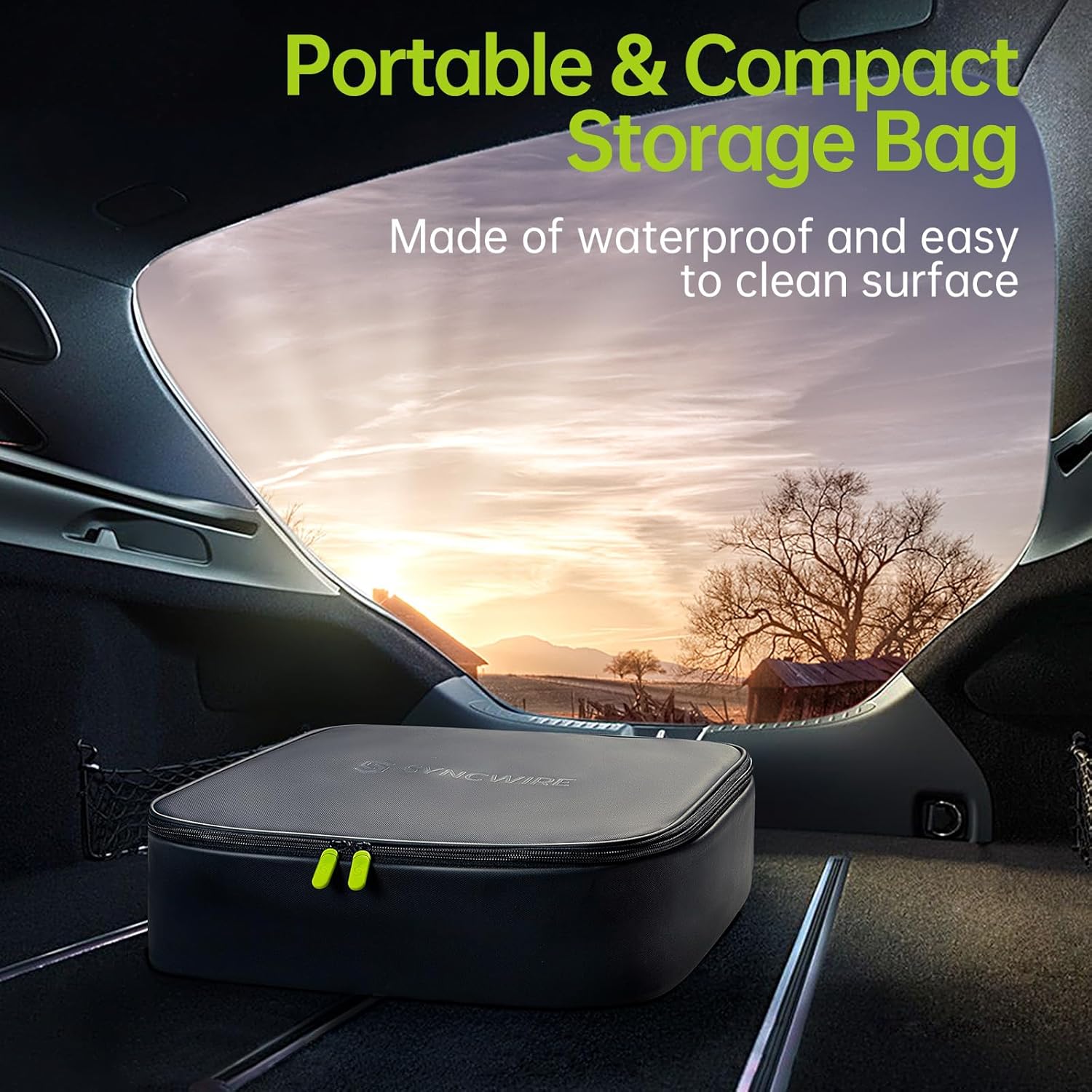
Image: The SYNCWIRE waterproof and portable storage bag, designed for the EV charging cable, placed neatly in the trunk of a car, emphasizing its compact and convenient storage solution.
Sorun giderme
- Şarj işlemi başlatılmıyor:
- Ensure both connectors are fully inserted and securely latched.
- Check the charging station for error messages or status indicators.
- Verify that the vehicle is ready to accept a charge.
- Cable Feels Warm: This is normal during high-power charging. If the cable becomes excessively hot or emits smoke/odors, immediately disconnect it and cease use.
- Short-Circuit Protection Activated (No Charge): If the connector was wet, the cable's internal protection will prevent charging. Ensure the connector is completely dry before attempting to charge again.
Özellikler
| Özellik | Detay |
|---|---|
| Marka | SENKRONİZE |
| Model Numarası | SW-EV952 |
| Bağlayıcı Türü | Tip 2'dan Tip 2'ya |
| Maksimum Güç | 22 kW |
| Güncel Derecelendirme | 32A |
| Cilttage Çıktı | 480 Volt (AC) |
| Kablo Uzunluğu | 5 metre |
| IP Derecelendirmesi | IP54 (Suya ve Toza Dayanıklı) |
| Çalışma Sıcaklığı | -35°C ile +50°C arası |
| Dayanıklılık | >10,000 plug-in tests, >20,000 flexion tests, 2-ton pressure resistance |
| Sertifikalar | TÜV Rheinland |
| Ağırlık | 4.08 Kilogram |

Image: The SYNCWIRE EV charging cable connector positioned under a car tire, illustrating its robust construction and ability to withstand up to 2 tons of load pressure, emphasizing its durability.
Uyumluluk
The SYNCWIRE Type 2 EV Charging Cable is widely compatible with electric vehicles and plug-in hybrids that utilize Type 2 and CCS2 charging inlets. This includes, but is not limited to, models from:
- Tesla (Model S/3/X/Y)
- Volkswagen (ID.3, ID.4, ID.5, e-Up!, e-Golf)
- Renault (ZOE, Twingo, Megane E-Tech)
- Hyundai (Kona Electric, IONIQ 5)
- Peugeot (e-208, e-2008, e-Expert)
- Kia (Niro EV, Soul EV, EV6)
- BMW (i3, i4, iX3, iX, i7, i8, X1)
- Smart (EQ Fortwo, EQ Forfour)
- Audi (e-Tron, Q4 e-Tron, e-Tron GT)
- Fiat (500e)
- Nissan (Leaf, Ariya)
- Opel (Corsa-E, Mokka-E)
- Skoda (Enyaq iV, Citigo)
- Mercedes-Benz (EQA, EQC, EQB, EQV, EQS)
- MINI (Mini Cooper SE)
- Dacia (Spring)
- MG (ZS EV, Marvel R5)
- Polestar (2)
- Ford (Mustang Mach-E)
- Jaguar (I-Pace)
- Porsche (Taycan)
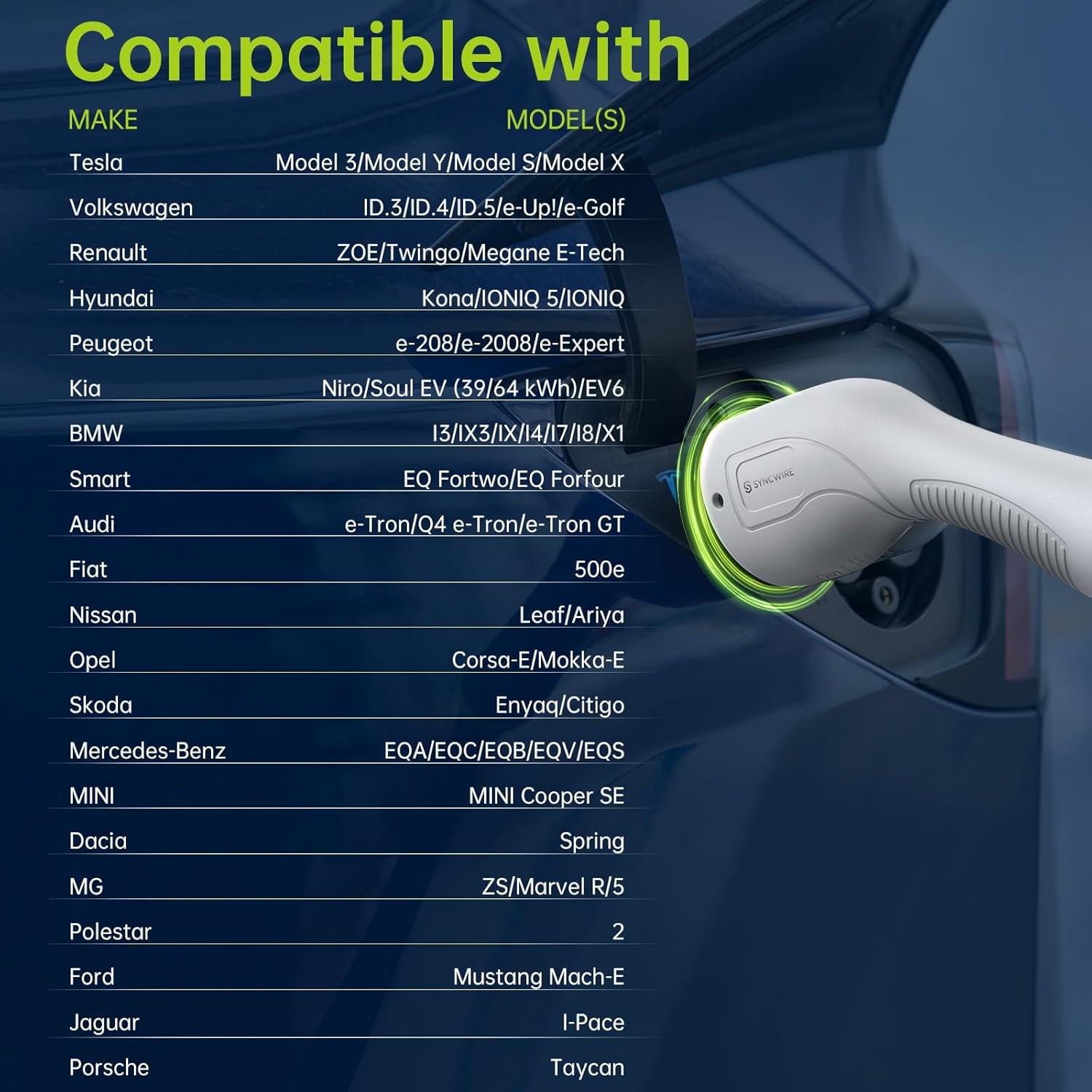
Image: A detailed compatibility chart showing various electric vehicle makes and models that are compatible with the SYNCWIRE Type 2 EV charging cable, including Tesla, Volkswagen, Renault, Hyundai, and more.
Garanti ve Destek
Garanti bilgileri veya teknik destek için lütfen SYNCWIRE resmi web sitesine başvurun. webSite üzerinden satın alabilir veya doğrudan müşteri hizmetleriyle iletişime geçebilirsiniz. Satın alma belgenizi saklayın.
İlgili Belgeler - SW-EV952
 |
SYNCWIRE EV Şarj Kablosu Kullanım Kılavuzu SYNCWIRE EV Şarj Kablosu için kapsamlı kullanıcı kılavuzu, ürünün ayrıntılarını içerirviewElektrikli araç şarjı için teknik özellikler, kullanım talimatları ve güvenlik uyarıları. |
 |
SYNCWIRE SW-BR999 Bluetooth Alıcısı Kullanım Kılavuzu ve Teknik Özellikleri SYNCWIRE SW-BR999 Bluetooth Alıcısı için kurulum talimatları, düğme işlevleri, ürün diyagramları ve kalite gereksinimleri dahil olmak üzere ayrıntılı kullanıcı kılavuzu ve teknik özellikler. |
 |
SYNCWIRE SW-XC725 Araç Kablosuz FM Verici Kullanım Kılavuzu Shenzhen Leaderment Technology Co.,Ltd.'den SYNCWIRE SW-XC725 Araç Kablosuz FM Vericisi için teknik özellikler, özellikler ve üretici ayrıntılarını sağlayan kullanıcı kılavuzu. |
 |
Syncwire Screen Protector Installation Guide and 3-Year Warranty Step-by-step instructions for installing Syncwire screen protectors, along with details on the 3-year warranty provided by Syncwire. |
 |
SYNCWIRE SW1012 Selfie Çubuğu Tripod Kullanım Kılavuzu | Manyetik Telefon Tutucu ve Uzaktan Kumanda Deklanşörü Manyetik telefon tutucu ve uzaktan kumandalı deklanşöre sahip SYNCWIRE SW1012 selfie çubuğu tripodu için kullanım kılavuzu. Kurulum, Bluetooth bağlantısı, kullanım talimatları, teknik özellikler ve üretici bilgilerini içerir. |
 |
SYNCWIRE Data Cable User Manual - Safety and Usage Guide Official user manual for the SYNCWIRE Data Cable, providing essential safety instructions for charging and data transfer. Learn how to properly use and care for your cable. |
Ask a question about this manual
Ask about setup, troubleshooting, compatibility, parts, safety, or missing instructions. Manuals+ will review the question and use this page’s manual context to help answer it.