
Roberts PLAY11BK
Roberts Radio Digital Play11 DAB/DAB+/FM Taşınabilir Radyo Kullanım Kılavuzu
Model: PLAY11BK
giriiş
Thank you for choosing the Roberts Radio Digital Play11. This portable radio offers high-quality audio with DAB, DAB+, and FM reception. Designed for ease of use, it features a headphone jack for personal listening and flexible power options. This manual provides essential information for setting up, operating, and maintaining your device.
Güvenlik Bilgileri
Lütfen bu ürünü kullanmadan önce tüm güvenlik talimatlarını okuyun ve anlayın. Bu talimatları ileride başvurmak üzere saklayın.
- Radyoyu yağmura, neme veya aşırı sıcaklıklara maruz bırakmayın.
- Üniteyi ısı kaynaklarının yakınına veya doğrudan güneş ışığına maruz bırakmayın.
- Use only the specified power supply (USB-C cable) or 4 x AA batteries.
- Üniteyi sökmeye veya değiştirmeye çalışmayın. Tüm bakım işlemlerini yetkili personele yaptırın.
- Ensure proper ventilation; do not cover ventilation openings.
- Pilleri yerel yönetmeliklere uygun şekilde sorumlu bir şekilde atın.
Kutuda Neler Var?
Paketi açtığınızda lütfen aşağıdaki tüm öğelerin mevcut olduğundan emin olun:
- Roberts Radio Digital Play11
- Hızlı Başlangıç Kılavuzu
- USB-C güç kablosu
- Güvenlik ve garanti broşürü
Ürün Bittiview
Familiarize yourself with the main components and controls of your Play11 radio.

Resim: Ön view of the Roberts Play11 radio with labels indicating the On/Off button, Volume knob, Antenna, LCD Display, Select knob, Favourites button, Info/Menu button, Mode button, and Next/Previous buttons.
- Açma/Kapama Düğmesi: Üniteyi açar veya kapatır.
- Ses Düğmesi: Ses çıkış seviyesini ayarlar.
- Anten: En iyi radyo alımı için uzatın.
- LCD Ekran: İstasyon bilgilerini, saatini ve menü seçeneklerini gösterir.
- Düğmeyi Seçin: Menülerde gezinir ve seçimleri onaylar.
- Favourites (2 sec) Button: Press and hold to save a favourite station; short press to recall.
- Info | Menu Button: Displays station information; press and hold to access the main menu.
- Mod Düğmesi: Switches between DAB, DAB+, and FM modes.
- Next | Previous Buttons: İstasyonlar veya menü seçenekleri arasında gezinmeyi sağlar.
- Kulaklık girişi: For private listening (3.5mm AUX Out Port).
- USB-C Bağlantı Noktası: Güç kaynağı için.

Resim: Yakın çekim view of the Roberts Play11 radio, highlighting the 3.5mm headphone jack on the side for personal listening.
Kurmak
1. Güç Kaynağı
The Play11 can be powered by either batteries or the included USB-C power cable.

Resim: Arka view of the Roberts Play11 radio, illustrating the battery compartment for 4x AA batteries (not included) and the USB-C power input port.
- Pil ile Çalışma: Open the battery compartment on the rear of the radio. Insert 4 x AA (LR6) batteries, ensuring correct polarity. Close the compartment securely. Batteries are not included.
- Şebeke Çalışması: Connect the supplied USB-C power cable to the USB-C port on the radio and plug the other end into a suitable USB power adapter (not supplied).
2. Anten
Extend the telescopic antenna fully for optimal reception in both DAB/DAB+ and FM modes.
3. İlk Güç Açma
Basın Açık/Kapalı button to power on the radio. If this is the first time using the radio, it will automatically perform a full scan for DAB/DAB+ stations.
Kullanım Talimatları
Switching Modes (DAB/DAB+/FM)
Basın Mod button repeatedly to cycle between DAB, DAB+, and FM radio modes.
DAB/DAB+ Radyo
- İstasyonlar taranıyor: After initial power-on, the radio will automatically scan. To perform a manual scan, press and hold the Bilgi | Menü button, navigate to "Full Scan" using the Seçme knob, and press Seçme onaylamak için.
- İstasyon Seçimi: Döndür Seçme knob to browse available stations. Press the Seçme knob to tune into the desired station.
- Saving Presets (Favourites): İstediğiniz istasyona ayarlayın. Basılı tutun. Favourites (2 sec) button until "Preset Store" appears. Rotate the Seçme knob to choose a preset number (1-10) and press Seçme kaydetmek için.
- Ön Ayarların Geri Çağrılması: Kısa basın Favourites (2 sec) buton. döndür Seçme knob to choose the desired preset and press Seçme uyum sağlamak için.
FM Radyo
- İstasyonlar taranıyor: FM modunda, tuşuna basın ve basılı tutun. Next | Previous Bir sonraki müsait istasyonu otomatik olarak taramak için düğmeler.
- Manuel Ayarlama: Döndür Seçme knob to manually tune to a specific frequency.
- Saving Presets (Favourites): İstediğiniz istasyona ayarlayın. Basılı tutun. Favourites (2 sec) button until "Preset Store" appears. Rotate the Seçme knob to choose a preset number (1-10) and press Seçme kaydetmek için.
- Ön Ayarların Geri Çağrılması: Kısa basın Favourites (2 sec) buton. döndür Seçme knob to choose the desired preset and press Seçme uyum sağlamak için.
Kulaklık Kullanımı
Özel dinleme için standart 3.5 mm kulaklıkları radyonun yan tarafındaki kulaklık girişine bağlayın. Kulaklık bağlandığında dahili hoparlör otomatik olarak sessize alınacaktır.
Bakım
- Temizlik: Radyoyu yumuşak, kuru bir bezle silin. Aşındırıcı temizleyiciler veya çözücüler kullanmayın.
- Pil Değişimi: When using batteries, replace all four AA batteries simultaneously when the low battery indicator appears on the display. Ensure correct polarity.
- Depolamak: Radyoyu uzun süre saklayacaksanız, sızıntıyı önlemek için pilleri çıkarın.
Sorun giderme
| Sorun | Olası Neden | Çözüm |
|---|---|---|
| Güç yok | Batteries are flat or incorrectly inserted; USB-C cable not connected properly. | Replace batteries, ensuring correct polarity. Check USB-C cable connection and power adapter. |
| Zayıf DAB/FM alımı | Antenna not fully extended; weak signal area; interference. | Teleskopik anteni tamamen açın. Radyonun konumunu değiştirmeyi deneyin. DAB istasyonları için tam bir tarama gerçekleştirin. |
| Ses yok | Ses seviyesi çok düşük; kulaklık bağlı; cihaz sessize alınmış. | Increase volume. Disconnect headphones. Check if the unit is muted (though this model doesn't have a dedicated mute button, ensure volume is not at zero). |
| Düğmeler yanıt vermiyor | Geçici yazılım hatası. | Turn the radio off and on again. If problem persists, remove power source (batteries/USB-C) for a few minutes, then reconnect. |
Özellikler
| Örnek | PLAY11BK |
| Tuner Türü | DAB, DAB+, FM |
| Ön Ayarlar | 10 DAB, 10 FM |
| Güç Kaynağı | 4 x AA batteries (not included) or USB-C (4.5 Volts) |
| Donanım Arayüzü | USB Tip C |
| Kulaklık girişi | 3.5mm |
| Görüntü Türü | LCD |
| Boyutlar (UxGxY) | 17.4x6x11 cm |
| Ağırlık | 357 gr |
| Malzeme | Plastik, Polikarbonat (PC) |
Garanti ve Destek
Your Roberts Radio Digital Play11 comes with a 2-year warranty. Please refer to the included Safety and Warranty leaflet for detailed terms and conditions. For technical support or service inquiries, please visit the official Roberts Radio websitesine bakın veya müşteri hizmetleri departmanıyla iletişime geçin.
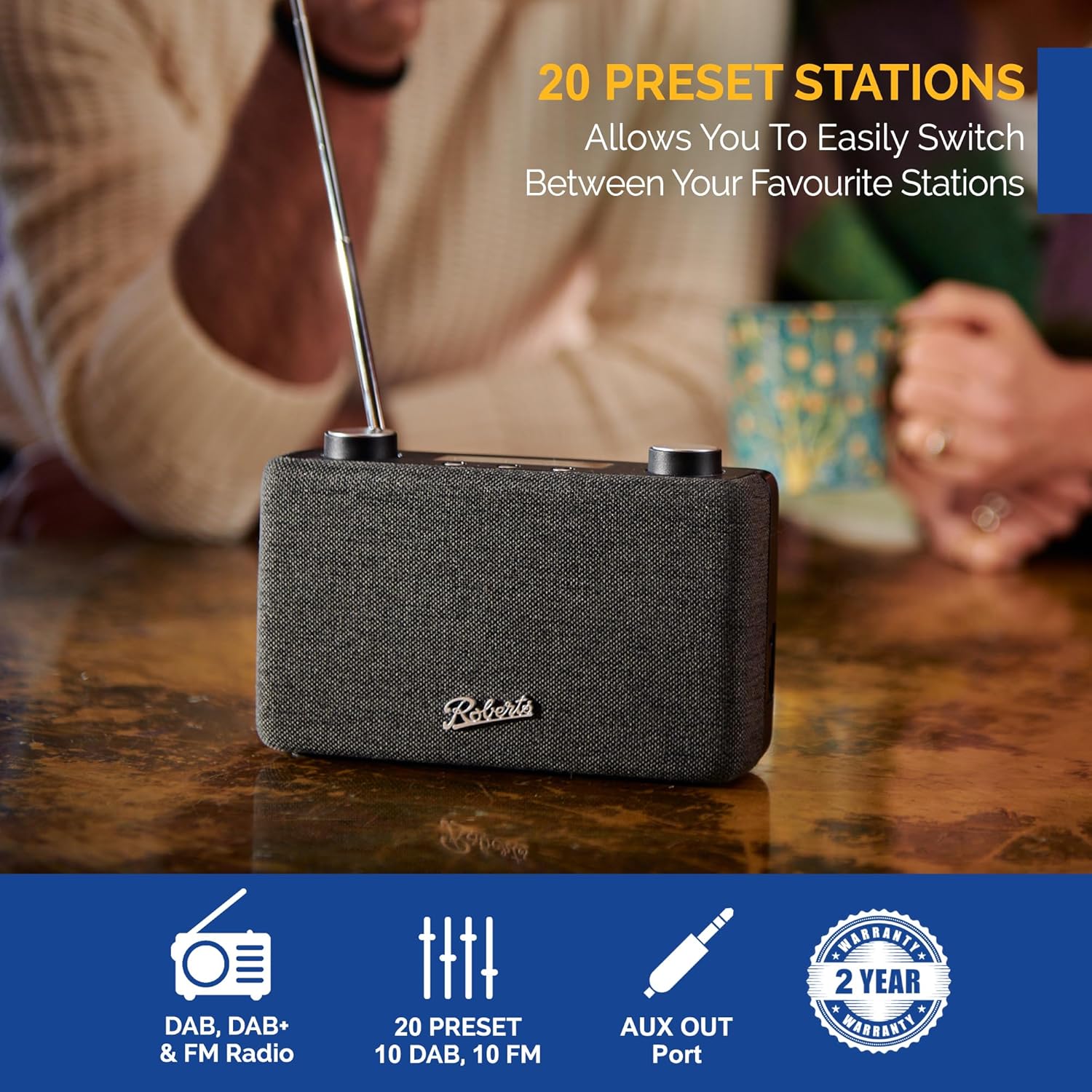
Image: The Roberts Play11 radio displayed alongside icons indicating DAB/DAB+ & FM Radio, 20 Presets, AUX Out Port, and a 2-Year Warranty badge.
Ask a question about this manual
Ask about setup, troubleshooting, compatibility, parts, safety, or missing instructions. Manuals+ will review the question and use this page’s manual context to help answer it.