
1. Giriş
Thank you for choosing the V-TAC VT-1001 Portable Power Station. This device is a versatile and rechargeable power source designed to provide reliable electricity for various applications, from outdoor adventures to emergency backup. It features a 1000W output and a 22.4V, 46.9Ah LiFePO4 battery for long-lasting performance. Please read this manual thoroughly before operating the power station to ensure safe and efficient use.
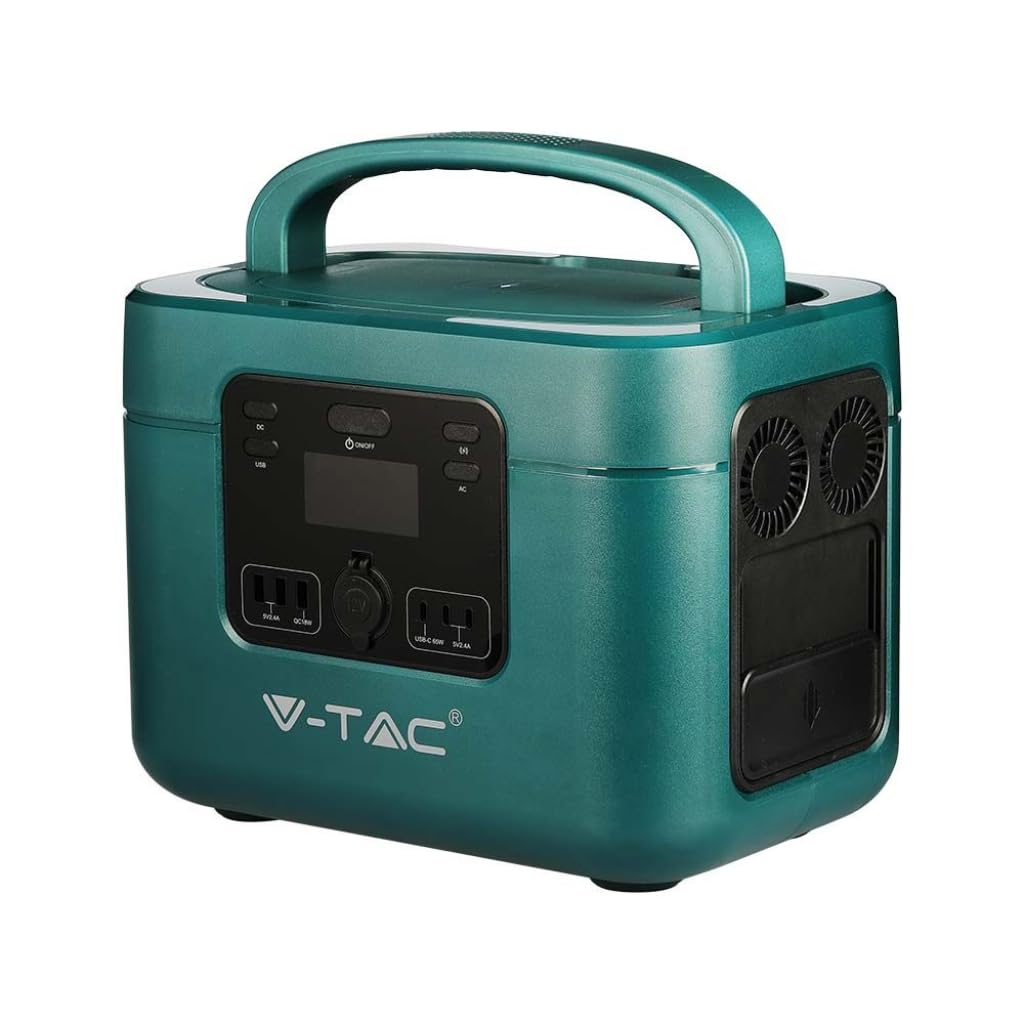
Image: The V-TAC VT-1001 Portable Power Station, a compact and robust power solution.
2. Güvenlik Talimatları
Yaralanmayı veya cihaza zarar gelmesini önlemek için aşağıdaki güvenlik önlemlerine uyun:
- Üniteyi sökmeyin, onarmayın veya değiştirmeyin. Yanlış montaj yangına veya elektrik çarpmasına neden olabilir.
- Cihazı ateşe yakın bir yere koymayın veya ısıya maruz bırakmayın. Doğrudan güneş ışığından uzak tutun.
- Cihazı banyo veya suya ya da neme maruz kalan bir alanda şarj etmeyin, kullanmayın veya saklamayın.
- Use only the provided charger or approved charging methods.
- Hasarlıysa veya düşürüldüyse üniteyi kullanmayın.
- Çocukların ve evcil hayvanların erişemeyeceği yerde saklayınız.
- Kullanım ve şarj sırasında yeterli havalandırma sağlayın. Cihazın üzerini örtmeyin.
- Avoid extreme temperatures. Store and operate the unit within the recommended temperature range.
3. Ürün Bittiview
Familiarize yourself with the various components and interfaces of your power station.
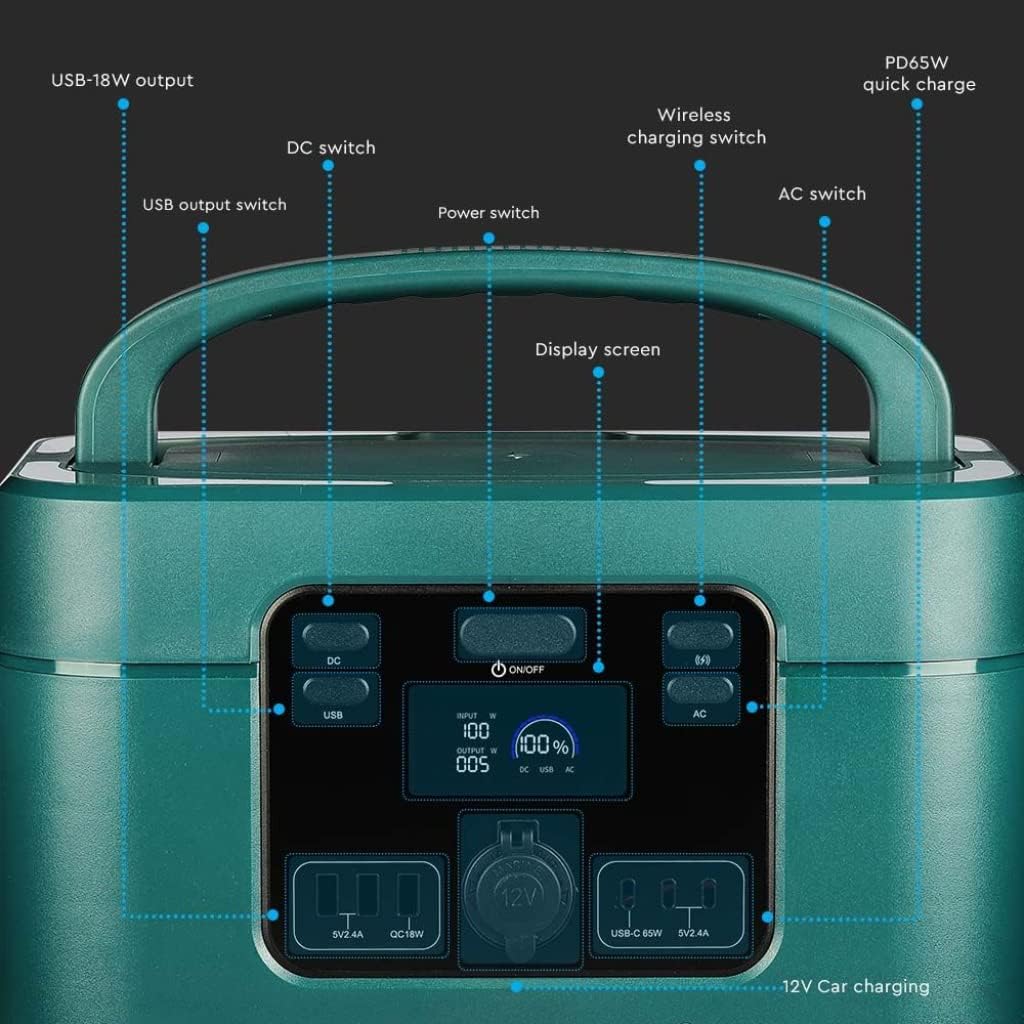
Image: Detailed diagram of the front control panel and output ports.
Ön Panel Özellikleri:
- DC Anahtarı: DC çıkış portlarını etkinleştirir/devre dışı bırakır.
- USB Output Switch: Controls the USB-A and USB-C output ports.
- Güç Anahtarı (AÇIK/KAPALI): Main power button for the unit.
- Ekran Görüntüsü: Giriş/çıkış suyunu gösterir.tage, pil yüzdesitage ve durum göstergeleri.
- Wireless Charging Switch: Enables/disables the wireless charging pad.
- AC Anahtarı: Activates/deactivates AC output sockets.
- USB-18W Output: Standard USB-A port.
- PD65W Quick Charge: USB-C port for fast charging compatible devices.
- 12V Car Charging Port: Standard car accessory socket.

Image: Detailed diagram of the rear input ports and lighting feature.
Arka Panel Özellikleri:
- Aydınlatma: Entegre ışık kaynağı.
- Güvenlik anahtarı: Additional safety mechanism.
- DC Charging 60 Interface: Input port for DC charging, compatible with solar panels.
- AC Fast Charging Input: Port for charging the power station via AC wall outlet.

Image: Diagram showing the side panel with cooling outlet and AC outputs.
Yan Panel Özellikleri:
- Soğutma Çıkışı: Çalışma sırasında uygun ısı dağılımını sağlar.
- Çıkarılabilir Kapak: Covers and protects the AC output sockets.
- 220V Çıkış: Standard AC power sockets for appliances.
4. Kurulum
Before first use, it is recommended to fully charge the power station.
- Paketin açılması: Güç istasyonunu ve tüm aksesuarlarını dikkatlice ambalajından çıkarın.
- Başlangıç ücreti: Connect the power station to a wall outlet using the provided AC charging cable. The display screen will indicate the charging status. Charge until the battery indicator shows 100%.
5. Kullanım Talimatları
The V-TAC VT-1001 offers multiple output options for various devices.
Genel İşlem:
- Güç Açma/Kapatma: Basılı tutun Güç Anahtarı (ON/OFF) on the front panel to turn the unit on or off. The display screen will illuminate.
- Ekran Görüntüsü: The LED display provides real-time information on input/output power (W) and battery charge level (%).

Image: Close-up of the wide LED display, showing input, output, and battery percentage.
Çıkış Portlarını Kullanma:
- AC Output (220V): Basın AC Anahtarı to enable the AC outlets. Plug in your appliances (e.g., laptops, power tools, mini coolers) into the 220V sockets located under the removable lid on the side. Ensure the total wattage 1000W'ı aşmaz.
- DC Output (12V Car Port): Basın DC Anahtarı to enable the 12V car charging port. Connect your 12V devices.
- USB Output (USB-A, USB-C): Basın USB Çıkış Anahtarı to activate the USB ports. Connect your USB-powered devices to the USB-18W or PD65W Quick Charge ports.
- Kablosuz Şarj: Basın Wireless Charging Switch. Place your compatible device (e.g., smartphone) on the wireless charging pad located on top of the unit.
- Aydınlatma: Use the dedicated button on the rear panel to activate the integrated light.

Image: The power station simultaneously charging a laptop, mobile phone, and drone.
6. Güç İstasyonunun Şarj Edilmesi
The VT-1001 can be recharged using multiple methods:
AC Duvar Şarjı:
Connect the provided AC charging cable to the AC Fast Charging Input port on the rear panel and then to a standard wall outlet. The unit will begin charging automatically.
Güneş Paneli Şarjı:
Connect a compatible solar panel (not included) to the DC Charging 60 Interface port on the rear panel. Ensure the solar panel is positioned to receive maximum sunlight. The power station features MPPT technology for efficient solar charging.
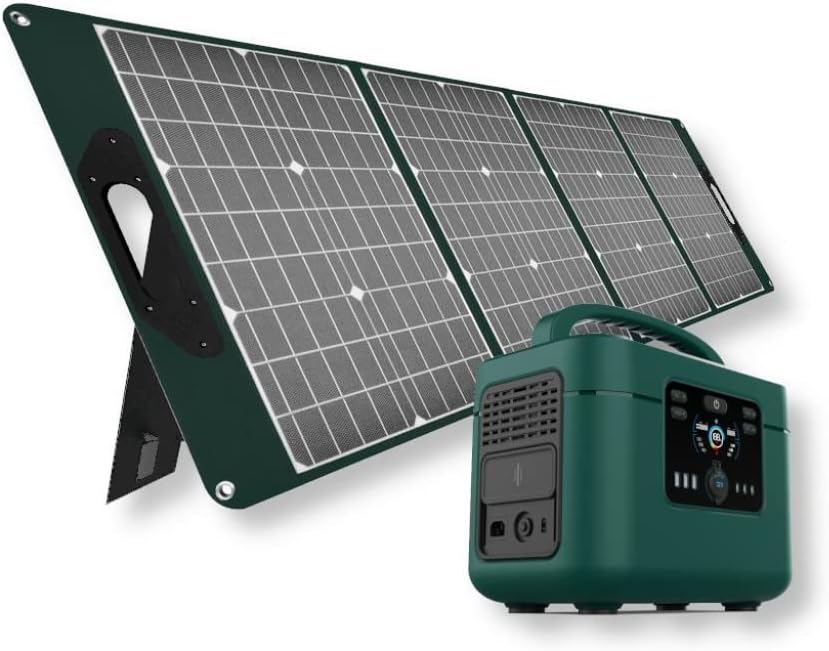
Image: The V-TAC VT-1001 Power Station connected to a portable solar panel for charging.
Araç Şarjı:
Use a compatible car charger (not included) to connect the power station to your vehicle's 12V accessory outlet. This method is suitable for charging on the go.
7. Bakım
Doğru bakım, enerji santralinizin uzun ömürlü olmasını ve yüksek performans göstermesini sağlar.
- Temizlik: Cihazı kuru, yumuşak bir bezle silin. Aşındırıcı temizleyiciler kullanmayın veya cihazı suya batırmayın.
- Depolamak: Store the power station in a cool, dry place, away from direct sunlight and extreme temperatures. For long-term storage, charge the unit to approximately 50-80% every 3-6 months to maintain battery health.
- Pil Bakım: The integrated LiFePO4 battery is designed for durability and safety. The Intelligent BMS (Battery Management System) optimizes battery life and efficiency.
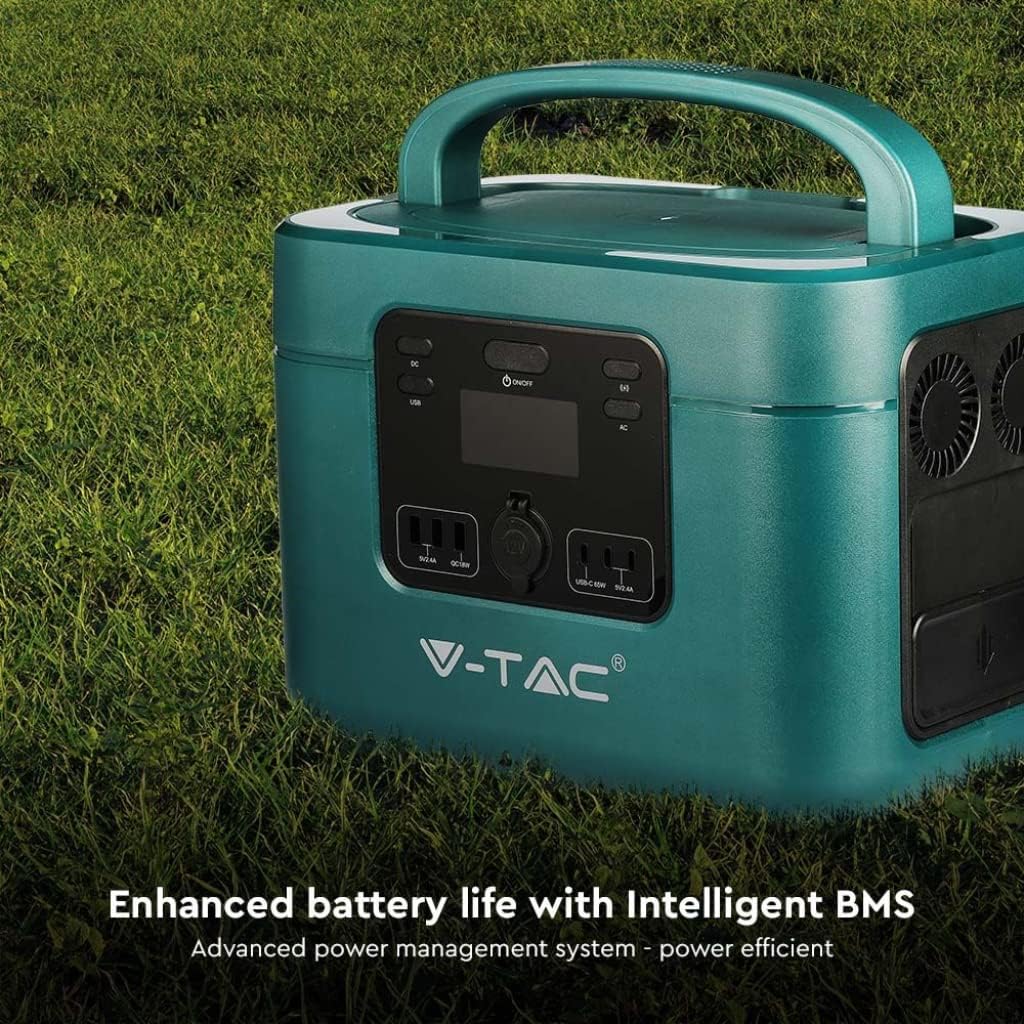
Image: The V-TAC VT-1001 highlighting its Intelligent BMS for enhanced battery life.
8. Sorun Giderme
If you encounter issues with your power station, refer to the following common solutions:
- Ünite Açılmıyor: Ensure the battery is charged. If not, connect it to an AC outlet for charging.
- Portlardan Çıkış Yok: Verify that the respective output switch (AC, DC, USB, Wireless) is turned on. Check if the device you are trying to power is within the power station's wattage sınırları.
- Şarj işlemi başlatılmıyor: Ensure all charging cables are securely connected. For solar charging, confirm the solar panel is receiving adequate sunlight.
- Aşırı Yük Koruması: Cihaz kapanırsa, aşırı yüklenmeden kaynaklanıyor olabilir. Bazı cihazların bağlantısını kesin ve güç istasyonunu yeniden başlatın.
For persistent issues, contact V-TAC customer support.
9. Özellikler
| Özellik | Şartname |
|---|---|
| Model Numarası | 11443 |
| Marka | V-TAC |
| Nominal Güç Çıkışı | 1000W |
| Pil Türü | YaşamPO4 |
| Pil Kapasitesi | 22.4V, 46.9 Ah |
| Malzeme | Akrilonitril Bütadien Stiren |
| Ağırlık | 15 Kilogram |
| AC Çıkışı | 220V (specific region voltage) |
| DC Giriş | 60 Interface (Solar Compatible) |
| USB Çıkışı | USB-A (18W), USB-C (PD65W) |
| Kablosuz Şarj | Evet |
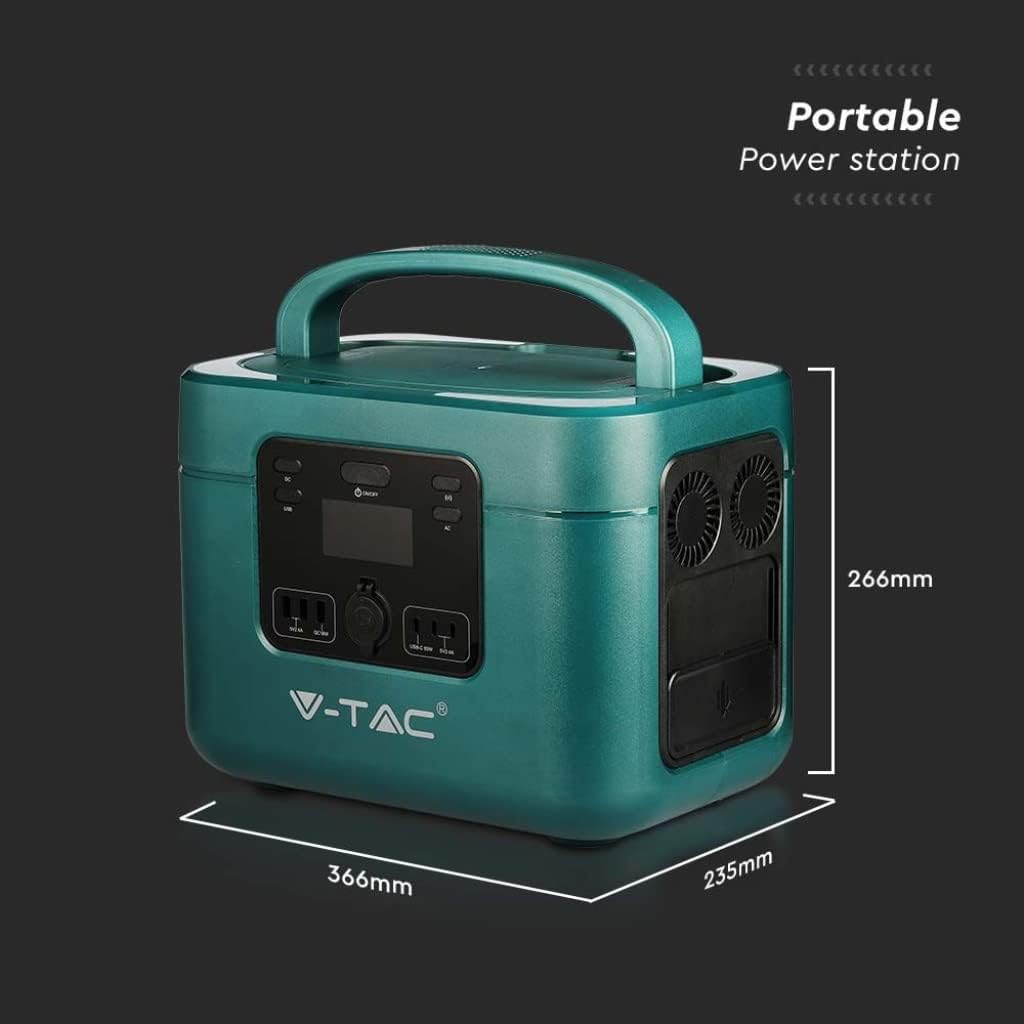
Image: Dimensions of the V-TAC VT-1001 Power Station: 366mm (length) x 235mm (width) x 266mm (height).
10. Garanti ve Destek
For warranty information and customer support, please refer to the warranty card included with your product or visit the official V-TAC webSite. Satın alma belgeniz olarak satın alma fişinizi saklayın.