
1. Giriş ve Üzeriview
This manual provides detailed instructions for the GOLD Pro FN-B08 Wireless Sports Bluetooth Earphones. Designed for maximum comfort and stability, these earphones are ideal for various activities, including sports, work, and daily tasks. Featuring an open-ear, ear-hook design, they allow you to enjoy audio while remaining aware of your surroundings, promoting safety and preventing discomfort often associated with in-ear designs.
2. Paket İçeriği
Lütfen aşağıda listelenen tüm öğelerin paketinizde yer aldığından emin olun:
- GOLD Pro FN-B08 Wireless Sports Bluetooth Earphones
- Şarj Kutusu
- USB Type-C Şarj Kablosu
- Extra Ear Tips (if applicable to the specific design)
- Kullanım Kılavuzu (bu belge)
The GOLD Pro FN-B08 earphones neatly stored within their compact charging case, alongside the product packaging, illustrating the complete set.
3. Ürün Özellikleri
- Maksimum Konfor: Constructed with high-quality materials for extended comfortable wear.
- Açık Kulak Tasarımı: Allows external sounds to be heard, promoting situational awareness and protecting eardrums.
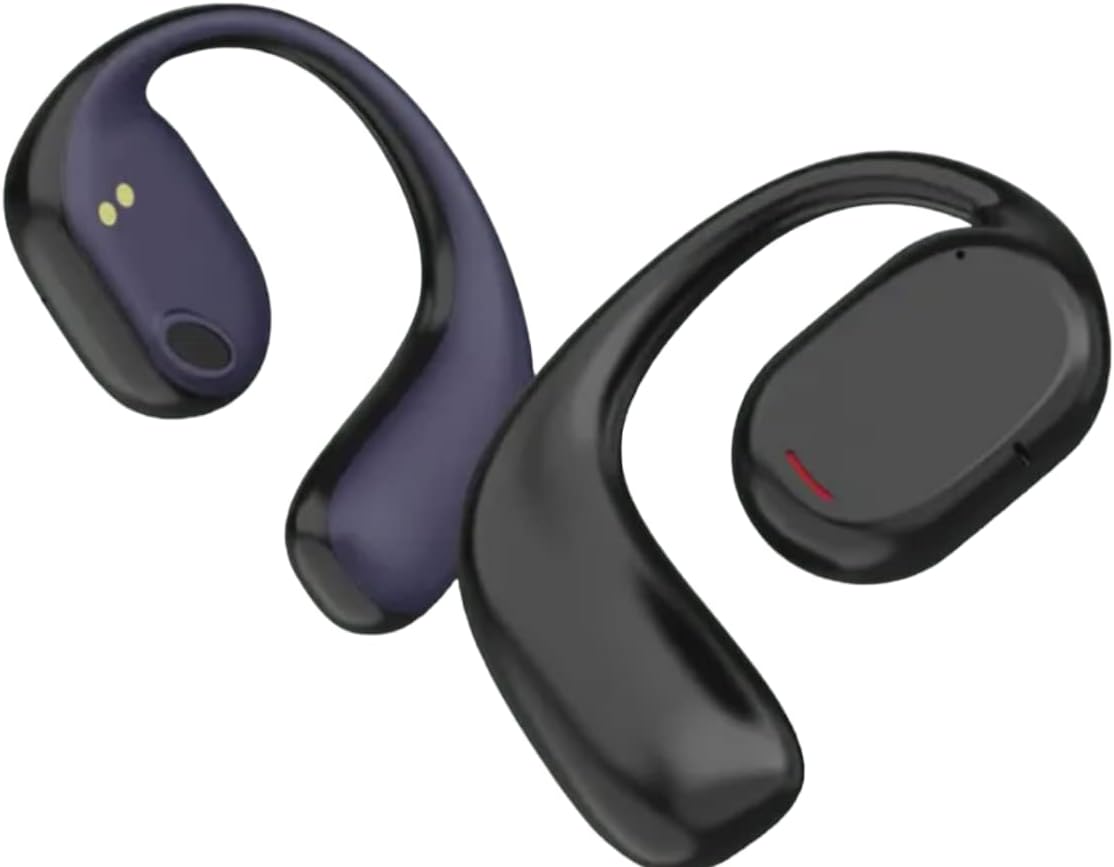
- Stable Ear-Hook Fit: Ergonomic design ensures the earphones remain securely in place during any activity.
- Practicality: Suitable for home, gym, or work, keeping your hands free.
- Advanced Bluetooth v5.3: İstikrarlı ve verimli bir kablosuz bağlantı sağlar.
- Uzun Pil Ömrü: Up to 120 hours standby time, 6 hours talk time, and 5 hours music playback.
- Hızlı Şarj: Yaklaşık 1.5 saatte tamamen şarj olur.
- Durable Charging Case: Rubberized case with zipper closure and a digital battery level display.
- Suya ve Tere Dayanıklı: Designed to withstand sweat and light splashes, ideal for sports.

Ayrıntılı view of the GOLD Pro FN-B08 earphones, showcasing the flexible ear-hook and the main earpiece with its charging contacts.
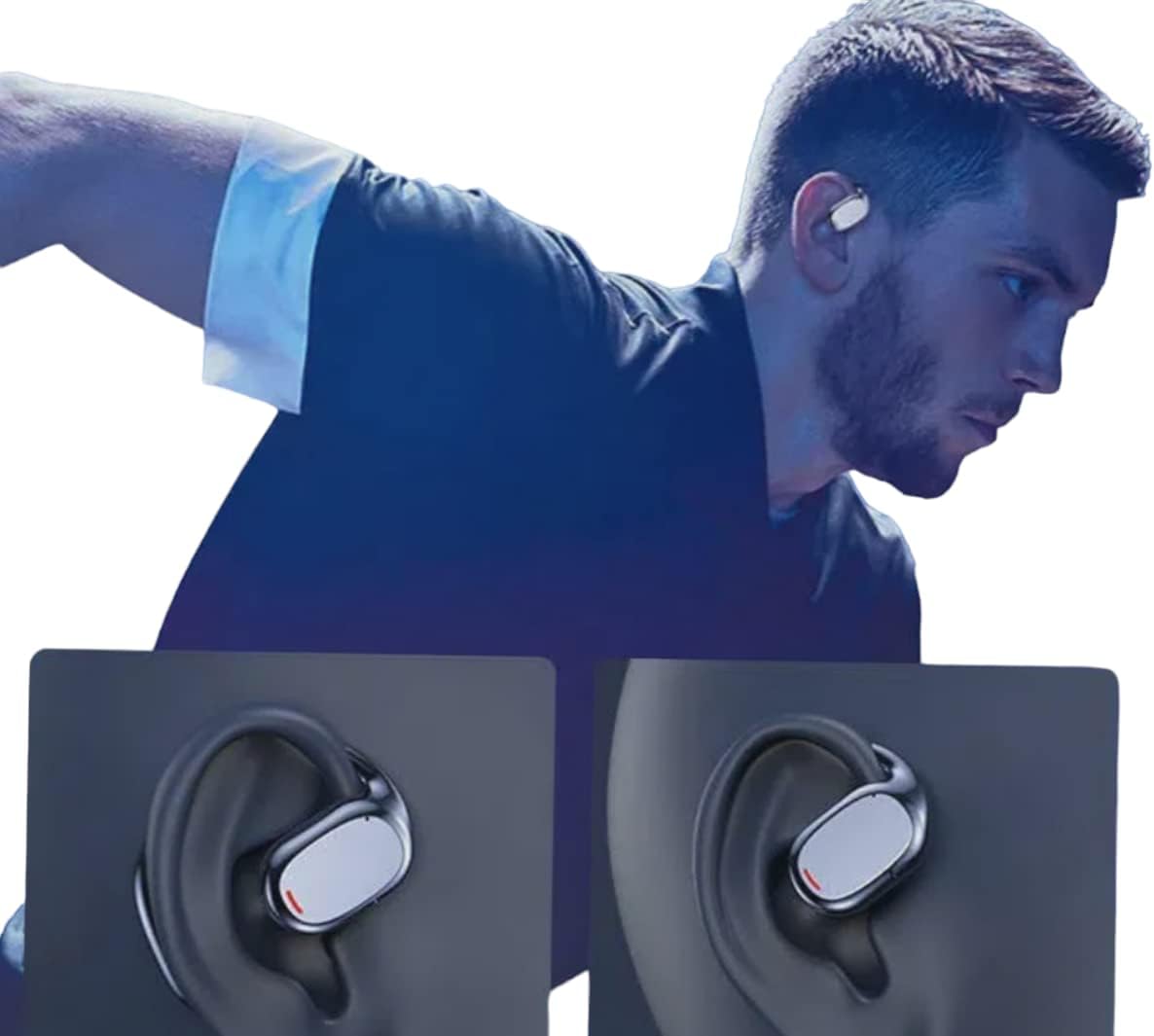
An individual wearing the GOLD Pro FN-B08 earphones, demonstrating their secure and comfortable fit during physical activity.
4. Kurulum
4.1 İlk Şarj
Before first use, fully charge the earphones and their charging case. Connect the provided USB Type-C cable to the charging port on the case and a compatible USB power source. The digital display on the case will indicate the battery level during charging.
4.2 Bluetooth Eşleştirme
- Her iki kulaklığı da şarj kutusundan çıkarın. Kulaklıklar otomatik olarak açılacak ve eşleştirme moduna geçecektir.
- Akıllı telefonunuzda, tabletinizde veya Bluetooth özellikli diğer cihazınızda Bluetooth ayarlarına gidin.
- Arama mevcut cihazları seçin ve seçin 'FN-B08' listeden.
- Bağlantı kurulduktan sonra sesli bir onay duyacaksınız ve kulaklıklar kullanıma hazır olacaktır.
5. Kullanım Talimatları
5.1 Güç Açma/Kapatma
- Güç Açık: Kulaklıklar şarj kutusundan çıkarıldığında otomatik olarak açılır.
- Kapat: Place the earphones back into the charging case to automatically power them off and begin charging.
5.2 Müzik Oynatma
- Oynat/Duraklat: Tap once on either the left or right earphone.
- Sonraki Parça: Sağ kulaklığa iki kez dokunun.
- Önceki parça: Sol kulaklığa iki kez dokunun.
5.3 Çağrı Yönetimi
- Çağrıyı Cevapla/Sonlandır: Tap once on either the left or right earphone.
- Çağrıyı Reddet: Kulaklığınızın herhangi birini 2 saniye basılı tutun.
6. Bakım
- Temizlik: Use a soft, dry cloth to clean the earphones and charging case. Avoid using liquids, solvents, or abrasive cleaners.
- Depolamak: Always store the earphones in their charging case when not in use to protect them from damage and keep them charged.
- Suya Dayanıklılık: The earphones are designed to be resistant to sweat and light splashes (e.g., light rain). They are not waterproof and should not be submerged in water or exposed to heavy rain or direct water jets. Ensure the charging port is dry before charging.
- Sıcaklık: Kulaklıklarınızı aşırı sıcaklıklara (sıcak veya soğuk) veya yüksek neme maruz bırakmaktan kaçının.
7. Sorun Giderme
- Kulaklıklar eşleşmiyor:
- Her iki kulaklığın da tam şarjlı olduğundan emin olun.
- Place earphones back in the case, then remove them again to re-enter pairing mode.
- Cihazınızda Bluetooth'u devre dışı bırakın ve tekrar etkinleştirin.
- Cihaza özgü sorunları elemek için farklı bir cihazla eşleştirmeyi deneyin.
- Ses yok:
- Hem bağlı cihazınızın hem de kulaklığınızın ses seviyesini kontrol edin.
- Kulaklıkların Bluetooth aracılığıyla cihazınıza doğru şekilde bağlı olduğundan emin olun.
- Kısa pil ömrü:
- Ensure earphones are fully charged before each use.
- Battery life can vary based on volume levels and usage patterns. High volume typically consumes more power.
- Kulaklıklar şarj olmuyor:
- Şarj kablosunun hem kasaya hem de güç kaynağına güvenli bir şekilde bağlandığından emin olun.
- Kulaklık üzerindeki ve kutunun içindeki şarj bağlantı noktalarının temiz ve kalıntılardan arınmış olduğundan emin olun.
- Farklı bir USB Type-C kablosu veya güç adaptörü kullanmayı deneyin.
8. Özellikler
| Örnek | FN-B08 |
| Marka | ALTIN |
| Bağlantı Teknolojisi | Bluetooth v5.3 |
| Kablosuz İletim Mesafesi | 5 metreye kadar |
| Şarj Süresi | Yaklaşık 1.5 saat |
| Müzik Çalma Süresi | 5 saate kadar |
| Konuşma Zamanı | 6 saate kadar |
| Bekleme Süresi | 120 saate kadar |
| Empedans | 32 ohm |
| Sürücü Ünitesi | 9mm |
| Frekans Tepkisi | 20-20000 Hz |
| Hassasiyet | -81dB±3dB |
| Ürün Ağırlığı | 200 gr |
| Ürün Boyutları | 20x15x10 cm |
| Stil | Sporty, Open-Ear Ear-Hook |
| Kontrol Yöntemi | Uzaktan Kumanda (Dokunmatik Kontroller) |
9. Garanti ve Destek
9.1 Garanti Bilgileri
This product comes with a standard manufacturer's warranty. Please refer to your purchase documentation or contact your retailer for specific warranty terms and conditions, including duration and coverage details.
9.2 Müşteri Desteği
For technical assistance, troubleshooting, or any other customer service inquiries, please contact your retailer or the manufacturer directly. Have your product model number (FN-B08) and proof of purchase ready when contacting support.