
giriiş
The Dyson Solarcycle Morph Desk Lamp is engineered to intelligently track your local daylight, transforming and adjusting its light output to provide optimal illumination throughout the day. This advanced LED lamp offers versatile lighting modes and is controlled via the Dyson Link app, adapting to your environment and personal preferences.
Temel özellikler şunlardır:
- Task light: Focused illumination for detailed work.
- Indirect light: Soft, ambient light for a relaxed atmosphere.
- Feature light: Highlights architectural features or artwork.
- Ortam ışığı: Reduces eye strain and creates a comfortable environment.
- Magnetic touch-glide docking for seamless transitions.
- Control via the Dyson Link app for personalized settings and daylight tracking.
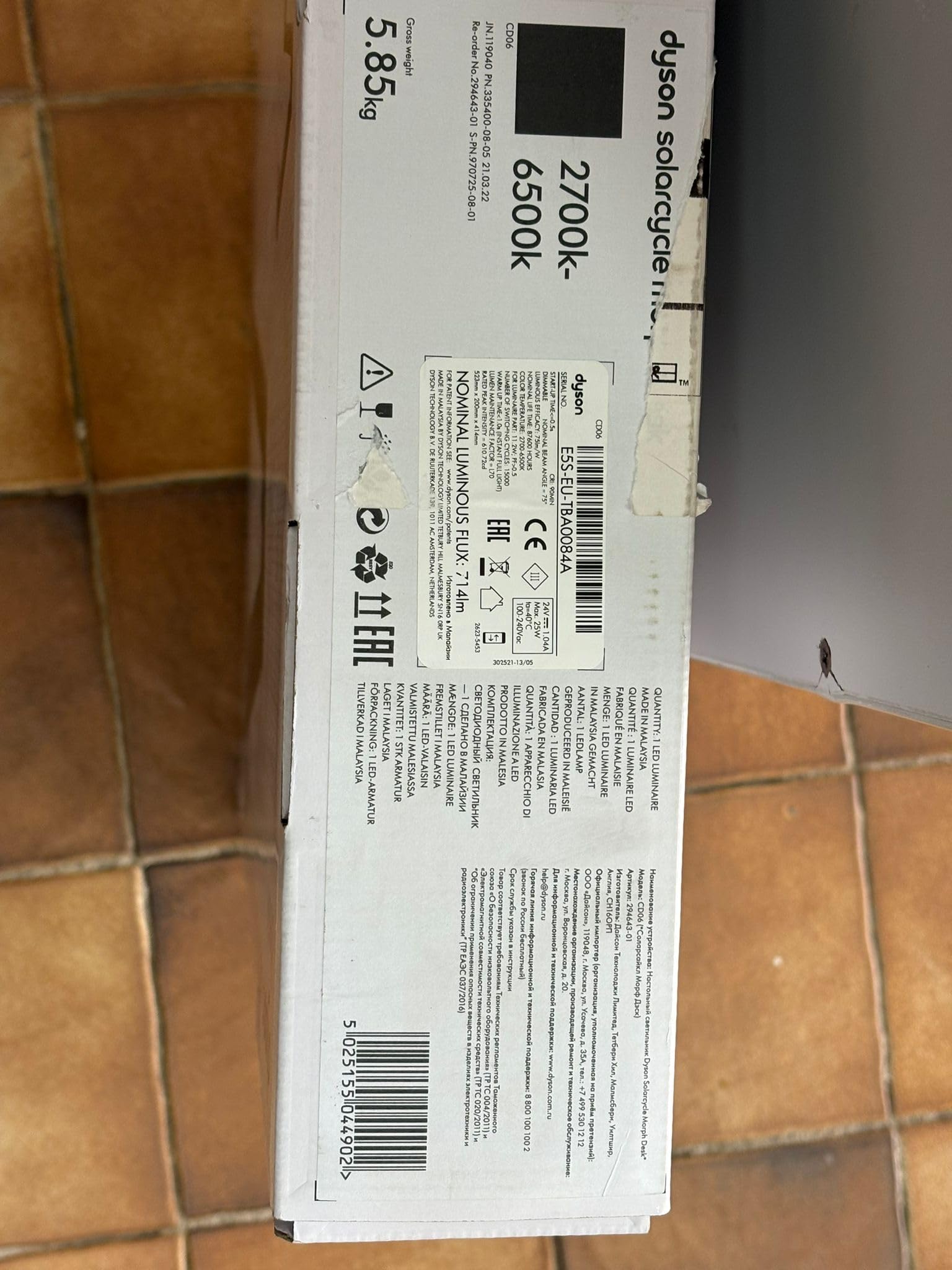
Image: The Dyson Solarcycle Morph Desk Lamp, illustrating its sleek design and adjustable components.
Kutuda Neler Var?
Carefully unpack all components from the packaging. Ensure all items are present before proceeding with setup.
- Dyson Solarcycle Morph Desk Lamp birim
- Güç kaynağı ünitesi
- Kullanım kılavuzu ve garanti bilgileri
Kurmak
- Atama: l'yi konumlandırınamp on a stable, flat surface. Ensure there is adequate space for the lamp's adjustable arm to move freely.
- Güç Bağlantısı: Connect the power supply unit to the lamp's power input port. Plug the power supply into a suitable electrical outlet (100-240V compatible).
- İlk Güç Açma: Lamp should illuminate upon connection to power. If not, press the power button located on the lamp KAFA.
- Dyson Link App Setup:
- Download the Dyson Link app from your device's app store.
- Uygulamayı açın ve hesap oluşturmak veya giriş yapmak için ekrandaki talimatları izleyin.
- Select 'Add Machine' and choose the Dyson Solarcycle Morph Desk Lamp.
- Follow the app's pairing instructions to connect your lamp via Bluetooth. This enables intelligent daylight tracking and advanced control features.

Resim: Ön view l'ninamp, ready for placement and power connection.
Kullanım Talimatları
Manuel Kontroller
- Güç Düğmesi: L'yi çevirmek için basınamp açık veya kapalı.
- Parlaklık Kontrolü: L üzerindeki dokunmatik kontrolleri kullanın.amp head to adjust light intensity.
- Renk Sıcaklığı Kontrolü: Adjust the light's color temperature (from 2700K warm white to 6500K cool white) using the dedicated controls.
- Magnetic Touch-Glide Docking: Lamp head can be magnetically docked to the stem for ambient light mode, or undocked and adjusted for task, indirect, or feature lighting.
Dyson Link App Controls
The Dyson Link app unlocks the full potential of your Solarcycle Morph lamp:
- Daylight Tracking: Lamp intelligently adjusts its brightness and color temperature based on your local daylight conditions, providing consistent illumination.
- Kişiselleştirilmiş Ayarlar: Customize light modes, brightness, and color temperature to suit your activities and preferences.
- Planlama: Set schedules for your lamp to turn on/off or change modes automatically.
- Uyku modu: Gradually dims the light to help prepare for sleep.
- Uzakta Modu: Randomly turns the light on and off to simulate occupancy when you are away.

Resim: Yan view l'ninamp demonstrating its flexible articulation for various lighting positions.
Bakım
The Dyson Solarcycle Morph Desk Lamp is designed for minimal maintenance. The integrated LEDs have an exceptionally long lifespan of approximately 181,000 hours.
- Temizlik: l'yi temizlemek içinamp, ensure it is unplugged from the power outlet. Use a soft, dry, lint-free cloth to wipe down surfaces. Do not use abrasive cleaners, solvents, or harsh chemicals, as these can damage the finish.
- Toz Giderimi: Gently remove any dust from the light head and arm using a soft brush or a dry cloth.
Sorun giderme
Lamp Açılmıyor
- Check if the power supply is securely plugged into both the lamp ve duvar prizi.
- Duvar prizinin çalışır durumda olduğundan emin olmak için başka bir cihazla test edin.
- L üzerindeki güç düğmesine basınamp head firmly.
Uygulama Bağlantı Sorunları
- Mobil cihazınızda Bluetooth'un etkinleştirildiğinden emin olun.
- l'den emin olamp is within range of your mobile device.
- Restart the Dyson Link app.
- Mobil cihazınızı yeniden başlatmayı deneyin.
- If issues persist, try unpairing and re-pairing the lamp Uygulama ayarları aracılığıyla.
Light Flickering or Incorrect Output
- l'yi sağlayınamp is receiving stable power. Avoid connecting to outlets with other high-power devices.
- Check for any physical obstructions around the light sensor if daylight tracking is enabled.
- Perform a soft reset by unplugging the lamp for 30 seconds and then plugging it back in.
Özellikler
| Özellik | Şartname |
|---|---|
| Model Numarası | Dyson Solarcycle Morph |
| Product Dimensions (HxLxW) | 523 x 414.4 x 200.2 mm (20.59"Y x 16.31"D x 7.88"G) |
| Ürün Ağırlığı | 3.5 kilo |
| Işık Kaynağı Türü | NEDEN OLMUŞ |
| Renk Sıcaklık Aralığı | 2700K - 6500K (undocked), 1800K - 3400K (docked) |
| Işık Çıkışı | 850 lm |
| Anma Gücü | 11.2 B |
| Giriş Voltage | 100-240V |
| Sıklık | 50/60 Hz |
| LED Yaşam Süresi | 181,000 saat |
| Kontrol Yöntemi | App (Dyson Link), Push Button |
| Bağlantı Protokolü | Bluetooth |
| Malzeme Türü | Alüminyum |
| Gölge Malzemesi | Metal |
| Renk | Siyah |

Resim: Arka view l'ninamp, showing the minimalist design and power connection area.
Garanti Bilgileri
Dyson products typically come with a manufacturer's warranty. Please refer to the warranty card included with your product for specific terms and conditions. You can also find detailed warranty information and product registration options on the official Dyson webalan.
Destek
For further assistance, product registration, or to contact customer support, please visit the official Dyson support webSiteye göz atabilirsiniz. Ayrıca orada sıkça sorulan soruları ve ek kaynakları da bulabilirsiniz.
Dyson Resmi Mağazası: Amazon'daki Dyson Mağazasını ziyaret edin