
1. Giriş
Thank you for choosing the sectec 4G Solar Battery Powered Mini PTZ Camera. This manual provides essential information for the proper installation, operation, and maintenance of your security camera. Please read this manual thoroughly before using the product to ensure optimal performance and safety.
This camera is designed for outdoor security, featuring 4G connectivity, solar power, a built-in battery, Pan & Tilt control, PIR detection, and HD night vision.
2. Güvenlik Bilgileri
- Kameranın düşmesini önlemek için sağlam bir yere monte edildiğinden emin olun.
- Fotoğraf makinesini aşırı sıcaklıklara, neme veya aşındırıcı ortamlara maruz bırakmayın.
- Yalnızca birlikte verilen veya önerilen aksesuarları kullanın.
- Kamerayı ve parçalarını çocukların erişemeyeceği yerde saklayın.
- Garanti geçersiz olacağından, kamerayı sökmeye veya üzerinde değişiklik yapmaya çalışmayın.
- Ensure proper sealing of all ports after installation to maintain waterproof integrity.
3. Paket İçeriği
Paketinizde tüm öğelerin mevcut olduğundan emin olun:
- sectec 4G Solar Battery Powered Mini PTZ Camera
- Güneş paneli
- Montaj Vidaları
- Kullanım Kılavuzu (bu belge)
- SIM Card (if included with your purchase)
4. Ürün Bittiview
The sectec 4G Solar Battery Powered Mini PTZ Camera integrates a camera unit with a solar panel and mounting bracket. It features a durable, weather-resistant design suitable for outdoor use.

Şekil 4.1: Ön view of the sectec 4G Solar Battery Powered Mini PTZ Camera, highlighting its compact design and integrated solar panel.
Key components include the camera lens, infrared LEDs for night vision, a microphone and speaker for two-way audio, a SIM card slot, a TF card slot, and the solar panel for continuous power.
5. Kurulum
5.1 SIM Kart Kurulumu
This camera requires a 4G SIM card for network connectivity. Ensure the SIM card is activated and has an active data plan before insertion.
- Locate the SIM card slot on the camera body. This is typically protected by a rubber cover to ensure waterproofing.
- Carefully open the cover and insert the 4G SIM card into the designated slot with the correct orientation.
- Close the rubber cover firmly to prevent water ingress.

Figure 5.1: Illustration of 4G SIM card insertion and the concept of 4G remote monitoring.
5.2 Kamerayı Monte Etme
The camera is designed for wall mounting. Choose a location that provides optimal surveillance coverage and receives sufficient sunlight for the solar panel.
- Fotoğraf makinesinin montaj braketini şablon olarak kullanarak duvardaki delme noktalarını işaretleyin.
- İşaretli konumlarda delikler açın.
- Duvar tipinize bağlı olarak gerekirse duvar dübellerini takın.
- Montaj braketini verilen vidaları kullanarak duvara sabitleyin.
- Attach the camera unit to the mounted bracket, ensuring it is securely fastened.
5.3 Solar Panel Connection and Power
The integrated solar panel charges the camera's built-in battery, providing continuous power. Ensure the solar panel is positioned to receive direct sunlight for several hours daily.
Figure 5.2: The solar panel converts sunlight into electrical energy to power the camera and charge its internal battery.
5.4 Initial App Configuration
Download the official sectec application from your smartphone's app store. Follow the in-app instructions to register an account and add your camera. This typically involves scanning a QR code on the camera or entering its device ID.
6. Çalıştırma
6.1 4G Uzaktan İzleme
Once the SIM card is installed and the camera is connected to the 4G network, you can monitor your property remotely from anywhere using the sectec app on your mobile phone. The camera transmits video signals via 4G signals.
6.2 Pan ve Tilt Kontrolü
Kamera, yatay (Pan) ve dikey (Tilt) hareket özelliklerine sahip olup, görüntüyü ayarlamanıza olanak tanır. viewing angle remotely via the app. The camera can pan 355° and tilt 90°.

Figure 6.1: Remote control of camera pan and tilt functions via the mobile application.
6.3 PIR Detection
The camera is equipped with Passive Infrared (PIR) detection, which senses heat signatures from moving objects, primarily humans. This helps in reducing false alarms caused by non-human movements.
6.4 HD Night Vision
The camera includes built-in infrared LEDs that provide clear black-and-white video footage in low-light or no-light conditions. The details at night are clear and visible.
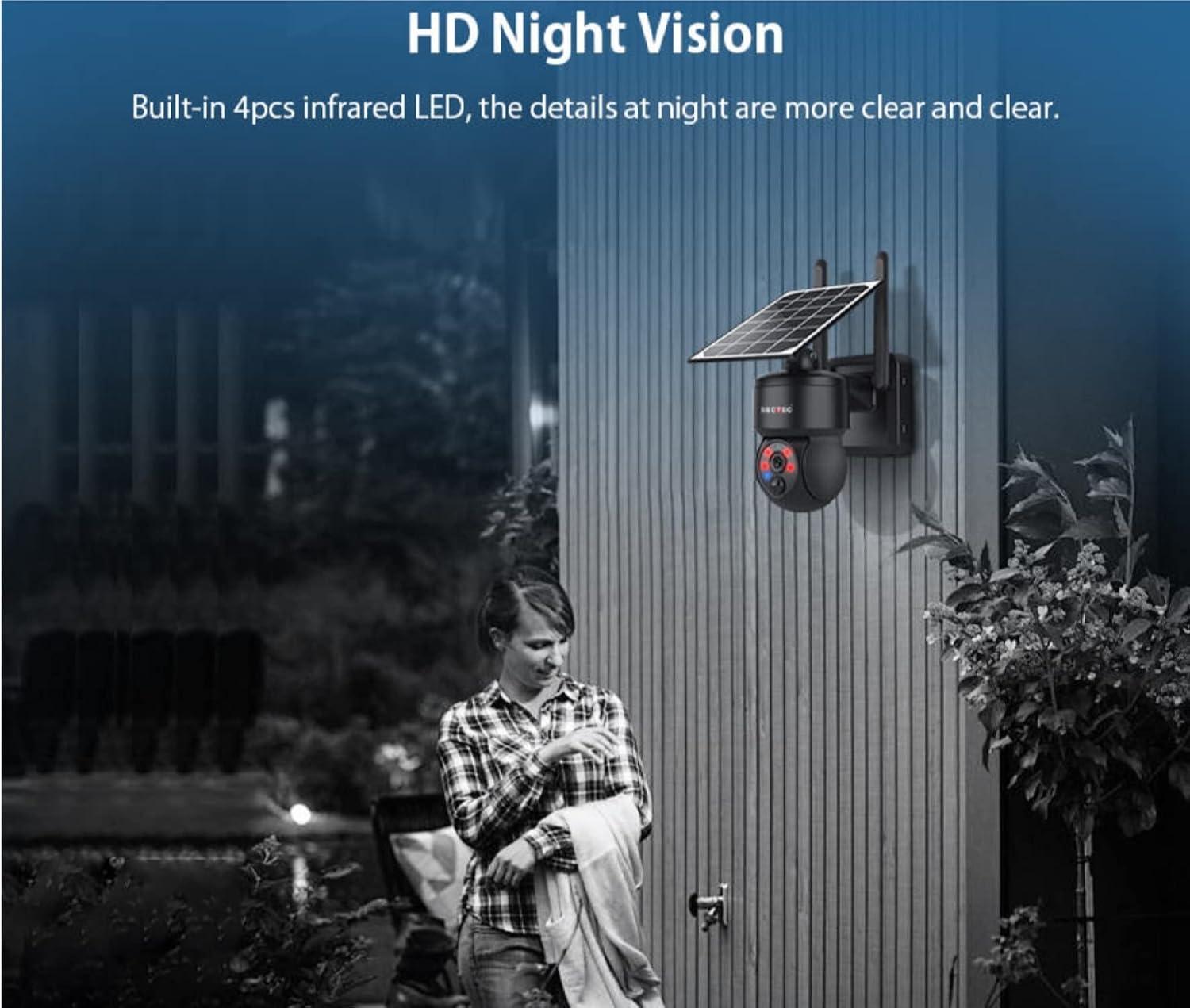
Figure 6.2: The camera's HD Night Vision capability, providing clear images in darkness.
6.5 İki Yönlü Ses
Utilize the integrated microphone and speaker to communicate with individuals near the camera. This feature allows for real-time two-way conversations through the mobile application.
6.6 Depolama Seçenekleri
The camera supports both TF card storage (local storage) and cloud storage options. Refer to the app for setting up and managing your preferred storage method.
7. Bakım
- Temizlik: Kamera lensini ve güneş panelini düzenli olarak yumuşak bir bezle silin.amp cloth to remove dust and dirt. Ensure the solar panel is clean for efficient charging.
- Pil Bakım: While solar-powered, the built-in battery benefits from consistent charging. Avoid prolonged periods of complete discharge.
- Donanım Yazılımı Güncellemeleri: Check the mobile application periodically for available firmware updates to ensure optimal performance and security.
8. Sorun Giderme
- Kamera açılmıyor: Ensure the solar panel is receiving sufficient sunlight. Check if the battery has enough charge.
- No 4G signal: Verify the SIM card is correctly inserted and activated. Check your mobile network coverage in the camera's location.
- Uygulama bağlantı sorunları: Akıllı telefonunuzun stabil bir internet bağlantısına sahip olduğundan emin olun. Uygulamayı ve kamerayı yeniden başlatın.
- Kötü video kalitesi: Kamera lensini temizleyin. Kameranın görüş alanında herhangi bir engel olmadığından emin olun. view.
- PIR detection not working: Check the sensitivity settings in the app. Ensure there are no objects constantly moving in the detection zone that might interfere.
9. Özellikler
| Özellik | Şartname |
|---|---|
| Model Numarası | ST-517C-3M-4G-US |
| İç/Dış Mekan Kullanımı | Dış mekan |
| Güç Kaynağı | Pille Çalışan, Güneş Enerjili |
| Bağlantı Protokolü | Wi-Fi (for initial setup/local access), 4G (for remote monitoring) |
| Kablosuz İletişim Teknolojisi | 4G |
| Montaj Tipi | Duvara Montaj |
| Video Yakalama Çözünürlüğü | 720p (Note: Product image indicates 1080P Ultra HD, please verify actual resolution) |
| Form Faktörü | Kubbe |
| Özel Özellik | Night Vision, PIR Detection, Pan & Tilt Control, Waterproof, Two-way Audio |
| Ürün Boyutları (U x G x Y) | 5 x 7 x 12 inç (yaklaşık 127 x 178 x 305 mm) |
| UPC | 197644556021 |

Figure 9.1: Detailed dimensions of the camera unit with solar panel.
10. Garanti ve Destek
Garanti: Lütfen satın alma belgelerinize veya perakendecinin belgelerine bakın website for specific warranty details and terms applicable to your product.
Teknik Destek: For technical assistance, troubleshooting beyond this manual, or service inquiries, please contact sectec customer service through the contact information provided with your purchase or on the official sectec webalan.