
Saphe 1014
Saphe Drive Pro Kullanım Kılavuzu
Model: 1014 | Brand: Saphe
giriiş
The Saphe Drive Pro is an advanced speed camera and hazard warning device designed to enhance road safety and help drivers avoid fines. Featuring a vibrant color display, it provides real-time information on speed limits, current speed, and alerts for various traffic incidents. The device integrates seamlessly with Apple CarPlay and Android Auto, ensuring all critical information is readily available. It operates using data from a large European traffic community, including Blitzer.de, and comes with a 12-month Saphe Premium subscription for continuous updates and features.

Image: Saphe Drive Pro device with its retail packaging, highlighting its compact design and key features.
Kurulum ve Yükleme
Neler Dahil?
Your Saphe Drive Pro package includes the following components:
- 1 x Saphe Drive Pro Traffic Alarm device
- 2 x Mounting Sets
- 1 x Saphe Drive Pro Adhesive Pad
- (Note: No cable is included as the device is battery-powered and connects wirelessly.)
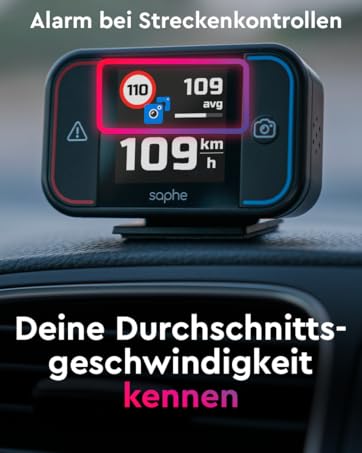
Image: The contents of the Saphe Drive Pro box, showing the device, two mounting sets, and an adhesive pad.
Cihazın Montajı
The Saphe Drive Pro is designed for easy installation on your car's dashboard. Use the provided adhesive pad and mounting sets to secure the device in a position that offers a clear line of sight to the road and is easily visible to the driver.
- Choose a flat, clean surface on your dashboard.
- Attach the adhesive pad to one of the mounting sets.
- Securely attach the device to the mounting set.
- Press the mounted device firmly onto the chosen dashboard location.

Image: The Saphe Drive Pro device securely mounted on a car's dashboard, ready for use.
İlk Bağlantı ve Uygulama Kurulumu
To activate your Saphe Drive Pro and access its full features, you need to connect it to your smartphone via Bluetooth and set up the Saphe Link App.
- Download the "Saphe Link" app from your smartphone's app store (compatible with iOS 16+ and Android).
- Akıllı telefonunuzda Bluetooth'un etkinleştirildiğinden emin olun.
- The device will automatically start when your car door opens or closes (due to vibration).
- Open the Saphe Link app and follow the on-screen instructions to pair your device.
- Allow the app to maintain a permanent Bluetooth connection for optimal performance.
- Activate your included 12-month Saphe Premium subscription within the app to unlock all features and future updates.
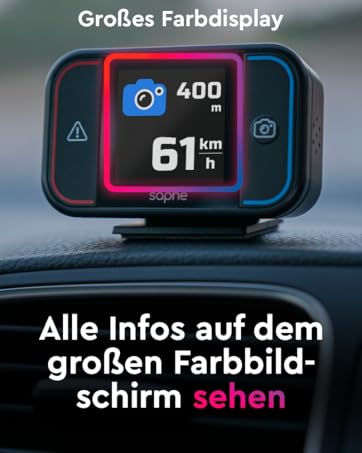
Image: Illustration of Saphe Drive Pro's compatibility with Apple CarPlay and Android Auto, and its ability to display GPS-measured speed.
Operating the Saphe Drive Pro
Bilgiyi Görüntüle
The 1.54-inch color display provides clear and concise information to the driver:
- Geçerli hız: Displays your real-time speed, measured by GPS.
- Hız limitleri: Shows the current speed limit for the road you are on, and can indicate upcoming changes.
- Uyarı Türü: Uses intuitive symbols to indicate speed cameras, traffic light cameras, or general hazards.
- Distance to Incident: Shows the remaining distance to the detected incident.
- Ortalama sürat: For section controls, it can display your average speed.
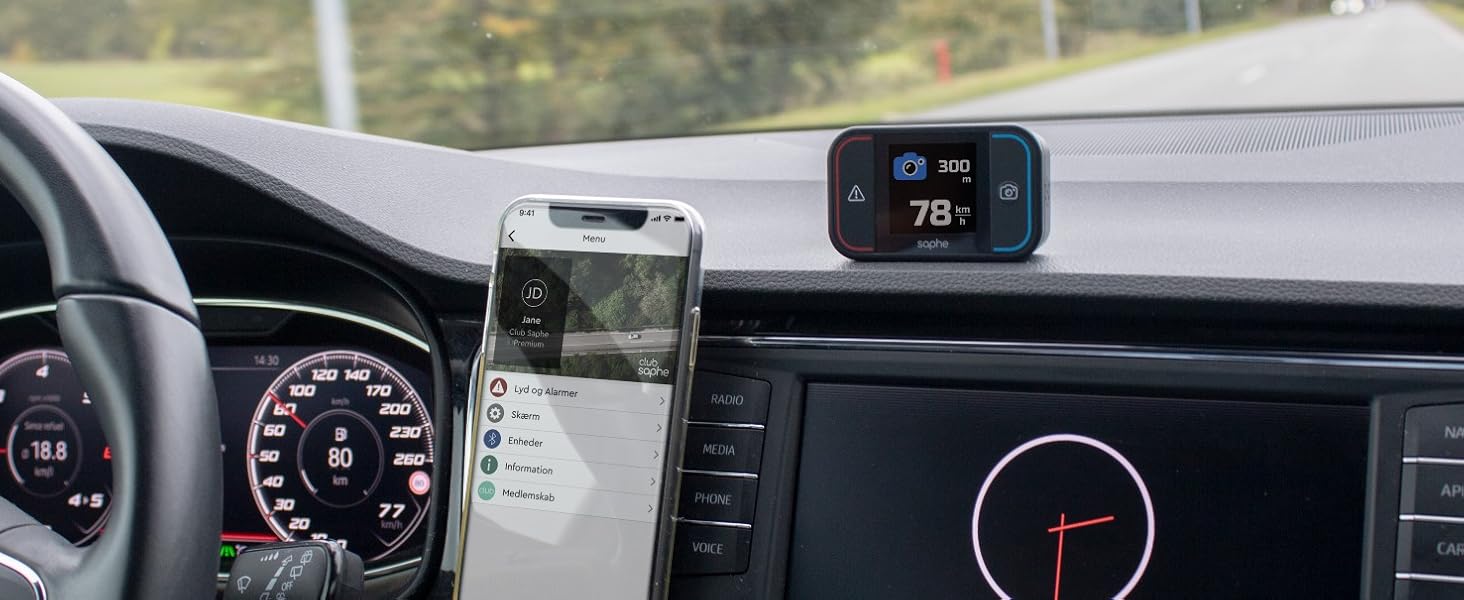
Image: The Saphe Drive Pro display indicating current speed, a speed camera warning, and the distance to the camera.
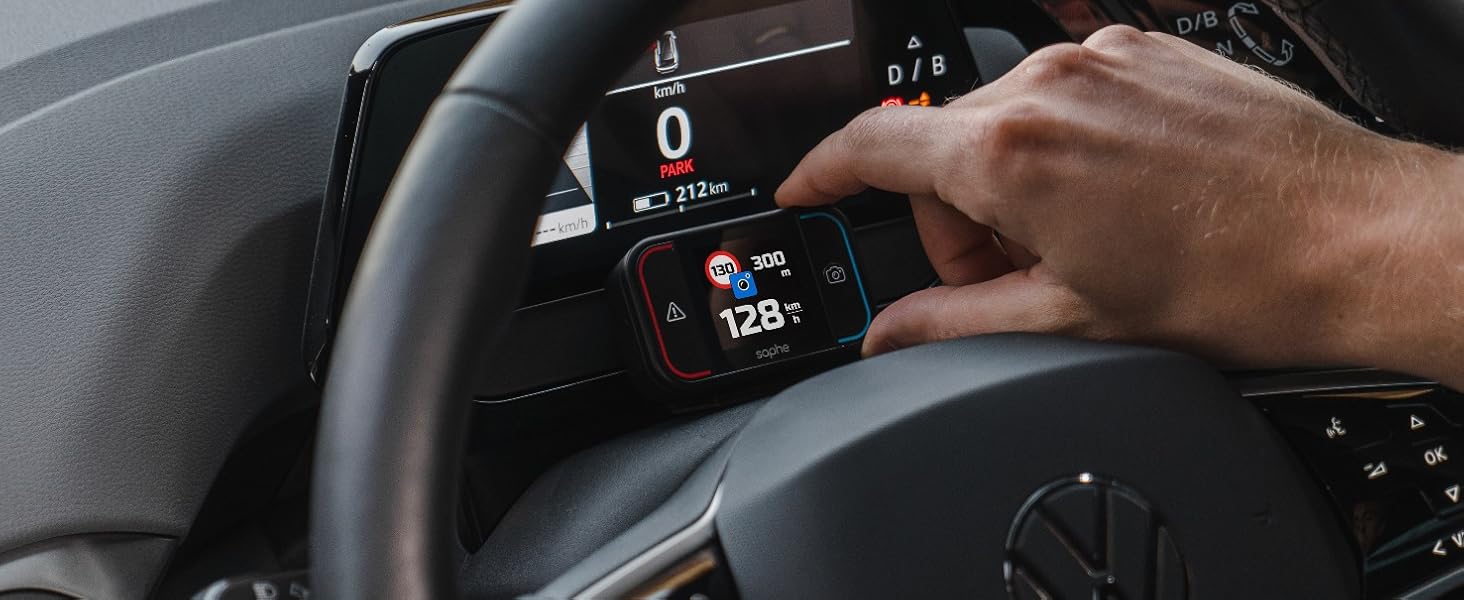
Image: The Saphe Drive Pro display showing both the current speed limit and the next upcoming speed limit.
Uyarı Sistemi
The device provides timely warnings for various road conditions:
- Hız Kameraları: Alerts you to fixed and mobile speed cameras based on community data.
- Tehlikeler: Warns of dangerous situations on the road, such as accidents or obstacles.
- Speed Limit Assistant: Can be configured to provide an acoustic warning if you exceed the posted speed limit.

Image: Saphe Drive Pro's core functions: helping to avoid fines and accidents, and warning of hazardous locations.
Olayları Raporlama
You can contribute to the community by reporting new incidents with a single button press:
- Basın sol düğme to report a hazard or accident.
- Basın sağ düğme to report a speed camera.
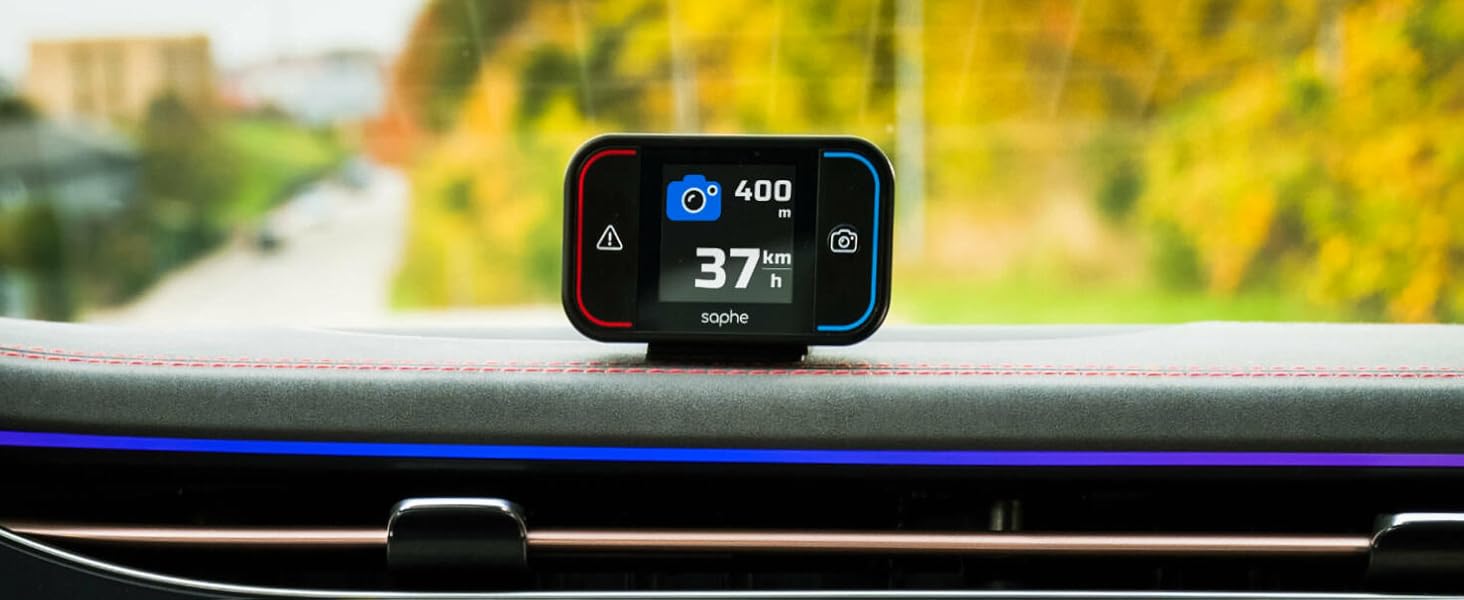
Image: The Saphe Drive Pro device illustrating the one-button press function to report speed cameras or accidents.
CarPlay and Android Auto Integration
The Saphe Link App can be mirrored onto your car's main display via Apple CarPlay or Android Auto, providing a larger view of warnings and traffic information.

Image: The Saphe Drive Pro device on the dashboard, with the car's main screen displaying a map and integrated Saphe app information.
Bakım
Şarj etme
The Saphe Drive Pro is battery-powered. While charging time may be slow, a full charge provides a long operating time. Ensure the device is charged regularly to maintain optimal performance.
Yazılım Güncellemeleri
Regular software updates are provided through the Saphe Link app. It is recommended to update your device periodically to ensure you have the latest features and traffic data. Your 12-month Premium subscription includes free access to these updates.
Sorun giderme
- Bağlantı Sorunları: Ensure your smartphone is close to the device and has a clear, unobstructed line of sight. The Saphe Link app should be allowed to maintain a permanent Bluetooth connection.
- Inaccurate Speed/Warnings: This can sometimes occur if the phone's GPS signal is weak or if the app is not running optimally. Ensure your phone is not in a pocket where the signal might be blocked.
- General Glitches: Many issues can be resolved by ensuring your device and the Saphe Link app are running the latest software updates. Check the app for available updates.
- Uyumluluk: The Saphe Link app requires iOS 16 or higher for Apple devices. Ensure your smartphone meets the minimum operating system requirements.
Özellikler
| Özellik | Detay |
|---|---|
| Ürün Boyutları | 6.92x4.22x2.03 cm |
| Ağırlık | 100 gram |
| Model Numarası | 1014 |
| Marka | Saphe |
| Uyumlu Cihazlar | Smartphones with Apple CarPlay or Android Auto |
| Güç Kaynağı | Pil ile çalışır |
| Görüntü Türü | LCD |
Resmi Ürün Videoları
Saphe Drive Pro Speed Camera Warning Device with Color Display
Video: Bir fazlaview of the Saphe Drive Pro, demonstrating its features and how it functions as a speed camera warning device with its color display.
The Saphe Drive Pro Radar Detector with Data from Blitzer.de
Video: This video highlights the Saphe Drive Pro's radar detection capabilities and its reliance on comprehensive data from Blitzer.de for accurate warnings.
Yasal Uyarı
The Saphe Drive Pro car gadget traffic alarm was developed to increase road safety. Use of the device is subject to local traffic regulations (StVO in Germany) and is at your own risk. Always adhere to traffic laws and drive responsibly.
Ask a question about this manual
Ask about setup, troubleshooting, compatibility, parts, safety, or missing instructions. Manuals+ will review the question and use this page’s manual context to help answer it.