
1. Giriş
Thank you for choosing the HOETEK L51 Smartwatch. This manual provides essential information for setting up, operating, and maintaining your device. Please read it carefully to ensure optimal performance and longevity of your smartwatch.
The HOETEK L51 Smartwatch is designed to enhance your daily life with features such as Bluetooth calling, comprehensive health monitoring, and various sports modes. It features a 1.95-inch full touch screen and is compatible with Android and iOS devices.
2. Paket İçeriği
Paketin içinde tüm öğelerin mevcut olduğundan emin olun:
- HOETEK L51 Smartwatch
- Şarj kablosu
- Kullanıcı Kılavuzu
3. Kurulum
3.1 Akıllı Saati Şarj Etme
İlk kullanımdan önce akıllı saati tamamen şarj edin. Manyetik şarj kablosunu saatin arkasındaki şarj temas noktalarına bağlayın ve USB ucunu standart bir USB güç adaptörüne (dahil değildir) takın.

Image: The smartwatch connected to its magnetic charging cable, displaying a charging icon on the screen.
A full charge typically takes about 2 hours. The watch has an ultra-long standby life of up to 20 days and 7 days of normal use.
3.2 Uygulama Kurulumu ve Eşleştirme
The HOETEK L51 Smartwatch uses the 'Da Fit' application. Download the 'Da Fit' app from the App Store (iOS) or Google Play Store (Android).
- Akıllı telefonunuzun Bluetooth özelliğinin etkin olduğundan emin olun.
- Open the 'Da Fit' app and create an account or log in.
- In the app, navigate to 'Device' and select 'Add Device'.
- Select 'L51' from the list of available devices to pair.
- Eşleştirme isteğini hem telefonunuzda hem de akıllı saatinizde onaylayın.
3.3 Bluetooth Call Function Setup
To enable the Bluetooth call function:
- After initial pairing, go to your phone's Bluetooth settings.
- Look for a second Bluetooth device named 'L51_CALL' (or similar) and pair with it.
- Once connected, you can make and receive calls directly from your smartwatch.

Image: A person wearing the smartwatch, which displays a phone dial pad and call records. This illustrates the Bluetooth call function.
4. Kullanım Talimatları
4.1 Temel Gezinme
The HOETEK L51 Smartwatch features a 1.95-inch full touch screen and a rotatable crown for navigation.
- Yukarı/Aşağı Kaydırma: Menüler ve bildirimler arasında gezinin.
- Sola/Sağa Kaydır: Hızlı işlevlere veya farklı ekranlara erişin.
- Musluk: Bir öğeyi seçin veya bir eylemi onaylayın.
- Basın Tacı: Ana ekrana dönün veya cihazı uyandırın.
- Tacı Döndür: Listeler arasında gezinin veya ayarları düzenleyin.

Resim: Yakın çekim views of the smartwatch highlighting its 1.95-inch touch screen, 240x282 resolution, customizable dial, and rotatable crown.
4.2 Saat Yüzlerini Özelleştirme
The smartwatch offers over 200 watch faces through the 'Da Fit' app. You can also upload personal photos to create custom dials.
- Nöbette: Long-press the home screen to quickly change watch faces.
- Uygulama aracılığıyla: Open the 'Da Fit' app, go to 'Device' > 'Watch Faces' to browse and apply more options or customize with your photos.

Image: The smartwatch displaying a custom watch face with a family photo, demonstrating the custom dial feature.

Image: A row of smartwatches displaying different customizable watch faces, including a pet photo and abstract designs, illustrating the variety available.
4.3 Spor Modları ve Aktivite Takibi
The smartwatch supports over 120 sports modes, including walking, running, cycling, yoga, hiking, jump rope, and football. It tracks daily steps, calories burned, and distance traveled.
- Access sports modes from the main menu.
- Takip etmeye başlamak istediğiniz aktiviteyi seçin.
- View detailed activity records in the 'Da Fit' app.

Image: A collage showing various sports icons, the smartwatch displaying activity data (calories, distance, steps), and a close-up of the heart rate sensor on the back of the watch.

Image: A woman exercising in a gym, wearing the smartwatch which displays a 'Sports Record' screen with total moves, steps, calories, and average heart rate.
4.4 Sağlık İzleme
The L51 Smartwatch includes a high-performance sensor for 24/7 heart rate and sleep monitoring.
- Kalp Atış Hızı: Saat, kalp atış hızınızı sürekli olarak izler. View real-time data on the watch or detailed trends in the 'Da Fit' app.
- Uyku İzleme: The watch automatically tracks your sleep patterns, including light, moderate, and deep sleep, and awake time. Access sleep quality reports in the 'Da Fit' app to understand your body's state.
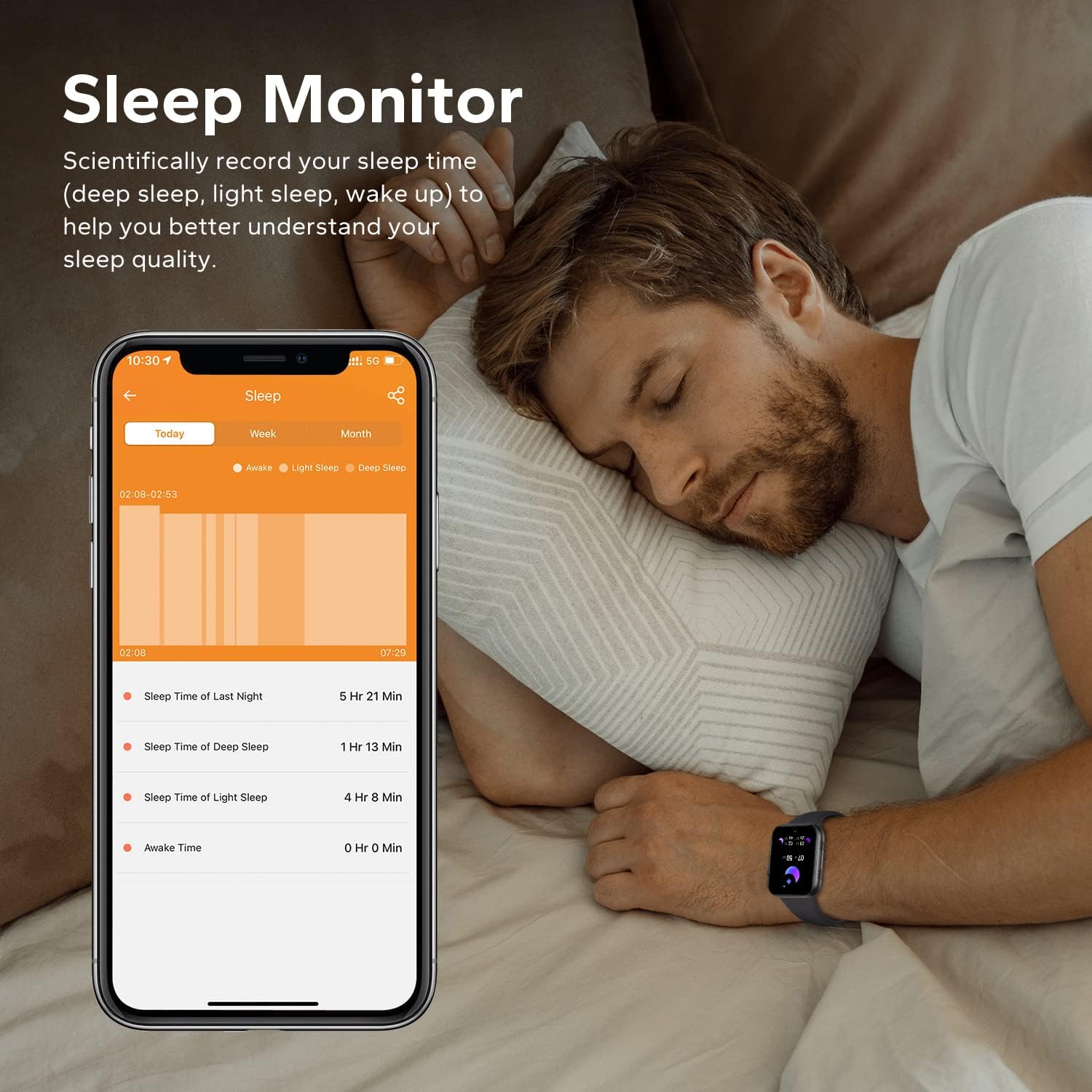
Image: A man sleeping while wearing the smartwatch, with a smartphone next to him displaying detailed sleep monitoring data, including sleep duration and stagee.

Image: A close-up of the back of the smartwatch, showing the green light of the heart rate monitor sensor.
4.5 Akıllı Bildirimler
Receive call records and message notifications directly on your wrist. The watch supports notifications from various apps like Facebook, Twitter, WhatsApp, InstagRAM ve Messenger.
- Ensure the 'Da Fit' app has notification permissions enabled on your phone.
- In the app, select which applications you want to receive notifications from.
- Bileğinizi kaldırın view Gelen mesajlar ve uyarılar.
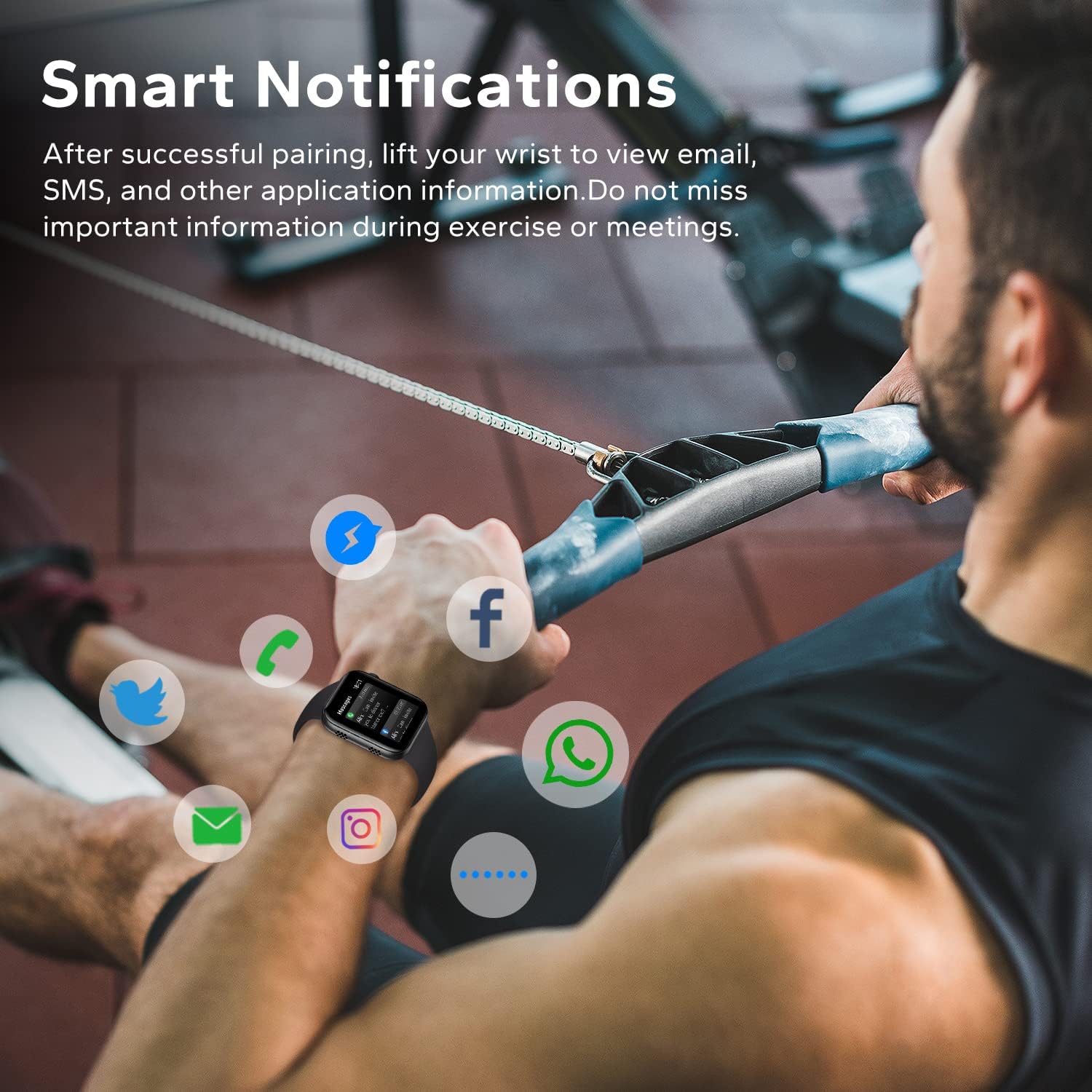
Image: A man exercising, wearing the smartwatch which displays various social media and communication app icons floating around it, indicating smart notification capabilities.
4.6 Diğer Pratik Fonksiyonlar
The HOETEK L51 Smartwatch offers additional features for convenience:
- Müzik Kontrolü: Telefonunuzdaki müzik çalmayı doğrudan saatinizden kontrol edin.
- Kamera Kontrolü: Saatinizi telefonunuzun kamerası için uzaktan kumanda olarak kullanın.
- Hareketsizliğe Dikkat: Hareketsizlik dönemlerinden sonra taşınmanız için uyarılar alın.
- Su Hatırlatma: Set reminders to drink water.
- Çalar Saat: Alarmları doğrudan saat üzerinden veya uygulama aracılığıyla ayarlayın.
- Kronometre ve Zamanlayıcı: Temel zamanlama fonksiyonları.
- Telefon Bul: Telefonunuzu çaldırarak eşleştirilmiş akıllı telefonunuzu bulun.

Image: The smartwatch screen showing a music player interface with playback controls and album art.

Image: Two people taking a selfie, with one person's smartwatch displaying a camera shutter button, indicating remote photo control.

Image: A hand wearing the smartwatch, which displays a 'Remind to Move' notification, encouraging activity.
5. Bakım
5.1 Temizlik
Cilt tahrişini önlemek ve cihazın işlevselliğini korumak için akıllı saatinizi ve kayışını düzenli olarak temizleyin.
- Ekranı ve gövdeyi yumuşak bir bezle silin.amp, tiftiksiz bez.
- Kayış için yumuşak sabun ve su kullanın, ardından takmadan önce iyice durulayın ve tamamen kurulayın.
- Sert kimyasallar veya aşındırıcı malzemeler kullanmaktan kaçının.
5.2 Suya Dayanıklılık (IP67)
The HOETEK L51 Smartwatch is IP67 rated, meaning it is resistant to dust and can withstand immersion in water up to 1 meter for 30 minutes. It is suitable for daily use, such as hand washing or light rain.

Image: The smartwatch covered in water droplets, with the text 'IP67 Waterproof', demonstrating its water resistance.
Önemli:
- Do not use the watch for swimming, diving, or in hot water (e.g., showers, saunas), as steam and hot water can damage the seals.
- Water resistance is not permanent and may decrease over time with normal wear and tear.
5.3 Pil Bakımı
- Pil ömrünü azaltabilecek aşırı sıcaklıklardan kaçının.
- Cihazınızı düzenli olarak şarj edin, ancak uzun süre tamamen boşta bırakmaktan kaçının.
6. Sorun Giderme
If you encounter issues with your HOETEK L51 Smartwatch, refer to the following common solutions:
| Sorun | Olası Çözüm |
|---|---|
| Saat açılmıyor | Saatinizin tam şarjlı olduğundan emin olun. Saatinizi en az 30 dakika şarj cihazına takın. |
| Telefonla eşleştirilemiyor | 1. Ensure Bluetooth is enabled on your phone. 2. Make sure the watch is within range. 3. Restart both the watch and your phone. 4. Try unpairing and re-pairing through the 'Da Fit' app. |
| Bildirimler alınmadı | 1. Check if 'Da Fit' app has notification permissions. 2. Ensure notifications are enabled for specific apps within 'Da Fit'. 3. Verify Bluetooth connection. |
| Heart rate/sleep data inaccurate | Ensure the watch is worn snugly on your wrist, not too tight or too loose. Clean the sensor regularly. Note that data is for reference and not for medical use. |
| Bluetooth call not working | Ensure both 'L51' and 'L51_CALL' (or similar) are paired in your phone's Bluetooth settings. |
7. Özellikler
| Özellik | Detay |
|---|---|
| Marka | HOETEK |
| Model Numarası | L51 |
| Ekran Boyutu | 1.95 inç |
| İşletim Sistemi | Android (4.4 ve üzeri), iOS (10.0 ve üzeri) |
| Bağlantı | Bluetooth 5.0 |
| Özel Özellikler | Heart Rate Monitor, Sleep Monitor, Bluetooth Call, Activity Tracker |
| Pil Bileşimi | Lityum-polimer |
| Pil Ömrü (Normal Kullanım) | 7 gün |
| Bekleme Süresi | 20 gün |
| Suya Dayanıklılık | IP67 |
| Hedef Kitle | Adult (Unisex) |
8. Garanti ve Destek
For warranty information and customer support, please refer to the documentation provided with your purchase or contact HOETEK customer service through their official webÜrünün satın alındığı site veya perakendeci.