
1. Ürün Bittiview
The SUVCON Dash Cam Front and Rear 2K is a high-definition vehicle recording system designed to capture clear video footage of your journeys. It features both a front-facing camera and a rear-facing camera, providing comprehensive coverage. Equipped with advanced features such as Wi-Fi connectivity, G-sensor for incident detection, seamless loop recording, and a 24-hour parking monitor, this dash cam offers enhanced safety and peace of mind for drivers.
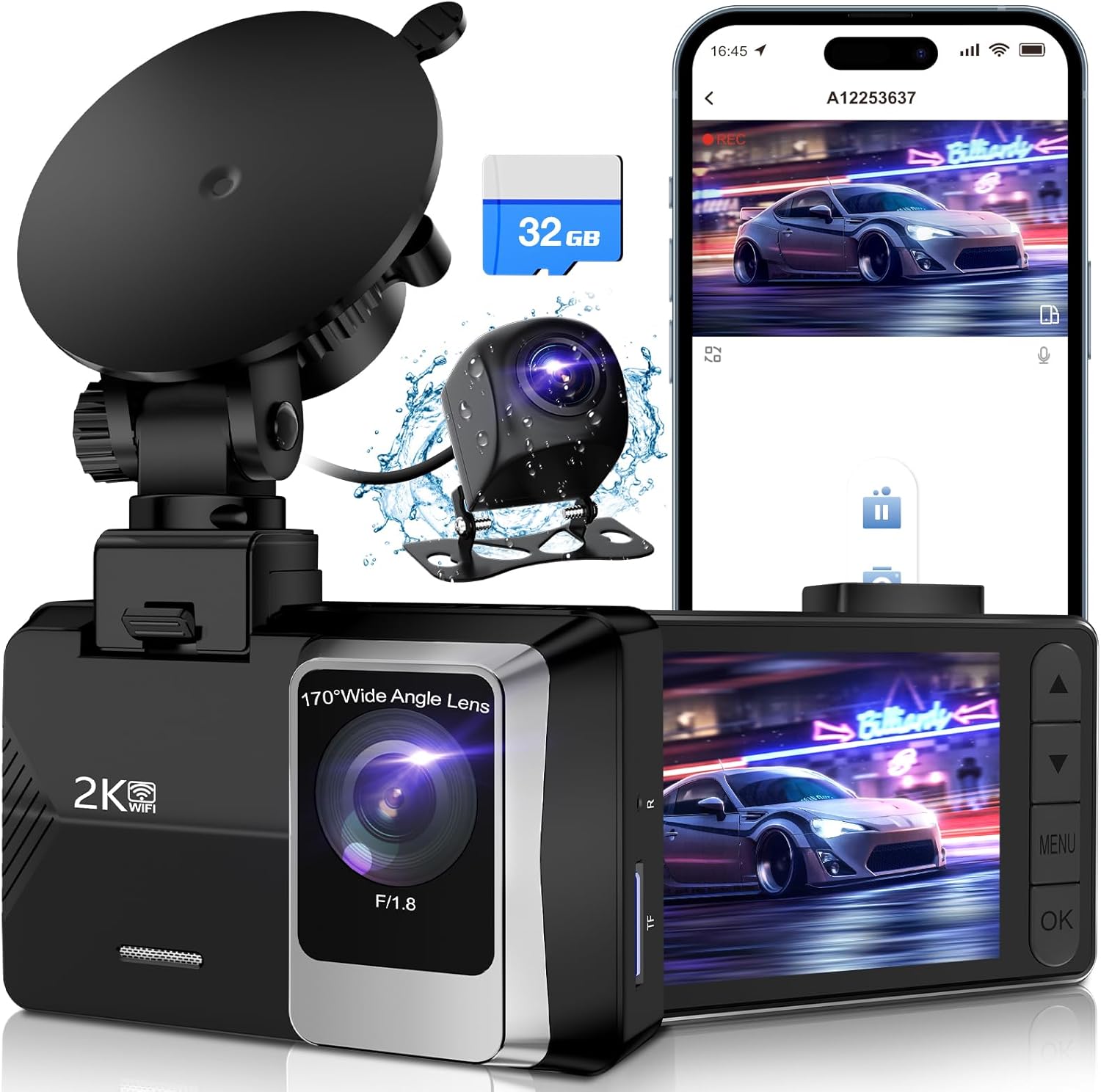
Image: The SUVCON Dash Cam system, showing the main unit, rear camera, and included 32GB memory card.
2. Paket İçeriği
Before installation, please verify that all items are present in your package:
- SUVCON Dash Cam (Main Unit)
- Arka Kamera
- 32GB Hafıza Kartı
- Araba Şarj Cihazı
- Arka Kamera Kablosu
- Emme Kupası Dağı
- Kullanıcı Kılavuzu
- Cable Clips and Adhesive Pads

Resim: Tam bir view of all components included in the SUVCON Dash Cam package.
3. Kurulum ve Kurulum
Follow these steps for proper installation of your dash cam system:
- Hafıza Kartını Takın: Ensure the included 32GB memory card is inserted into the main dash cam unit's TF card slot.
- Ön Kamerayı Takın: Attach the suction cup mount to the front dash cam unit. Clean a spot on your windshield, preferably behind the rearview mirror, and firmly press the suction cup to secure the dash cam. Adjust the camera angle to ensure a clear view Önümüzdeki yolun.
- Arka Kamerayı Takın: Connect the rear camera to the main unit using the provided cable. Route the cable neatly along the vehicle's interior trim to the rear of the car. Mount the rear camera on the rear windshield, ensuring it has a clear view.
- Gücü bağlayın: Plug the car charger into your vehicle's 12V power outlet (cigarette lighter socket). Connect the other end of the charger cable to the main dash cam unit. The dash cam will automatically power on and begin recording when your vehicle starts.

Image: Visual guide demonstrating the straightforward installation process of the dash cam within a vehicle.
4. Kullanım Talimatları
4.1 Temel İşlemler
- Güç Açma/Kapatma: The dash cam powers on automatically with vehicle ignition and powers off when the ignition is turned off. You can also manually power it on/off using the power button.
- Kayıt: Once powered on, the dash cam automatically begins loop recording. A red indicator light or on-screen icon typically confirms recording is active.
- Ekran Görüntüsü: The 2.0-inch IPS screen displays live footage from the front and/or rear cameras. You can switch between views or turn off the screen display to avoid distraction while driving.
4.2 Temel Özellikler
The SUVCON Dash Cam includes several important features:
- Döngü Kaydı: Hafıza kartı dolduğunda, araç kamerası otomatik olarak en eski kilitli olmayan videonun üzerine yazar. fileYeni kayıtlarla birlikte, kesintisiz çalışmayı sağlar.
- G-Sensörü (Acil Durum Kilidi): The built-in G-sensor detects sudden shakes or collisions. In such an event, it automatically locks the current video segment, preventing it from being overwritten by loop recording.
- 24 Saat Park İzleme Sistemi: This feature provides continuous surveillance even when your vehicle is parked. It requires a hardwire kit (not included) for constant power supply. When activated, the dash cam will automatically record if it detects a collision or motion while parked.
- Wi-Fi Bağlantısı: Connect your smartphone to the dash cam via Wi-Fi using the dedicated app (e.g., Viidure app). This allows you to view canlı footage, download recorded videos, and adjust settings directly from your phone.

Image: Illustration of the dash cam's built-in Wi-Fi feature, enabling easy viewYiyeceklerin indirilmesi, yüklenmesi ve paylaşılmasıtage via a smartphone app.
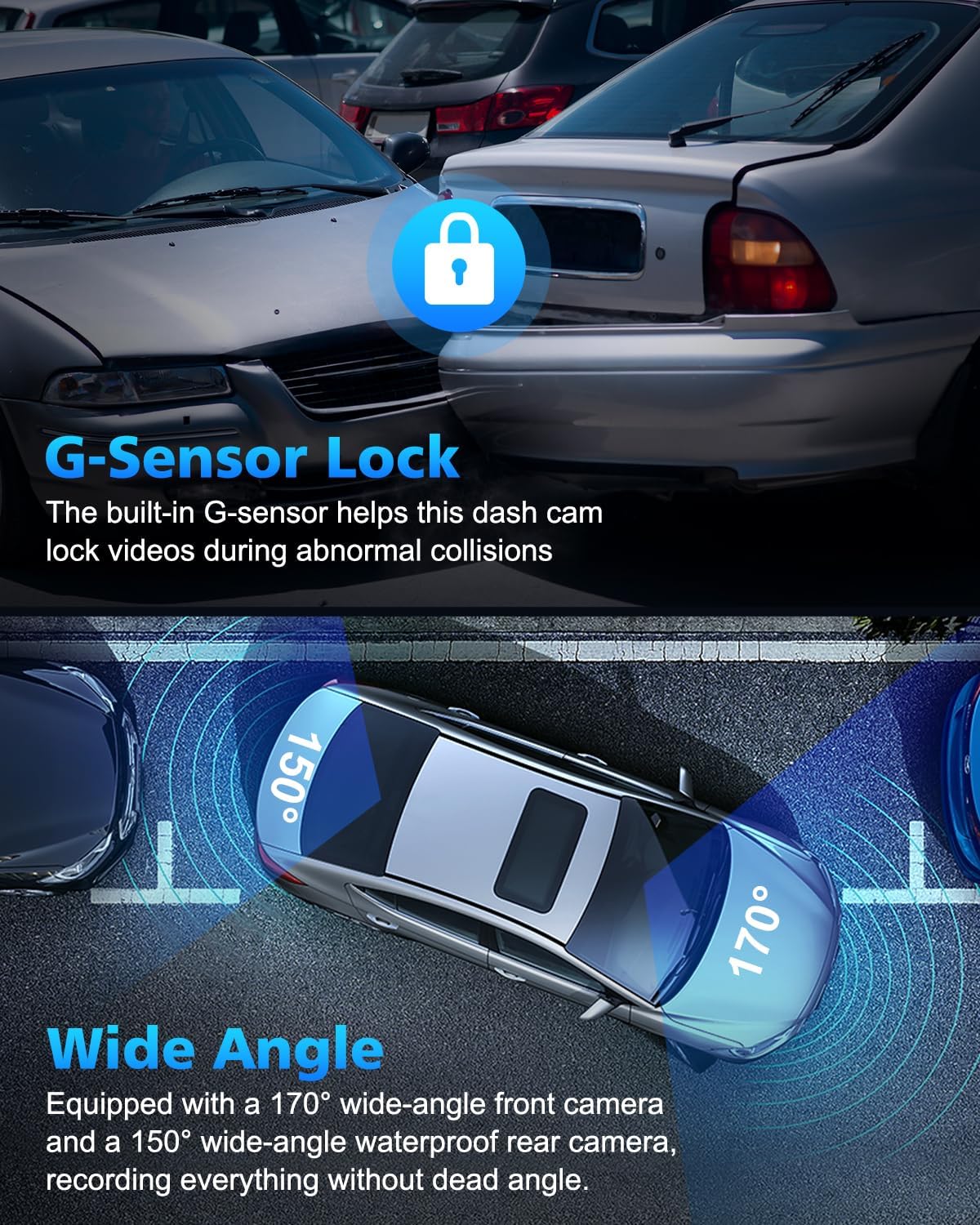
Image: Depiction of the G-Sensor locking mechanism during an impact and the wide 170-degree front and 150-degree rear camera angles.

Image: Visual representation of seamless loop recording, where older files are automatically replaced by new ones when the memory card is full.
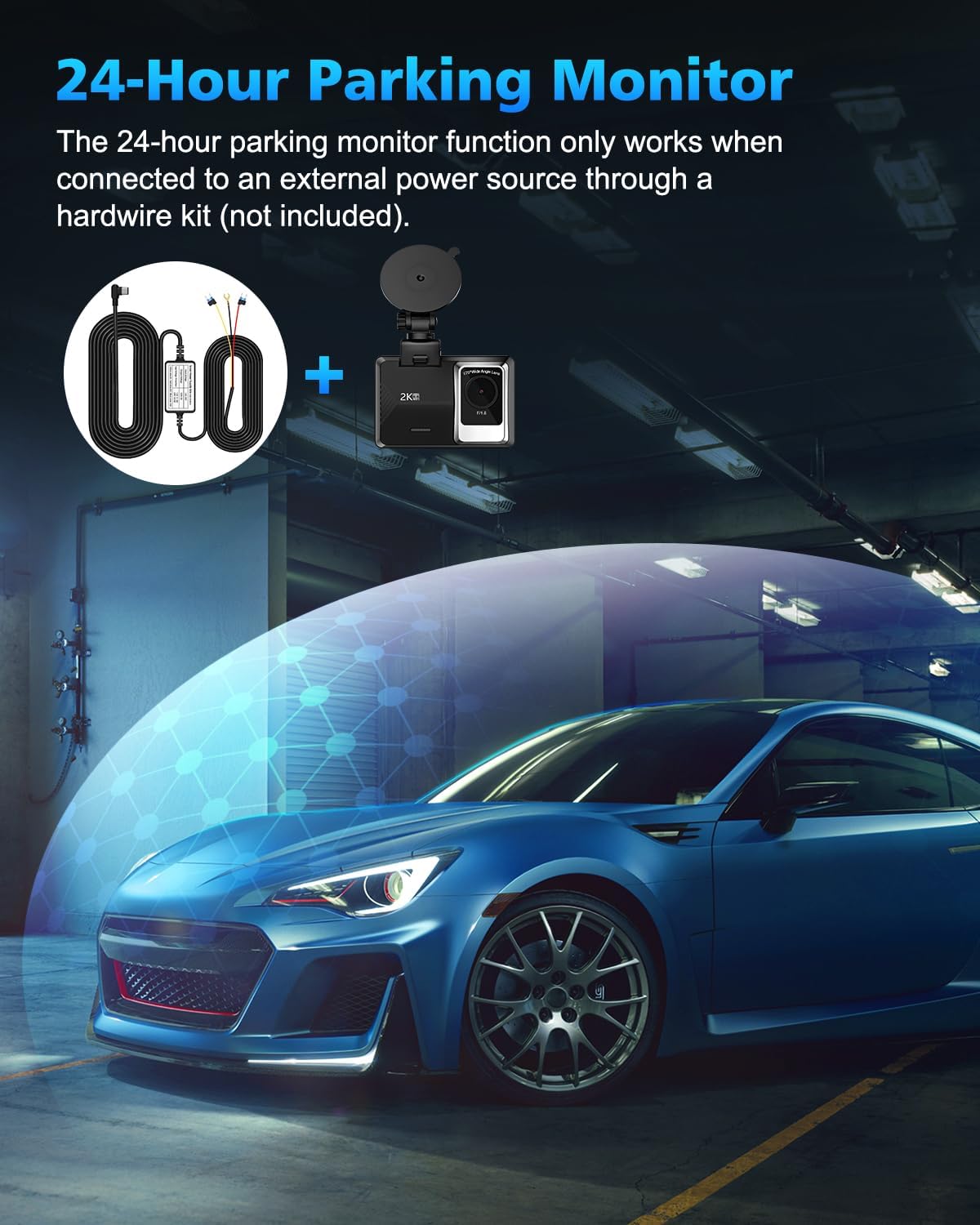
Image: Illustration of the 24-hour parking monitor function, noting its requirement for an external hardwire kit.
5. Bakım
To ensure optimal performance and longevity of your SUVCON Dash Cam, follow these maintenance guidelines:
- Lensleri Temizleyin: Net video kalitesi sağlamak için ön ve arka kamera lenslerini düzenli olarak yumuşak, tüy bırakmayan bir bezle temizleyin. Lensleri çizebilecek aşındırıcı malzemelerden kaçının.
- Hafıza Kartı Biçimlendirme: It is recommended to format the memory card every 2-4 weeks to prevent data corruption and ensure smooth loop recording. This can usually be done through the dash cam's settings menu.
- Sıcaklık Kontrolü: Araç içi kamerayı uzun süre aşırı sıcaklıklara maruz bırakmaktan kaçının. Doğrudan güneş ışığı altında park halindeyken, araç içi kamerayı çıkarmayı veya güneşlik kullanmayı düşünün.
- Kablo yönetimi: Ensure all cables are securely routed and not interfering with driving controls or vision. Use the provided cable clips to keep wiring tidy.
6. Sorun Giderme
Araç kameranızla ilgili sorunlarla karşılaşırsanız, aşağıdaki yaygın çözümlere göz atın:
| Sorun | Olası Neden | Çözüm |
|---|---|---|
| Araç kamerası açılmıyor. | Güç kaynağı yok; bağlantı gevşek. | Check car charger connection to both the dash cam and the vehicle's 12V outlet. Ensure the vehicle's ignition is on. |
| Kayıt duruyor veya donuyor. | Memory card error; full memory card; incompatible card. | Format the memory card. Ensure you are using a high-speed (Class 10 or U3) microSD card. Try a different memory card. |
| Kötü video kalitesi. | Kirli lens; koruyucu film hala lensin üzerinde. | Fotoğraf makinesi lenslerini temizleyin. Lenslerin üzerindeki koruyucu filmi çıkarın. |
| Wi-Fi bağlantı sorunları. | Incorrect app; Wi-Fi not enabled on dash cam. | Ensure you have downloaded the correct app (e.g., Viidure). Enable Wi-Fi on the dash cam through its settings. Restart both the dash cam and your smartphone. |
7. Özellikler
Key technical specifications for the SUVCON Dash Cam Front and Rear 2K:
- Modeli: A12
- Ön Kamera Çözünürlüğü: 1440P (2K)
- Arka Kamera Çözünürlüğü: 720P
- Ön Kamera Açısı: 170 degrees wide angle
- Arka Kamera Açısı: 150 degrees wide angle
- Görüntülemek: 2.0 inç IPS Ekran
- Depolamak: Supports MicroSD Card (32GB included, up to 256GB supported)
- Özellikler: Wi-Fi Control, Loop Recording, G-Sensor, Parking Monitor, Voice Recording
- Bağlantı Teknolojisi: Powerline, Wireless (Wi-Fi)
- Ürün Ölçüleri: 1 x 1 x 1 inç
- Ürün Ağırlığı: 15.2 ons
- Üretici: SUVCON
- İlk Mevcut Tarih: 8 Temmuz 2023
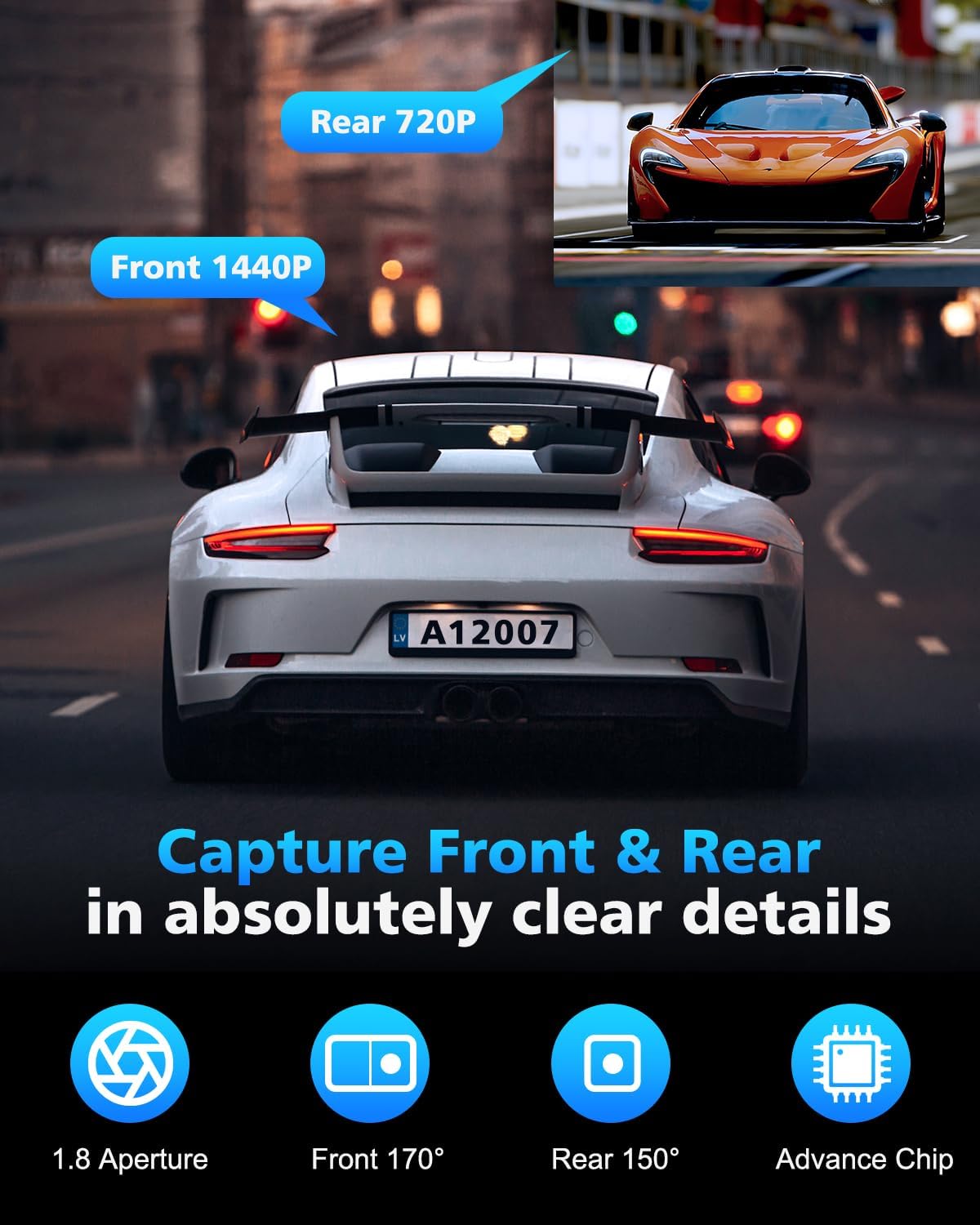
Image: Visual representation of the front camera's 1440P resolution and the rear camera's 720P resolution capabilities.
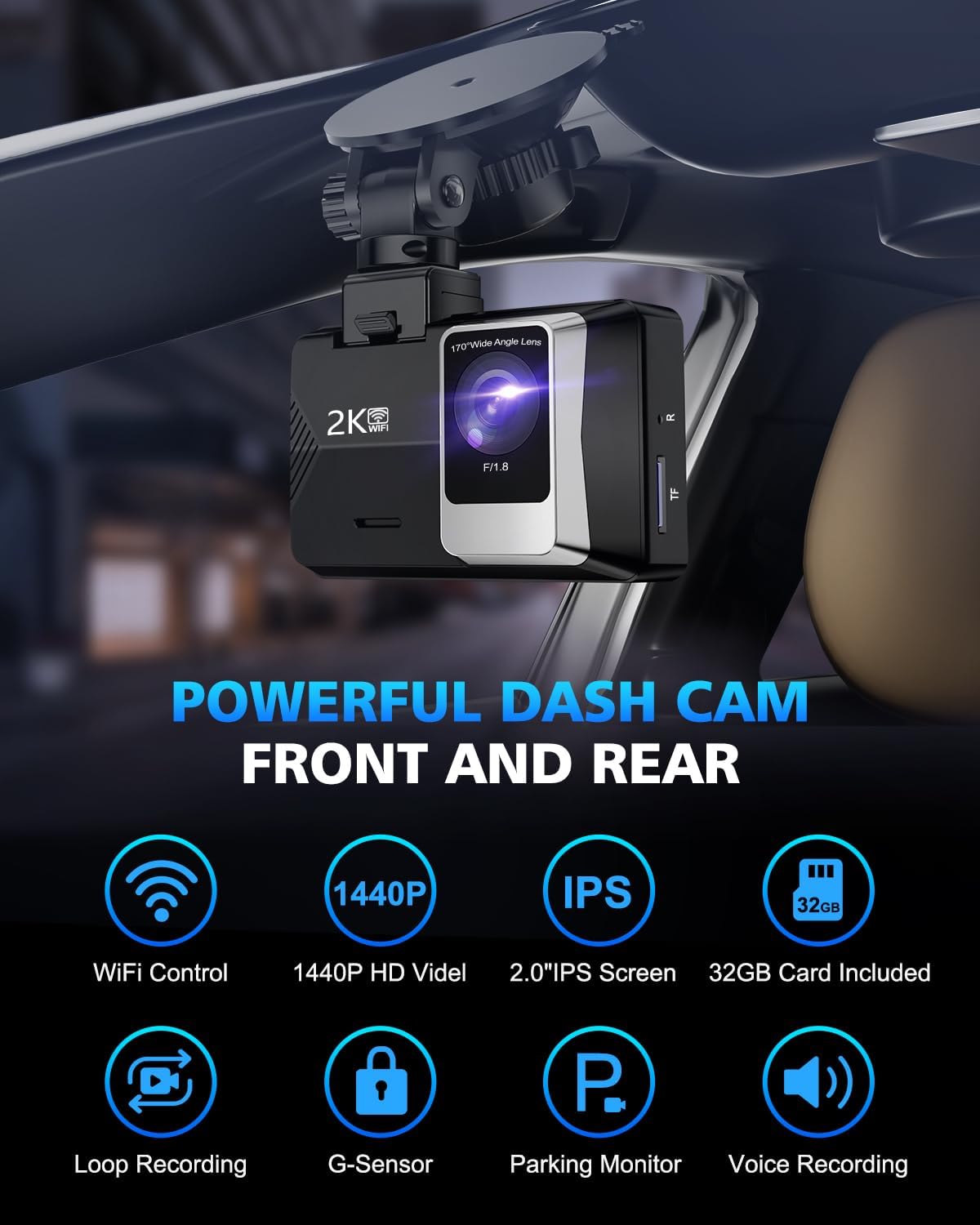
Resim: Bir overview of the powerful features of the SUVCON Dash Cam, highlighting its core functionalities.
8. Garanti ve Destek
For warranty information and technical support regarding your SUVCON Dash Cam, please refer to the official SUVCON webWeb sitelerini ziyaret edebilir veya doğrudan müşteri hizmetleriyle iletişime geçebilirsiniz. Ayrıntılar genellikle ürün ambalajında veya ürünle birlikte verilen belgelerde yer almaktadır.
You may also find additional resources and frequently asked questions on the product's Amazon listing page or by visiting the SUVCON Store on Amazon.