
1. Ürün Bittiview
The TP-Link ER707-M2 is an Omada Multi-Gigabit VPN Router designed for high-performance networking environments. It features dual 2.5 Gigabit WAN ports, a Gigabit SFP WAN/LAN port, and multiple Gigabit RJ45 WAN/LAN ports, providing flexible connectivity and high-bandwidth aggregation. This router integrates seamlessly with the Omada SDN Controller for centralized management and offers robust security features including an SPI Firewall and various VPN protocols.
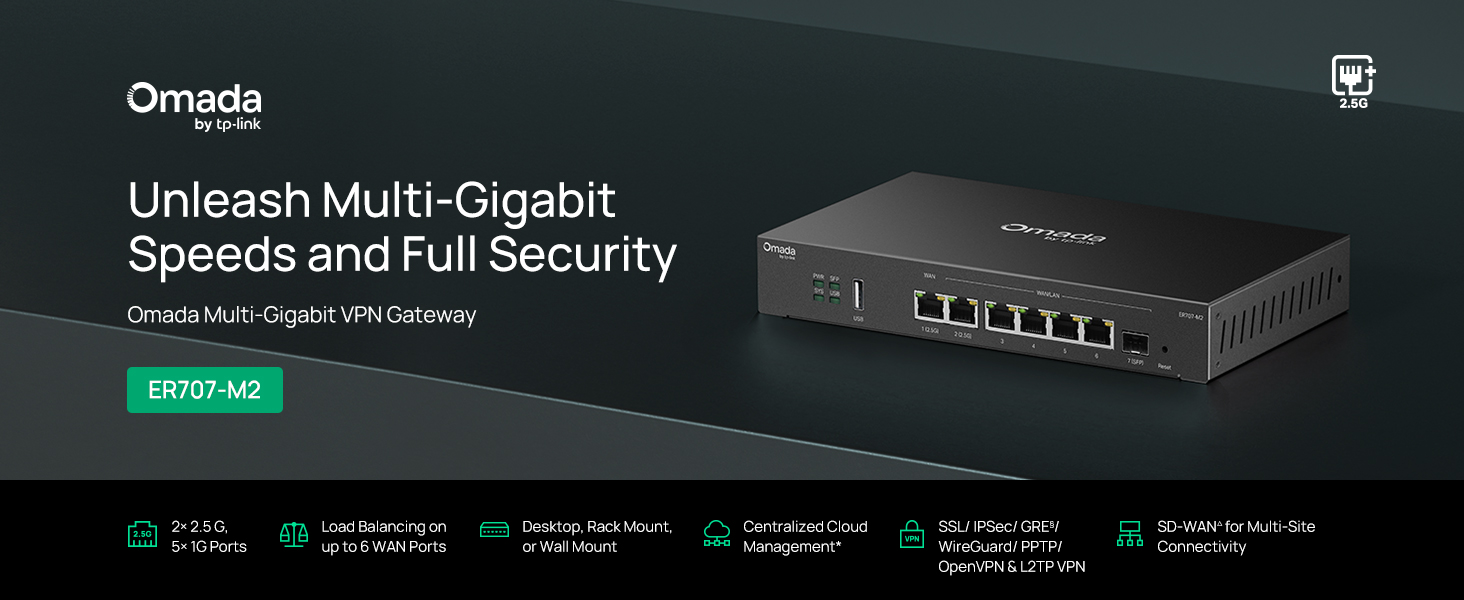
Şekil 1: Ön view of the ER707-M2 router, highlighting its ports and indicators.
Temel Özellikler:
- Esnek Port Yapılandırması: Includes 1x 2.5Gigabit WAN Port, 1x 2.5Gigabit WAN/LAN Port, 4x Gigabit WAN/LAN Ports, 1x Gigabit SFP WAN/LAN Port, and 1x USB 2.0 Port.
- High-Performance Network Capacity: Supports up to 500,000 concurrent sessions and over 1000 clients.
- Bulut Erişimi: Centralized cloud management via Omada app and web arayüz.
- Highly Secure VPN: Supports up to 100 LAN-to-LAN IPsec, 66 OpenVPN, 60 L2TP, and 60 PPTP VPN connections.
- Gelişmiş Güvenlik: Features SPI Firewall, Policy-based Firewall, Static Routing, Policy Routing, Multi-net DHCP, Guest Portal, and VLAN support.
- Load Balance & Link Backup: Optimizes multi-line broadband efficiency and reliability.
- USB 2.0 Bağlantı Noktası: Supports USB storage and LTE backup with a compatible LTE dongle.
2. Paket İçeriği
Paketinizin aşağıdaki öğeleri içerdiğini doğrulayın:
- TP-Link ER707-M2 Omada Multi-Gigabit VPN Router
- Güç Adaptörü
- Hızlı Kurulum Kılavuzu
If any item is missing or damaged, please contact your reseller or TP-Link support.
3. Kurulum
3.1 Donanım Kurulumu
- Güç Bağlantısı: Connect the provided power adapter to the router's power input and then to a power outlet.
- WAN Bağlantısı: Connect your modem or internet service provider's device to one of the WAN ports (e.g., WAN1 2.5G or WAN/LAN2 2.5G) using an Ethernet cable. For fiber connections, use the SFP port with a compatible SFP module.
- Lan bağlantısı: Connect your local network devices (e.g., computers, switches, Omada Access Points) to the LAN ports (WAN/LAN2-6) using Ethernet cables.
- USB Aygıtı (İsteğe bağlı): If using a USB storage device or an LTE dongle for backup, insert it into the USB 2.0 port.
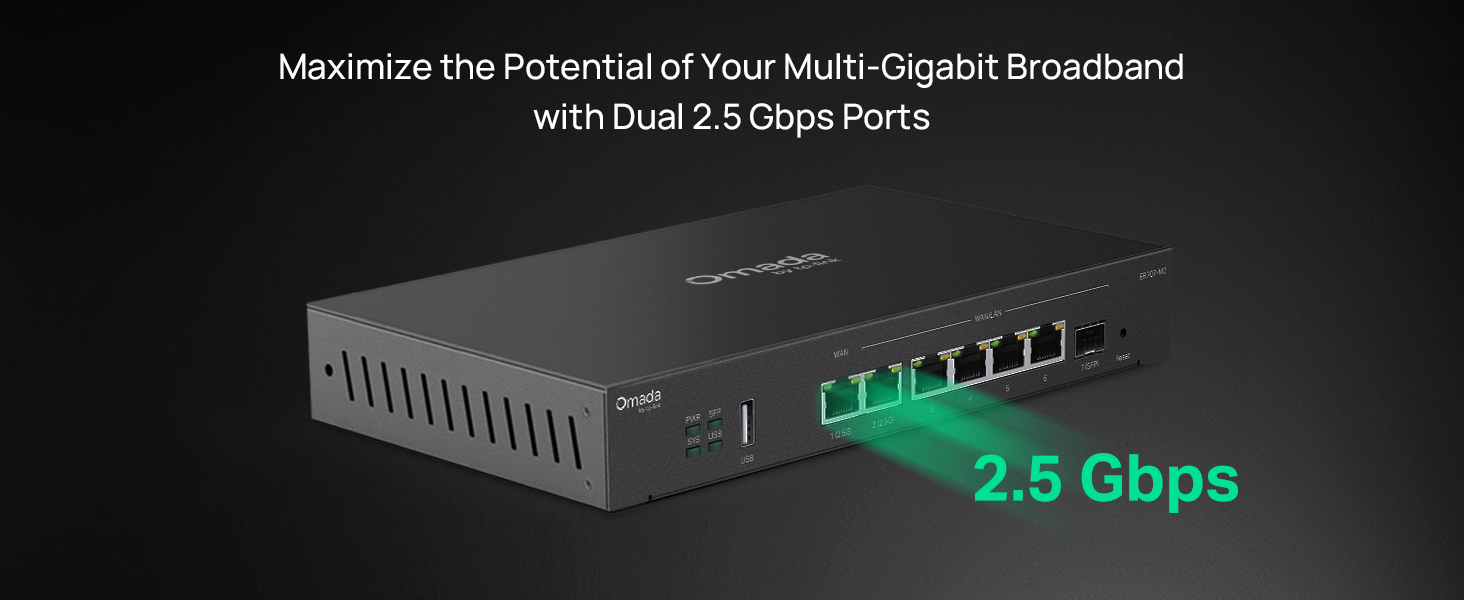
Figure 2: Illustration of the router's 2.5 Gbps ports for high-speed connectivity.
3.2 İlk Yapılandırma
The ER707-M2 can be managed via the Omada SDN Controller or through its local web arayüz.
- Yönlendiriciye bağlanın: Bilgisayarınızın yönlendiricinin LAN bağlantı noktalarından birine bağlı olduğundan emin olun.
- Erişim Web Arayüz: Bir tane aç web Tarayıcıya girin ve varsayılan IP adresini girin (genellikle
192.168.0.1or192.168.1.1) in the address bar. Refer to the Quick Installation Guide for the exact default IP and login credentials. - Kurulum Sihirbazını Takip Edin: The first time you log in, a setup wizard will guide you through basic internet connection settings, changing the default password, and configuring Wi-Fi (if applicable).
- Omada SDN Integration (Optional): For centralized management, adopt the router into your Omada SDN Controller. This allows for remote management and unified control of your network devices.
4. Kullanım Talimatları
4.1 Ağ Yapılandırması
The router offers extensive configuration options for your network:
- WAN Ayarları: Configure WAN ports for different connection types (Dynamic IP, Static IP, PPPoE).
- LAN Ayarları: Manage IP addresses, DHCP server, and VLANs for your local network segments.
- Çoklu WAN Yük Dengeleme: Distribute internet traffic across multiple WAN connections to optimize bandwidth and provide redundancy.
- Link Backup: Configure a secondary WAN connection (e.g., via LTE dongle) to automatically take over if the primary connection fails.
4.2 VPN İşlevselliği
The ER707-M2 supports various VPN protocols for secure remote access and site-to-site connectivity.
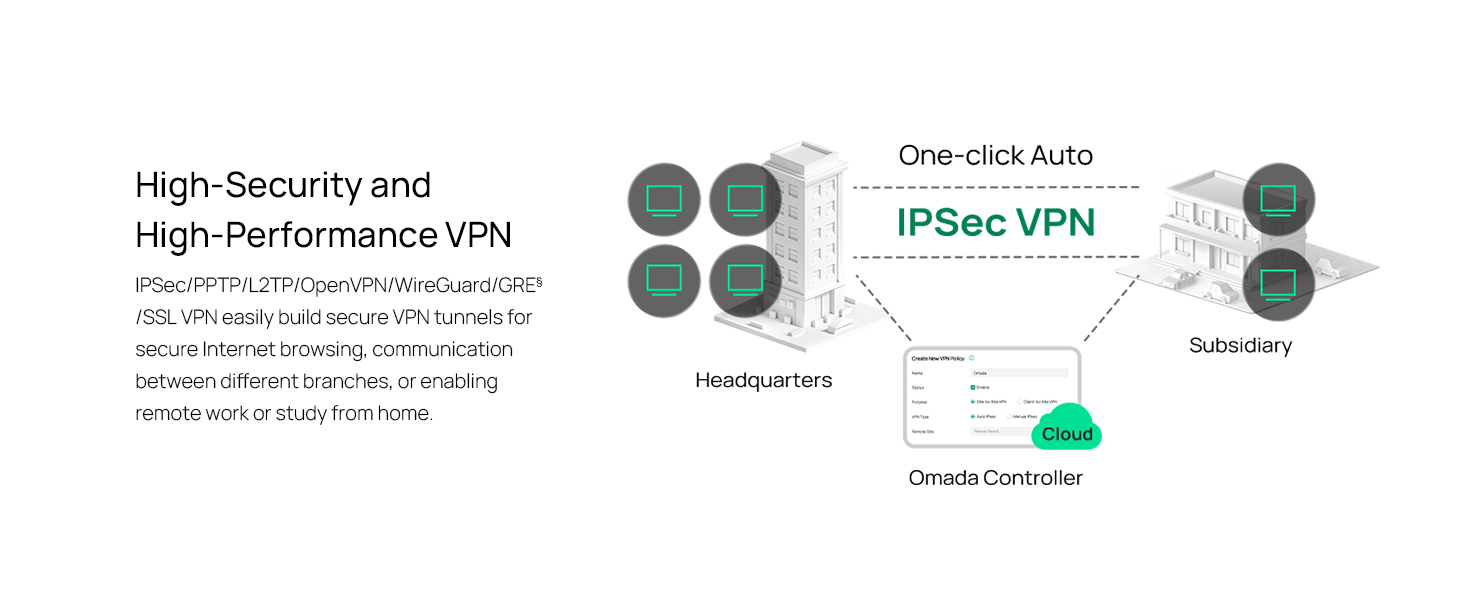
Figure 3: Visual representation of a secure VPN tunnel setup.
- IPsec VPN: Establish secure tunnels between networks (e.g., office to branch office).
- OpenVPN/SSL VPN: Provide secure remote access for individual users.
- PPTP/L2TP VPN: Legacy VPN protocols for various client connections.
4.3 Güvenlik Özellikleri
The router includes advanced security measures to protect your network:
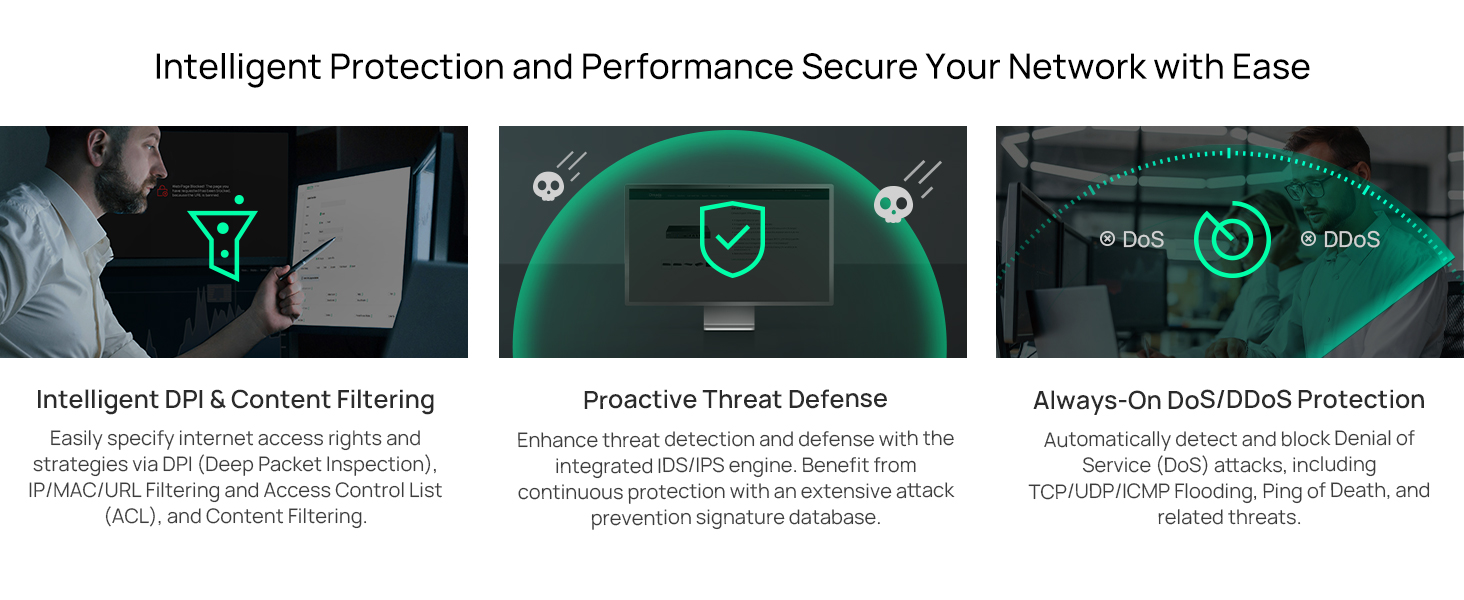
Şekil 4: Üzeriview of intelligent protection and performance features.
- SPI Güvenlik Duvarı: Stateful Packet Inspection firewall for network protection.
- Policy-based Firewall: Define rules to control network traffic based on specific criteria.
- DoS/DDoS Protection: Defend against Denial of Service and Distributed Denial of Service attacks.
- Erişim Kontrol Listesi (ACL): Manage network access for specific devices or users.
4.4 Omada SDN Integration
The ER707-M2 is part of the Omada Software-Defined Networking (SDN) solution, allowing for centralized management of your entire network.

Figure 5: How the ER707-M2 integrates into an Omada SDN network.
- Merkezi Yönetim: Manage the router, access points, and switches from a single interface via the Omada Controller (hardware or software).
- Uzaktan Erişim: Access and manage your network from anywhere using the Omada app or cloud portal.
- Seamless Scalability: Easily expand your network by adding more Omada devices.
5. Bakım
To ensure optimal performance and security of your ER707-M2 router, regular maintenance is recommended:
- Donanım Yazılımı Güncellemeleri: TP-Link resmi sitesini düzenli olarak kontrol edin. website for the latest firmware versions. Updating firmware can improve performance, add new features, and fix security vulnerabilities.
- Yapılandırma Yedekleme: Regularly back up your router's configuration settings. This allows for quick restoration in case of accidental changes or system issues.
- Fiziksel Muayene: Ensure the router is placed in a well-ventilated area, free from dust and obstructions. Check cable connections for secure fit.
- Güvenlik Yenidenview: Periyodik olarak yenidenview your firewall rules, VPN settings, and access control lists to ensure they meet your current security requirements.
6. Sorun Giderme
If you encounter issues with your ER707-M2 router, consider the following troubleshooting steps:
- İnternet erişimi yok:
- Tüm kablo bağlantılarını (WAN, LAN, Güç) kontrol edin.
- Verify your modem or ISP device is working correctly.
- Confirm WAN settings in the router's web arayüz doğrudur.
- Restart the modem, then the router, and then your connected devices.
- Erişilemiyor Web Yönetim Sayfası:
- Bilgisayarınızın yönlendiricinin LAN portuna bağlı olduğundan emin olun.
- Verify your computer's IP address is in the same subnet as the router (e.g., if router is 192.168.0.1, computer should be 192.168.0.x).
- Tarayıcınızın önbelleğini temizlemeyi veya farklı bir tarayıcı kullanmayı deneyin.
- If the issue persists, perform a factory reset (see below).
- Yavaş Ağ Hızı:
- İnternet servis sağlayıcınızın hızını kontrol edin.
- Ensure all cables are Cat5e or higher for Gigabit/2.5Gig connections.
- Ağ kullanımını izleyerek bant genişliği yoğun uygulamaları veya cihazları belirleyin.
- Verify duplex settings on connected devices and router ports.
- Fabrika ayarları: If all else fails, you can restore the router to its factory default settings. Locate the Reset button on the router (often a small pinhole button), press and hold it for about 5-10 seconds until the system LED blinks, then release. This will erase all custom configurations.
7. Özellikler
| Özellik | Detay |
|---|---|
| Marka | TP-Link |
| Model Adı | ER707-M2 |
| Bağlantı Teknolojisi | Ethernet |
| Port Sayısı | 6 (1x 2.5G WAN, 1x 2.5G WAN/LAN, 4x Gigabit WAN/LAN, 1x Gigabit SFP WAN/LAN, 1x USB 2.0) |
| LAN Bağlantı Noktası Bant Genişliği | 10/100/1000/2500Mbps |
| Veri Aktarım Hızı | Saniyede 2500 Megabit |
| Maksimum Yukarı Yönlü Veri Aktarım Hızı | Saniyede 5000 Megabit |
| Güvenlik Protokolü | SSL, IPSec, GRE, SSH, IKEv1/v2, PPTP, L2TP, OpenVPN |
| Kontrol Yöntemi | Uygulama, Web Arayüz |
| İşletim Sistemi | ZyNOS (TP-Link Omada) |
| Ürün Ağırlığı | 1.1 Kilogram |
| Ürün Boyutları (U x G x Y) | 12.9"U x 9.5"G x 3.1"Y |
8. Garanti Bilgileri
The TP-Link ER707-M2 Omada Multi-Gigabit VPN Router is backed by an industry-leading 5 yıllık üretici garantisiBu garanti, normal kullanım koşullarındaki malzeme ve işçilik kusurlarını kapsar. Garanti talepleriniz için lütfen satın alma belgenizi saklayın.
9. Destek
For technical assistance, product information, or warranty inquiries, please contact TP-Link support:
- Telefon Desteği: (866) 225-8139 (Pazartesiden Cumaya, 06:00 - 18:00 PST saatleri arasında hizmet vermektedir)
- Ürün Webalan: myproducts.tp-link.com/us
- E-posta Desteği: destek.ABD@tp-link.com