
PROSCAN PDVD1332
Proscan 13.3" Portable DVD Player
Model: PDVD1332 - User Manual
giriiş
This manual provides comprehensive instructions for the safe and efficient operation of your Proscan 13.3" Portable DVD Player, model PDVD1332. Please read this manual thoroughly before using the device and retain it for future reference.
Önemli Güvenlik Bilgileri
To reduce the risk of electric shock, fire, or injury, always follow basic safety precautions when using this product.
- Üniteyi yağmura veya neme maruz bırakmayın.
- Havalandırma açıklıklarını kapatmayın.
- Yalnızca üretici tarafından belirtilen aparatları/aksesuarları kullanın.
- Şimşekli fırtınalarda veya uzun süre kullanılmadığında ünitenin fişini çekin.
- Tüm bakımları yetkili servis personeline yaptırın.
Paket İçeriği
Aşağıda listelenen tüm öğelerin paketinizde bulunduğunu doğrulayın:
- Proscan 13.3" Portable DVD Player (PDVD1332)
- Uzaktan kumanda
- AC Güç Adaptörü
- Araba Şarj Cihazı
- Kulaklıklar
- Kullanıcı Kılavuzu

Image showing the Proscan 13.3" Portable DVD Player alongside its travel essentials: remote control, earbuds, car charger, and AC power adapter. These accessories are designed to enhance the user's experience, especially during travel.
Ürün Bittiview
Familiarize yourself with the various components and controls of your portable DVD player.
Ön ve Üst View

The Proscan 13.3" Portable DVD Player shown open, displaying its large screen and the intuitive control panel located on the base. The screen is swiveled for optimal viewIng.
Taraf View ve Limanlar

Detaylı bir taraf view of the Proscan Portable DVD Player, illustrating the accessible ports including USB, Card Slot (SD/MMC), Headphone Jack, AV Out, AV In, On/Off Switch, and DC 12V Power input.
Tuş Kontrolleri:
- MODE/SETUP: Access menu settings.
- SES +/-: Ses seviyesini ayarlayın.
- OYNAT/DURDUR: Oynatmayı başlatın veya duraklatın.
- DURMAK: Oynatmayı durdur.
- ÖNCEKİ/SONRAKİ: Navigate tracks or chapters.
- USB/SD/MMC: Ports for external media.
- AV GİRİŞ/ÇIKIŞ: Audio/Video input and output.
- DC 12V: AC adaptör veya araç şarj cihazı için güç girişi.
Kurmak
Pilin Şarj Edilmesi
The portable DVD player is equipped with a built-in lithium-polymer battery for extended playback. Before first use, fully charge the battery.
- Connect the AC power adapter to the DC 12V input port on the player.
- AC güç adaptörünü standart bir duvar prizine takın.
- The charging indicator light will illuminate. Once fully charged, the light may change color or turn off (refer to specific indicator behavior in the manual if available).
- For car use, connect the car charger to the DC 12V input and plug it into your vehicle's cigarette lighter socket.
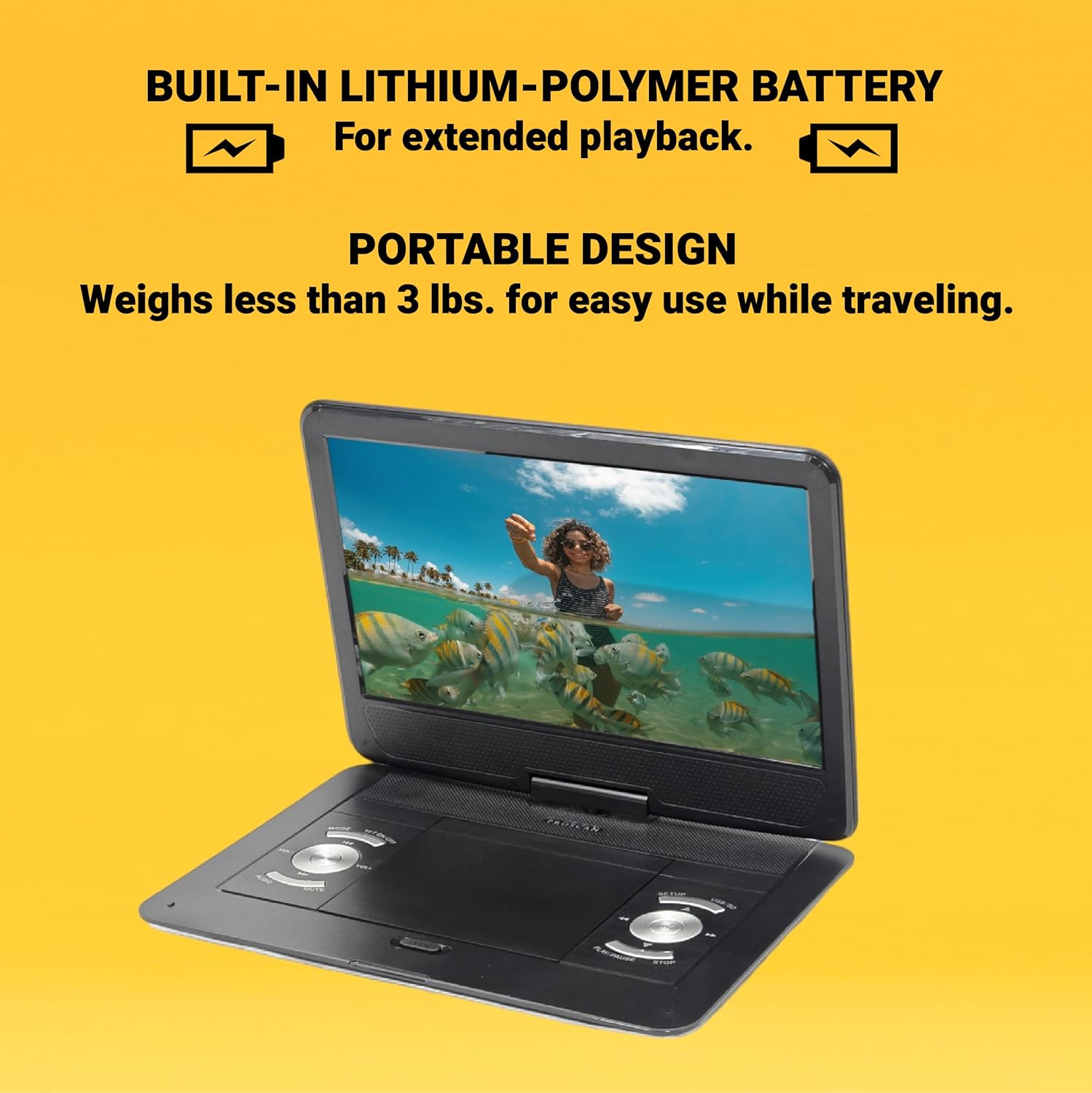
This image emphasizes the Proscan Portable DVD Player's built-in lithium-polymer battery, which provides extended playback, and its lightweight, portable design, weighing less than 3 lbs, making it ideal for travel.
Açma/Kapatma
- Cihazı açmak için, AÇMA/KAPATMA düğmesini "AÇIK" konumuna getirin.
- Cihazı kapatmak için, AÇMA/KAPATMA düğmesini "KAPALI" konumuna getirin.
Kullanım Talimatları
Playing a DVD/CD
- Disk bölmesinin kapağını açın.
- Carefully place a DVD or CD onto the disc spindle with the label side facing up.
- Disk yerine oturana kadar hafifçe bastırın.
- Disk bölmesinin kapağını kapatın.
- The player will automatically begin reading the disc. If not, press the OYNAT/DURDUR düğme.
Using USB/SD/MMC Media
The player supports MP3 and JPEG files from USB drives, SD cards, and MMC cards.
- Insert your USB drive into the USB port or your SD/MMC card into the card slot.
- Kullanın MOD button to select the appropriate input source (USB or CARD).
- Gezinmenizi sağlayın filekullanıyor ÖNCEKİ/SONRAKİ buttons and select with the OYNAT/DURDUR düğme.
Sesi Ayarlama
Kullanın SES +/- buttons on the player or the remote control to adjust the audio volume.
Uzaktan Kumandayı Kullanma
The included remote control provides full functionality for operating the DVD player from a distance. Ensure the remote has working batteries and is pointed towards the player's IR sensor.
Bakım ve Özen
- Ekranın Temizlenmesi: Use a soft, lint-free cloth to gently wipe the screen. Do not use liquid cleaners or abrasive materials.
- Ünitenin Temizlenmesi: Oynatıcının dış yüzeyini yumuşak, kuru bir bezle silin.
- Disk Bakımı: Diskleri kenarlarından tutun. Temiz ve çiziksiz tutun. Kullanmadığınız zamanlarda diskleri kutularında saklayın.
- Depolamak: Uzun süre kullanılmadığı zamanlarda, oynatıcıyı serin, kuru bir yerde, doğrudan güneş ışığından ve aşırı sıcaklıklardan uzakta saklayın.
Sorun giderme
| Sorun | Olası Neden | Çözüm |
|---|---|---|
| Güç yok | Pil bitmiş; güç adaptörü düzgün bağlanmamış. | Pili şarj edin; güç adaptörünün güvenli bir şekilde bağlı olduğundan emin olun. |
| No disc playback | Disc inserted incorrectly; Disc is dirty or scratched; Incorrect region code. | Reinsert disc correctly; Clean or replace disc; Ensure disc is compatible with player's region. |
| Ses yok | Volume too low; Mute function activated; Headphones not connected properly. | Increase volume; Deactivate mute; Reconnect headphones securely. |
| Uzaktan kumanda çalışmıyor | Piller bitmiş veya yanlış takılmış; uzaktan kumanda ile oynatıcı arasında engel var. | Pilleri değiştirin; kutupların doğru olduğundan emin olun; engelleri kaldırın. |
Özellikler
- Modeli: PDVD1332
- Ekran Boyutu: 13.3 inç TFT LCD
- Görüntüleme Türü: LCD
- Desteklenen Disk Biçimleri: DVD, DVD-R/RW, CD-R/RW
- Desteklenen Medya Formatları: MP3, JPEG (via USB/SD/MMC)
- Girişler: USB, SD/MMC Card Slot, AV In, DC 12V
- Çıktılar: Headphone Jack, AV Out
- Pil: Built-in Lithium-Polymer
- Ağırlık: Yaklaşık 4 pound
- Boyutlar: Yaklaşık 15.85 x 14.37 x 3.47 inç
- Renk: Siyah
Garanti ve Destek
This product is sold as a renewed item. Please refer to the specific warranty terms provided by the seller or retailer at the time of purchase. For technical support or service inquiries, please contact the seller or the Proscan customer service department. Keep your purchase receipt as proof of purchase for any warranty claims.
For further assistance, you may visit the official Proscan website or contact their customer support line, details for which are typically found on the product packaging or the seller's information page.
Ask a question about this manual
Ask about setup, troubleshooting, compatibility, parts, safety, or missing instructions. Manuals+ will review the question and use this page’s manual context to help answer it.