
Ürün Bittiview
The Delton S12 Ergonomic Vertical Wireless Mouse is designed for comfort and efficiency, promoting a natural hand and wrist posture. It features a 2.4GHz wireless connection, six buttons, and three adjustable DPI levels for precise control. This manual provides instructions for setup, operation, maintenance, and troubleshooting.

Image: The Delton S12 Ergonomic Vertical Wireless Mouse, showcasing its vertical design.
Kurmak
1. Paketten çıkarma
Carefully remove the mouse and its accessories from the packaging. Ensure all components are present: the Delton S12 Vertical Wireless Mouse and the USB dongle.
2. Pil Kurulumu
The Delton S12 mouse requires two (2) AAA batteries (not included). Follow these steps to install them:
- Farenin alt tarafındaki pil bölmesini bulun.
- Pil bölmesi kapağını yavaşça kaydırarak açın.
- İki adet AAA pili, kutupların doğru olmasına dikkat ederek (+/-) takın.
- Pil bölmesi kapağını yerine güvenli bir şekilde oturana kadar kapatın.
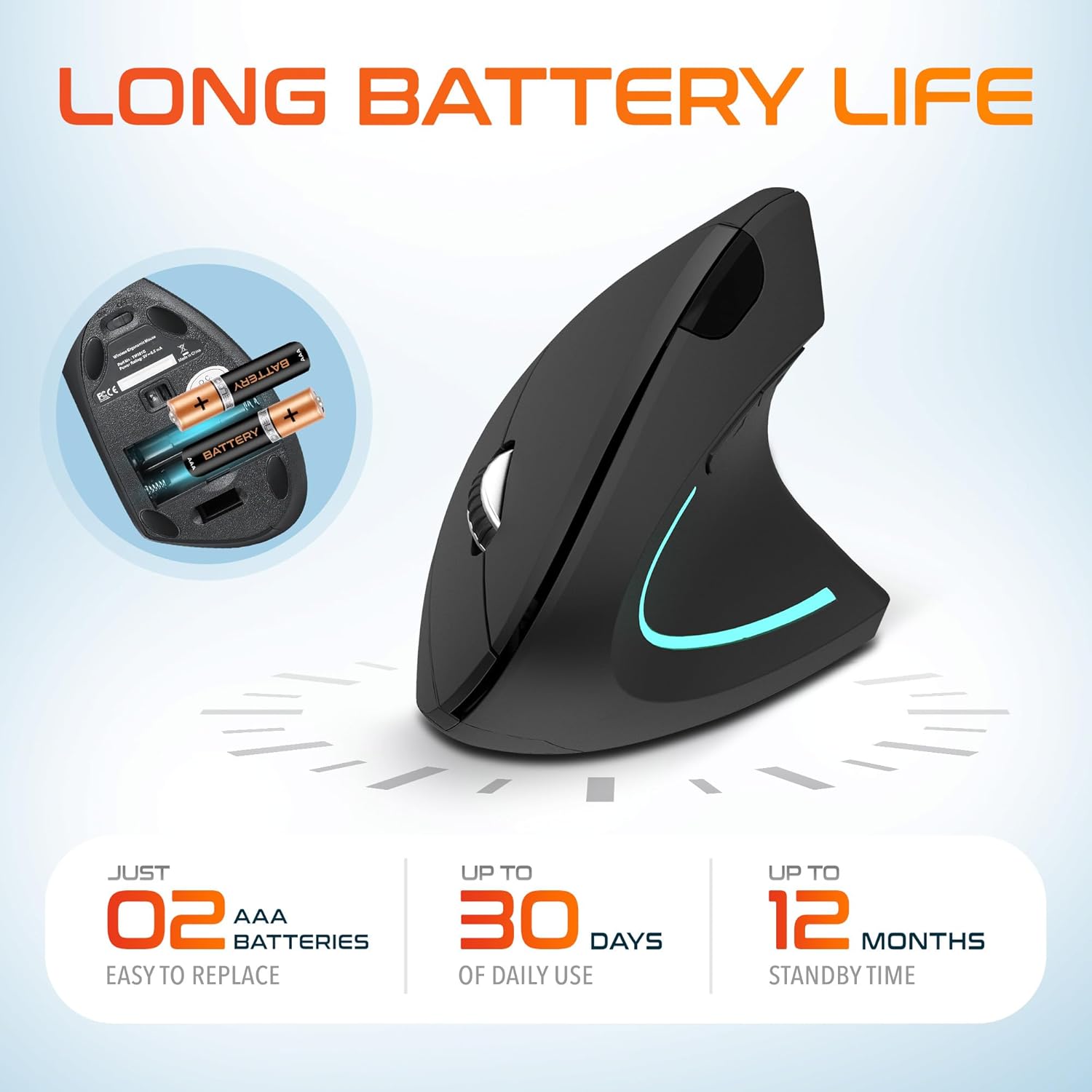
Image: The underside of the Delton S12 mouse with the battery compartment open, showing the correct placement for two AAA batteries.
3. Connecting the USB Dongle
The mouse connects wirelessly via a 2.4GHz USB dongle. No drivers are typically required for most operating systems.
- Remove the USB dongle from its storage slot, usually located near the battery compartment.
- Plug the USB dongle into an available USB port on your computer (PC, Laptop, Mac, Chromebook, etc.).
- The computer should automatically detect and install the necessary drivers. The mouse is ready for use once detected.

Image: The Delton S12 mouse positioned next to its USB dongle, ready for connection to a computer.
Farenizi Çalıştırma
The Delton S12 mouse features six buttons and a scroll wheel for enhanced functionality.
1. Düğme Fonksiyonları
- Sol tık: Primary selection and activation button.
- Sağ tık: Bağlamsal menülere erişim sağlar.
- Kaydırma tekerleği: Belgeler arasında dikey olarak kaydırma yapar ve web Sayfalar. Orta tıklama işlevi için de tıklanabilir.
- DPI Değiştirme Düğmesi: İmleç hassasiyetini (DPI) ayarlar.
- İleri Düğmesi: İleriye doğru gezinir web tarayıcılar veya file kaşifler.
- Geri Düğmesi: Geriye doğru gezinir web tarayıcılar veya file kaşifler.

Image: Diagram illustrating the location and function of the six buttons on the Delton S12 Ergonomic Vertical Wireless Mouse.
2. DPI Ayarlaması
The mouse offers three adjustable DPI levels (800, 1200, 2400) to suit different tasks and preferences. Press the DPI Switch Button (located behind the scroll wheel) to cycle through the settings. An indicator LED will change color to show the current DPI level:
- Mavi LED: 800 DPI (Lower sensitivity, suitable for precise work)
- Kırmızı LED: 1200 DPI (Medium sensitivity, standard use)
- Yeşil LED: 2400 DPI (Higher sensitivity, suitable for faster cursor movement)

Image: Close-up of the Delton S12 mouse showing the DPI indicator LED changing colors (blue, red, green) for different sensitivity settings.
Bakım
1. Temizlik
En iyi performansı korumak için farenizi düzenli olarak temizleyin. Yüzeyi silmek için yumuşak, kuru bir bez kullanın. İnatçı kirler için, biraz daha ince bir bez yeterli olacaktır.amp bez kullanılabilir, ancak iç bileşenlere nem girmemesine dikkat edin. Sert kimyasallardan veya aşındırıcı temizleyicilerden kaçının.
2. Pil Değişimi
When the mouse performance degrades or it stops responding, it's time to replace the batteries. Follow the battery installation steps outlined in the Setup section. Dispose of used batteries responsibly according to local regulations.
Sorun giderme
Fare Yanıt Vermiyor:
- Farenin açık olduğundan emin olun.
- Pillerin doğru şekilde takılıp takılmadığını ve yeterli şarja sahip olup olmadığını kontrol edin. Gerekirse değiştirin.
- Verify the USB dongle is securely plugged into a working USB port on your computer. Try a different USB port.
- Move the mouse closer to the USB dongle to ensure it's within the 30-foot operating range.
- Bilgisayarınızı yeniden başlatın.
Düzensiz İmleç Hareketi:
- Farenin alt tarafındaki optik sensörü yumuşak ve kuru bir bezle temizleyin.
- Fareyi uygun bir yüzeyde kullandığınızdan emin olun. Çok yansıtıcı veya şeffaf yüzeylerden kaçının. Fare altlığı kullanılması önerilir.
- Diğer kablosuz cihazlardan kaynaklanan paraziti kontrol edin.
DPI Indicator Light Not Changing:
- Press the DPI switch button firmly. If the issue persists, ensure batteries are fresh.
Özellikler
| Marka | Delton |
| Model Numarası | S12 |
| Bağlantı Teknolojisi | 2.4GHz Wireless (USB Dongle) |
| Hareket Algılama Teknolojisi | Optik |
| DPI Seviyeleri | 800, 1200, 2400 |
| Düğme Sayısı | 6 |
| El Yönelimi | Sağ |
| Güç Kaynağı | Pille Çalışır (2 adet AAA pil gereklidir) |
| Pilin Ortalama Ömrü | Up to 30 days (daily use) |
| kablosuz Menzil | 30 feet'e kadar |
| Uyumlu Cihazlar | PC, Laptop, Mac, Chromebook, iOS devices |
| İşletim Sistemi | Windows 11/10/9/8/7/XP, Mac OS 9/8/7, Linux, Chrome OS |
| Malzeme | Plastik |
Garanti ve Destek
Garanti Bilgileri:
This Delton S12 Ergonomic Vertical Wireless Mouse comes with a 1-Year Manufacturer Warranty. This warranty covers defects in materials and workmanship under normal use. For warranty claims, please retain your proof of purchase.
Müşteri Desteği:
For technical assistance, troubleshooting, or any questions regarding your Delton S12 mouse, please contact Delton customer support. Refer to the product packaging or the official Delton webEn güncel iletişim bilgileri için sitemizi ziyaret edin.