
1. Giriş
Satın aldığınız için teşekkür ederizasing the SODLK T300 120W Portable Bluetooth Speaker. This manual provides essential information for setting up, operating, and maintaining your speaker. Please read it thoroughly before use to ensure optimal performance and longevity of your device. Keep this manual for future reference.
2. Güvenlik Bilgileri
- Hoparlörü aşırı sıcaklıklara, doğrudan güneş ışığına veya yüksek neme maruz bırakmayın.
- Hoparlörü düşürmekten veya sert darbelere maruz bırakmaktan kaçının.
- Do not disassemble, repair, or modify the speaker yourself. Contact qualified service personnel for any repairs.
- Hoparlörü su ve diğer sıvılardan uzak tutun. Bu ürün su geçirmez değildir.
- Şarj etmek için yalnızca birlikte verilen USB kablosunu kullanın.
- İşitme hasarını önlemek için hoparlörü uzun süre aşırı yüksek ses seviyesinde çalıştırmayın.
3. Paket İçeriği
Lütfen paketi aşağıdaki öğeler açısından kontrol edin:
- SODLK T300 Bluetooth Hoparlör
- USB Şarj Kablosu
- Kullanıcı Kılavuzu
4. Ürün Bittiview
The SODLK T300 is a powerful portable Bluetooth speaker designed for robust audio performance. It features a durable exterior, integrated handle, and dynamic LED lighting on the sides. The speaker incorporates advanced audio technology for a rich sound experience.

Resim: Ön view of the SODLK T300 Portable Bluetooth Speaker, showcasing its black finish, front grille, and side LED lights.
Internally, the T300 is equipped with a sophisticated driver system to deliver its 120W output. This includes multiple dynamic driver units and vibrating diaphragms for enhanced bass and clear audio reproduction.

Resim: Patlamış bir view illustrating the internal components of the SODLK T300 speaker, highlighting the 4 dynamic driver units and DSP sound processing.
5. Kurulum
5.1 Hoparlörü Şarj Etme
Before first use, fully charge the speaker. Connect the provided USB charging cable to the speaker's charging port and a compatible USB power adapter (not included). The LED indicator will show charging status and turn off or change color when fully charged.
5.2 Açma/Kapatma
- Açmak İçin: Press and hold the Power button for a few seconds until the LED lights illuminate and you hear an audible prompt.
- Kapatmak İçin: LED ışıkları sönene ve sesli bir uyarı duyana kadar Güç düğmesini birkaç saniye basılı tutun.
6. Kullanım Talimatları
6.1 Bluetooth Eşleştirme
The SODLK T300 features Bluetooth 5.1 for a stable and efficient wireless connection.

Image: Graphic illustrating the benefits of Bluetooth 5.1 connectivity for the SODLK T300, including faster and stronger connection, lower power consumption, better sound, more stable transfer, and higher noise reduction.
- Hoparlörün açık olduğundan ve Bluetooth eşleştirme modunda olduğundan emin olun (LED göstergesi genellikle mavi renkte yanıp söner).
- Cihazınızda (akıllı telefon, tablet, bilgisayar) Bluetooth'u etkinleştirin ve kullanılabilir cihazları arayın.
- Select "SODLK T300" from the list of devices.
- Once paired, the speaker will indicate a successful connection, and the LED light will change.
6.2 TWS (Gerçek Kablosuz Stereo) Bağlantısı
To connect two SODLK T300 speakers for a stereo sound experience:
- Her iki hoparlörün de açık olduğundan ve herhangi bir Bluetooth cihazına bağlı olmadığından emin olun.
- On one speaker, press the TWS button. It will enter TWS pairing mode.
- İki hoparlör otomatik olarak birbirine bağlanacaktır. Bağlandıktan sonra, bir hoparlör ana (sol kanal), diğeri ise yardımcı (sağ kanal) olarak görev yapacaktır.
- Cihazınızı 6.1 bölümünde açıklandığı gibi Bluetooth aracılığıyla ana hoparlöre bağlayın.
6.3 Playing Music from Various Sources
The SODLK T300 supports multiple playback modes:
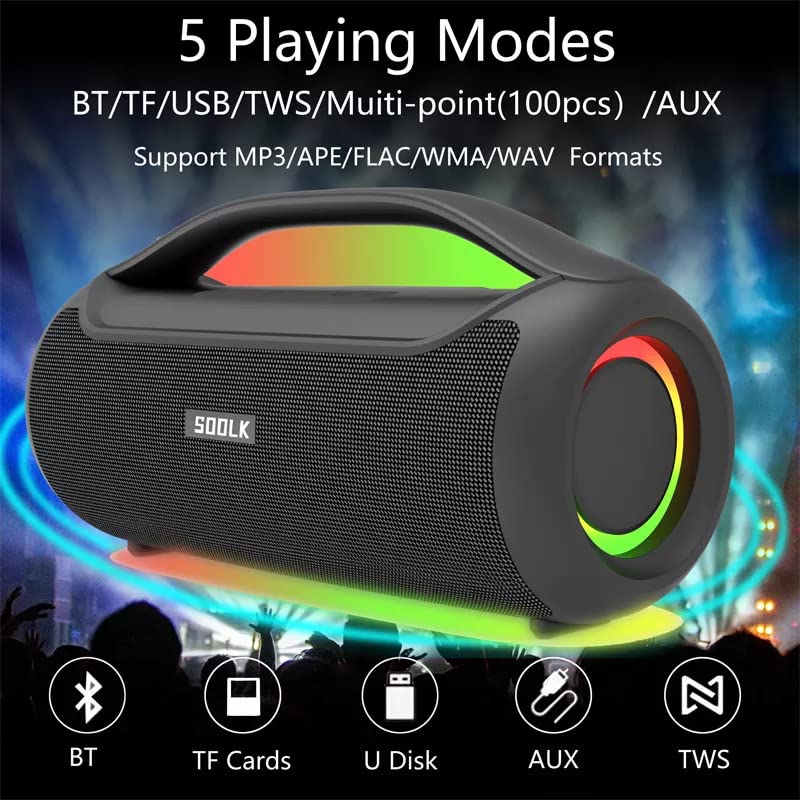
Image: Visual representation of the 5 playing modes supported by the SODLK T300: Bluetooth (BT), TF Cards, U Disk (USB), AUX, and TWS. It also indicates support for MP3/APE/FLAC/WMA/WAV formats.
- Bluetooth: Connect your device wirelessly as described in section 6.1.
- TF Kartı: Sesli bir TF (MicroSD) kartı takın fileTF kart yuvasına takın. Hoparlör otomatik olarak TF kart moduna geçecek ve oynatmaya başlayacaktır.
- USB Diski: Ses içeren bir USB flash sürücü takın fileUSB portuna takın. Hoparlör otomatik olarak USB moduna geçecek ve oynatmaya başlayacaktır.
- AUX Girişi: Connect an external audio device using a 3.5mm AUX cable (not included) to the AUX port. The speaker will switch to AUX mode.
Use the speaker's control buttons to play/pause, skip tracks, and adjust volume.
6.4 EQ Playing Modes
The speaker offers three equalizer (EQ) modes to optimize your listening experience for different music genres.

Image: Graphic displaying the three EQ playing modes of the SODLK T300: HIFI 6D Surround, Vocal, and Deep Bass, with illustrative icons for each.
Press the EQ button to cycle through the following modes:
- HIFI 6D Surround: Sürükleyici ve geniş bir ses deneyimi sunar.tage.
- Vokal: Enhances clarity for vocals, ideal for podcasts or acoustic music.
- Derin Bas: Boosts low frequencies for a more impactful bass response.
6.5 LED Işık Kontrolü
The SODLK T300 features dynamic LED lights. Press the Light button to cycle through different lighting modes or to turn the lights off.
6.6 NFC Connection (Near Field Communication)
For compatible devices, NFC allows for quick and easy Bluetooth pairing.
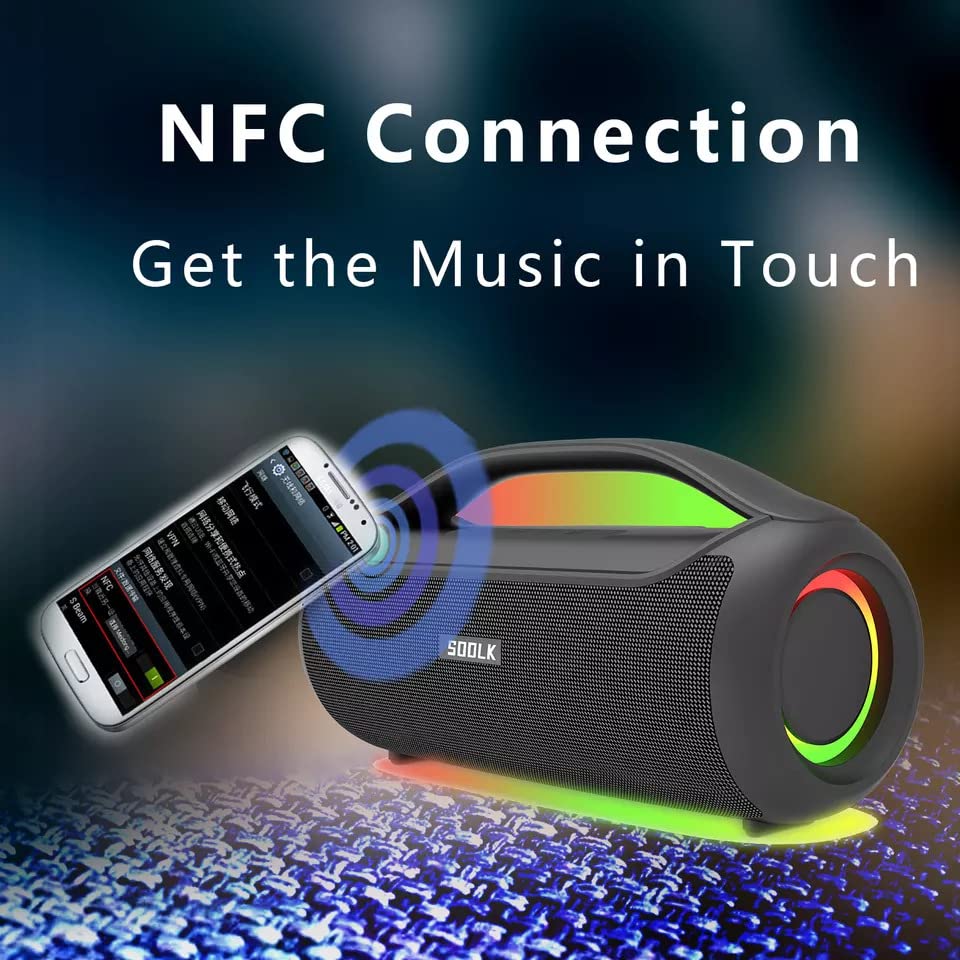
Image: A smartphone being tapped against the SODLK T300 speaker, illustrating the NFC connection process for instant music pairing.
- Akıllı telefonunuzda veya cihazınızda NFC özelliğinin etkinleştirildiğinden emin olun.
- Tap your NFC-enabled device gently against the NFC area on the speaker.
- Your device will prompt you to connect via Bluetooth. Confirm the connection.
7. Bakım
7.1 Temizlik
Hoparlörü yumuşak, kuru bir bezle silin. Aşındırıcı temizleyiciler, alkol veya diğer kimyasal çözücüler kullanmayın, çünkü bunlar yüzeye zarar verebilir.
7.2 Depolama
Uzun süre kullanılmayacaksa, hoparlörü doğrudan güneş ışığından ve aşırı sıcaklıklardan uzak, serin ve kuru bir yerde saklayın. Pil sağlığını korumak için hoparlörü en az üç ayda bir şarj etmeniz önerilir.
8. Sorun Giderme
| Sorun | Olası Neden | Çözüm |
|---|---|---|
| Hoparlör açılmıyor. | Pil zayıf. | Hoparlörü tam olarak şarj edin. |
| Ses yok. | Volume too low; incorrect input mode; device not paired. | Increase volume; switch to correct input mode (BT, AUX, TF, USB); re-pair Bluetooth device. |
| Bluetooth eşleştirme başarısız. | Hoparlör eşleştirme modunda değil; cihazın Bluetooth'u kapalı; hoparlörden çok uzakta. | Ensure speaker is in pairing mode; enable Bluetooth on device; move device closer to speaker. |
| TWS bağlantısı başarısız oldu. | Speakers already connected to another device; too far apart. | Disconnect speakers from other devices; ensure speakers are close to each other. |
9. Özellikler
Detailed technical specifications for the SODLK T300 speaker:
| Özellik | Şartname |
|---|---|
| Model Adı | T300 |
| Hoparlör Tipi | Taşınabilir Hoparlör |
| Özel Özellik | Subwoofer, LED Light, TWS Connection |
| Bağlantı Teknolojisi | Bluetooth 5.1, Auxiliary, TF Card, USB |
| Kablosuz İletişim | Bluetooth |
| Hoparlör Maksimum Çıkış Gücü | 120 Watt |
| Ses Çıkışı Modu | Stereo |
| Çevresel Ses Kanalı Yapılandırması | 6D |
| Güç Kaynağı | Pil ile çalışır |
| Kontrol Yöntemi | Dokunmatik Düğmeler |
| Ürün Boyutları | 11.2D x 29.2G x 10.1Y Santimetre |
| Su Geçirmez | HAYIR |
| Dahil Bileşenler | USB Cable, Speaker, User Manual |
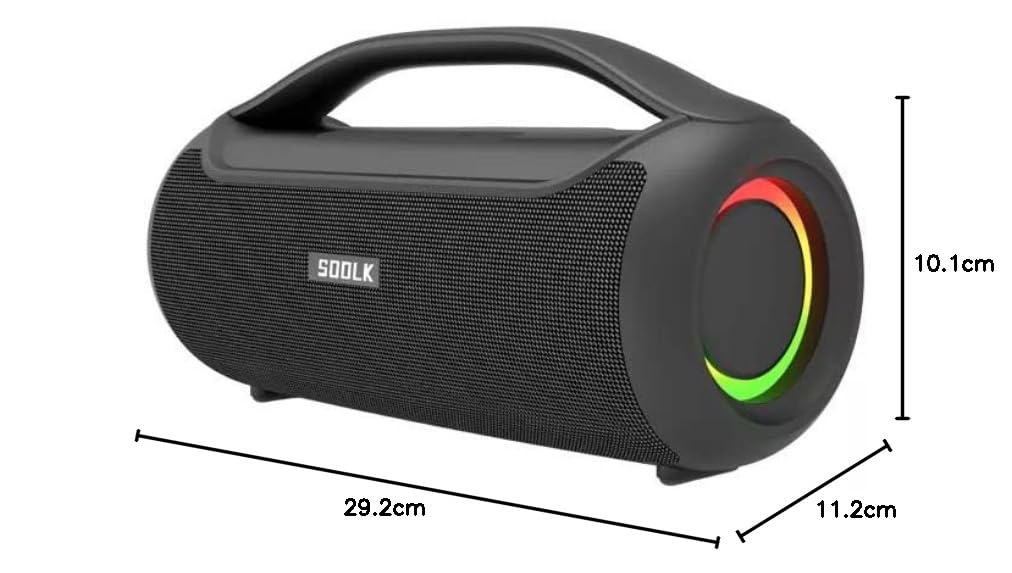
Image: Diagram showing the dimensions of the SODLK T300 speaker: 29.2cm (width), 11.2cm (depth), and 10.1cm (height).
10. Garanti ve Destek
The SODLK T300 speaker comes with a 1 Yıllık Garanti Satın alma tarihinden itibaren geçerlidir. Bu garanti, normal kullanım koşullarında üretim hatalarını ve işçilik kusurlarını kapsar. Yanlış kullanım, kazalar, yetkisiz değişiklikler veya normal aşınma ve yıpranmadan kaynaklanan hasarları kapsamaz.
For warranty claims, technical support, or any inquiries, please contact your retailer or the SODLK customer service department with your purchase details.