
1. Giriş
This manual provides detailed instructions for the LUCORB Portable Gym Timer, model B0BYH9SP13. This device is designed to assist with various fitness activities by providing accurate timekeeping for interval training, countdowns, count-ups, and stopwatch functions. Please read this manual thoroughly before using the product to ensure proper operation and to maximize its lifespan.
2. Güvenlik Bilgileri
- Cihazı çalıştırmadan önce tüm talimatları dikkatlice okuyunuz.
- Keep the timer away from water and excessive moisture to prevent damage.
- Cihazı sökmeye veya üzerinde değişiklik yapmaya çalışmayın. Bu, garantiyi geçersiz kılacaktır.
- Use only the provided USB charging cable or a certified equivalent for charging.
- Avoid exposing the timer to extreme temperatures or direct sunlight for prolonged periods.
3. Ürün Bittiview
The LUCORB Portable Gym Timer is a compact and versatile device designed for various workout needs. It features a clear LED display, multiple timing modes, and a magnetic back for convenient placement.
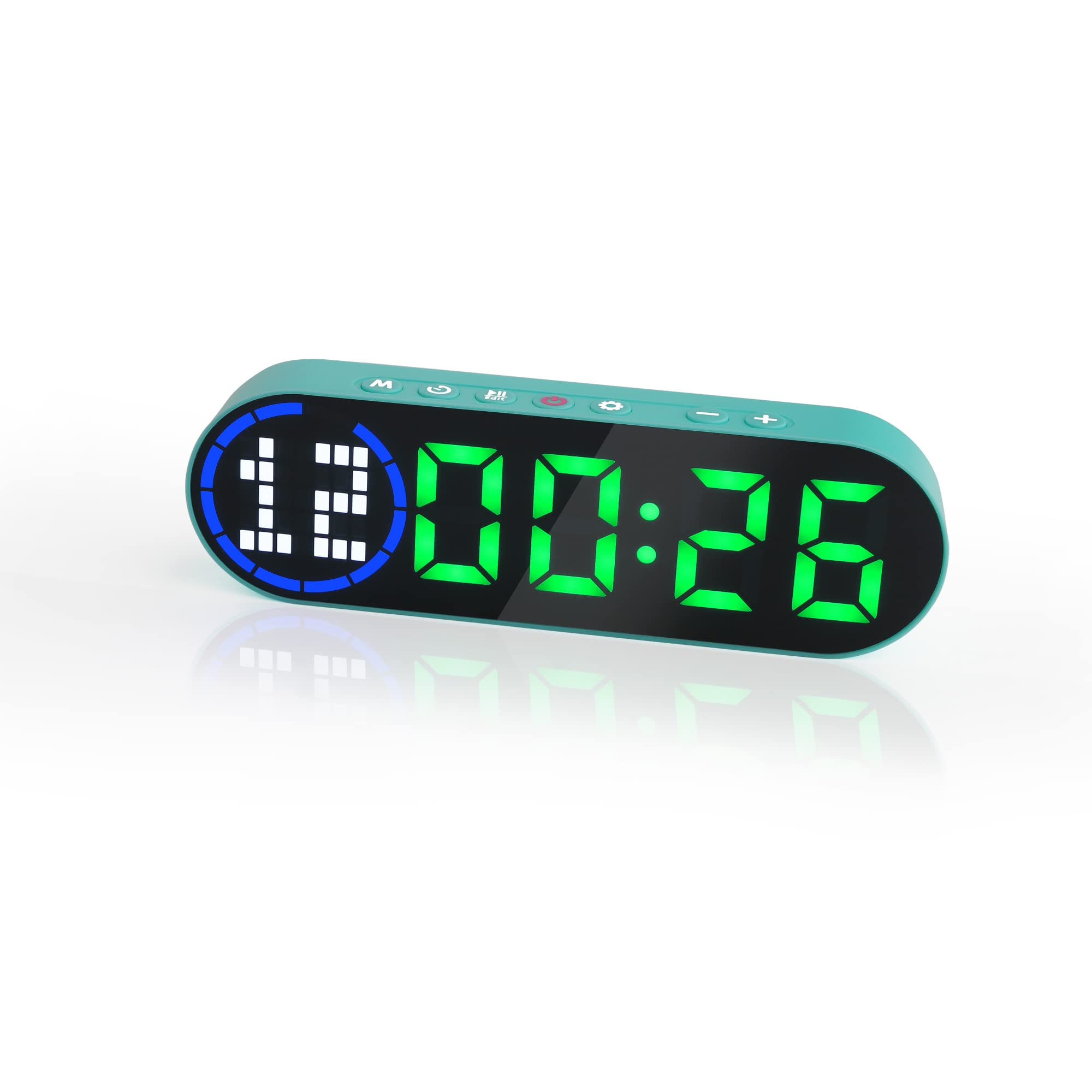
Image 3.1: The LUCORB Portable Gym Timer, highlighting its compact and portable dimensions (approximately 6.3 inches long, 2 inches wide, and 0.9 inches thick). The image also indicates it is rechargeable and battery-powered.
Temel Özellikler:
- Kompakt ve Taşınabilir Tasarım: Taşıması ve her yerde kullanımı kolaydır.
- Manyetik Sırt: Metal yüzeylere güvenli bir şekilde takılmasını sağlar.
- Şarj Edilebilir Pil: Provides long-lasting power for workouts.
- Çoklu Zamanlama Modları: Includes Interval Timer, Countdown, Count Up, and Stopwatch.
- Time Progress Bar: Visual indicator for workout progress.
- Adjustable Sound and Countdown: Customizable settings for personalized use.
4. Paket İçeriği
Lütfen paketi aşağıdaki öğeler açısından kontrol edin:
- LUCORB Portable Gym Timer (1)
- USB Şarj Kablosu (1)
- Kullanıcı Kılavuzu (1)
5. Kurulum
5.1 Charging the Timer
Before first use, fully charge the timer. Connect the provided USB charging cable to the timer's charging port and plug the other end into a standard USB power adapter (not included) or a computer's USB port. The display will indicate charging status. A full charge typically takes 2-3 hours.
5.2 Güç Açma/Kapatma
- Açmak İçin: Basılı tutun Güç Düğmesi (usually located on the side or top) for 3 seconds until the display lights up.
- Kapatmak İçin: Basılı tutun Güç Düğmesi for 3 seconds until the display turns off.
5.3 Yerleştirme
The LUCORB Gym Timer features a strong magnetic back, allowing it to be securely attached to any metal surface, such as gym equipment, racks, or whiteboards. Ensure the surface is clean and stable before attaching.
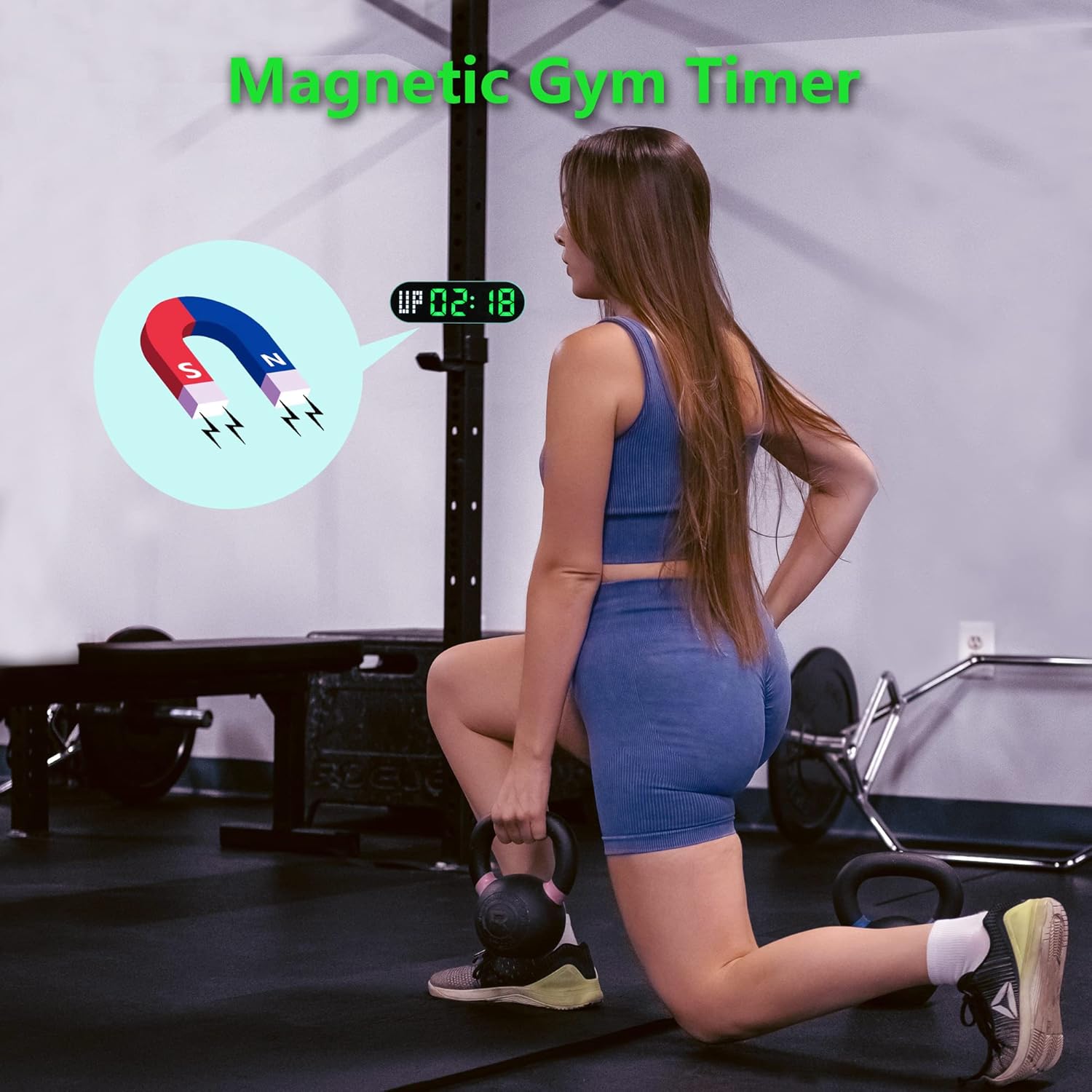
Image 5.1: The timer demonstrating its magnetic attachment capability to a metal gym rack, providing convenient visibility during workouts.
6. Kullanım Talimatları
The timer has several buttons for navigation and settings. Refer to the diagram below for button identification (buttons are typically located on the top edge of the device).
- MOD Düğmesi: Cycles through different timing modes (Interval, Countdown, Count Up, Stopwatch).
- Ayarlama düğmesi: Enters setting mode for the current timing program.
- BAŞLAT/DURAKLAT Düğmesi: Starts or pauses the current timer.
- +/- Düğmeleri: Adjusts values when in setting mode.
6.1 Ekranı Anlamak
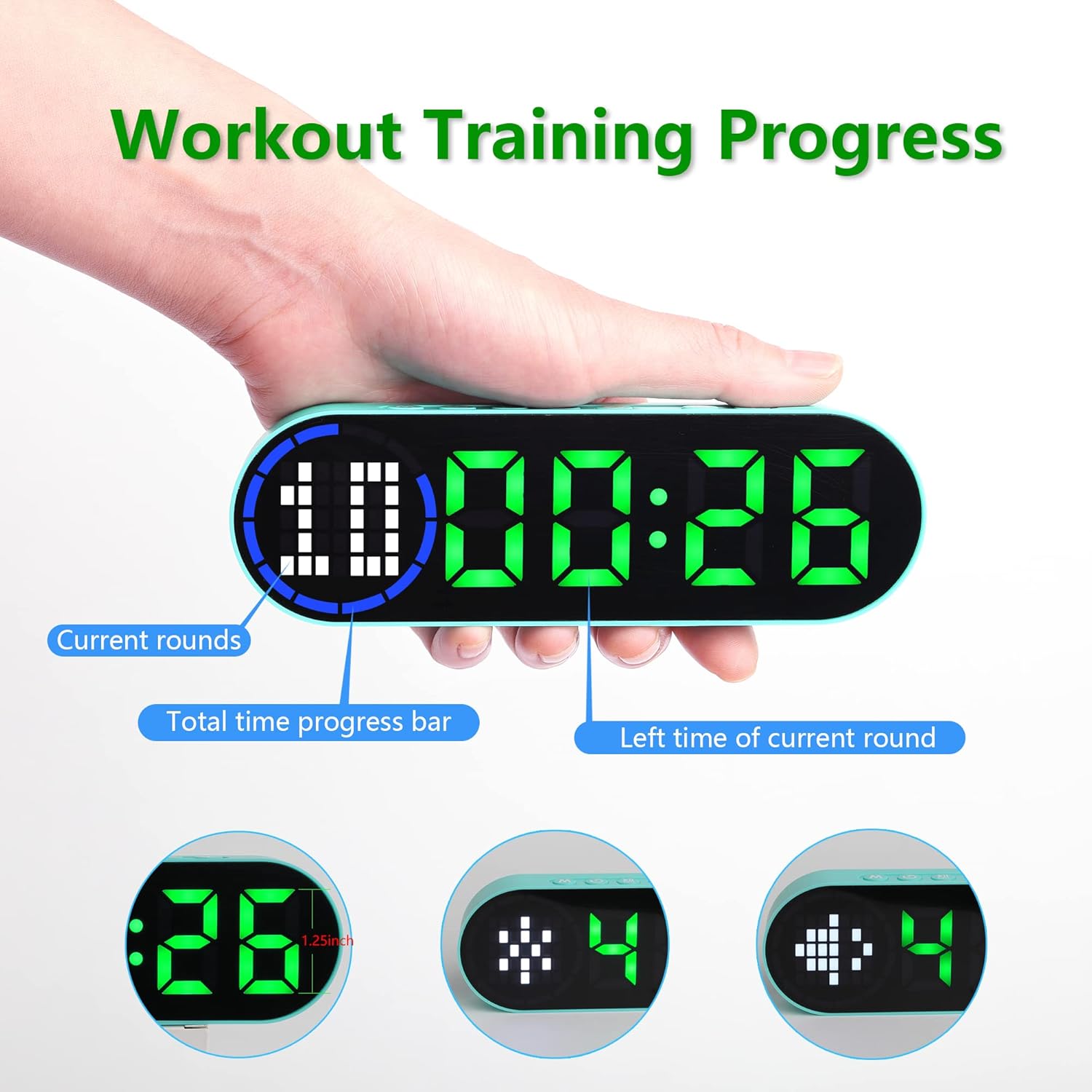
Image 6.1: The timer display indicating "Current rounds" (left), "Total time progress bar" (top segment), and "Left time of current round" (right). This visual feedback helps track workout progress.
6.2 Zamanlama Modu
Basın MOD Düğmesi to cycle through the available timing modes:

Image 6.2: The timer displaying examples of its four main modes: Interval Timer, Count Down, Count Up, and Stopwatch, each with distinct visual indicators.
6.2.1 Interval Timer (e.g., HIIT, Tabata)
- Basmak MOD until "F" (Work) and "C" (Rest) indicators appear.
- Basmak AYARLAMAK to enter setting mode. The time for the first interval (Work) will flash.
- Kullanmak +/- Düğmeler to adjust minutes and seconds for the Work period. Press AYARLAMAK to confirm and move to the Rest period.
- Adjust minutes and seconds for the Rest period using +/- Düğmeler. Basmak AYARLAMAK to confirm and move to the number of rounds.
- Adjust the number of rounds. Press AYARLAMAK Ayarları kaydetmek ve çıkmak için
- Basmak BAŞLAT/DURAKLAT to begin the interval workout. The timer will count down the Work period, then the Rest period, for the set number of rounds.
6.2.2 Geri Sayım Sayacı
- Basmak MOD until "dn" or a countdown format (e.g., 00:00) is displayed.
- Basmak AYARLAMAK to enter setting mode. The time will flash.
- Kullanmak +/- Düğmeler to set the desired countdown time (minutes and seconds). Press AYARLAMAK to confirm each segment.
- Basmak BAŞLAT/DURAKLAT geri sayımı başlatmak için.
6.2.3 Count Up Timer
- Basmak MOD until "UP" or a count-up format (e.g., 00:00) is displayed.
- The timer will typically start from 00:00.
- Basmak BAŞLAT/DURAKLAT to begin counting up. Press again to pause.
- To reset, press and hold the BAŞLAT/DURAKLAT button or a dedicated SIFIRLAMA button (if available) while paused.
6.2.4 Kronometre
- Basmak MOD until "ST" or a stopwatch format (e.g., 00:00:00) is displayed.
- Basmak BAŞLAT/DURAKLAT to begin counting. Press again to pause.
- To reset the stopwatch to zero, press and hold the BAŞLAT/DURAKLAT button or a dedicated SIFIRLAMA button (if available) while paused.
6.3 Ayarlanabilir Ayar
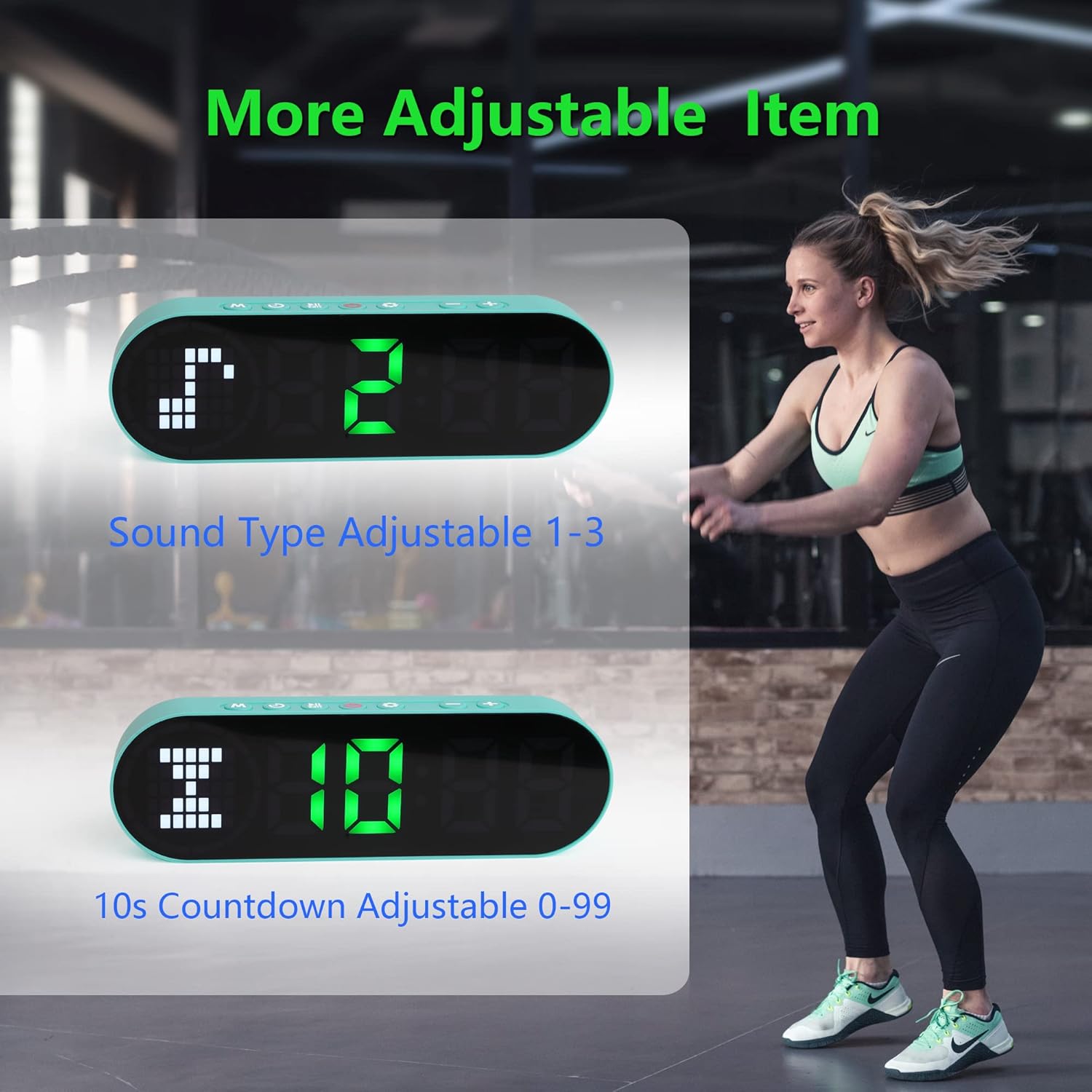
Image 6.3: The timer illustrating adjustable features, including Sound Type (1-3) and a customizable 10-second countdown (0-99 seconds) before a program starts.
6.3.1 Sound Type Adjustment
Some modes allow adjustment of the sound type or volume. While in a setting mode (e.g., Interval Timer setup), look for an option to adjust "Sound Type" (often indicated by a speaker icon or "SND"). Use the +/- Düğmeler to cycle through available sound options (e.g., 1, 2, 3 for different tones or volumes). Press AYARLAMAK onaylamak için.
6.3.2 Initial Countdown Adjustment
Before starting a timed program (like Interval or Countdown), the timer may offer an initial preparation countdown (e.g., 10 seconds). This can often be adjusted from 0 to 99 seconds. While in a setting mode, look for a "10s Countdown" or "PREP" setting. Use the +/- Düğmeler to set the desired pre-countdown duration. Press AYARLAMAK onaylamak için.
7. Bakım
7.1 Temizlik
To clean the timer, gently wipe the surface with a dry, soft cloth. Do not use abrasive cleaners, solvents, or harsh chemicals, as these can damage the display or casing.
7.2 Depolama
When not in use for extended periods, store the timer in a cool, dry place, away from direct sunlight and extreme temperatures. Ensure the battery is partially charged before storing to maintain battery health.
8. Sorun Giderme
- Zamanlayıcı açılmıyor:
- Ensure the battery is charged. Connect the timer to a power source using the USB cable.
- Güç Düğmesini 3 saniye basılı tutun.
- Ekran soluk veya tepkisiz:
- Pili şarj edin.
- Cihazı kapatıp tekrar açmayı deneyin.
- Düğmeler tepkisiz:
- Restart the timer by powering it off and then on.
- Ensure your fingers are dry and clean when pressing buttons.
- Timer not holding a charge:
- Şarj kablosunun güvenli bir şekilde bağlandığından emin olun.
- Farklı bir USB güç adaptörü veya portu deneyin.
- Sorun devam ederse müşteri desteği ile iletişime geçin.
9. Özellikler
| Marka | LUCORB |
| Model Numarası (ASIN) | B0BYH9SP13 |
| Ürün Ağırlığı | 127 gr |
| Ürün Boyutları (LxWxY) | 160 x 50 x 23 milimetre |
| Renk | Açık yeşil |
| Güç Kaynağı | Pille Çalışan (USB ile Şarj Edilebilir) |
10. Garanti ve Destek
For warranty information, technical support, or any inquiries regarding your LUCORB Portable Gym Timer, please refer to the product packaging or contact LUCORB customer service through the retailer where the product was purchased. Please have your model number (B0BYH9SP13) and purchase date available when contacting support.