
1. Giriş
Thank you for choosing the LFF DAB/FM Digital Radio YT81107. This manual provides essential information for the safe and efficient use of your new radio. Please read these instructions carefully before operating the device and retain them for future reference.
Güvenlik Bilgileri
- Yangın veya elektrik çarpmasını önlemek için üniteyi yağmura veya neme maruz bırakmayın.
- C'yi açmayınasing. Tüm servis işlemlerini yetkili personele yaptırın.
- Sadece belirtilen güç adaptörünü veya pilleri kullanın.
- Aşırı sıcaklıklardan, doğrudan güneş ışığından ve tozlu ortamlardan kaçının.
2. Ürün Bittiview
The LFF DAB/FM Digital Radio YT81107 offers versatile listening options with DAB+ and FM radio, Bluetooth connectivity, and convenient features like a dual alarm and sleep timer. Its compact design and dual power options make it suitable for various environments.
Temel Özellikler
- DAB+ and FM Digital Radio Tuner
- Bluetooth Connectivity for Audio Streaming
- Tam Renkli LCD Ekran
- 60 Preset Stations (30 DAB+, 30 FM)
- Dual Alarm Clock Function
- Ayarlanabilir Uyku Zamanlayıcısı
- 3.5 mm Kulaklık Girişi
- AC Power Adapter or Battery Operated (4x AA batteries, not included)

Şekil 2.1: Ön view of the LFF DAB/FM Digital Radio highlighting its main features.
Kontroller ve Bileşenler
Familiarize yourself with the buttons and ports on your radio:

Şekil 2.2: Ön ve üst kısım view of the radio with labeled controls.
- Güç / Mod Düğmesi: Turns the radio on/off and switches between modes (DAB, FM, Bluetooth).
- Menü/Bilgi Düğmesi: Accesses menu settings or displays station information.
- Alarm butonu: Alarmları ayarlar ve yönetir.
- Ön Ayar Düğmeleri (1-5): Kaydedilmiş favori istasyonlara hızlıca erişin.
- Volume Knob/Select: Rotates to adjust volume or navigate menus; press to confirm selection.
- Tuning/Scroll Buttons: İstasyonlar veya menü seçenekleri arasında gezinmeyi sağlar.
- Görüntülemek: Full-color LCD screen.
- Konuşmacı: Entegre ses çıkışı.
- Anten: Radyo alımı için uzatılabilir teleskopik anten.
- DC Giriş Bağlantı Noktası: AC güç adaptörünü bağlamak için.
- Kulaklık girişi: Özel dinleme için 3.5 mm çıkış.
- Pil Bölmesi: Located on the back for 4x AA batteries.
3. Kurulum
Radyoya Güç Verme
Your radio can be powered by the included AC adapter or by batteries for portable use.
- AC Gücü: Connect the supplied AC adapter to the DC IN port on the back of the radio and plug it into a standard wall outlet.
- Pil Gücü: Open the battery compartment on the back and insert 4x 1.5V AA (LR6) batteries (not included), ensuring correct polarity. Close the compartment securely.

Figure 3.1: Power options and physical dimensions of the radio.
Anten Ayarı
En iyi radyo alımı için teleskopik anteni tamamen açın. En iyi sinyal kalitesi için konumunu ayarlayın.
4. Kullanım Talimatları
Açma/Kapama ve Mod Seçimi
- Basın Güç/Mod Radyoyu açıp kapatmak için kullanılan düğme.
- While on, press the Güç/Mod DAB, FM ve Bluetooth modları arasında geçiş yapmak için düğmeye art arda basın.
DAB/FM Radio Operation
En iyi sinyal alımı için antenin tamamen uzatılmış olduğundan emin olun.

Figure 4.1: Radio reception ranges and preset capacity.
- Otomatik Tarama: DAB veya FM modunda tuşuna basın ve basılı tutun. Menü/Bilgi button to initiate an automatic scan for available stations. The radio will store them automatically.
- Manuel Ayarlama: Kullanın Tuning/Scroll Frekansı manuel olarak ayarlamak için düğmeler.
- İstasyon Seçimi: Döndür Volume Knob/Select to browse through available stations. Press the knob to select a station.
- Ön Ayarların Kaydedilmesi: Bir radyo istasyonunu kaydetmek için, istediğiniz istasyona ayarlayın, ardından tuşlardan birine basılı tutun. Önceden Ayarlanmış Düğmeler (1-5) until the display confirms it's saved. You can save up to 30 DAB+ and 30 FM stations.
- Ön Ayarların Geri Çağrılması: Kısa süreliğine tuşlardan birine basın. Önceden Ayarlanmış Düğmeler (1-5) Kaydedilmiş bir istasyonu geri çağırmak.
Bluetooth Modu
Connect your smartphone, tablet, or other Bluetooth-enabled device to stream audio wirelessly.
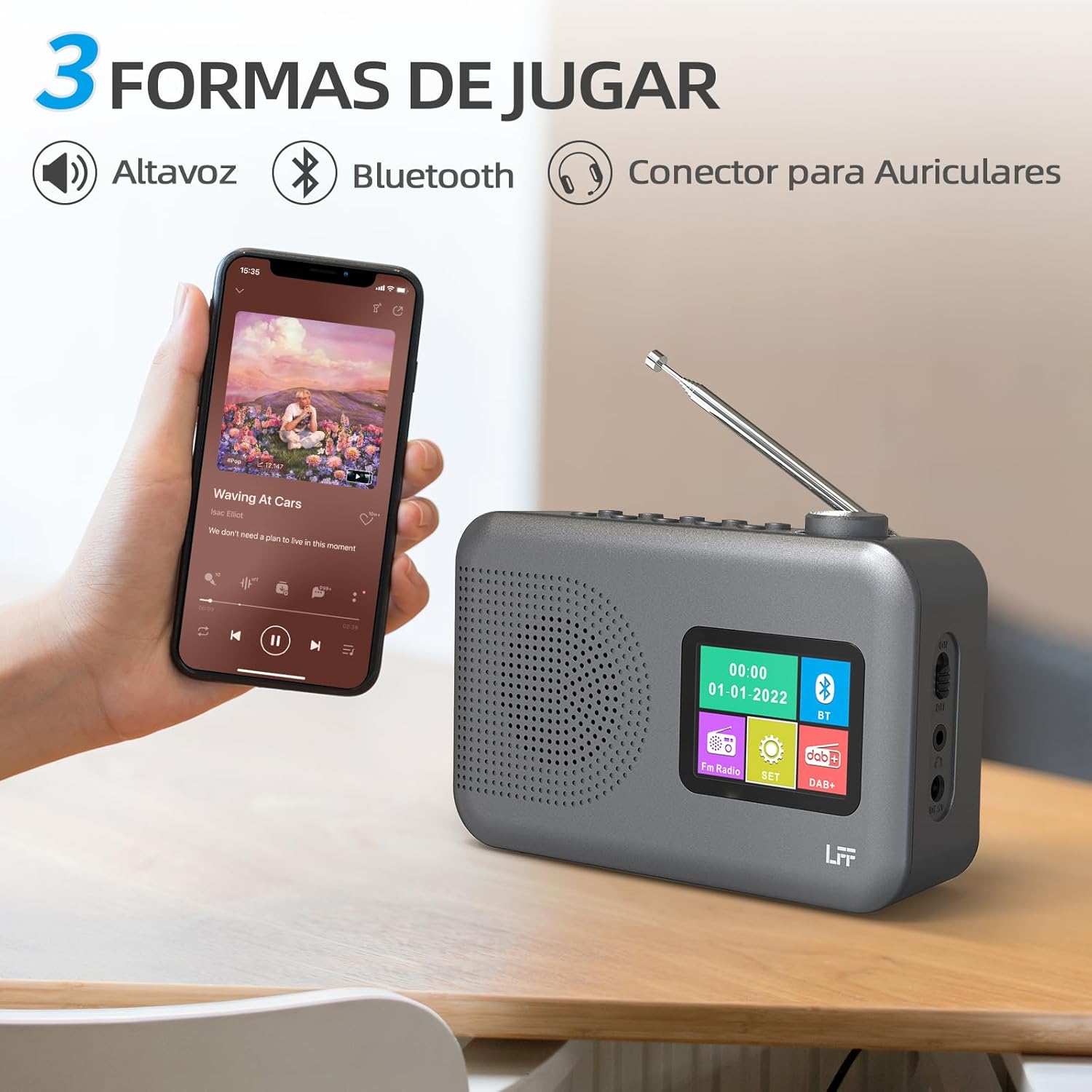
Figure 4.2: Bluetooth connectivity and audio playback options.
- Switch the radio to Bluetooth mode using the Güç/Mod düğmeye basın. Ekranda "Bluetooth Eşleştirme" veya benzeri bir ifade görünecektir.
- On your device, enable Bluetooth and search for "LFF YT81107" (or similar).
- Select the radio to pair. Once connected, you can play audio from your device through the radio's speaker.
- Adjust volume using the radio's Ses Düğmesi or your connected device.
Çalar Saat Fonksiyonu
İki adet bağımsız alarm kurabilirsiniz.
- Basın Alarm Alarm ayarlarını girmek için kullanılan düğme.
- Kullanın Tuning/Scroll düğmeler ve Volume Knob/Select to set the alarm time, source (DAB, FM, or buzzer), and frequency (daily, weekdays, weekends, once).
- Basın Alarm button again to confirm and activate the alarm.
- When an alarm sounds, press any button (except Power) to snooze, or press the Güç/Mod kapatmak için düğmesine basın.
Uyku Zamanlayıcısı
Uyku zamanlayıcısı, radyonun belirli bir süre sonra otomatik olarak kapanmasını sağlar.

Figure 4.3: Sleep timer function in use.
- Basın Menü/Bilgi ana menüye erişmek için düğmesine basın.
- Navigate to the "Sleep Timer" option using the Tuning/Scroll düğmelerine basın ve Volume Knob/Select.
- Select your desired duration (15, 30, 45, 60, 90, or 120 minutes) and confirm. The radio will automatically turn off after the selected time.
Kulaklık Kullanımı
For private listening, connect standard 3.5mm headphones to the headphone jack on the side of the radio. The internal speaker will be muted automatically.
Note: This radio does not support Bluetooth headphones. The 3.5mm headphone jack is for wired headphones only.
5. Bakım
- Temizlik: Radyoyu yumuşak, kuru bir bezle silin. Aşındırıcı temizleyiciler veya çözücüler kullanmayın.
- Pil Değişimi: If using batteries, replace all four AA batteries when the low battery indicator appears on the display or when performance degrades. Ensure proper disposal of old batteries.
- Depolamak: Radyoyu uzun süre saklayacaksanız, sızıntıyı önlemek için pilleri çıkarın.
6. Sorun Giderme
| Sorun | Olası Neden | Çözüm |
|---|---|---|
| Güç yok | AC adaptörü bağlı değil veya arızalı; piller bitmiş veya yanlış takılmış. | Check AC adapter connection and power outlet. Replace batteries or ensure correct polarity. |
| Zayıf radyo alımı | Anten uzatılmamış; zayıf sinyal alanı; parazit. | Teleskopik anteni tamamen açın ve ayarlayın. Radyoyu farklı bir yere taşımayı deneyin. |
| Bluetooth bağlanmıyor | Radio not in Bluetooth mode; device not in pairing mode; radio already connected to another device. | Ensure radio is in Bluetooth mode. Put your device in pairing mode. Disconnect from other Bluetooth devices. |
| Alarm çalmıyor | Alarm not activated; volume too low; incorrect alarm settings. | Check alarm settings and ensure it is enabled. Increase volume. Verify alarm time and source. |
7. Özellikler
| Özellik | Detay |
|---|---|
| Model Numarası | YT81107 |
| Marka | LFF uzantısı |
| Ayarlama Teknolojisi | DAB+, FM |
| Desteklenen Radyo Bantları | DAB+ (174.928 - 239.2 MHz), FM (87.5 - 108 MHz) |
| Bağlantı | Bluetooth, 3.5mm Headphone Jack |
| Güç Kaynağı | AC Adapter (included), 4x 1.5V AA (LR6) Batteries (not included) |
| Boyutlar (U x G x Y) | 16.1 cm x 5.9 cm x 10.9 cm |
| Renk | Gri |
| Özel Özellikler | DAB Radio, DAB Plus Radio, DAB+ Radio, FM Radio, Color Display, Bluetooth, Dual Alarm, Sleep Timer |
| Uyumlu Cihazlar | Headphones, MP3 Player, Smartphone, Laptop, Speaker, Tablet |
8. Garanti ve Destek
LFF is committed to providing high-quality products. If you encounter any quality issues with your LFF DAB/FM Digital Radio YT81107, please contact us directly. Our customer support team is available to assist you and resolve any problems you may experience.
Garanti koşulları ve iletişim bilgileri için lütfen satın alma belgelerinize bakın.