
giriiş
Thank you for choosing the Baseus Adaman Digital Display Power Bank (Model: PPAD070001). This portable power bank is designed to provide reliable and efficient charging for your electronic devices. Please read this manual carefully before use to ensure proper operation and to maximize the lifespan of your device.
Güvenlik Bilgileri
- Powerbank'i aşırı sıcaklıklara, doğrudan güneş ışığına veya ateşe maruz bırakmayın.
- Cihazı düşürmekten, sökmekten veya üzerinde değişiklik yapmaktan kaçının.
- Su ve diğer sıvılardan uzak tutunuz.
- Sadece sertifikalı şarj kabloları ve adaptörleri kullanın.
- Çocukların erişemeyeceği yerde saklayınız.
- Eğer powerbank şişerse, su sızdırırsa veya alışılmadık bir koku yayıyorsa, kullanmayı hemen bırakın.
Paket İçeriği
- Baseus Adaman Digital Display Power Bank (PPAD070001)
- USB Şarj Kablosu
- Kullanıcı Kılavuzu
Ürün Bittiview
The Baseus Adaman Power Bank (Model PPAD070001) is a portable charging solution featuring a digital display for battery status and multiple ports for wide compatibility. Its slim design makes it convenient for travel.

Resim: Tepe view of the Baseus Adaman Power Bank showing its various input and output ports. From left to right: Type-C (Input/Output), IP/IN (Input), Micro/IN (Input), USB2 (Output), USB1 (Output).

Resim: Yan profesyonelfile of the Baseus Adaman Power Bank, highlighting its slim and portable design.
- C Tipi Bağlantı Noktası: Supports both input and output (PD 3.0).
- USB1/USB2 Bağlantı Noktaları: Output ports for charging devices (QC 3.0).
- Mikro USB Bağlantı Noktası: Input port for charging the power bank.
- IP/IN Port: Input port for charging the power bank (e.g., for Apple Lightning cables).
- Dijital gösterge: Gerçek zamanlı pil yüzdesini gösterirtage.
Kurmak
Before first use, fully charge the power bank. This ensures optimal battery performance.
Power Bank'ı Şarj Etme
- Connect the provided USB charging cable to one of the input ports on the power bank (Type-C, Micro-USB, or IP/IN).
- Kablonun diğer ucunu USB duvar şarj cihazına (dahil değildir) bağlayın.
- Dijital ekran şarj durumunu ve pil yüzdesini gösterecektir.tage.
- Once the display shows 100%, the power bank is fully charged. Disconnect it from the charger.
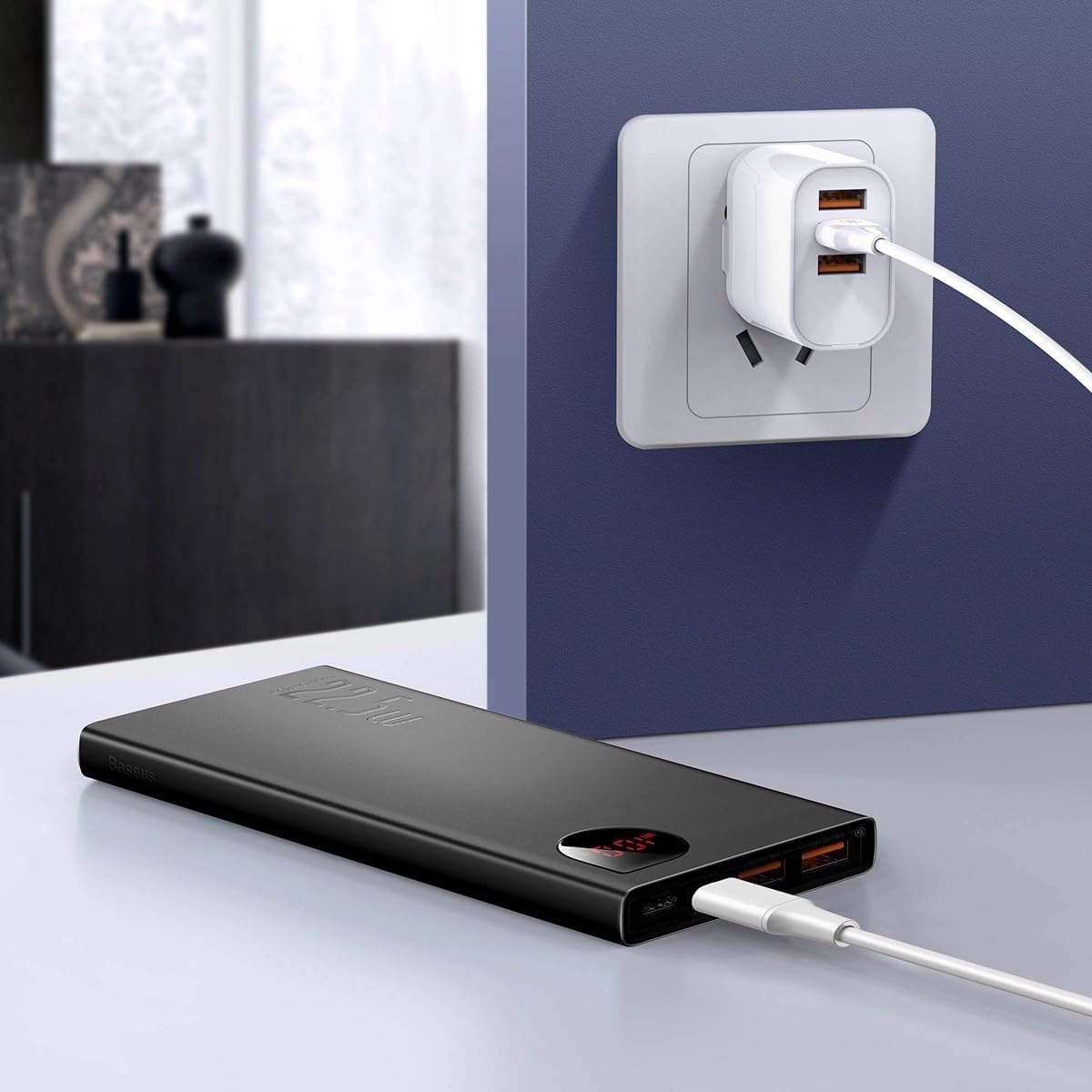
Resim: The Baseus Adaman Power Bank connected to a wall charger via a USB cable, illustrating the process of recharging the power bank itself.
Kullanım Talimatları
Cihazlarınızı Şarj Etme
- Connect your device's charging cable to one of the output ports on the power bank (Type-C, USB1, or USB2).
- Kablonun diğer ucunu cihazınıza bağlayın.
- Powerbank cihazınızı otomatik olarak şarj etmeye başlayacaktır. Dijital ekran, kalan pil yüzdesini gösterecektir.tage.
- Şarj işlemini durdurmak için cihazınızı power bank'ten ayırmanız yeterlidir.

Resim: A smartphone being charged by the Baseus Adaman Power Bank, demonstrating the device's charging capability for mobile phones.
Pil Seviyesini Kontrol Etme
The digital display on the power bank will show the current battery percentage when it is in use or when a device is connected. If the power bank is idle, you may need to briefly press the power button (if available, not explicitly mentioned but common) to activate the display.
Bakım
- Powerbank'i yumuşak ve kuru bir bezle temizleyin. Sert kimyasallar veya aşındırıcı malzemeler kullanmayın.
- Kullanılmadığı zaman güç bankasını serin ve kuru bir yerde saklayın.
- For optimal battery health, fully charge and discharge the power bank at least once every three months if it's not used regularly.
Sorun giderme
| Sorun | Olası Neden | Çözüm |
|---|---|---|
| Power bank cihazları şarj etmiyor. | Low battery, faulty cable, incompatible device. | Charge the power bank. Try a different cable. Ensure your device is compatible. |
| Powerbank şarj olmuyor. | Faulty charging cable/adapter, damaged port. | Try a different charging cable and wall adapter. Check ports for damage. |
| Dijital ekran çalışmıyor. | Power bank is off, low battery, malfunction. | Ensure power bank is on or connected to a device. Charge the power bank. If issue persists, contact support. |
Özellikler
| Özellik | Detay |
|---|---|
| Model Numarası | PPAD070001 |
| Marka | Bazus |
| Pil Kapasitesi | 10000 mAh |
| Özel Özellikler | Dijital Ekran |
| Bağlayıcı Türleri | Input: USB Type-C, Micro-USB, IP/IN; Output: USB Type-C, USB-A (x2) |
| Cilttage | 5 Volt |
| Akım | 5 Amps |
| Güç Çıkışı | Up to 22.5W (PD 3.0, QC 3.0) |
| Pil Hücresi Kompozisyonu | Lityum Polimer |
| Çıkış Portu Sayısı | 3 (1x Type-C, 2x USB-A) |
| Number of Input Ports | 3 (1x Type-C, 1x Micro-USB, 1x IP/IN) |
| Uyumlu Cihazlar | All Smartphones and other USB-powered devices |
| Taşınabilir | Evet |
Garanti ve Destek
Bu ürün ile birlikte gelir Garanti Yok as per the provided specifications. For any technical support or inquiries, please refer to the official Baseus websitesine bakın veya satıcınızla iletişime geçin.
Daha fazla bilgi için şu adresi ziyaret edin: www.baseus.com