
giriiş
This manual provides essential information for the setup, operation, and maintenance of your POVISON 62.99-inch Mid-Century Modern TV Stand. Please read these instructions carefully to ensure proper use and longevity of your product.
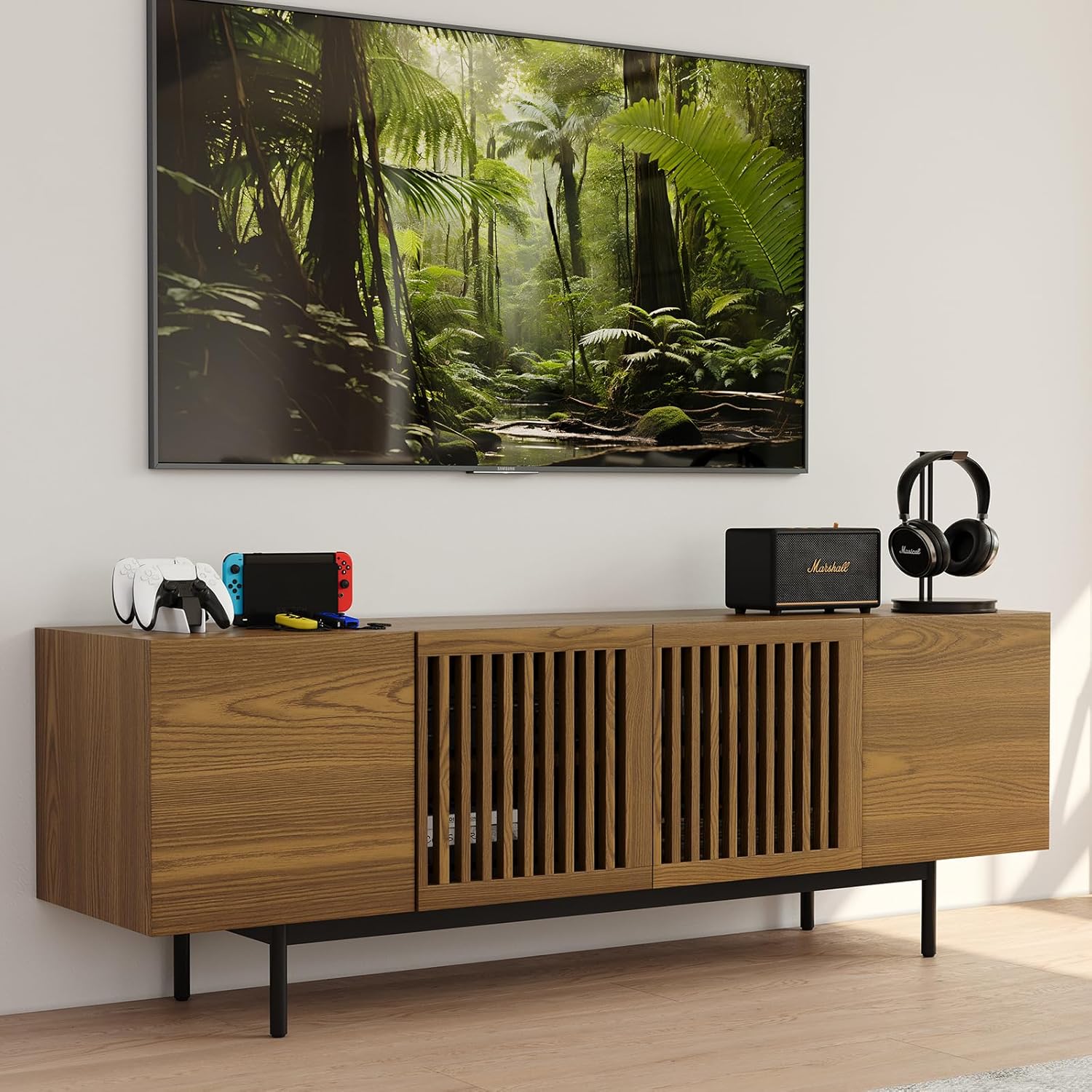
Image: The POVISON 62.99-inch Mid-Century Modern TV Stand, showcasing its walnut finish and slatted doors, positioned beneath a wall-mounted television in a contemporary living space.
Güvenlik Bilgileri
Dikkat:
- This product has sharp edges. Exercise caution when handling.
- Do not overload the TV stand. The maximum weight capacity is 120 lbs. Overloading can lead to tip-overs and potential injury.
- Always ensure proper weight distribution when placing items on the stand to maintain stability.
Kurmak
The POVISON TV Stand is designed for minimal assembly. The main cabinet unit comes fully assembled. Only the metal legs require attachment.
Kurulum Adımları:
- Carefully unbox the TV stand. The main cabinet is pre-assembled.
- Turn the cabinet upside down on a soft, clean surface to prevent scratches.
- Attach the four metal legs to the designated points on the bottom of the cabinet using the provided screws and Allen wrenches. Ensure all screws are tightened securely.
- With assistance, carefully turn the TV stand upright and place it in its desired location.

Image: An illustration detailing the assembly process, showing the attachment of the metal legs to the TV stand.
Montaj Videosu:
Video: A demonstration of the assembly process for the POVISON 62.99-inch TV Stand, focusing on attaching the metal legs to the pre-assembled cabinet.
Operating the TV Stand Features
The POVISON TV Stand is designed with both aesthetics and functionality in mind, offering ample storage and convenient features for your media devices.
Storage and Accessibility:
- The stand features four doors that open to reveal eight storage compartments. These compartments are ideal for organizing media devices, accessories, and other items.
- The slatted doors in the central section are designed to allow remote control signals to pass through, ensuring your electronics remain responsive even when stored behind closed doors. This design also promotes efficient heat dissipation for your devices.
- Adjustable shelves within the cabinets provide flexibility to accommodate items of various sizes.

Image: The POVISON TV Stand with its doors open, showcasing the internal storage layout, including adjustable shelves and space for various media components.
Kordon yönetimi:
Integrated cord management cutouts are provided to help conceal cables from Wi-Fi routers, TV connections, and other electronic devices, contributing to a tidy and organized entertainment area.
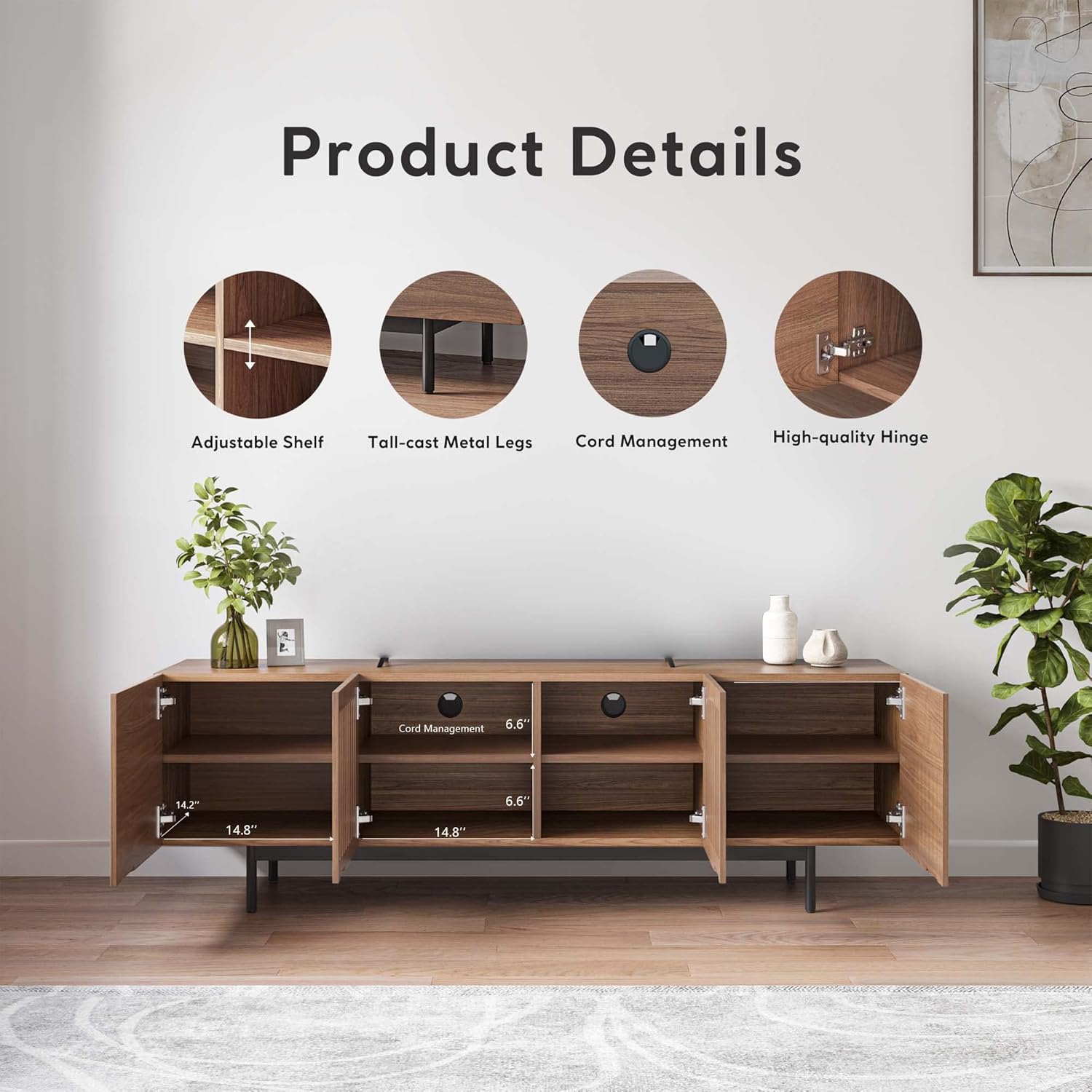
Resim: Ayrıntılı view of the TV stand's features, including the cord management cutouts and adjustable shelving.
Bakım
To ensure the longevity and appearance of your POVISON TV Stand, follow these simple maintenance guidelines:
- Temizlik: Wipe the surface with a dry cloth to remove dust and debris. Avoid using harsh chemicals or abrasive cleaners, which can damage the wood veneer finish.
- Ahşap Bakımı: The stand features a natural wood veneer. Natural variations in wood color and grain are inherent to the material and make each piece unique. Protect the surface from direct sunlight and extreme temperature changes to prevent warping or fading.
- Stabilite Kontrolü: Periodically check the tightness of the metal leg screws to ensure the stand remains stable.
Sorun giderme
Bu bölüm, sıkça karşılaşılan sorunları ele almaktadır. Burada listelenmeyen sorunlar için lütfen müşteri desteğiyle iletişime geçin.
| Sorun | Olası Neden | Çözüm |
|---|---|---|
| Ayaklık dengesiz veya sallanıyor gibi görünüyor. | Leg screws are loose. Uneven floor surface. | Tighten all leg screws. Adjust the leveling feet (if present) or place shims under the legs to stabilize. |
| Kapılar düzgün kapanmıyor veya hizasız. | Menteşelerin ayarlanması gerekiyor. | Adjust the screws on the hinges to realign the doors. Refer to standard cabinet hinge adjustment guides if needed. |
| Remote control not working through slatted doors. | Device not properly aligned with slats. Obstruction. | Ensure the device's IR receiver is aligned with the slatted openings. Remove any obstructions inside the cabinet. |
Özellikler
- Marka: POVİZON
- Model Numarası: TS1010WD16-USAS1
- Boyutlar (U x G x Y): 62.99 x 15.75 x 21.65 inç
- Ürün Ağırlığı: 126.7 pound
- Malzeme: Metal, Wood (Walnut veneer over engineered wood)
- Renk: Ceviz
- Şekil: Dikdörtgen
- Maksimum Ağırlık Kapasitesi: 120 kilo
- Recommended TV Sizes (Screen Diagonal): 55", 60", 65"
- Toplantı: Partial (Legs to be fitted)

Image: A comprehensive diagram illustrating the dimensions and structural details of the TV stand.
Garanti ve Destek
Specific warranty details are not provided in the product information. Please refer to your purchase documentation or contact POVISON customer service for warranty information.
For further assistance or inquiries, please visit the official POVISON websiteyi ziyaret edin veya müşteri destek kanallarıyla iletişime geçin.