
1. Giriş
This manual provides essential information for the safe and effective operation of your ESOXOFFORE Kids Instant Print Camera. Please read this manual thoroughly before using the product and retain it for future reference. This digital camera is designed for children aged 3-12, offering instant printing capabilities, 1080P video recording, and various creative features.

Resim 1.1: Ön view of the ESOXOFFORE Kids Instant Print Camera, highlighting its compact design and screen interface.
2. Kutuda Neler Var?
Paketinizde aşağıdaki tüm öğelerin bulunduğunu doğrulayın:
- 1 x ESOXOFFORE Kids Instant Print Camera (Blue)
- 3 x Baskı Kağıdı Rulosu
- 1 x Boyun Askısı
- 1 x Kullanım Kılavuzu
- 1 x 32GB SD Kart
- 1 x USB Tip-C Şarj Kablosu

Image 2.1: All components included with the camera, demonstrating the complete package contents.
3. Ürün Özellikleri
The ESOXOFFORE Kids Instant Print Camera offers a range of features designed for an engaging user experience:
- Instant Print Function: Print black and white photos directly from the camera in approximately one second.
- Yüksek Çözünürlüklü Video: Record videos in 1080P quality.
- Dijital Yakınlaştırma: Features up to 16X digital zoom for capturing distant subjects.
- Creative Filters & Stickers: Includes 15 scene filters and 16 sticker options to enhance photos.
- Zaman aşımı fotoğrafçılığı: Set a 3-second time-lapse for delayed shots.
- Devamlı atış: Ard arda hızlı bir şekilde birden fazla fotoğraf çekin.
- Dahili Oyunlar: Enjoy 4 pre-installed puzzle games.
- MP3 Çalma: Supports MP3 audio playback.
- C Tipi Şarj: Fast and convenient charging via a Type-C port.
- Dayanıklı Tasarım: Constructed with high-quality soft plastic and a shockproof shell for enhanced protection.
- 2.4 inç Ekran: A clear display for viewfotoğraflar ve videolar.
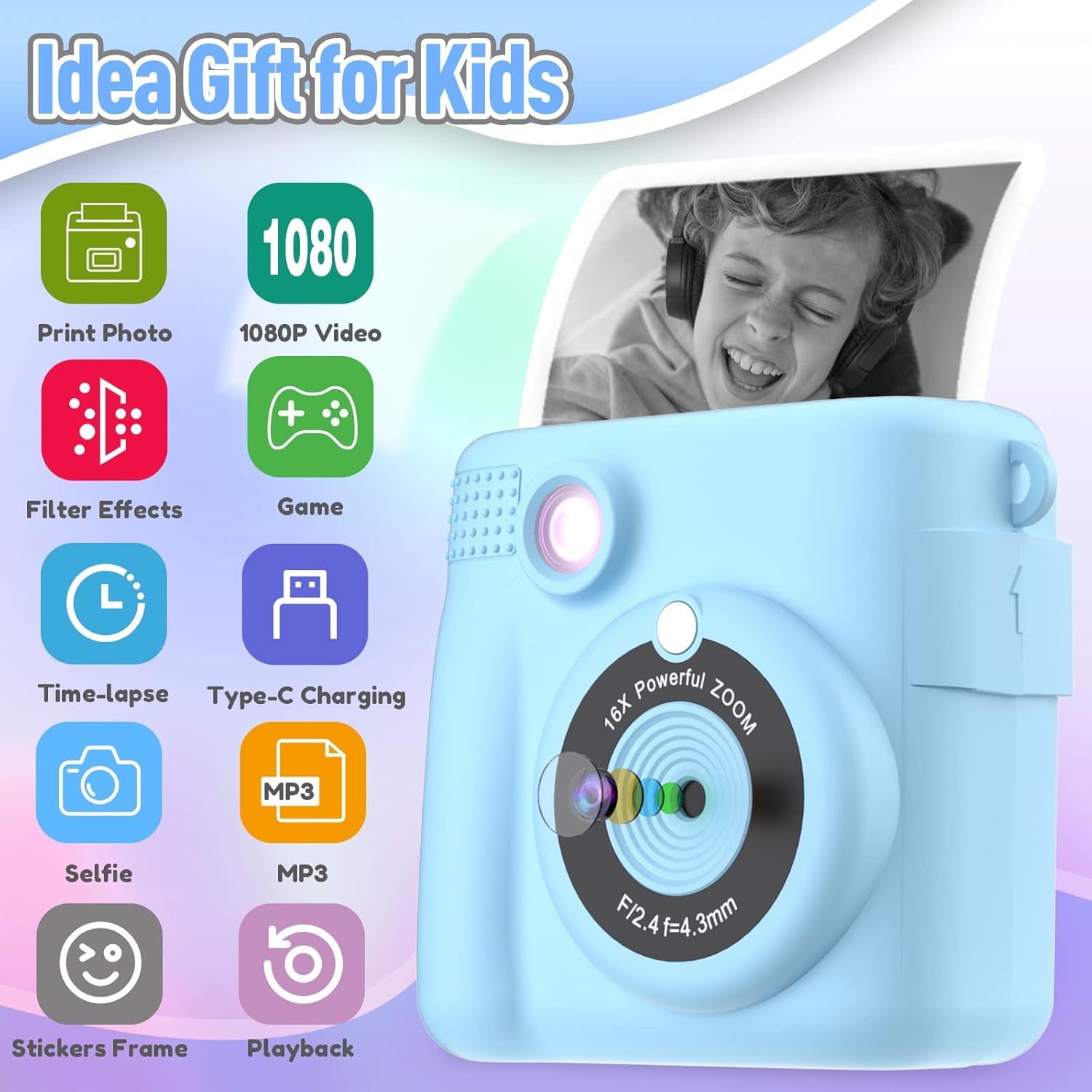
Image 3.1: Visual representation of the camera's key functionalities.
4. Kurulum
4.1 Kamerayı Şarj Etme
Before first use, fully charge the camera. Connect the provided USB Type-C cable to the camera's charging port and a compatible USB power adapter (not included). The charging indicator will show the charging status. A full charge typically provides 2-3 hours of continuous use.
4.2 SD Kartın Takılması
The camera comes with a 32GB SD card for storing color photos and videos. Locate the SD card slot, usually on the side or bottom of the camera. Insert the SD card with the metal contacts facing the correct direction until it clicks into place.
4.3 Installing Print Paper
Follow these steps to install the thermal print paper:
- Gently push up the part with the lens to open the paper slot.
- Insert a new roll of thermal printing paper into the slot. Ensure the paper feeds out from the top of the roll, facing towards the printing mechanism.
- Close the camera body securely until it clicks.

Image 4.1: Correct paper installation. Ensure the paper direction is accurate for proper printing.
5. Kullanım Talimatları
5.1 Güç Açma/Kapatma
Press and hold the power button (usually marked with a power symbol) to turn the camera on or off.
5.2 Fotoğraf Çekme
In photo mode, frame your shot using the screen. Press the shutter button (often a large, central button) to capture an image. The camera will instantly print a black and white version, while a color version is saved to the SD card.
5.3 Video Kaydı
Switch to video mode using the mode button. Press the shutter button to start recording and press it again to stop. Videos are saved to the SD card.

Image 5.1: The camera supports 1080P video recording and features digital zoom.
5.4 Dijital Zoom
Use the zoom buttons (often marked with '+' and '-') to adjust the 16X digital zoom level before taking a photo or recording a video.
5.5 Applying Filters and Stickers
Navigate through the camera's menu to access the 15 scene filters and 16 sticker frames. Select your desired effect before capturing a photo.

Resim 5.2: Örn.amples of creative stickers and frames available for photos.
5.6 Time-Lapse Function
Activate the time-lapse feature (e.g., 3-second delay) from the settings menu to allow time to pose before the photo is taken.

Image 5.3: The time-lapse feature allows for delayed photo capture.
5.7 Oyun Oynama
Access the games menu to select and play from the 4 pre-installed puzzle games.

Image 5.4: The camera includes four engaging puzzle games.
5.8 Printing Options
The camera offers different print density modes (Low, Medium, High) which can be adjusted in the settings for desired print quality.

Image 5.5: Adjusting print density for optimal results.
6. Bakım
6.1 Kamerayı Temizleme
Use a soft, dry cloth to clean the camera body. For the lens, use a specialized lens cleaning cloth. Avoid using liquid cleaners or abrasive materials.
6.2 Storing the Camera
Store the camera in a cool, dry place away from direct sunlight and extreme temperatures. Remove the SD card if the camera will not be used for an extended period.
6.3 Print Paper Care
Use only thermal print paper compatible with this camera. Store paper rolls in a dry place. The included paper is BPA-free and non-toxic.

Image 6.1: The camera uses safe and cost-effective thermal printing paper.
7. Sorun Giderme
Kameranızla ilgili sorunlarla karşılaşırsanız, aşağıdaki yaygın sorunlara ve çözümlere bakın:
- Kamera Açılmıyor: Ensure the battery is charged. Connect the camera to a power source using the Type-C cable.
- No Image on Print: Check if the print paper is installed correctly (refer to Section 4.3). Ensure the paper is thermal paper and not inserted backward.
- Blurry Prints: Ensure the lens is clean. Check print density settings (Section 5.8) and adjust to 'High' if needed.
- "Overheat" Error: If printing many photos consecutively, the camera may temporarily overheat. Allow it to cool down for a few minutes before resuming printing.
- SD Kart Hatası: Ensure the SD card is properly inserted. Try reformatting the SD card (this will erase all data, so back up important file(ilk önce).
- Kamera Donuyor: Yeniden başlatmayı zorlamak için güç düğmesini 10 saniye basılı tutun.
8. Özellikler
| Özellik | Detay |
|---|---|
| Model Numarası | ABS-681 |
| Marka | ESOXOFFOR |
| Paket Boyutları | 7.76 x 4.61 x 2.46 inç |
| Ürün Ağırlığı | 1.13 ons (0.07 Pound) |
| Piller | 1 LR44 pil (dahil) |
| Özel Özellik | Seyahat |
| Film Formatı Türü | Instant (Thermal Print) |
| Film Rengi | Black and White (for prints) |
| Uyumlu Cihazlar | Kamera |
| Viewbulucu Büyütme | 1x |
| Video Çözünürlüğü | 1080P |
| Dijital Zoom | 16X |
| Ekran Boyutu | 2.4 inç |
9. Garanti ve Destek
This product is covered by a standard manufacturer's warranty. For specific warranty details, please refer to the warranty card included in your package or contact ESOXOFFORE customer support. For technical assistance or further inquiries, please visit the official ESOXOFFORE websitesine bakın veya müşteri hizmetleri departmanıyla iletişime geçin.
10. Önemli Güvenlik Bilgileri
- Bu ürün küçük parçalar içermektedir ve yetişkin gözetimi olmadan 3 yaşın altındaki çocuklar için uygun değildir.
- Do not expose the camera to water or extreme moisture.
- Kamerayı düşürmekten veya sert darbelere maruz bırakmaktan kaçının.
- Yalnızca ürünle birlikte verilen şarj kablosunu ve uyumlu güç adaptörlerini kullanın.
- Kamerayı kendiniz sökmeye veya onarmaya çalışmayın.
11. Ürün Videoları
Verilen verilere göre, satıcıdan eklenmeye uygun resmi ürün videosu bulunamadı.