
BUFFBEE BK11
BUFFBEE Sound Machine & Alarm Clock
Model: BK11 - User Manual
giriiş
Thank you for choosing the BUFFBEE Sound Machine & Alarm Clock. This versatile 2-in-1 device combines a high-quality sound machine with a fully functional alarm clock, designed to help you achieve restful sleep and wake up refreshed. Its intuitive controls and customizable features make it an essential addition to any bedroom.

Image: The Buffbee Sound Machine and Alarm Clock highlighting its dual functionality as both a sound machine and an alarm clock.
Güvenlik Bilgileri
- Cihazı suya veya aşırı neme maruz bırakmayın.
- Isı kaynaklarından ve direkt güneş ışığından uzak tutun.
- Yalnızca verilen güç adaptörünü kullanın.
- Cihazı kendiniz sökmeye veya onarmaya çalışmayın. Yardım için müşteri desteğine başvurun.
- Cihazın sabit, düz bir yüzeye yerleştirildiğinden emin olun.
Paket İçeriği
- BUFFBEE Sound Machine & Alarm Clock (Model: BK11)
- Güç Adaptörü
- Kullanıcı Kılavuzu
Ürün Bittiview
Cihazın bileşenlerini ve kontrollerini iyice öğrenin:

Image: A detailed diagram illustrating the top panel controls (Alarm, Volume Control, Sound Machine, Night Light) and the rear panel (Display Dimmer, Adapter port).
- Üst Panel Kontrolleri: Alarm button, Timer button, Volume Up/Down, Previous/Next Sound, Sound Machine button, Night Light button.
- Ön Ekran: Dijital saat göstergesi.
- Alt Işık: Integrated colored light.
- Arka panel: DC 5V Adapter port, 0-100% Display Dimmer knob.
Kurmak
- Atama: Place the device on a stable surface, such as a nightstand or desk.
- Güç Bağlantısı: Insert the power adapter into the DC 5V port on the rear of the device, then plug it into a standard electrical outlet.
- İlk Güç Açma: Saat ekranı aydınlanacaktır.
- Zaman Ayarı: Geçerli saati ayarlamak için 'Kullanım Talimatları' bölümüne bakın.
Kullanım Talimatları
Zamanı Ayarlama
- Basılı tutun Zaman button (clock icon) on the top panel until the hour digits flash.
- Kullanın Öncesi (◀︎) or Sonraki (▶︎) buttons to adjust the hour.
- Basın Zaman Saati onaylamak ve dakika ayarına geçmek için düğmeye tekrar basın.
- Kullanın Öncesi (◀︎) or Sonraki (▶︎) buttons to adjust the minutes.
- Basın Zaman button one more time to confirm the minutes and exit time setting.
Alarmı Ayarlama
- Basılı tutun Alarm button (bell icon) on the top panel until the alarm hour digits flash.
- Kullanın Öncesi (◀︎) or Sonraki (▶︎) buttons to adjust the alarm hour.
- Basın Alarm button again to confirm the hour and move to alarm minute setting.
- Kullanın Öncesi (◀︎) or Sonraki (▶︎) buttons to adjust the alarm minutes.
- Basın Alarm button one more time to confirm the minutes. The alarm icon will appear on the display, indicating the alarm is set.
- Alarmı kapatmak için tuşuna basın. Alarm Düğmeye bir kez basın. Alarm simgesi kaybolacaktır.
Using the Sound Machine
The device offers 18 soothing sounds, including 5 white noises, 3 fan sounds, and 10 nature sounds (ocean, lullaby, waves, rain, thunderstorm, brook, croaking, bird chirping, summer night, and campateş).
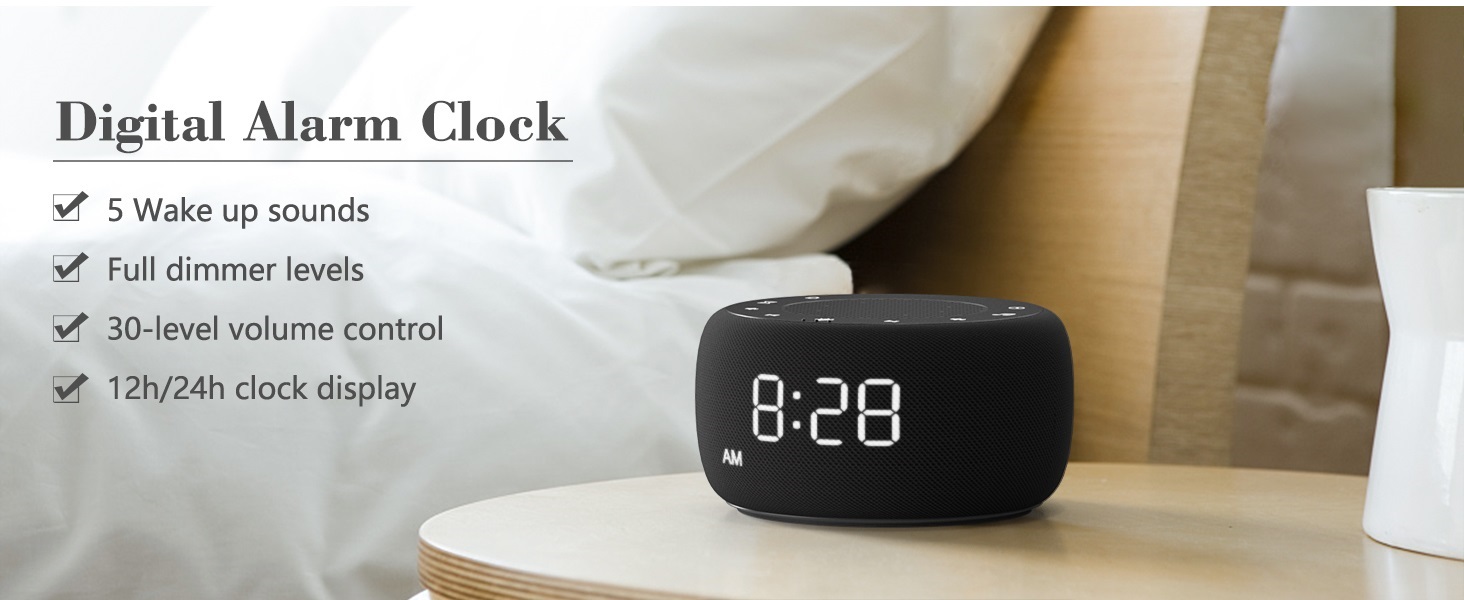
Image: An infographic displaying the 18 soothing sounds categorized into 3 fan sounds, 5 white noises, and 10 nature sounds, including ocean, lullaby, waves, rain, thunderstorm, brook, croaking, bird chirping, summer night, and campateş.
- Basın Ses Makinesi button (music note icon) to cycle through the available sounds.
- Kullanın Sesi Aç (▲) ve Sesi Azalt (▼) buttons to adjust the volume (30 levels).
- To turn off the sound, press the Ses Makinesi button until no sound is playing.
Uyku Zamanlayıcısı
Set a timer for the sound machine to automatically turn off.

Image: The top panel of the Buffbee Sound Machine, highlighting the Auto-Off Timer button and the Volume Control buttons.
- Basın Zamanlayıcı button (hourglass icon) to cycle through timer options: 15, 30, 60, 90, 120 minutes, or continuous play.
- The selected timer duration will be displayed on the screen.
Adjusting Clock Face Brightness
The clock display brightness can be adjusted from 0% (completely dark) to 100%.

Image: The Buffbee Sound Machine demonstrating its 0-100% display dimmer feature, showing the clock face at 0%, partial, and 100% brightness.
- Bulun Dimmer Ekranı knob on the rear of the device.
- Rotate the knob to increase or decrease the brightness of the clock display to your preference.
Using the Bottom Colored Light
The device features a bottom light with 7 color options to create a relaxing ambiance.

Image: The Buffbee Sound Machine displaying its bottom colored light feature, showing various color options and the ability to turn it on or off.
- Basın Gece Lambası button (light bulb icon) to cycle through the 7 color options.
- Continue pressing the button to turn the light off.
Bakım
- Temizlik: Cihazı yumuşak ve kuru bir bezle silin. Aşındırıcı temizleyiciler veya çözücüler kullanmayın.
- Depolamak: Uzun süre kullanılmayacaksa, cihazı serin ve kuru bir yerde saklayın.
Sorun giderme
| Sorun | Olası Neden | Çözüm |
|---|---|---|
| Cihaz açılmıyor. | Güç adaptörü düzgün bağlanmamış veya elektrik prizinde sorun var. | Ensure the power adapter is securely plugged into the device and a working electrical outlet. Try a different outlet. |
| Saat ekranı çok parlak/sönük. | Ekran parlaklığı ayarının yapılması gerekiyor. | Adjust the 0-100% Display Dimmer knob on the rear of the device. |
| Ses yeterince yüksek değil. | Ses çok düşük olarak ayarlanmış. | Basın Sesi Aç (▲) button to increase the volume. The device has 30 volume levels. |
| Alarm çalmıyor. | Alarm ayarlanmamış veya kapatılmış. | Alarmın doğru ayarlandığından ve alarm simgesinin ekranda göründüğünden emin olun. |
Özellikler
| Özellik | Detay |
|---|---|
| Model Numarası | BK11 |
| Boyutlar | 5.63 x 4.57 x 3.03 inç |
| Ağırlık | 11.64 ons |
| Güç Kaynağı | Battery Powered (for backup) / AC Adapter |
| Hoparlör Çıkışı | 5W |
| Ses Seçenekleri | 18 (5 white noises, 3 fan sounds, 10 nature sounds) |
| Ses Seviyeleri | 30 |
| Uyku Zamanlayıcısı | 15, 30, 60, 90, 120 minutes, or continuous |
| Saat Ekran Parlaklığı | %0-100 ayarlanabilir |
| Bottom Light Colors | 7 seçenek |
| Malzeme | Plastik, Akrilonitril Bütadien Stiren (ABS) |
Garanti ve Destek
For warranty information and customer support, please refer to the contact details provided on the product packaging or visit the official BUFFBEE webalan. Garanti talepleri için satın alma makbuzunuzu saklayın.
Ask a question about this manual
Ask about setup, troubleshooting, compatibility, parts, safety, or missing instructions. Manuals+ will review the question and use this page’s manual context to help answer it.