
1. Giriş
Thank you for choosing the Inwa Bluetooth Portable Speaker MZ509. This manual provides essential information for setting up, operating, and maintaining your speaker to ensure optimal performance.
Ürün Özellikleri
- Kompakt ve Taşınabilir Tasarım: Weighing approximately 244g (0.4 lbs) with dimensions of 7.62 x 7.62 x 7.62 cm, designed for easy transport.
- Subwoofer Enhancement Technology: Delivers deep bass and clear treble with a frequency response range of 20Hz-20kHz.
- Bluetooth 5.1 Bağlantısı: 33 feet'e (10 metre) kadar istikrarlı kablosuz bağlantı sağlar.
- Kablosuz Stereo Eşleştirme (TWS): Link two MZ509 speakers for an enhanced stereophonic sound experience.
- Dahili Mikrofon: Eller serbest görüşme imkanı sağlar.
- TF Kart Desteği: Play music directly from a TF (MicroSD) card up to 32GB.
- IP67 Su Geçirmezlik Derecesi: Designed to withstand immersion in water up to 1 meter for 30 minutes, making it suitable for various environments.
- C Tipi Şarj: Modern ve kullanışlı şarj arayüzü.

Image: The Inwa MZ509 speaker demonstrating its compact size and versatility for use in different environments, including outdoor activities and wet areas.

Image: The Inwa MZ509 speaker showcasing its IP67 waterproof capability, suitable for use near water.
2. Kurulum
2.1 Hoparlörü Şarj Etme
- Connect the provided USB-A to USB-C charging cable to the speaker's Type-C port.
- Connect the USB-A end of the cable to a compatible USB power adapter (DC 5V/1A recommended).
- A red indicator light near the charging port will illuminate, indicating that the speaker is charging.
- The red indicator light will turn off once the speaker is fully charged. A full charge typically takes 2-4 hours.
Not: The speaker is designed to charge only with a USB-A to USB-C cable. USB-C to USB-C cables may not initiate charging.
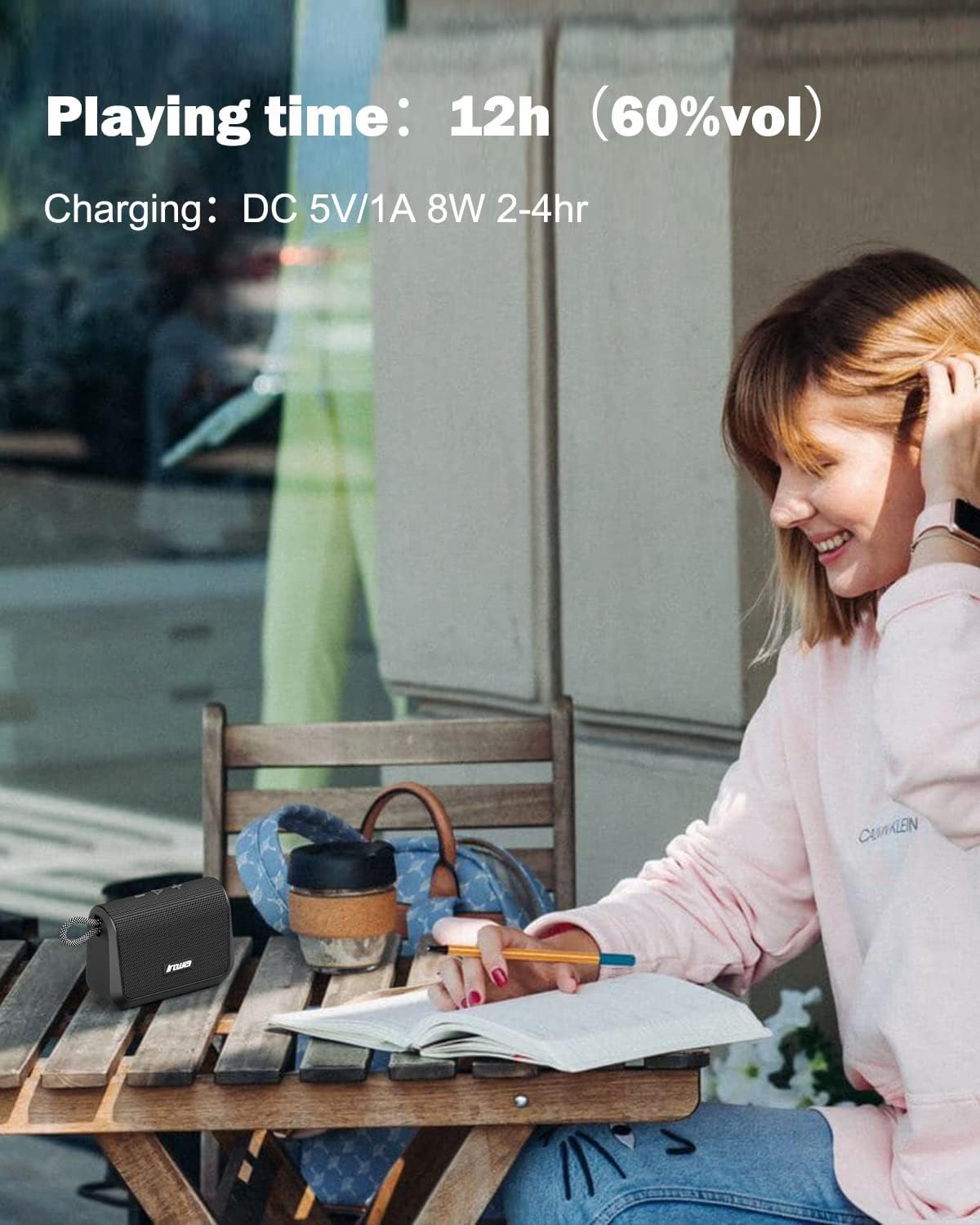
Image: Visual representation of the speaker's battery performance, indicating 12 hours of playing time at 60% volume and a charging duration of 2-4 hours.
2.2 Açma/Kapatma
- To power on, press and hold the power button (usually the play/pause button) until you hear an audible "power on" prompt, followed by "Bluetooth mode".
- Cihazı kapatmak için, hoparlör kapanana kadar güç düğmesine tekrar basılı tutun.
2.3 Bluetooth Eşleştirme
- Ensure the speaker is powered on and in "Bluetooth mode". The indicator light will typically flash, indicating it's ready for pairing.
- Mobil cihazınızda (akıllı telefon, tablet vb.) Bluetooth'u etkinleştirin ve kullanılabilir cihazları arayın.
- Select "Inwa MZ509" from the list of found devices.
- Once paired, you will hear a confirmation tone or voice prompt, and the indicator light will typically become solid.
- The speaker will attempt to automatically reconnect to the last paired device when powered on. If you move out of range and return, manual reconnection may be required.
2.4 Wireless Stereo Pairing (TWS Function)
To achieve a stereophonic sound experience, you can pair two Inwa MZ509 speakers together.
- Ensure both MZ509 speakers are powered off.
- Her iki hoparlörü aynı anda açın. Bluetooth eşleştirme moduna geçeceklerdir.
- On one of the speakers, double-press the power/play button. The speakers will attempt to connect to each other.
- Once successfully paired, you will hear a confirmation. One speaker will act as the master (left channel) and the other as the slave (right channel).
- Now, connect your mobile device to the master speaker via Bluetooth as described in section 2.3.
The TWS function allows for a maximum range of 33 feet (10 meters) between the two linked speakers.

Image: Two Inwa MZ509 speakers demonstrating wireless stereo pairing with a laptop and smartphone, also highlighting the built-in microphone.

Image: The TWS feature in action, with two speakers providing stereophonic sound in an outdoor setting.
3. Operasyon
3.1 Düğme Fonksiyonları
The Inwa MZ509 speaker features intuitive buttons for controlling playback and functions.
| Düğme/İşlem | İşlev |
|---|---|
| Power/Play/Pause Button (Long Press) | Güç Açık/Kapalı |
| Power/Play/Pause Button (Short Press) | Play/Pause music; Answer/End calls |
| Volume Up (+) Button (Short Press) | Hacmi Artırın |
| Volume Up (+) Button (Long Press) | Sonraki Parça |
| Volume Down (-) Button (Short Press) | Sesi Azalt |
| Volume Down (-) Button (Long Press) | Önceki Parça |
| Mode Button (if available) | Switch between Bluetooth mode and TF card mode. |
3.2 Eller Serbest Arama
With the built-in microphone, you can answer calls directly through the speaker when connected via Bluetooth to your smartphone.
- Cevap Çağrısı: Short press the Play/Pause button when a call comes in.
- Çağrı Sonu: Görüşme sırasında Oynat/Duraklat düğmesine kısa süre basın.
- Çağrıyı Reddet: Gelen bir çağrı olduğunda Oynat/Duraklat düğmesine uzun süre basın.
3.3 TF Kart Oynatma
Müziğinizi içeren bir TF (MicroSD) kartı takın files into the designated slot. The speaker will automatically switch to TF card mode and begin playing music. Use the control buttons to manage playback.
4. Bakım
4.1 Temizlik
- Hoparlörü yumuşak bir bezle silin.amp Kumaş.
- Aşındırıcı temizleyiciler, alkol veya kimyasal çözücüler kullanmayın, bunlar yüzeye zarar verebilir.
- Temizlemeden veya suya maruz bırakmadan önce şarj portu kapağının sıkıca kapalı olduğundan emin olun.
4.2 Depolama
- Hoparlörü serin, kuru ve doğrudan güneş ışığından ve aşırı sıcaklıklardan uzak bir yerde saklayın.
- Uzun süre saklayacaksanız, pil ömrünü uzatmak için birkaç ayda bir pili yaklaşık %50'ye kadar şarj edin.
4.3 Waterproof Care (IP67)
- The speaker is IP67 rated, meaning it is protected from dust and can withstand immersion in water up to 1 meter for 30 minutes.
- Always ensure the charging port cover is fully sealed before exposing the speaker to water.
- After exposure to water, dry the speaker thoroughly, especially the charging port, before charging.
- Do not intentionally submerge the speaker in saltwater or other liquids, as this may cause damage not covered by warranty.
5. Sorun Giderme
| Sorun | Olası Neden | Çözüm |
|---|---|---|
| Hoparlör açılmıyor. | Pil zayıf. | Charge the speaker for 2-4 hours using a USB-A to USB-C cable and a 5V/1A adapter. |
| Bluetooth üzerinden eşleştirme yapılamıyor. | Speaker not in pairing mode; Device Bluetooth off; Out of range. | Ensure speaker is powered on and flashing (pairing mode). Enable Bluetooth on your device. Move device closer to speaker (within 33ft). Forget device and re-pair. |
| Ses yok veya ses seviyesi düşük. | Volume too low on speaker or device; Paused playback; Incorrect source. | Increase volume on both speaker and connected device. Ensure music is playing. Check if TF card is inserted if trying to play from card. |
| TWS eşleştirmesi başarısız. | Hoparlörler TWS eşleştirme modunda değil; Aralarındaki mesafe çok fazla. | Ensure both speakers are powered off, then power them on and double-press the power button on one speaker to initiate TWS pairing. Keep speakers within 33ft of each other. |
| Charging not working with USB-C to USB-C cable. | Speaker design requires specific cable type. | Use the provided USB-A to USB-C charging cable. |
6. Özellikler
| Özellik | Detay |
|---|---|
| Model Numarası | MZ509 |
| Marka | Inva'da |
| Bağlantı Teknolojisi | Bluetooth 5.1 |
| Bluetooth Menzili | 33 feet'e (10 metre) kadar |
| Ses Çıkışı Modu | Stereo (TWS eşleştirmesiyle) |
| Frekans Tepkisi | 20Hz-20kHz |
| Oyun Zamanı | 12 saate kadar (% 60 ses seviyesinde) |
| Şarj Girişi | DC 5V/1A (Tip-C) |
| Şarj Süresi | 2-4 saat |
| Su Geçirmezlik Derecesi | IP67 |
| Boyutlar (U x G x Y) | 7.62 x 7.62 x 7.62 cm (3 x 3 x 3 inç) |
| Ağırlık | 244 gr (0.4 lb) |
| TF Kart Desteği | 32 GB'a kadar |
| Özel Özellikler | Built-in Mic, TWS (True Wireless Stereo) Function |

Resim: Dahili view of the Inwa MZ509 speaker, illustrating the components responsible for its subwoofer enhancement technology and wide frequency response.
7. Garanti ve Destek
Inwa provides a 1 yıllık garanti covering parts and labor for the MZ509 Bluetooth Portable Speaker, ensuring high quality and reliability.
For customer service and support, please contact Inwa through the following platforms:
- Amazon
- YouTube
- SigortatagVeri deposu
Our customer service team is available to assist with any inquiries or issues you may encounter.