
Sharp CP-SS30(BK)
Sharp CP-SS30(BK) Active Bookshelf Speakers User Manual
Model: CP-SS30(BK)
1. Giriş
Satın aldığınız için teşekkür ederizasing the Sharp CP-SS30(BK) Active Bookshelf Speakers. These speakers are designed to provide superior sound reproduction with versatile connectivity options. Please read this manual carefully before using the product to ensure proper operation and to maximize your listening experience.
The CP-SS30(BK) features a robust plywood cabinet, 60W RMS (2 x 30W) two-way active sound, and multiple input options including Bluetooth v5.0, USB, Optical, Auxiliary, and RCA. It also includes an equalizer with preset and custom bass/treble adjustments, and a full-function remote control for convenience.
2. Güvenlik Bilgileri
Please observe the following safety precautions to prevent damage to the product and to ensure your safety:
- Hoparlörleri yağmura veya neme maruz bırakmayın.
- Havalandırma açıklıklarını kapatmayın.
- Radyatörler, kalorifer ızgaraları, sobalar veya diğer cihazlar (dahil) gibi herhangi bir ısı kaynağının yakınına kurmayın. amp(ısı üreten)
- Güç kablosunun, özellikle fişlerde, prizlerde ve cihazdan çıktığı noktalarda üzerine basılmasını veya sıkışmasını önleyin.
- Sadece üretici tarafından belirtilen aparatları/aksesuarları kullanın.
- Yıldırımlı havalarda veya uzun süre kullanılmayacaksa bu cihazın fişini çekin.
- Tüm servisleri kalifiye servis personeline yaptırın. Cihaz herhangi bir şekilde hasar gördüğünde, örneğin güç kaynağı kablosu veya fişi hasar gördüğünde, cihaza sıvı döküldüğünde veya içine nesneler düştüğünde, cihaz yağmura veya neme maruz kaldığında, normal şekilde çalışmadığında veya düşürüldüğünde servis gereklidir.
3. Paket İçeriği
Lütfen tüm ürünlerin mevcut ve iyi durumda olduğundan emin olun:
- 2 x Sharp CP-SS30(BK) Bookshelf Speakers
- 1 x Uzaktan Kumanda (piller dahil)
- 1 x RCA Audio Cable (3 meters)
- 1 x AUX Audio Cable (1.2 meters)
- 1 x Power Cable (1.2 meters)
- 1 x Speaker Connection Cable
- Kullanıcı Belgeleri

Image: All components included in the Sharp CP-SS30(BK) package, including two speakers, remote control, and various cables.
4. Ürün Özellikleri
The Sharp CP-SS30(BK) speakers offer a range of features for an enhanced audio experience:
- Güçlü Ses Çıkışı: 60W RMS (2 x 30W) two-way active speakers for clear and dynamic sound.
- Premium İnşaat: Plywood cabinet design ensures superior sound reproduction and durability.
- Kablosuz bağlantı: Seamless audio streaming with Bluetooth v5.0.
- Çoklu Girişler: Connect various devices via Bluetooth, USB, Optical, Auxiliary (AUX), and RCA inputs.
- Özelleştirilebilir Ses: Built-in equalizer with five preset settings and independent bass and treble adjustment.
- Modern Tasarım: Removable speaker grilles allow for a contemporary aesthetic.
- Kolay Kontrol: Full-function remote control for easy operation from a distance.

Resim: Ön view of the Sharp CP-SS30(BK) speakers with the remote control, showcasintasarımları ve kompakt boyutları nedeniyle.

Resim: Yakın çekim view of the front panel of one Sharp CP-SS30(BK) speaker with the grille removed, highlighting the tweeter, woofer, indicator light, and volume/input knob.
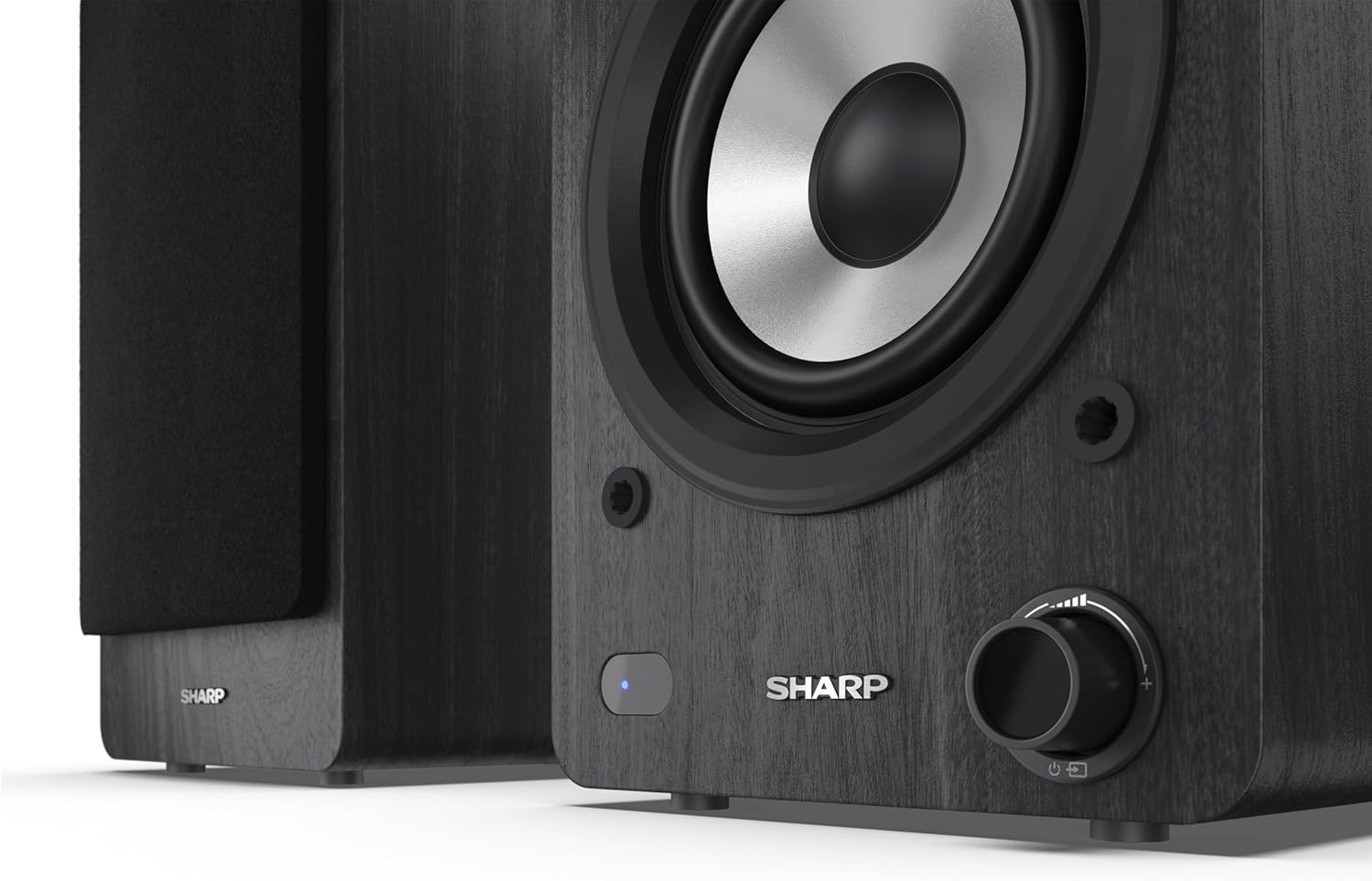
Image: A detailed shot of the control knob and the blue indicator light on the Sharp CP-SS30(BK) speaker, showing the subtle branding.
5. Kurulum
5.1 Hoparlör Yerleşimi
For optimal sound quality, place the speakers on a stable, flat surface. Position them at an equal distance from your listening position, forming an equilateral triangle for the best stereo imaging. Ensure there is adequate space behind the speakers for ventilation and cable connections.
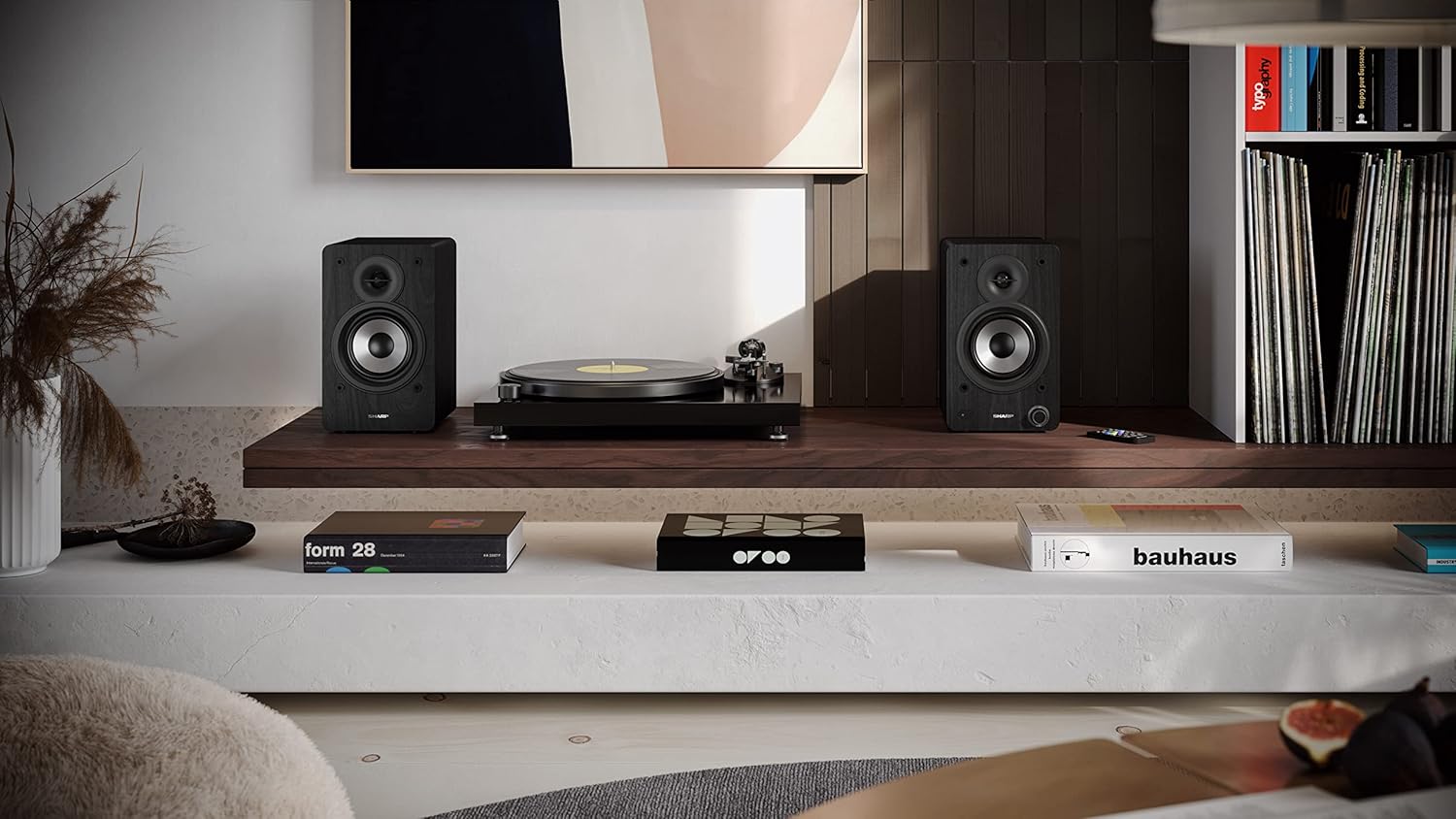
Image: The Sharp CP-SS30(BK) speakers positioned on a shelf in a living room setting, demonstrating a typical setup with a turntable.
5.2 Hoparlörlerin Bağlanması
The CP-SS30(BK) consists of one active (main) speaker and one passive (secondary) speaker. Connect them using the provided speaker connection cable.
- Aktif hoparlörü (kontrol düğmeleri ve giriş portları olan) ve pasif hoparlörü belirleyin.
- Connect one end of the speaker connection cable to the speaker terminals on the active speaker, ensuring correct polarity (+ to + and - to -).
- Connect the other end of the speaker connection cable to the speaker terminals on the passive speaker, maintaining correct polarity.

Image: The rear panel of the Sharp CP-SS30(BK) speakers, illustrating the various input ports (USB, Optical, RCA, AUX) and the speaker connection terminals.
5.3 Güç Bağlantısı
- Ensure the power switch on the active speaker is in the OFF position.
- Connect the provided power cable to the AC input on the active speaker.
- Güç kablosunun diğer ucunu uygun bir duvar prizine takın.
6. Kullanım Talimatları
6.1 Açma/Kapatma
To power on the speakers, flip the power switch on the active speaker to the ON position. The indicator light on the front will illuminate. To power off, flip the switch back to OFF.
6.2 Giriş Seçimi
You can select the input source using the remote control or the knob on the front of the active speaker. Available inputs include Bluetooth, USB, Optical, Auxiliary (AUX), and RCA.
- Bluetooth: Select Bluetooth input. The indicator light will flash, indicating pairing mode. Arama "SHARP CP-SS30(BK)" on your device and connect. The light will become solid once paired.
- USB BAĞLANTI: Ses içeren bir USB sürücüsü takın files into the USB port on the active speaker.
- Optik: Connect an optical cable from your audio source (e.g., TV, game console) to the Optical input.
- YARDIMCI: Connect an AUX cable from your audio source (e.g., smartphone, tablet) to the AUX input.
- RCA: Connect RCA cables from your audio source (e.g., turntable, CD player) to the RCA inputs.
6.3 Ses Kontrolü
Adjust the volume using the remote control's volume buttons or by rotating the knob on the front of the active speaker.
6.4 Ekolayzır Ayarları
The speakers feature an equalizer to tailor the sound to your preference. Use the remote control to:
- Select from five preset equalizer modes (e.g., Flat, Rock, Pop, Classical, Jazz).
- Adjust bass and treble levels independently for a customized sound profile.
7. Bakım
To ensure the longevity and optimal performance of your Sharp CP-SS30(BK) speakers, follow these maintenance guidelines:
- Temizlik: Use a soft, dry cloth to clean the speaker cabinets. Do not use liquid cleaners or aerosol sprays, as they may damage the finish or internal components.
- Menfezler: The speaker grilles are removable for cleaning. Gently pull them off to clean any dust accumulation on the drivers. Reattach them carefully.
- Havalandırma: Ensure that the ventilation openings on the back of the active speaker are not obstructed to prevent overheating.
- Depolamak: If storing the speakers for an extended period, disconnect them from power and store them in a cool, dry place away from direct sunlight and extreme temperatures.
8. Sorun Giderme
If you encounter any issues with your speakers, please refer to the following common problems and solutions:
| Sorun | Olası Neden | Çözüm |
|---|---|---|
| Güç yok | Power cable not connected; Power outlet not active; Power switch off. | Ensure power cable is securely connected. Check power outlet with another device. Flip power switch to ON. |
| Ses yok | Incorrect input selected; Volume too low; Cables not connected properly; Source device issue. | Select the correct input source. Increase volume. Check all audio cables (RCA, AUX, Optical, USB) and speaker connection cable for secure fit and correct polarity. Test with a different audio source. |
| Bluetooth eşleştirme başarısız oldu | Speakers not in pairing mode; Device too far; Interference. | Ensure Bluetooth input is selected and indicator light is flashing. Move device closer to speakers. Avoid strong electromagnetic interference. Try unpairing and re-pairing. |
| Bozuk ses | Volume too high; Source audio quality is poor; Speaker placement. | Reduce volume. Check the audio source quality. Adjust speaker placement to avoid reflections or resonance. |
| Uzaktan kumanda çalışmıyor | Batteries depleted; Obstruction between remote and speaker; Remote not pointed correctly. | Replace remote control batteries. Remove any obstructions. Point the remote directly at the active speaker's sensor. |
9. Özellikler
| Özellik | Detay |
|---|---|
| Model Numarası | CP-SS30(BK) |
| Çıkış Gücü | 60 Watts RMS (2 x 30W) |
| Hoparlör Tipi | Active Bookshelf, 2-Way |
| Dolap Malzemesi | Ahşap (Kontrplak) |
| Bağlantı Teknolojisi | Bluetooth v5.0, USB, Optical, Auxiliary (AUX), RCA |
| Bluetooth Sürümü | v5.0 |
| Ses Çıkışı Modu | Stereo (2.0 Kanal) |
| Frekans Tepkisi | 60 Hz |
| Denetleyici Türü | Düğme, Uzaktan Kumanda |
| Ürün Boyutları (her bir hoparlör için) | 19D x 15.8G x 24.8Y cm (7.5D x 6.2G x 9.8Y inç) |
| Ürün Ağırlığı | 4.3 Kilogram (9.5 lbs) |
| Renk | Siyah |
| Önerilen Kullanımlar | Gaming console, Music player, Smartphone/Tablet, Ambient sound system, Television |
| Uyumlu Cihazlar | Dizüstü Bilgisayar, Akıllı Telefon, Tablet |

Image: Diagram showing the dimensions of one Sharp CP-SS30(BK) speaker (Height: 248mm, Width: 158mm, Depth: 190mm).
10. Garanti ve Destek
Garanti: This product comes with a 1-year warranty for spare parts availability from the date of purchase. Please retain your proof of purchase for warranty claims.
For technical support, troubleshooting assistance beyond this manual, or warranty inquiries, please contact Sharp customer service. Refer to the contact information provided in the user documentation included in your package or visit the official Sharp webalan.
Note: Software updates guaranteed until information is not available.
İlgili Belgeler - CP-SS30(BK)
 |
Sharp CP-SS30(BK)/(BR) Active Bookshelf Speakers Software Upgrade Manual Instructions for upgrading the firmware on Sharp CP-SS30(BK)/(BR) active bookshelf speakers. Learn how to check for updates, prepare a USB drive, and perform the upgrade process. |
 |
Sharp CP-SS30 Active Bookshelf Speakers User Manual User manual for the Sharp CP-SS30 active bookshelf speakers, covering setup, operation, Bluetooth pairing, EQ settings, and troubleshooting. |
 |
Sharp CP-SS30 / CP-SS31 Hızlı Başlangıç Kılavuzu Sharp CP-SS30 ve CP-SS31 raf tipi hoparlörlerinizle çalışmaya başlayın. Bu hızlı başlangıç kılavuzu, gelişmiş ses keyfi için temel kurulum bilgileri, özellikler ve kullanım ipuçları sunmaktadır. |
 |
Sharp CP-AWS2001 Aquos Wireless Surround Rear Surround Speakers Quick Start Guide Get started quickly with the Sharp CP-AWS2001 Aquos Wireless Surround rear surround speakers. This quick start guide provides essential setup and connection information for your wireless audio system. |
 |
SHARP SD-AS10 1-Bit Dijital Ev Sinema Sistemi ve DVD Oynatıcı Kullanım Kılavuzu SHARP SD-AS10 1-Bit Dijital Ev Sinema Sistemi ve DVD Oynatıcı için kurulum, kullanım, özellikler, sorun giderme ve teknik özellikler konularını kapsayan kapsamlı kullanım kılavuzu. |
 |
Sharp HT-SB107 Kullanım Kılavuzu: Kurulum ve Çalıştırma Rehberi Comprehensive user manual for the Sharp HT-SB107 2.0 Compact Soundbar. Learn about setup, connections, controls, Bluetooth pairing, USB playback, and troubleshooting. |
Ask a question about this manual
Ask about setup, troubleshooting, compatibility, parts, safety, or missing instructions. Manuals+ will review the question and use this page’s manual context to help answer it.