
giriiş
This manual provides detailed instructions for the safe and effective use of your MiLESEEY D5 70M-BT Laser Distance Meter. This device is designed for precise distance measurements up to 70 meters, featuring an electronic angle sensor, various measurement modes, and smartphone application connectivity for enhanced functionality.
Güvenlik Bilgileri
Please read and understand all safety instructions before operating the device. Failure to follow these instructions may result in laser radiation exposure, electric shock, fire, or serious injury.
- Laser Class II Product: This device emits Class II laser radiation. Do not stare into the laser beam. Avoid direct eye exposure.
- Lazer Tipi: 635nm <1mW.
- Cihazı değiştirmeye veya sökmeye çalışmayın. Onarımlar yalnızca yetkili servis personeli tarafından yapılmalıdır.
- Cihazı çocukların erişemeyeceği yerde saklayınız.
- Do not operate the device in explosive atmospheres or near flammable liquids and gases.
- Use only specified batteries (2 x 1.5V AAA alkaline batteries).
Paket İçeriği
Paketin içinde tüm öğelerin mevcut olduğundan emin olun:
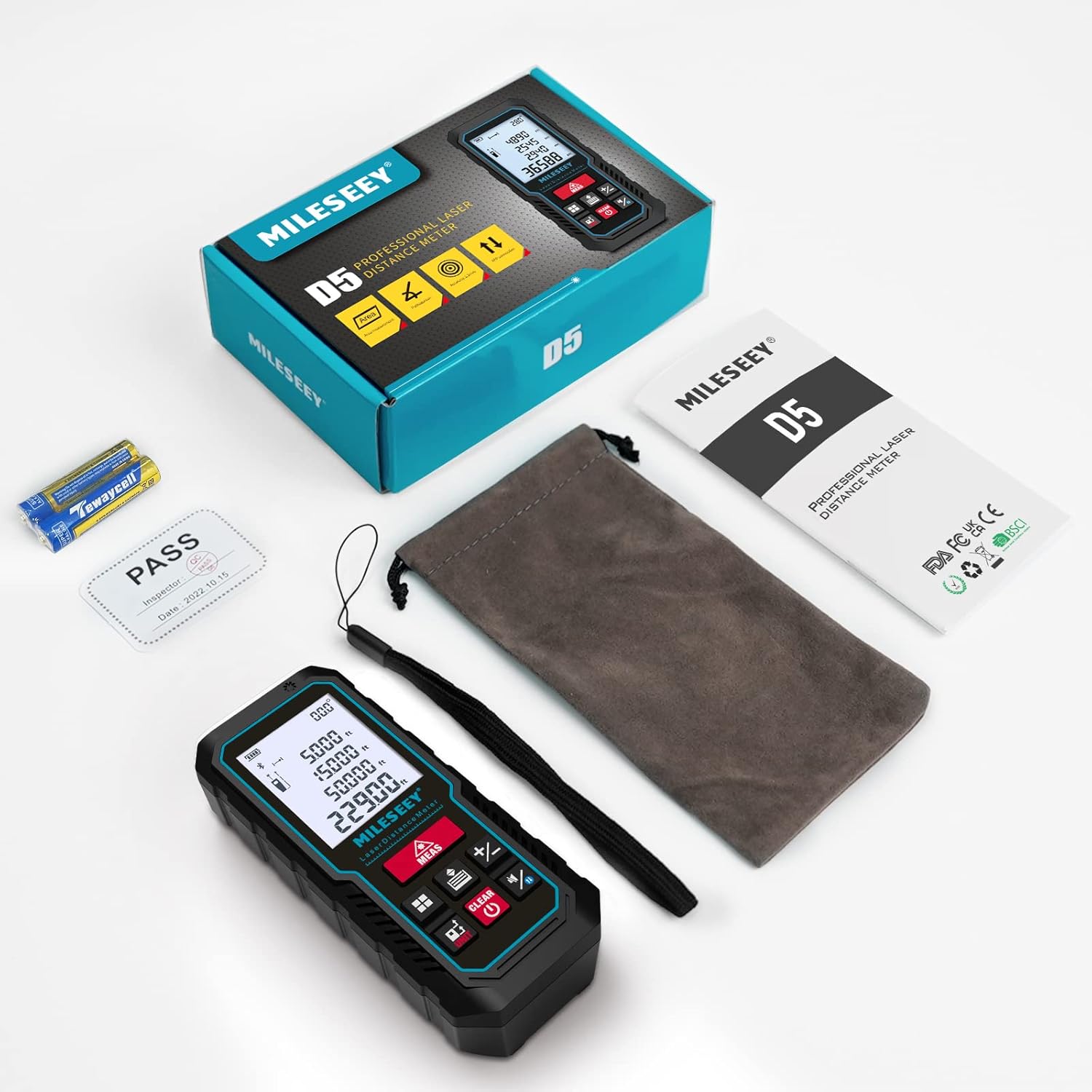
- 1 x MiLESEEY D5 Laser Distance Meter
- 2 x 1.5V AAA Pil
- 1 x Kullanım Kılavuzu
- 1 x Taşınabilir çanta
- 1 x El Kayışı

Ürün Bittiview
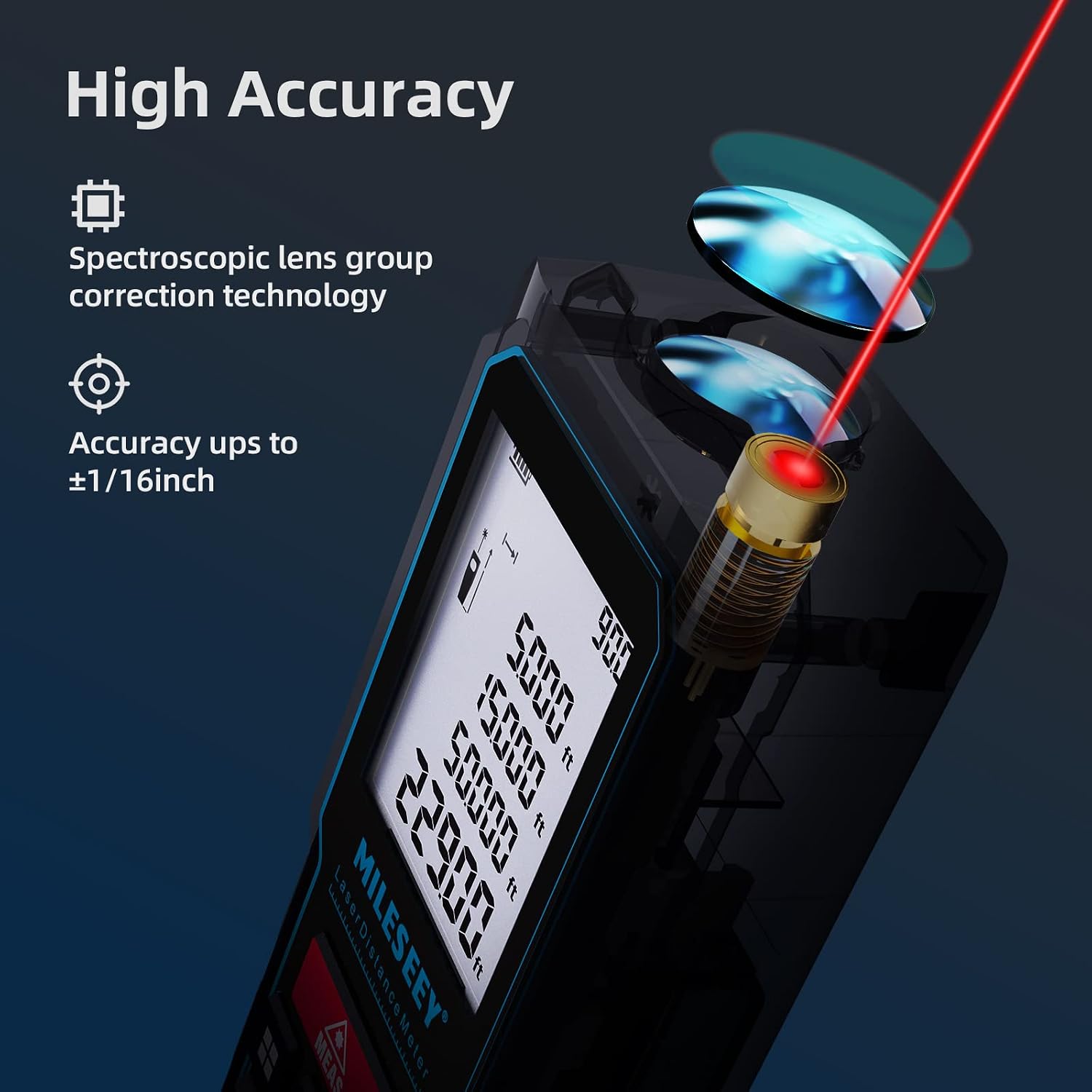
The MiLESEEY D5 70M-BT features a robust design with an easy-to-read LCD display and intuitive controls, offering high accuracy for various measurement tasks.
Temel bileşenler şunlardır:
- Lazer Verici/Alıcı: Located at the top for accurate measurements.
- LCD Ekran: 2-inch screen with backlight for clear visibility of measurements and settings.
- Measurement Button (MEAS): Initiates measurements.
- Fonksiyon Düğmeleri: For selecting measurement modes (distance, area, volume, Pythagorean, etc.).
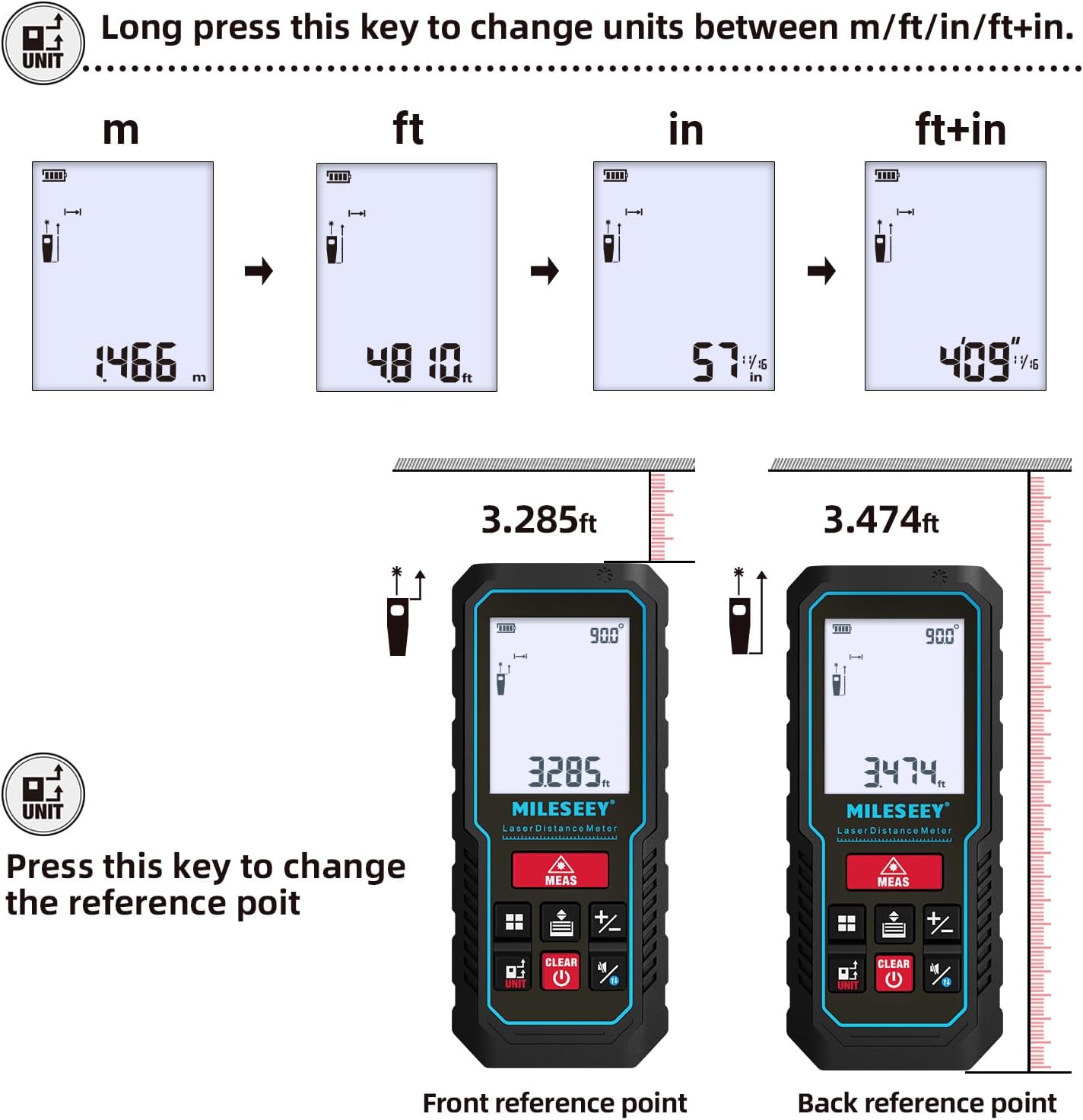
- Unit Button (UNIT): Ölçü birimlerini değiştirir (m/ft/in/ft+in).
- Referans Noktası Düğmesi: Switches between front and rear reference points for measurement.
- Clear/Off Button (CLEAR/OFF): Clears current measurement or powers off the device.
Kurmak
Pil Kurulumu
The device requires two 1.5V AAA alkaline batteries. Ensure correct polarity when inserting the batteries.
- Cihazın arkasındaki pil bölmesi kapağını açın.
- Insert two AAA batteries, matching the positive (+) and negative (-) terminals as indicated.
- Pil bölmesi kapağını sıkıca kapatın.
Güç Açık/Kapalı
- Açmak için, düğmesine basın. ÖLÇÜM düğme.
- Kapatmak için tuşunu basılı tutun. DEFOLMAK button for a few seconds, or the device will automatically shut off after 180 seconds of inactivity to conserve energy.
Kullanım Talimatları
Temel Mesafe Ölçümü
For a single distance measurement:
- Lazeri hedefe doğrultun.
- Basın ÖLÇÜM button once. The measurement will be displayed on the screen within 0.5 seconds.

Birimleri ve Referans Noktasını Değiştirme
The device supports multiple units and reference points.
- Birim dönüştürme: Uzun basın BİRİM button to cycle through units: meters (m), feet (ft), inches (in), and feet + inches (ft+in).
- Referans Noktası: Basın BİRİM button briefly to switch the measurement reference point between the front edge and the rear edge of the device.
Ölçüm Modları
The MiLESEEY D5 offers various measurement functions:
- Sürekli Ölçüm: For tracking distances as you move the device.
- Alan Ölçümü: Bir yüzeyin alanını (uzunluk x genişlik) hesaplar.
- Hacim Ölçümü: Bir alanın hacmini (uzunluk x genişlik x yükseklik) hesaplar.
- Pythagorean Method (2-point and 3-point): Indirect measurement for heights or distances where direct measurement is not possible.
- Toplama/Çıkarma: Ölçümleri toplayın veya çıkarın.
- Otomatik Seviye: Automatically calculates horizontal distance.
- Otomatik Yükseklik: Automatically calculates vertical height.


Smartphone App Connectivity (Smart Life App)
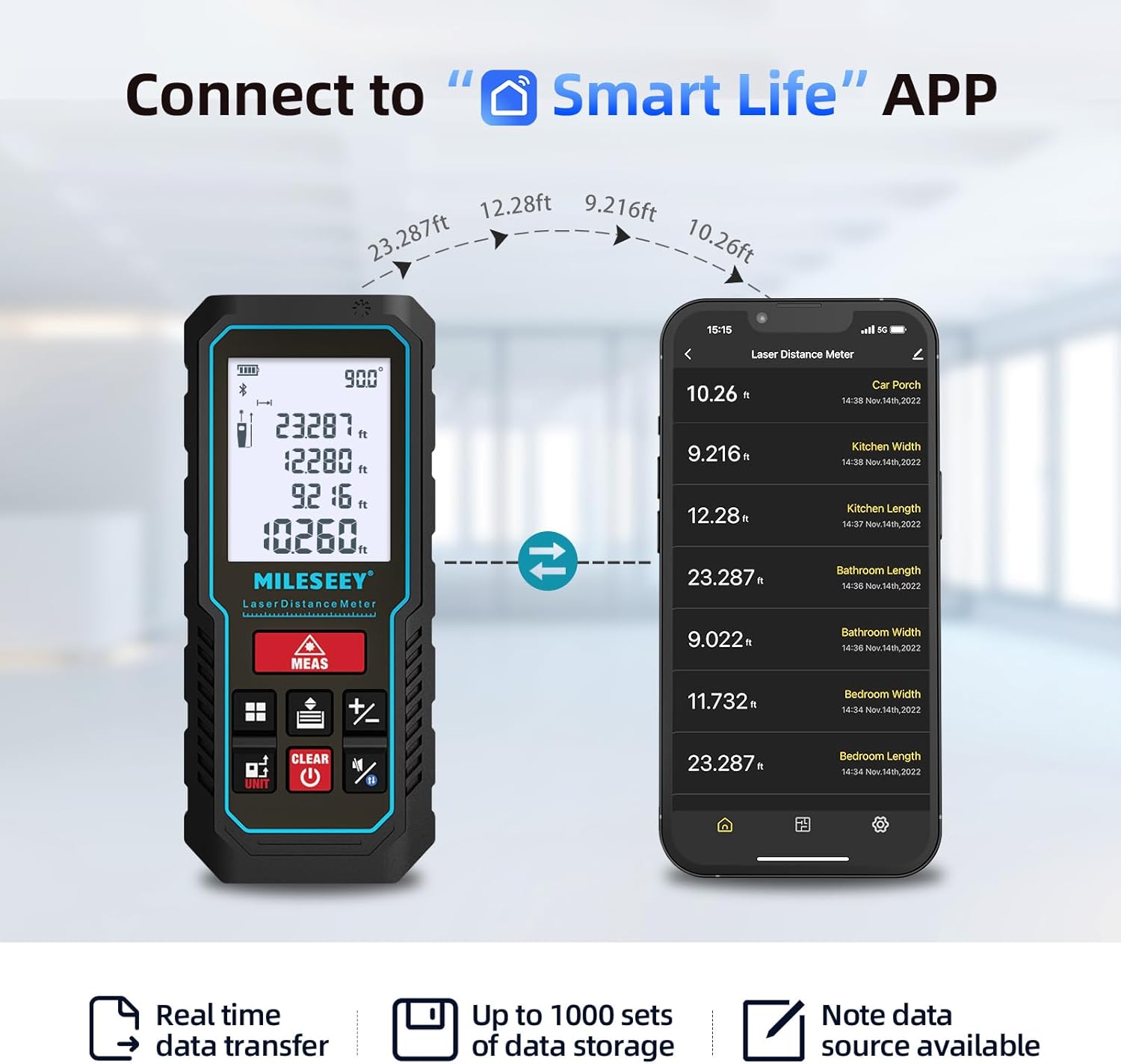
The MiLESEEY D5 70M-BT can connect wirelessly to your smartphone via the free "SMART LIFE" app, allowing for real-time data transfer, storage, and advanced functions.
- Download the "SMART LIFE" app from your device's app store (available on Google Play and Apple App Store).
- Enable Bluetooth on your smartphone and open the "SMART LIFE" app.
- Follow the in-app instructions to pair your MiLESEEY D5 device.
- Once connected, you can document measurements, create floor plans by drawing on photos or grids, and store up to 1000 sets of data.


Data Records and Mute Mode
- The device stores up to 30 data records, which can be recalled for review and calculation.
- A mute mode is available for quiet operation in sensitive environments.

Bakım
Doğru bakım, cihazınızın uzun ömürlü ve doğru çalışmasını sağlar.
- Temizlik: Cihazı yumuşak bir bezle silin.amp bezle silin. Aşındırıcı temizleyiciler veya çözücüler kullanmayın.
- Depolamak: Store the device in its portable pouch in a cool, dry place when not in use. Remove batteries if storing for extended periods.
- Koruma: The device has an IP54 rating, making it splash-resistant and dust-proof. Avoid submerging it in water. It also features 1-meter drop resistance.

Sorun giderme
If you encounter issues with your MiLESEEY D5, refer to the following common problems and solutions:
| Sorun | Olası Neden | Çözüm |
|---|---|---|
| Cihaz açılmıyor | Aküler zayıf veya bitmiş; akülerin yanlış takılması. | Replace batteries with new 1.5V AAA alkaline batteries. Ensure correct polarity. |
| Yanlış ölçümler | Obstruction in laser path; unstable measuring surface; extreme temperature changes; dirty lens. | Ensure a clear path for the laser. Measure on a stable surface. Allow device to acclimate to ambient temperature. Clean the lens with a soft cloth. |
| Cannot connect to Smart Life App | Bluetooth is off; app not installed; device not in pairing mode. | Ensure Bluetooth is enabled on your phone. Download and install the "SMART LIFE" app. Follow app instructions for pairing. |
| Ekranda "Hata" mesajı var | Measurement out of range; strong light interference; target surface not reflective enough. | Ensure target is within 0.16m - 70m range. Avoid measuring in direct sunlight or strong light. Use a reflective target plate if necessary. |
Özellikler
| Özellik | Detay |
|---|---|
| Marka | Mileseey |
| Model Numarası | D5 (70M-BT) |
| Ölçüm Aralığı | 0.16m - 70m |
| Kesinlik | ±2mm |
| Lazer Sınıfı | Sınıf II |
| Lazer Tipi | 635nm <1mW |
| Görüntülemek | Arka aydınlatmalı 2 inç LCD ekran |
| Electronic Angle Sensor | Yes, ±0.3° accuracy |
| Ölçüm Fonksiyonları | Distance, Continuous, Area, Volume, Pythagorean (2/3-point), Addition/Subtraction, Auto Level, Auto Height |
| Birimler | m / ft / inç / ft+inç |
| Veri Kayıtları | 30 (on device), up to 1000 (via app) |
| Bağlantı | Bluetooth (Akıllı Yaşam Uygulaması) |
| Güç Kaynağı | 2 x 1.5V AAA Alkaline Batteries |
| Otomatik Kapanma | 180 saniye hareketsizlik |
| IP Derecelendirmesi | IP54 (Splash-resistant, Dust-proof) |
| Düşme Direnci | 1 metre |
| Malzeme | Akrilonitril Bütadien Stiren (ABS) |
| Boyutlar (U x G x Y) | 15.2U x 10.1G x 4.8Y cm |
| Ürün Ağırlığı | 220 Gram |
Garanti ve Destek
MiLESEEY provides comprehensive support for its products.
- Garanti: The device comes with a 12-month warranty.
- Para İade Garantisi: 90 günlük para iade garantisi sunulmaktadır.
- Genişletilmiş Destek: 2 years of assistance after registration and lifetime technical support from MILESEEY.
- For technical assistance or warranty claims, please contact MILESEEY customer service through their official channels or the retailer where the product was purchased.