
keenetic KN-3710-01-EU
Keenetic Sprinter AX1800 Mesh Wi-Fi 6 Router/Extender User Manual
Model: KN-3710-01-EU | Brand: Keenetic
1. Giriş
The Keenetic Sprinter AX1800 is a high-performance Mesh Wi-Fi 6 Router/Extender designed to provide fast, reliable, and secure internet connectivity for your home or office. This device supports Wi-Fi 6 (802.11ax) technology, offering dual-band operation (2.4 GHz and 5 GHz) with speeds up to 1800 Mbps. It features four Gigabit Ethernet ports for stable wired connections and can seamlessly switch between router and extender modes. This manual provides essential information for setting up, operating, maintaining, and troubleshooting your Keenetic Sprinter AX1800.
2. Güvenlik Bilgileri
- Yalnızca cihazla birlikte verilen güç adaptörünü kullanın.
- Do not expose the device to water, fire, high humidity, or extreme temperatures.
- Cihazı ısı kaynaklarının yakınına veya doğrudan güneş ışığına maruz bırakmaktan kaçının.
- Aşırı ısınmayı önlemek için cihazın çevresinde uygun havalandırma olduğundan emin olun.
- Cihazı kendiniz sökmeye veya onarmaya çalışmayın. Tüm bakım işlemlerini yetkili personele yaptırın.
3. Paket İçeriği
Paketinizde tüm öğelerin mevcut olduğundan emin olun:
- Keenetic Sprinter AX1800 Device
- Güç Adaptörü
- Ethernet kablosu
- Telephone Cable (if applicable)
- DSL Splitter (if applicable)
- Multi-language Quick Start Guide
4. Ürün Bittiview
Familiarize yourself with the physical components of your Keenetic Sprinter AX1800.

Şekil 4.1: Ön view of the Keenetic Sprinter AX1800 router, showing the LED indicators for power, internet, Wi-Fi, and network activity.
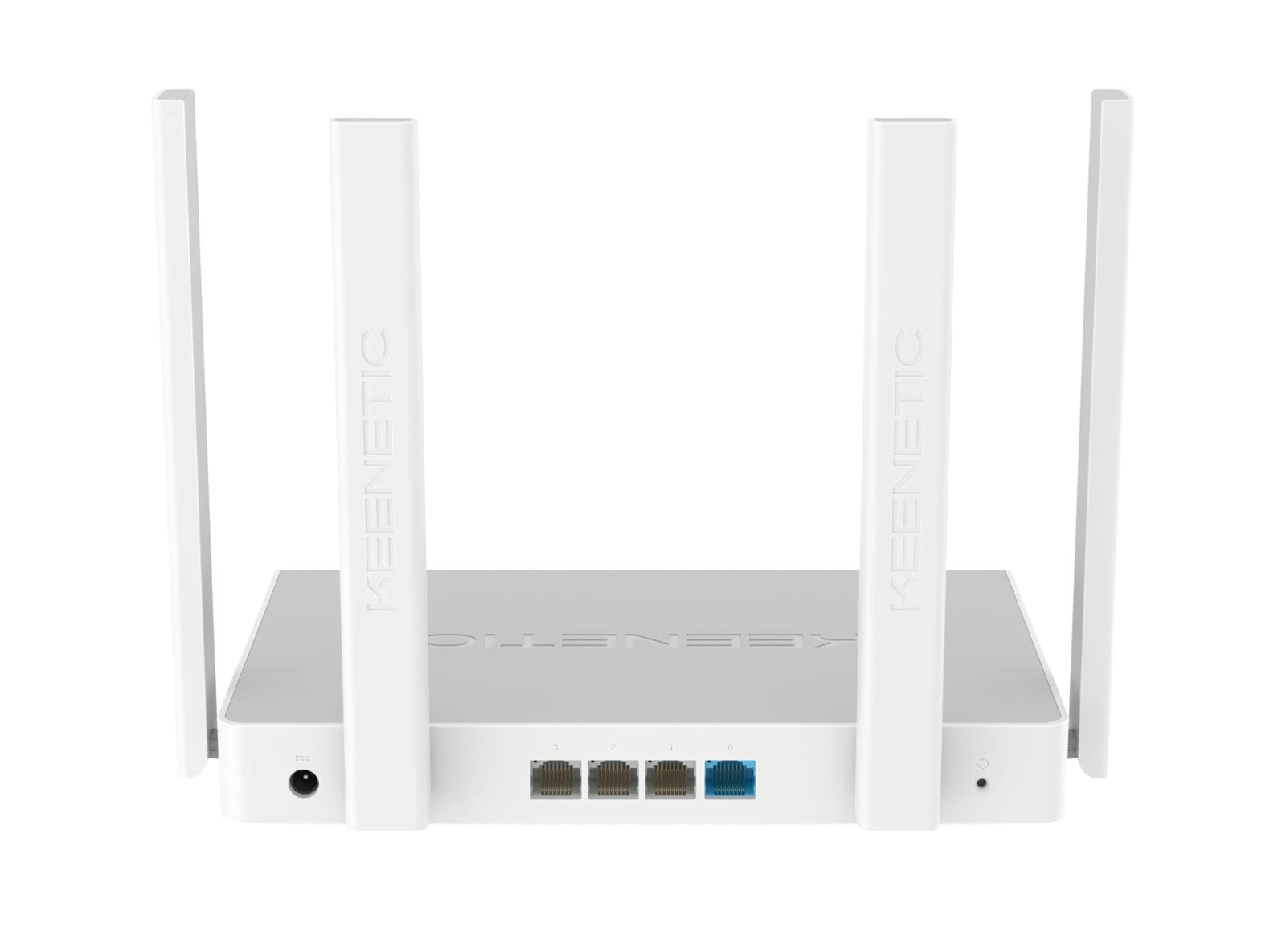
Şekil 4.2: Arka view of the Keenetic Sprinter AX1800 router, highlighting the power input, four Gigabit Ethernet ports (one blue for WAN/LAN, three yellow for LAN), and the reset button.
LED Göstergeleri:
- Güç LED'i: Güç durumunu gösterir.
- İnternet LED'i: İnternet bağlantı durumunu gösterir.
- Wi-Fi LED'i: Wi-Fi etkinliğini gösterir.
- LAN LED'leri: Indicate activity on the respective Ethernet ports.
Bağlantı Noktaları ve Düğmeler:
- Güç Girişi: Güç adaptörüne bağlanır.
- Gigabit Ethernet Ports (4): One port can function as WAN or LAN, others are LAN.
- Sıfırlama Düğmesi: Fabrika ayarlarına geri döndürmek için kullanılır.
- Mod Anahtarı: Physical switch to toggle between Router and Extender modes.
5. Kurulum
5.1 İlk Bağlantı
- Güç Açık: Connect the power adapter to the router's power input and plug it into a power outlet. Wait for the Power LED to stabilize.
- İnternet Bağlantısı: Connect your modem's Ethernet cable to the blue WAN/LAN port on the router.
- Wired Devices (Optional): Connect your computer or other wired devices to any of the yellow LAN ports using an Ethernet cable.
- Kablosuz cihazlar: Locate the default Wi-Fi network name (SSID) and password printed on the label at the bottom of the router. Connect your wireless devices to this network.
5.2 Configuration (Web Interface / Mobile App)
You can configure your router using either the web interface or the Keenetic mobile app.
Web Arayüz:
- Bir tane aç web bağlı bir cihazdaki tarayıcı.
- Girmek
my.keenetic.netor192.168.1.1Adres çubuğuna yazın ve Enter'a basın. - Follow the on-screen instructions to complete the initial setup, including setting up your administrator password and Wi-Fi network details.
Mobil Uygulama:
- Download the free Keenetic app from your device's app store (Android/iOS).
- Open the app and follow the instructions to discover and set up your Keenetic device.
5.3 Router/Extender Mode Switching
The Keenetic Sprinter AX1800 features a physical switch to easily change its operating mode:
- Yönlendirici Modu: The device acts as the primary internet gateway for your network.
- Genişletici Modu: The device extends an existing Wi-Fi network, providing broader coverage.
To switch modes, locate the physical switch on the device and move it to the desired position. The device will reboot and apply the new settings.
6. Çalıştırma
6.1 Wi-Fi 6 AX1800 Dual-Band Connectivity
The router supports the latest Wi-Fi 6 standard, providing enhanced speeds and efficiency for multiple devices simultaneously. It operates on two frequency bands:
- 2.4 GHz: Up to 574 Mbps, ideal for wider coverage and older devices.
- 5 GHz: Up to 1201 Mbps, ideal for high-bandwidth activities like 4K streaming and online gaming.
6.2 Gigabit Ethernet Bağlantı Noktası
The four Gigabit Ethernet ports provide stable and high-speed wired connections for devices such as PCs, smart TVs, gaming consoles, and network-attached storage (NAS) devices. These ports ensure minimal latency and maximum throughput for critical connections.
6.3 Gelişmiş Özellik
- VPN and Multi-WAN: Supports OpenVPN, WireGuard, L2TP/IPsec, and Multi-WAN for load balancing and automatic failover, enhancing network flexibility and reliability.
- IntelliQoS Bandwidth Control: Automatically prioritizes network traffic for applications like streaming, gaming, and video conferencing to prevent interruptions.
- Integrated Security Features: Includes SPI Firewall, SafeDNS parental controls, and AdGuard ad blocker for comprehensive network protection.
- Guest Network with Captive Portal: Provides a separate, secure network for guests with customizable access options.
- Uzaktan Yönetim: Manage your router remotely via the Keenetic mobile app or a secure web interface (HTTPS), including KeenDNS support.
7. Bakım
7.1 Firmware Güncellemesi
Regularly update your router's firmware to ensure optimal performance, security, and access to new features. Firmware updates can be performed via the web interface or the Keenetic mobile app.
7.2 Temizlik
To clean the device, use a soft, dry cloth. Do not use liquid cleaners or aerosol sprays. Ensure the device is powered off and unplugged before cleaning.
7.3 Yerleştirme
Optimal placement of your router is crucial for Wi-Fi performance. Place the router in a central location, away from obstructions and sources of interference (e.g., microwaves, cordless phones).
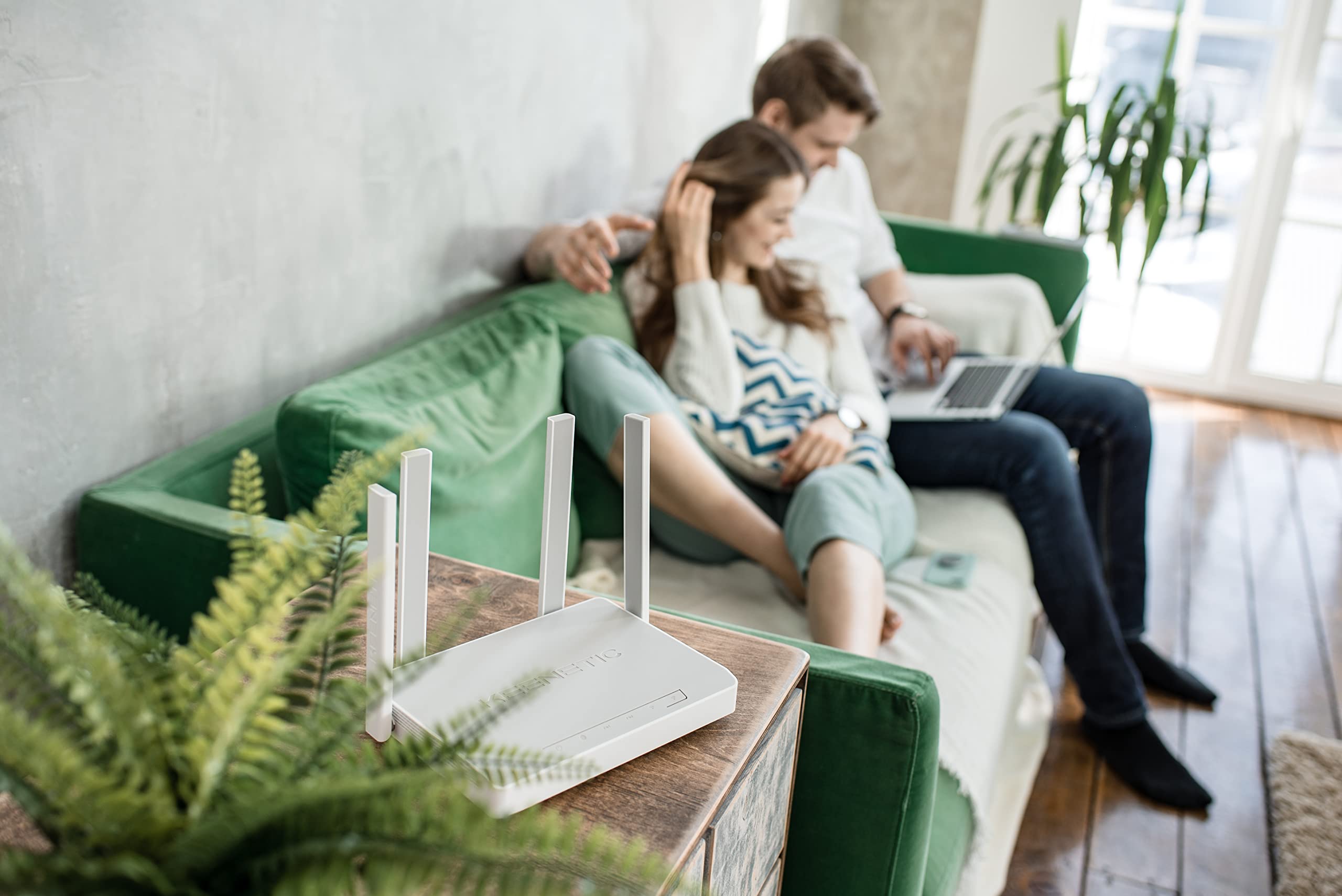
Şekil 7.1: Ör.ample of the Keenetic Sprinter AX1800 router mounted vertically on a wall, demonstrating flexible placement options.

Şekil 7.2: Ör.ample of the Keenetic Sprinter AX1800 router placed horizontally on a table, illustrating typical desktop placement.
8. Sorun Giderme
Yaygın Sorunlar ve Çözümleri:
- İnternet bağlantısı yok:
- Check if the Internet LED is lit.
- Ensure the Ethernet cable from your modem is securely connected to the blue WAN/LAN port.
- Modeminizi ve yönlendiricinizi yeniden başlatın.
- Yönlendiricinizdeki internet servis sağlayıcısı (ISP) ayarlarını doğrulayın. web arayüz.
- Zayıf Wi-Fi Sinyali:
- Yönlendiriciyi daha merkezi bir konuma taşıyın.
- Avoid placing the router near large metal objects or electronic devices that may cause interference.
- Consider using the device in Extender mode or adding another Keenetic device for a Mesh Wi-Fi system.
- Erişilemiyor Web Arayüz:
- Cihazınızın yönlendiricinin ağına (kablolu veya kablosuz) bağlı olduğundan emin olun.
- Tarayıcınızın önbelleğini temizlemeyi veya farklı bir tarayıcı kullanmayı deneyin.
- Verify the router's IP address (default is 192.168.1.1).
- Forgotten Administrator Password:
- Perform a factory reset by pressing and holding the Reset button for 10 seconds while the device is powered on. Note that this will erase all custom settings.
9. Özellikler
| Özellik | Tanım |
|---|---|
| Model Adı | KN-3710 |
| kablosuz standardı | 802.11ax (Wi-Fi 6) |
| Frekans Bant Sınıfı | Çift bant (2.4 GHz ve 5 GHz) |
| Maksimum Kablosuz Hızı | AX1800 (2.4 GHz'de 574 Mbps, 5 GHz'de 1201 Mbps) |
| Ethernet Bağlantı Noktaları | 4 x 10/100/1000M Gigabit Ethernet (1 WAN/LAN, 3 LAN) |
| Antenler | 4 Harici Anten |
| Özel Özellikler | QoS, VPN, Multi-WAN, Mesh Support, Guest Network, Parental Control |
| Ürün Boyutları | 24x69x2.5 cm |
| Ürün Ağırlığı | 400 Gram |
| Üretici | Keenetic Limited |
10. Garanti ve Destek
For warranty information and technical support, please refer to the official Keenetic webSite üzerinden satın alabilir veya müşteri hizmetleriyle iletişime geçebilirsiniz. Garanti talepleriniz için satın alma belgenizi saklayın.
Çevrimiçi Kaynaklar: Visit the Keenetic support page for FAQs, firmware downloads, and additional documentation.
Destek Ekibiyle İletişime Geçin: Refer to the contact information provided in your Quick Start Guide or on the Keenetic official webalan.
Ask a question about this manual
Ask about setup, troubleshooting, compatibility, parts, safety, or missing instructions. Manuals+ will review the question and use this page’s manual context to help answer it.