
1. Ürün Bittiview
This Hama USB-C to Lightning charging cable is designed for efficient charging and high-speed data synchronization of Apple iPhones, iPads, and iPods. It supports fast charging when used with a compatible fast charger and offers data transfer speeds up to 480 Mbps.
Paket İçeriği
- 1x Hama USB-C to Lightning Charging Cable (1.5m, White)
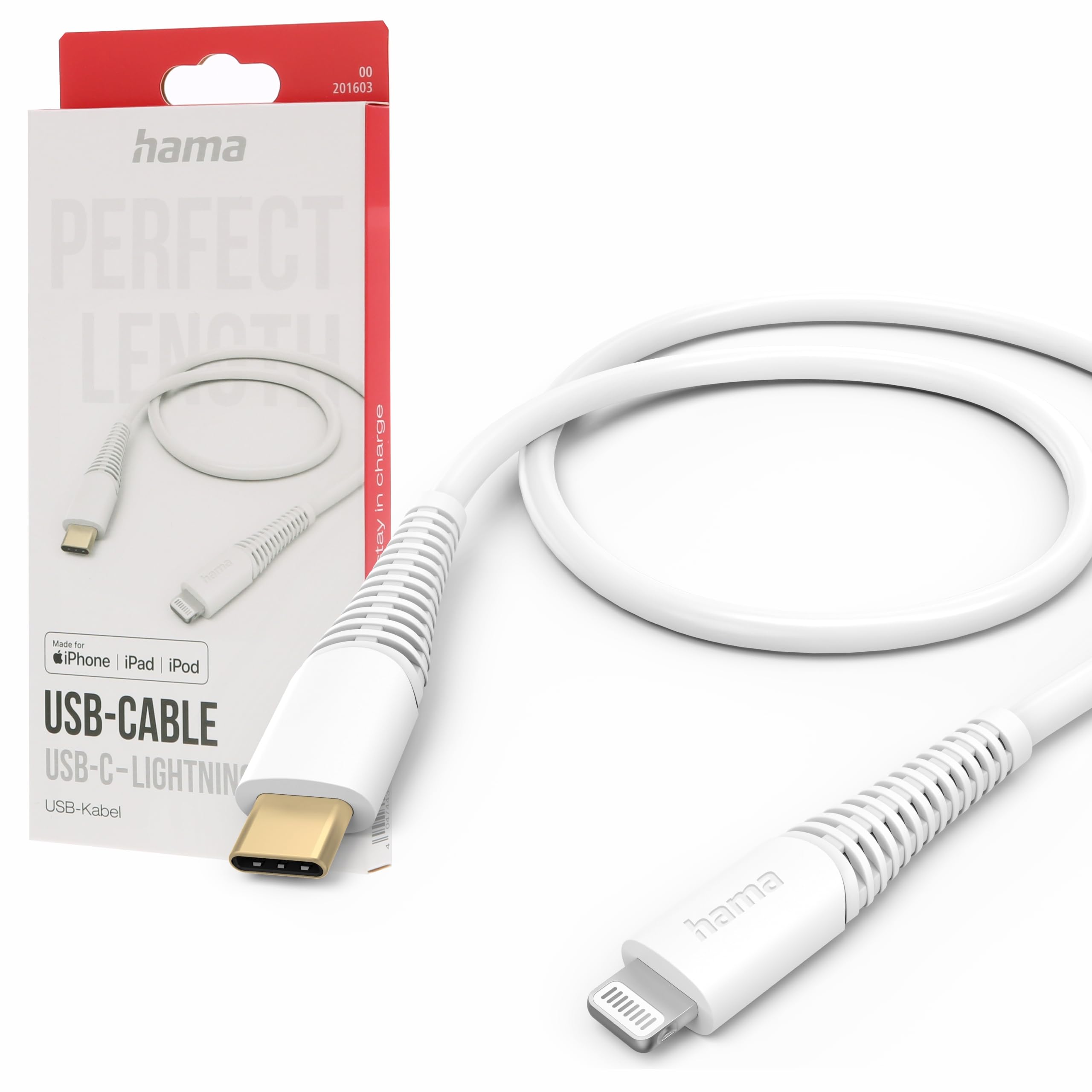
Image: The Hama USB-C to Lightning Charging Cable, white, with a USB-C connector on one end and a Lightning connector on the other.
2. Kurulum Talimatları
To begin using your Hama USB-C to Lightning cable, follow these simple steps:
- Bağlayıcıları Tanımlayın: Locate the USB-C connector (smaller, oval-shaped) and the Lightning connector (flat, reversible) on the cable.
- Güç kaynağına/bilgisayara bağlayın: Insert the USB-C connector into a compatible USB-C power adapter (for charging) or a USB-C port on your computer (for charging and data transfer).
- Apple Cihazına Bağlan: Insert the Lightning connector into the charging port of your iPhone, iPad, or iPod. Ensure a firm connection.
Your device should now begin charging or be recognized by your computer for data transfer.
3. Kullanım Talimatları
Cihazınızı Şarj Etme
This cable supports fast charging for compatible Apple devices. For optimal charging speed, use a USB-C power adapter that supports Power Delivery (PD) or other fast charging protocols.
- Connect the USB-C end of the cable to a wall charger or power bank.
- Lightning kablosunun ucunu Apple cihazınıza bağlayın.
- The device's screen will indicate that it is charging.
Veri Transferi
The cable facilitates high-speed data transfer up to 480 Mbps, allowing you to sync photos, videos, music, and other files between your Apple device and a computer.
- Kablo'nun USB-C ucunu bilgisayarınızdaki bir USB-C bağlantı noktasına bağlayın.
- Lightning kablosunun ucunu Apple cihazınıza bağlayın.
- Your computer should recognize the device, allowing you to access its storage for data transfer.
4. Bakım ve Onarım
To ensure the longevity and optimal performance of your Hama charging cable, please follow these care guidelines:
- Aşırı Eğilmekten Kaçının: Kabloyu, özellikle bağlantı noktalarının yakınında, aşırı derecede bükmeyin veya sıkıştırmayın, çünkü bu iç tellere zarar verebilir.
- Kuru Tutun: Protect the cable from moisture and liquids. Do not use it in wet environments.
- Nazikçe Temizleyin: If necessary, clean the cable and connectors with a soft, dry cloth. Avoid using harsh chemicals or abrasive materials.
- Uygun Şekilde Saklayın: When not in use, store the cable in a clean, dry place, ideally coiled loosely to prevent tangling and damage.
- Malzeme: The exterior material is Polychlorure de vinyle (PVC), which is durable but can be damaged by sharp objects or extreme heat.
5. Sorun Giderme
Cihaz Şarj Edilmiyor
- Bağlantıları Kontrol Edin: Ensure both the USB-C and Lightning connectors are fully and securely inserted into their respective ports.
- Güç Kaynağını Doğrulayın: Confirm that the USB-C power adapter or computer port is functional and providing power. Try a different power source if available.
- Kabloyu İnceleyin: Check the cable for any visible damage, such as cuts or frayed wires. If damaged, discontinue use.
- Test with Another Device/Cable: Try charging a different Apple device with this cable, or try charging your device with a different, known-working cable to isolate the issue.
Veri Aktarım Sorunları
- Güvenli Bağlantılar: Ensure the cable is firmly connected to both your computer and Apple device.
- Computer Port: Try connecting the USB-C end to a different USB-C port on your computer.
- Device Trust: On your Apple device, ensure you have tapped 'Trust This Computer' when prompted.
- Yazılım/Sürücüler: Ensure your computer's operating system and iTunes (if applicable) are up to date.
6. Teknik Özellikler
| Model Numarası | 00201603 |
| ASIN | B0BL1CGYP6 |
| Uzunluk | 1.5 Metre |
| Renk | Beyaz |
| Bağlayıcı Türü | USB Tip C, Lightning |
| Bağlayıcı Cinsi | Erkek-Erkek |
| Veri Aktarım Hızı | Saniyede 480 Megabit |
| Maksimum Akım | 3 Amporada |
| Maksimum Hacimtage | 20 Volt |
| Özel Özellik | Yüksek Hızlı Şarj ve Veri Aktarımı |
| Uyumlu Cihazlar | Smartphones (Apple iPhones, iPads, iPods), Power Banks, Laptops, Speakers, Tablets |
| Dış Malzeme | Polivinil Klorür (PVC) |
| Ürün Boyutları (U x G x Y) | 19.5x9x1.5 cm |
| Ürün Ağırlığı | 47.82 Gram |
| Uyumluluk | CE |
7. Garanti ve Destek
Hama products are manufactured with high quality standards. This product includes a Yedek parçaların 1 yıl süreyle temin edilebilirliği. satın alma tarihinden itibaren.
For technical support, warranty claims, or further assistance, please contact Hama customer service through their official webÜrünü satın aldığınız site veya perakendeciyle iletişime geçin. Garanti işlemleri için lütfen satın alma belgenizi saklayın.
For more information, visit the official Hama webalan: www.hama.com