
giriiş
This manual provides comprehensive instructions for the ENDORFY Omnis Pudding Onyx White Red mechanical keyboard (Model EY5A036). This full-size keyboard features Kailh Red mechanical switches, durable PBT Pudding keycaps, and customizable ARGB backlighting. It is designed for various applications, including gaming, creative work, and general office use, offering a responsive and comfortable typing experience. Key features include a reinforced chassis, a detachable magnetic wrist rest, and a metal volume wheel for convenient audio control.
Paket İçeriği
- ENDORFY Omnis Pudding Onyx White Red Mechanical Keyboard
- Detachable USB-A Cable
- Manyetik Bilek Desteği
- Kullanım Kılavuzu (bu belge)
Kurmak
1. Klavyenin Bağlanması
Connect the detachable USB-A cable to the USB-C port on the keyboard and then to an available USB-A port on your computer. The keyboard is plug-and-play and should be recognized automatically by your operating system.
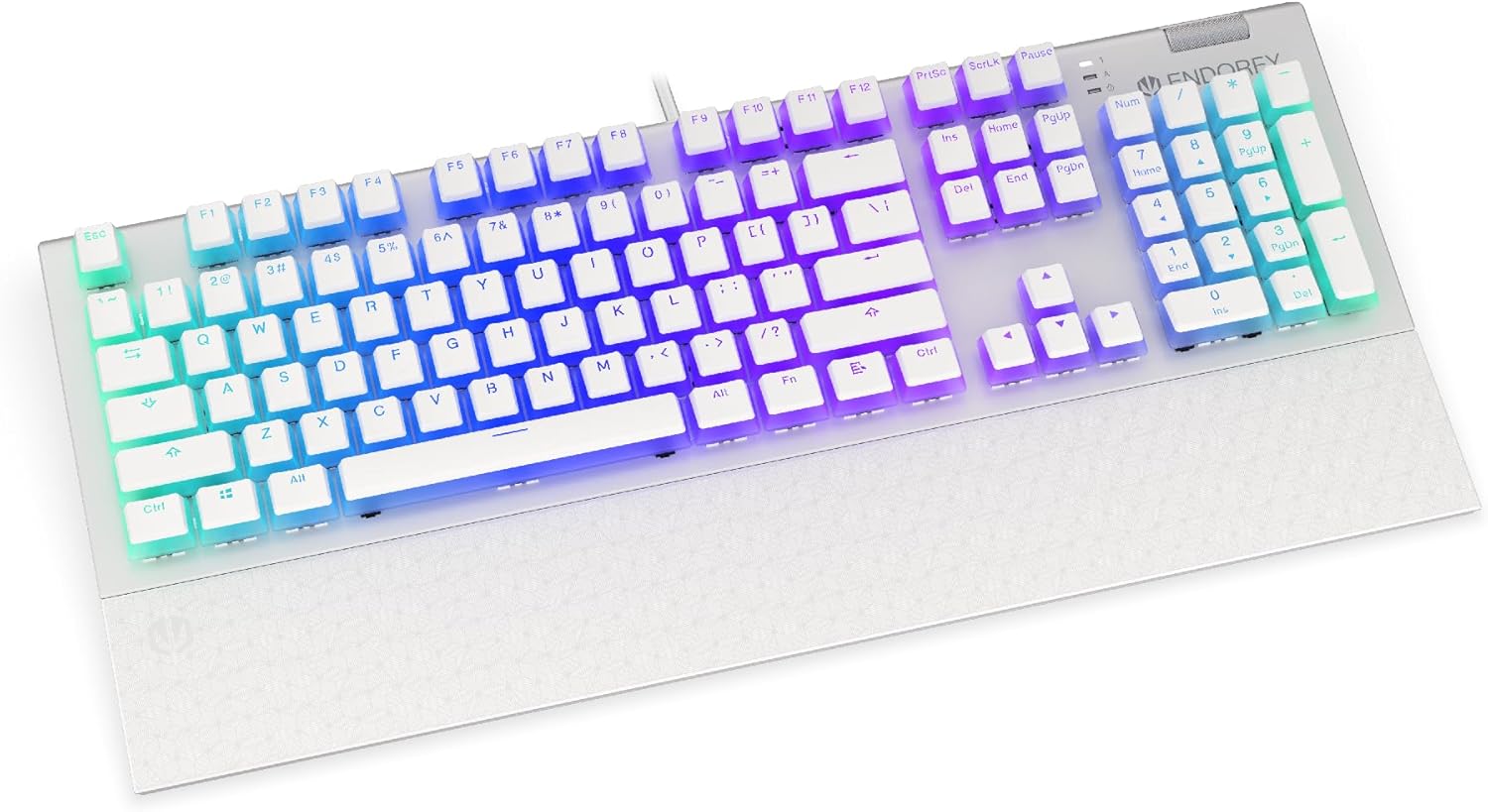
Resim: Ön view of the ENDORFY Omnis Pudding Onyx White Red mechanical keyboard, showcasing its full layout and connected cable.
2. Attaching the Wrist Rest
Align the magnetic wrist rest with the front edge of the keyboard. The magnets will automatically secure it in place, providing ergonomic support during use.

Resim: Açısal view of the ENDORFY Omnis Pudding Onyx White Red mechanical keyboard with the magnetic wrist rest attached, highlighting the seamless integration.
3. Yazılım Kurulumu (İsteğe Bağlı)
For advanced customization of lighting effects, key assignments, and macros, download the official ENDORFY software from the manufacturer's webSiteye gidin. Kurulum için ekrandaki talimatları izleyin.
Kullanım Talimatları
Temel Klavye İşlevleri
The keyboard features a standard full-size layout with a dedicated numpad, function keys (F1-F12), and navigation keys. All keys operate as standard input devices for your computer.
Volume Wheel Operation
The metal volume wheel located on the top right of the keyboard allows for quick audio adjustments:
- Rotate Up: Sesi artırın.
- Rotate Down: Sesi azaltın.
- Aşağı bastırmak: Sesi kapat/aç.
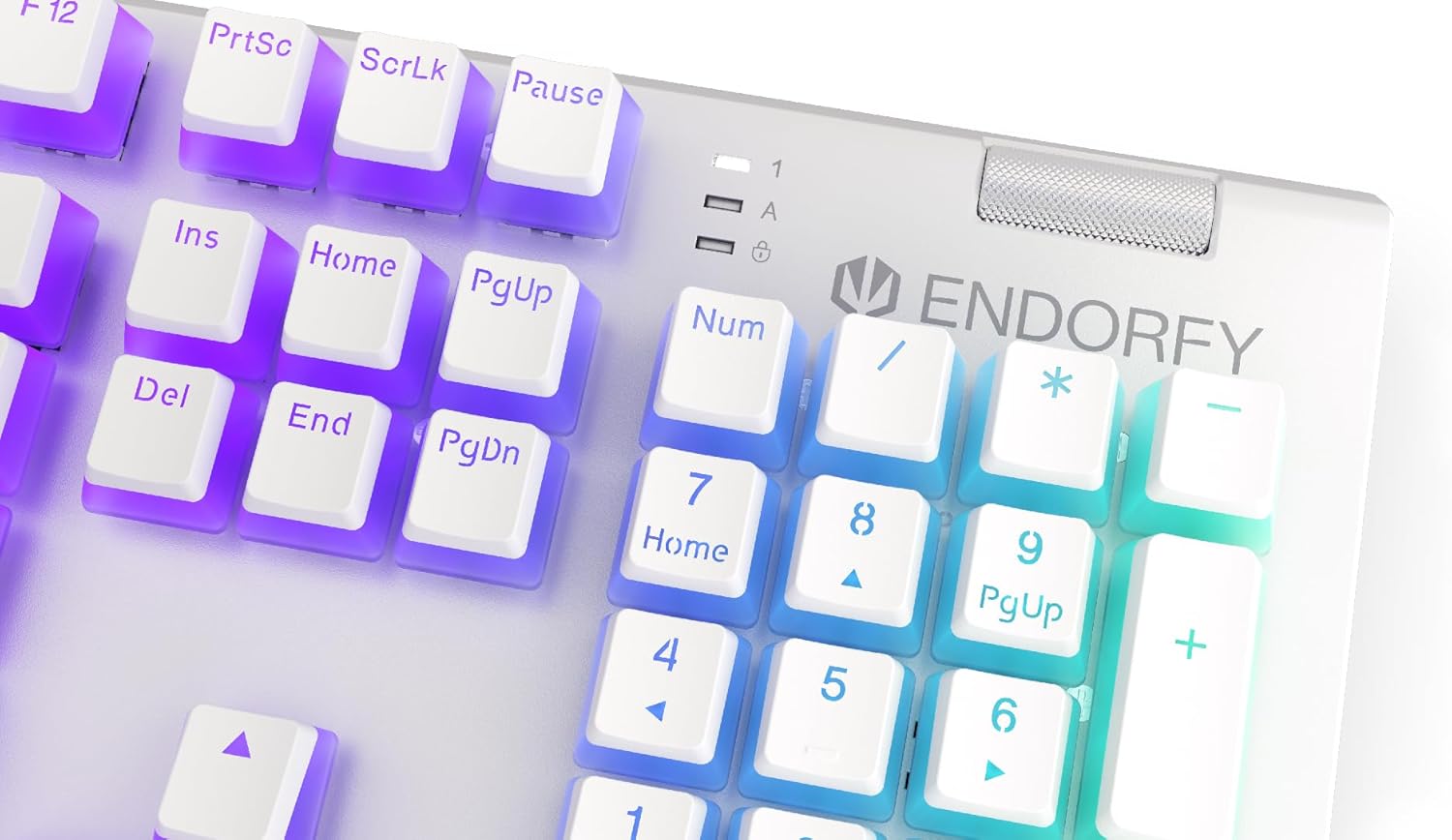
Resim: Yakın çekim view of the keyboard's numpad and the prominent metal volume wheel, indicating its position for easy access.
RGB Arka Aydınlatma Kontrolü
The keyboard features customizable ARGB backlighting. Lighting effects and brightness can be adjusted using the dedicated ENDORFY software. Some basic lighting modes and brightness levels may also be accessible via keyboard shortcuts (e.g., Fn + arrow keys or specific function keys), though advanced customization is recommended through the software.

Image: The ENDORFY Omnis Pudding Onyx White Red mechanical keyboard illuminated with vibrant RGB backlighting, showcasing the Pudding keycaps.
N-Anahtar Devir (NKRO)
The keyboard supports N-Key Rollover, which means every key press is registered independently, regardless of how many other keys are being pressed simultaneously. This feature is particularly beneficial for fast typists and gamers, preventing ghosting or missed inputs.
Yazılım İşlevselliği
The ENDORFY software allows users to:
- Customize ARGB lighting effects and colors.
- Tuş atamalarını tek tek değiştirin.
- Create and assign macros for complex command sequences.
- Birden fazla profesyoneli yönetinfileFarklı uygulamalar veya oyunlar için.
Bakım
Klavyeyi Temizleme
Optimum performans ve görünümü korumak için:
- Temizlemeden önce klavyeyi bilgisayarınızdan ayırın.
- Yumuşak, tiftiksiz bir bez kullanın ve hafifçe kurulayın.ampTuş başlıklarını ve kasayı silmek için su veya hafif bir temizleme solüsyonu kullanın.
- Tuş başlıkları arasındaki toz ve kalıntıları temizlemek için basınçlı hava kullanın.
- Sert kimyasallar veya aşındırıcı malzemeler kullanmaktan kaçının.
Tuş kapağının çıkarılması ve takılması
The PBT Pudding keycaps can be removed for thorough cleaning or replacement. Use a keycap puller (not included) to gently lift keycaps straight up. When replacing, align the keycap with the switch stem and press down firmly until it clicks into place.

Resim: Yakın çekim view of the Kailh Red mechanical switches, visible when keycaps are removed, illustrating the switch mechanism.
Sorun giderme
- Klavye Yanıt Vermiyor:
Ensure the USB cable is securely connected to both the keyboard and the computer. Try connecting the keyboard to a different USB port or a different computer to rule out port or system issues. Restart your computer. - Arka Aydınlatma Çalışmıyor veya Yanlış:
Check the brightness settings via the ENDORFY software or any onboard shortcuts. Ensure the software is up to date. If specific keys have incorrect lighting, reset the lighting profile yazılımda. - Tuşlar Kayıt Olmuyor:
Clean under the affected keycaps to remove any debris that might be obstructing the switch. If the issue persists, it may indicate a hardware fault; refer to the Warranty and Support section. - Bilek desteği güvenli bir şekilde takılmıyor:
Ensure there is no debris between the keyboard and the wrist rest that might interfere with the magnetic connection.
Özellikler
| Özellik | Detay |
|---|---|
| Marka | onayla |
| Model Numarası | EY5A036 |
| Renk | Beyaz |
| Anahtar Anahtarları | Kailh Red Mechanical |
| keycaps | PBT Pudding |
| Düzen | Full-size (US Layout) |
| Arka aydınlatma | ARGB (Configurable RGB) |
| Bağlantı | USB-A (Detachable Cable) |
| Bilek Desteği | Magnetic, Detachable |
| Ses Kontrolü | Metal Volume Wheel |
| N-Anahtar Devirme | Evet |
| Uyumlu İşletim Sistemleri | Linux, Mac OS X 10.12 Sierra, Windows 7, Windows 8, Windows 10 |
| Önerilen Kullanım | Gaming, Multimedia |
| Malzeme | Polibütilen Tereftalat (PBT) |
Garanti ve Destek
ENDORFY products are covered by a manufacturer's warranty. For detailed warranty terms, technical support, or service inquiries, please refer to the official ENDORFY webSatın alma belgenizi saklayın veya yerel perakendecinizle iletişime geçin. Garanti talepleriniz için satın alma belgenizi saklayın.


