
1. Giriş
Thank you for choosing the Voktta Battery Capacity Voltage Meter. This device is designed to accurately monitor your battery's capacity, voltage, and temperature, providing essential data for various applications. It features a clear display, alarm functions, and broad compatibility with different battery types. Please read this manual thoroughly before installation and operation to ensure correct usage and optimal performance.
2. Ürün Özellikleri
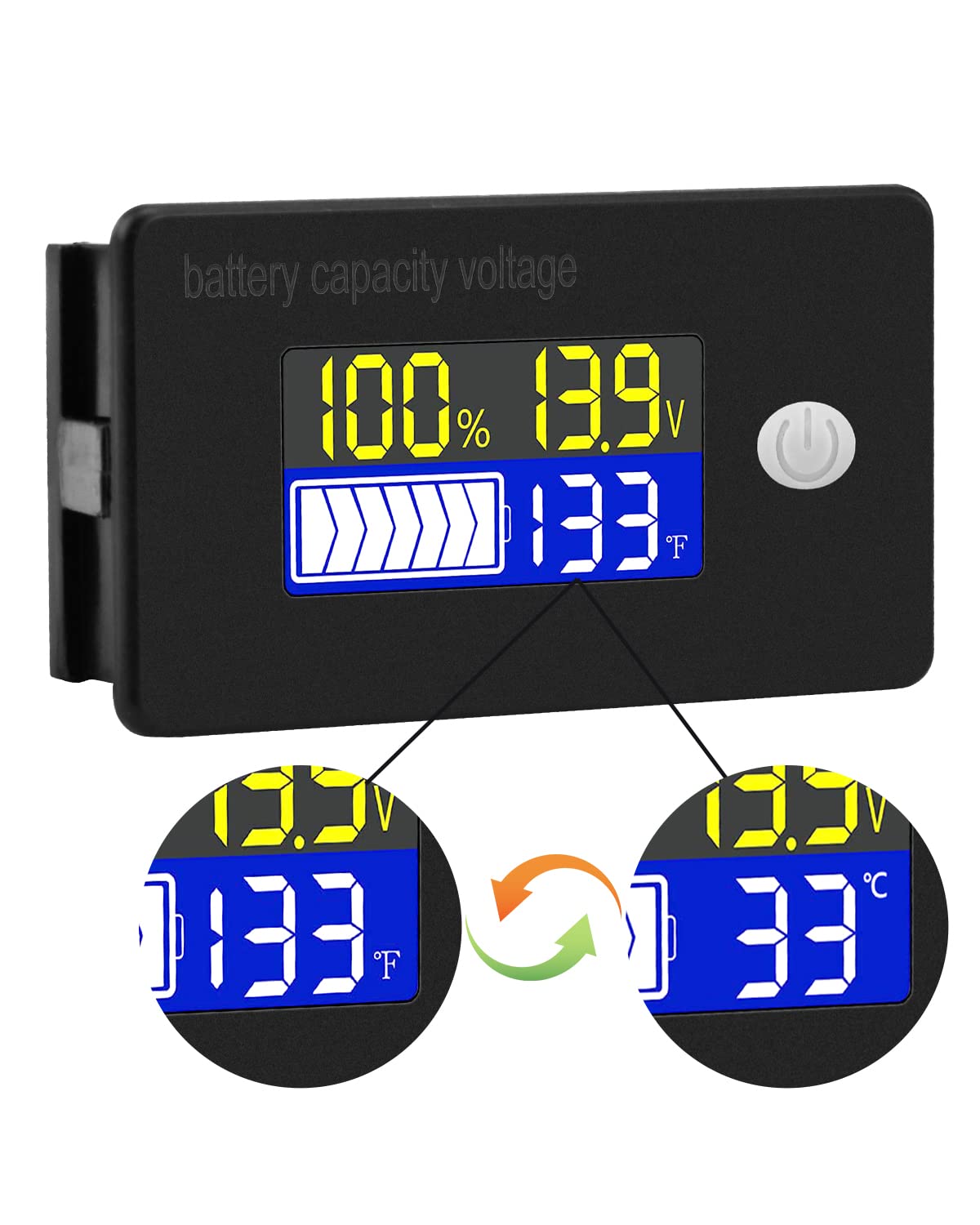
- Çok Fonksiyonlu Ekran: Aynı anda pil kapasitesinin yüzdesini gösterir.tage, cilttage, and temperature (Celsius or Fahrenheit).
- Entegre Koruma: Equipped with a protective cover, dustproof and waterproof surface, and reverse input connection protection.
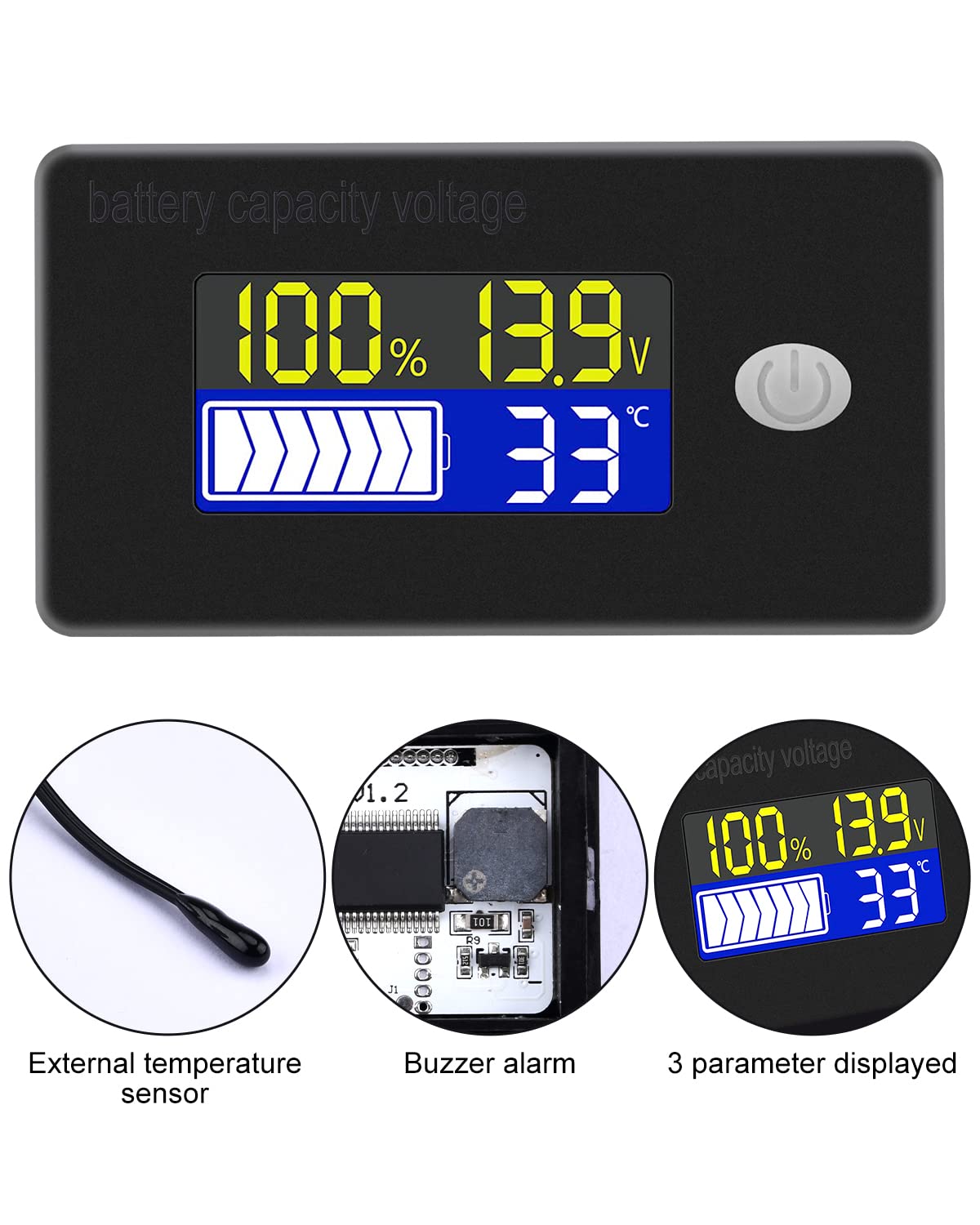
- External Temperature Sensor & Buzzer: Includes an external temperature sensor for accurate readings and an internal buzzer for high/low voltage and over-temperature alarms.
- Six Programmable Modes: Allows setting battery type, delay for ultra-low power mode, adjusting battery percentage limits, activating undervoltage alarm and threshold, activating temperature alarm, and voltage kalibrasyon.
- Geniş Pil Uyumluluğu: Compatible with 12V, 24V, 36V, 48V, 60V, 72V, 84V lead-acid batteries, lithium-ion batteries, polymer lithium-ion batteries, 3-15 series lithium-ion batteries, water batteries, and lithium iron phosphate batteries.
- Geniş Uygulama: Suitable for use in jet skis, golf carts, RVs, lawnmowers, aquariums, DIY solar generators, and other systems requiring battery monitoring.
3. Paket İçeriği
Lütfen paketi aşağıdaki öğeler açısından kontrol edin:
- Voktta Battery Capacity Voltage Sayaç
- Connection Wires (Red for positive, Black for negative)
- Dış Sıcaklık Sensörü
- Kullanım Kılavuzu (bu belge)

4. Güvenlik Bilgileri
- Cihazı takmadan veya bakımını yapmadan önce daima güç bağlantısını kesin.
- Ensure correct polarity when connecting the wires (Red to positive, Black to negative) to prevent damage to the meter and battery.
- Belirtilen çalışma hacmini aşmayın.tage aralığı (10-100V).
- Keep the device away from extreme temperatures, moisture, and corrosive environments.
- Cihazı sökmeye veya üzerinde değişiklik yapmaya çalışmayın. Tüm servis işlemlerini yetkili personele yaptırın.
5. Ürün Bittiview
The Voktta Battery Capacity Voltage Meter features a compact design with a clear LCD display and a single control button. The external temperature sensor provides accurate ambient or battery temperature readings.

6. Kurulum ve Kablolama
Doğru kurulum için şu adımları izleyin:
- Montaj: Choose a suitable location for the meter, ensuring it is protected from direct impact and excessive vibration. The meter is designed for panel mounting.
- Güç Bağlantısı: Connect the red wire to the positive (+) terminal of your battery system and the black wire to the negative (-) terminal. Ensure a secure connection. The meter supports a wide voltag10-100V giriş aralığı.
- Sıcaklık Sensörü Bağlantısı: Plug the external temperature sensor into its designated port on the back of the meter. Position the sensor to measure the desired temperature (e.g., near the battery for battery temperature, or in the environment for ambient temperature).

7. İlk Kurulum
After connecting the meter, you may need to configure it for your specific battery type and preferences.
7.1 Güç Açma/Kapatma
Press the power button (usually located on the front panel) to turn the device on or off.

7.2 Pil Türünün Ayarlanması
The meter supports various battery types. Refer to the detailed programming instructions (often accessed by holding the power button or a dedicated 'SET' button) to select the correct battery chemistry and voltage configuration (e.g., 3S Lithium, 12V Lead-Acid).

8. Kullanım Talimatları
Once powered on and configured, the meter will display real-time battery information.
8.1 Görüntü Modları
The display typically shows battery capacity percentage, akım hacmitage, and temperature. Some models allow switching between Celsius and Fahrenheit for temperature display.
8.2 Alarm Fonksiyonu
The internal buzzer will activate if the battery voltage falls below the set low voltage threshold, exceeds the high voltage threshold, or if the temperature goes beyond the set limits. This provides an audible warning for critical conditions.
9. Gelişmiş Yapılandırma
The meter offers several programmable modes for fine-tuning its operation. Access these modes by following the specific button press sequences outlined in the full product documentation (if provided separately) or by holding the main button for an extended period.
- Pil Tipi Ayarı: Configure the meter for your specific battery chemistry and cell count (e.g., LiFePO4, Li-ion, Lead-Acid, 3S, 4S, etc.).
- Ultra-Low Power Mode Delay: Set a delay (10s, 20s, 30s, 60s, 120s adjustable) before the meter enters a low power consumption state to conserve energy.
- Pil Yüzdesitage Limitler: Adjust the upper and lower voltage thresholds that correspond to 100% and 0% battery capacity for accurate percentage ekran.
- düşük hacimtagAlarm: Activate and set the specific voltage threshold (e.g., 10.5V to 60.0V) at which the low voltage alarm will trigger.
- Aşırı Sıcaklık Alarmı: Activate and set the temperature threshold (e.g., 0°C to 79°C or 0°F to 179°F) at which the over-temperature alarm will trigger.
- Cilttage Kalibrasyon: Sesi gerçekleştirtage calibration to ensure the most accurate readings.
10. Özellikler
| Parametre | Değer |
|---|---|
| Marka | Voktta |
| Model Numarası | B0BHSSKRVP |
| Çalışma Hacmitage | 10-100V |
| Çalışma Akımı | 8-10mA |
| Güç Tüketimi (Uyku Modu) | 15-20uA |
| Cilttage Doğruluk | ±0.1% ~ ±0.5% |
| Sıcaklık Doğruluğu | ±0.5℃ ~ ±1℃ (built-in standard, external 30cm probe) |
| Sıcaklık Aralığı | -19~80°C / 0~179°C |
| Over-temperature Alarm Setting | 0~79°C / 0~179°C |
| Düşük Hacimtage Alarm Ayarı | 10.5~60.0V |
| Zil Sesi | 60~80dB |
| Çalışma Sıcaklığı | -10~65℃ |
| Renk | Siyah |
| Uyumluluk | CE, IP67, RoHS |
| Ölçüm Türü | Voltmetre |
11. Sorun Giderme
If you encounter issues with your Voktta Battery Capacity Voltage Meter, refer to the following common problems and solutions:
- Görüntü yok:
- Check power connections: Ensure red wire is connected to positive and black to negative, and connections are secure.
- Pil hacmini doğrulayıntage: Pil hacmini onaylayıntage, 10-100V çalışma aralığındadır.
- Yanlış Okumalar:
- Cilttage/Kapasite: Doğru pil tipini ve voltajını kontrol edin.tage configuration are set in the meter's settings. Perform voltage calibration if available.
- Sıcaklık: Check if the external temperature sensor is properly connected and positioned.
- Alarm sürekli tetikleniyor:
- Review alarm thresholds: Adjust the low voltage, yüksek hacimlitage, or over-temperature alarm settings to appropriate levels for your battery and application.
- Check battery health: A constantly triggering low voltage alarm might indicate a failing battery.
- Düğmeler Yanıt Vermiyor:
- Power cycle the device: Turn the meter off and then on again.
- Düğmelerin önünde herhangi bir kalıntı olmadığından emin olun.
12. Bakım
To ensure the longevity and accurate operation of your Voktta Battery Capacity Voltage Meter, follow these maintenance guidelines:
- Temizlik: Use a soft, dry cloth to clean the display and housing. Do not use abrasive cleaners or solvents.
- Bağlantılar: Tüm kablo bağlantılarının güvenli ve korozyondan arınmış olduğundan emin olmak için düzenli olarak kontrol edin.
- Çevre Koruma: While the device has some dust and water resistance (IP67), avoid prolonged exposure to harsh weather conditions or direct water immersion.
- Depolamak: If storing the device for an extended period, disconnect it from the power source and store it in a cool, dry place.
13. Destek
For any questions, technical assistance, or if you encounter issues not covered in this manual, please contact Voktta customer support. We are committed to providing assistance to resolve any problems you may experience.
İletişim bilgileri genellikle ürün ambalajında veya perakendecinin web sitesinde bulunabilir. webÜrünün satın alındığı yer.