
RUPA android tv box 11.0
RUPA Android TV Box 11.0 User Manual
Model: android tv box 11.0 | Brand: RUPA
Ürün Bittiview
The RUPA Android TV Box 11.0 is a high-performance streaming media player designed to deliver an immersive entertainment experience. Featuring the advanced RK3566 chipset, it supports stunning 8K Ultra HD video playback at 60 frames per second and 4K HDR10+ content, ensuring crisp visuals and vibrant colors.
Equipped with 8GB RAM and 64GB ROM (expandable up to 1TB), this device handles demanding applications and high-resolution content with ease. It supports modern video codecs like VP9 and AV1 for next-generation streaming. Connectivity options include Wi-Fi 6, Bluetooth 5.0, and Gigabit Ethernet, providing stable and fast network access.
Running on Android 11.0, the TV box offers access to a vast library of applications through the App Store, along with features like IR remote control, screen mirroring, and a customizable home screen for user-friendly navigation.

Image: The RUPA Android TV Box, a compact black square device, shown alongside its accompanying black remote control. The box features the 'RUPA Ultra HD 8K' logo on its top surface and a digital clock display on the front.
Paket İçeriği
Before proceeding with the setup, please ensure all items listed below are present in your package.
- RUPA Android TV Box
- Uzaktan kumanda
- HD Veri Kablosu (HDMI Kablosu)
- Güç Kaynağı Adaptörü
- Kullanıcı Kılavuzu

Image: A visual representation of the RUPA Android TV Box package contents, including the TV box, remote control, HDMI cable, power adapter, and a user manual booklet.
Kurulum Kılavuzu
1. TV'nize Bağlanma
- Connect one end of the provided HD Data Cable (HDMI cable) to the HDMI port on the RUPA Android TV Box.
- HDMI kablosunun diğer ucunu televizyonunuzdaki kullanılabilir bir HDMI giriş portuna bağlayın. Daha sonra seçim yapmak için HDMI giriş numarasını (örneğin, HDMI 1, HDMI 2) not edin.
2. Cihazı Açma
- Connect the power supply adapter to the DC IN port on the RUPA Android TV Box.
- Plug the power adapter into a wall outlet. The power indicator light on the TV box should illuminate (blue for power on, red for standby).
- Televizyonunuzu açın ve televizyonunuzun uzaktan kumandasını kullanarak doğru HDMI giriş kaynağını seçin.
3. Ağ Bağlantısı
The RUPA Android TV Box supports both wired (Ethernet) and wireless (Wi-Fi) connections.
Kablolu Bağlantı (Ethernet)
- Connect an Ethernet cable from your router or modem to the LAN port on the TV Box. The device will automatically detect and connect to the wired network.
Kablosuz Bağlantı (Wi-Fi)
- Once the TV Box is powered on, navigate to the "Settings" menu on the screen.
- "Ağ ve İnternet" veya "Wi-Fi" seçeneklerinden birini seçin.
- Turn on Wi-Fi and select your desired network from the list of available networks.
- Enter the Wi-Fi password if prompted and select "Connect".

Image: Diagram illustrating the stable network connection capabilities of the RUPA Android TV Box, highlighting LAN 1000M (Ethernet) and 2.4G/5G dual-band Wi-Fi. Icons for Bluetooth, Headset, Speaker, Mouse, Game Handle, Keyboard, and Remote Control are also shown, indicating peripheral compatibility.
Kullanım Talimatları
Arayüzde Gezinme
Use the provided remote control to navigate the Android TV interface. The directional pad (up, down, left, right) is used to move between icons and options, and the "OK" button confirms selections.
- Ana Ekran: Displays your installed applications, recommended content, and system settings.
- Uygulamalar: Yüklü tüm uygulamalara erişin.
- Ayarlar: Configure network, display, sound, storage, and other system preferences.

Image: A screenshot of the Android 11.0 OS interface on a TV screen, showing various app icons like YouTube, Google Play, and a clock displaying 9:31 AM. This illustrates the user interface for navigation.
Installing and Managing Applications
The RUPA Android TV Box comes with Android 11.0, providing access to a wide range of applications.
- Google Play Mağazası: Use the pre-installed Google Play Store to browse, download, and install applications. A Google account is required.
- Sideloading: For applications not available on the Play Store, you may be able to sideload APK files. Ensure sources are trusted to prevent security risks.
- Uygulamaları Kaldırma: Go to Settings > Apps, select the app you wish to uninstall, and choose "Uninstall".

Image: A visual demonstrating the RUPA Android TV Box running Android 11.0 OS, with a TV screen displaying various streaming and social media app icons such as Netflix, Google Play, YouTube, Prime Video, Facebook, and Twitter. Text indicates smooth gaming, HD movie watching, and use for education and fitness.
Media Playback and Streaming
The device supports various high-resolution video formats, including 8K, 6K, 4K, and 3D content.
- 8K Ultra HD: Enjoy content in stunning 8K resolution (7680*4320 pixels) for unparalleled clarity.
- HDR Desteği: High Dynamic Range (HDR) provides brighter, more realistic colors and greater detail in both bright and dark scenes.
- H.265 Kod Çözme: Efficient H.265 (HEVC) video decoding reduces bandwidth usage by 50% compared to H.264, allowing for smoother streaming and less storage space for media files.
- USB/TF Kart Oynatma: Insert a USB drive or TF card into the respective ports to play local media files.
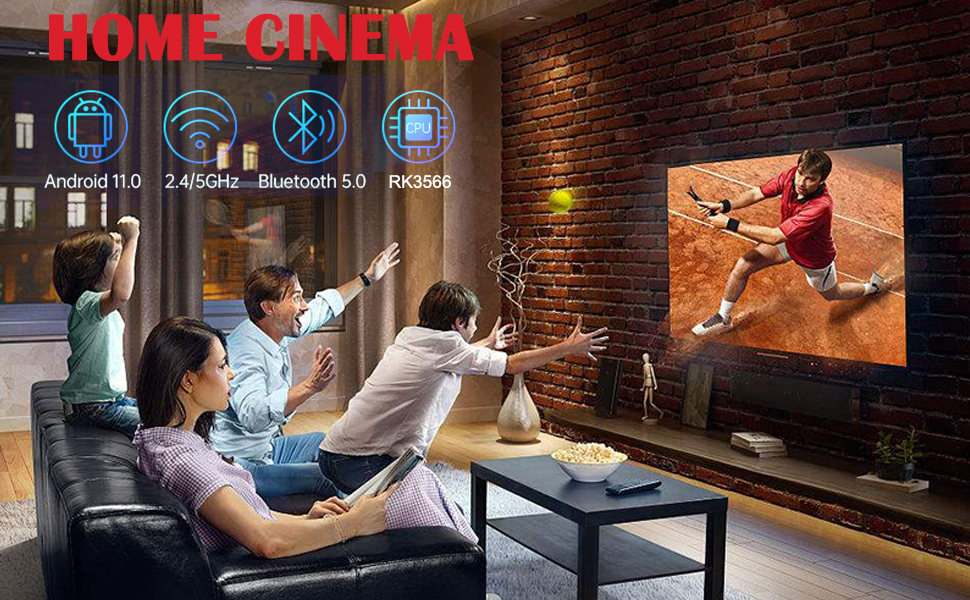
Image: A comparison showing the benefits of H.265 decoding and HDR. One side depicts "H.265 Decoding + HDR" with a smooth, vibrant image of a puppy, while the other shows "Ordinary Decoding + No HDR" with a duller, potentially freezing image, illustrating improved playback and visual quality.

Image: A split image comparing 4K (3840*2160) and 8K (7680*4320) resolutions, showcasing a scenic view with a waterfall and sunset. Below, icons for Android 11.0, 8K, and HDR are displayed, emphasizing the device's capabilities for an 8K virtual video experience.
Ekran Yansıtma
The RUPA Android TV Box supports various screen mirroring technologies like Airplay, DLNA, and Miracast, allowing you to cast content from your smartphone, tablet, or computer to your TV screen.
- Access the screen mirroring feature from the device's main menu or settings.
- Follow the on-screen instructions to connect your mobile device.
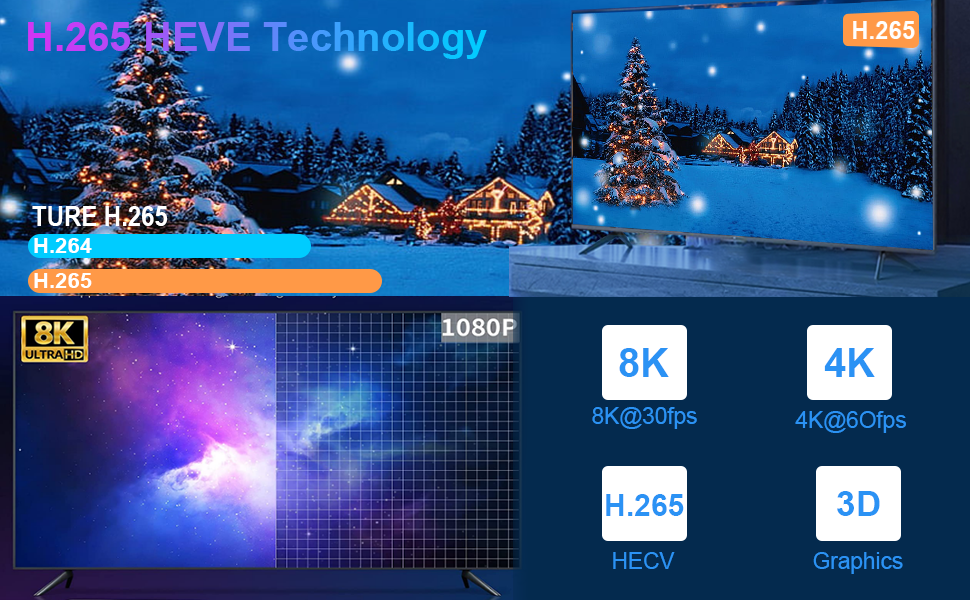
Image: A graphic illustrating the "Newest Android 11.0 OS" with a bar chart comparing Android 9, 10, and 11. An astronaut floats in space on a TV screen, with a "SCREEN MIRRORING SHARE" section showing icons for Airplay, DLNA, Miracast, Game, Movie, and Music, indicating content sharing capabilities.
Bakım
Cihazın Temizlenmesi
- Temizlemeden önce cihazın kapalı ve fişinin çekilmiş olduğundan emin olun.
- Use a soft, dry, lint-free cloth to wipe the exterior of the TV box and remote control.
- Do not use liquid cleaners, aerosols, or abrasive materials, as they may damage the device.
Yazılım Güncellemeleri
Periodically check for system updates to ensure optimal performance and access to the latest features and security patches. Updates can usually be found in the "Settings" menu under "About Device" or "System Update".
Depolama Yönetimi
While the device offers 64GB of internal storage, managing it effectively can prevent performance issues. Regularly clear cache from applications and uninstall unused apps to free up space. External storage (TF card up to 1TB) can be used for additional media storage.
Sorun giderme
This section addresses common issues you might encounter with your RUPA Android TV Box.
Güç Yok / Cihaz Açılmıyor
- Ensure the power adapter is securely connected to the TV box and a working power outlet.
- Başka bir cihazı takarak elektrik prizinin çalışır durumda olduğunu doğrulayın.
- Check if the power indicator light on the TV box is illuminated.
TV ekranında sinyal yok.
- Confirm the HDMI cable is securely connected to both the TV box and the TV.
- Ensure your TV is set to the correct HDMI input source (e.g., HDMI 1, HDMI 2) that the TV box is connected to.
- Farklı bir HDMI kablosu veya televizyonunuzdaki farklı bir HDMI bağlantı noktası deneyin.
Ağ Bağlantı Sorunları
- Wifi: Check if your Wi-Fi router is on and functioning. Re-enter the Wi-Fi password in the TV box settings. Try restarting your router.
- Ethernet: Ensure the Ethernet cable is properly connected to both the TV box and your router/modem. Check the status lights on your router.
Applications Freezing or Crashing
- Uygulamayı kapatın ve yeniden başlatın.
- Clear the app's cache: Go to Settings > Apps, select the problematic app, and choose "Clear Cache".
- If the issue persists, try uninstalling and reinstalling the app.
- Cihazda yeterli boş depolama alanı olduğundan emin olun.
- Some applications may not be fully optimized for Android TV OS or rooted devices.
Uzaktan Kumanda Yanıt Vermiyor
- Uzaktan kumandanın pillerini kontrol edin ve değiştirin.
- Uzaktan kumanda ile TV kutusu arasında herhangi bir engel olmadığından emin olun.
- If the remote is Bluetooth, ensure it is properly paired with the device.
Özellikler
Detailed technical specifications for the RUPA Android TV Box 11.0.

Image: A detailed table outlining the technical specifications of the RUPA Android TV Box, including chipset, GPU, flash memory, RAM, USB ports, LAN, wireless connectivity, Bluetooth, display port, power indicator, remote type, power supply, operating temperature, OS, supported decoder formats, media formats, music formats, photo formats, HDD file system, subtitle support, high definition video output, OSD languages, and mouse/keyboard support.
| Özellik | Detay |
|---|---|
| Marka Adı | RUPA |
| Model Adı | android tv box 11.0 |
| İşletim Sistemi | Android 11.0 |
| İşlemci | RK3566 Quad-Core 64bit Cortex-A55 @1.8GHz |
| Grafik işlemcisi | Mali-G52EE |
| Veri deposu | 8GB DDR4 |
| Dahili Depolama | 64GB ROM (expandable up to 1TB via TF card) |
| Bağlantı | Bluetooth 5.0, Wi-Fi (2.4G/5.8G Dual Band), Ethernet (10/100/1000M LAN) |
| USB Bağlantı Noktaları | 1x USB 3.0, 1x USB 2.0 |
| Video Çıkışı | HDMI 2.1 (supports 8K@60fps, 4K@60fps) |
| Desteklenen Çözünürlükler | 8K Ultra HD, 6K, 4K, 3D |
| Özel Özellikler | 8K Ultra HD, 3D Movies, H.265 Video Decoding, HDR10+, Screen Mirroring |
| Boyutlar | 7 x 3 x 2 inç |
| Ürün Ağırlığı | 11.2 ons |
Garanti ve Destek
Garanti Bilgileri
This product may be eligible for extended protection plans. Please refer to your purchase documentation or the seller's website for specific warranty terms and conditions. Standard protection plans of 2-Year and 3-Year durations may be available for purchase.
Müşteri Desteği
For technical assistance, troubleshooting, or product inquiries, please contact the seller directly. The seller for this product is GUANGSHIDA. You can typically find their contact information on the platform where you purchased the device or by visiting their official webalan.
For general information about RUPA products, you may visit the RUPA Store online.
Ask a question about this manual
Ask about setup, troubleshooting, compatibility, parts, safety, or missing instructions. Manuals+ will review the question and use this page’s manual context to help answer it.