
1. Giriş
Thank you for choosing the MAJORITY Quadriga Internet Radio with CD Player. This device offers a comprehensive audio experience, combining traditional and modern listening options. Enjoy access to thousands of internet radio stations, DAB+ and FM broadcasts, CD playback, Bluetooth streaming, Spotify Connect, and podcasts. With its powerful 120W 2.1 stereo sound and integrated subwoofer, the Quadriga delivers rich and clear audio.

Resim: Ön view of the MAJORITY Quadriga Internet Radio with CD Player.
2. Güvenlik Talimatları
- Kullanmadan önce tüm talimatları dikkatlice okuyun ve ileride başvurmak üzere saklayın.
- Üniteyi damlayan veya sıçrayan sıvılara maruz bırakmayın.
- Ünite çevresinde yeterli havalandırma olduğundan emin olun. Havalandırma açıklıklarını hiçbir şekilde kapatmayın.
- Üniteyi radyatör, kalorifer ızgarası, soba veya diğer cihazlar (dahil) gibi ısı kaynaklarının yakınına yerleştirmeyin. amp(ısı üreten)
- Güç kablosunun, özellikle fişlerde, prizlerde ve cihazdan çıktığı noktalarda üzerine basılmasını veya sıkışmasını önleyin.
- Sadece üretici tarafından belirtilen aparatları/aksesuarları kullanın.
- Yıldırımlı havalarda veya uzun süre kullanılmayacaksa bu cihazın fişini çekin.
- Tüm servis işlemleri için kalifiye servis personeline başvurun. Cihaz herhangi bir şekilde hasar gördüğünde servis gereklidir.
3. Kutuda Neler Var?
Carefully unpack your MAJORITY Quadriga and ensure all items listed below are present:
- 1x MAJORITY Quadriga Unit
- 1x Güç Kablosu
- 1x Uzaktan Kumanda
- 1x AUX Kablosu
- 1x RF Antenna
- 2 adet AAA pil (uzaktan kumanda için)
- 1x Kullanım Kılavuzu

Image: All components included in the MAJORITY Quadriga package.
4. Ürün Bittiview
4.1 Ön Panel
The front panel features the main display, control knob, function buttons, and CD slot.

Resim: Ayrıntılı view of the front panel controls and display.
4.2 Arka Panel
The rear panel provides various connectivity options for external devices and the antenna connection.
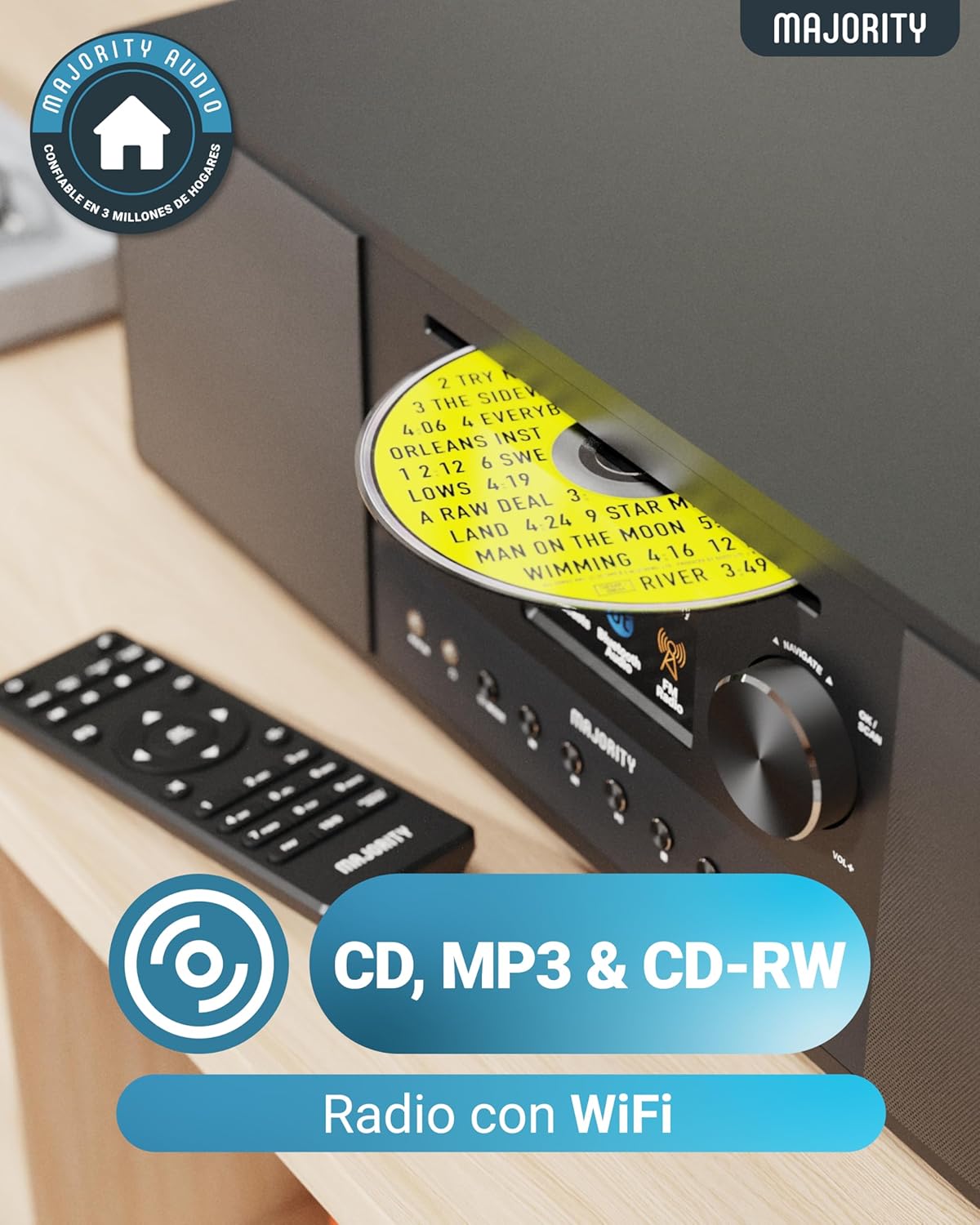
Image: Rear panel with input/output ports and antenna connector.
4.3 Uzaktan Kumanda
Birlikte verilen uzaktan kumanda, tüm fonksiyonların uzaktan rahatça kontrol edilmesini sağlar.

Image: The remote control unit.
5. Kurulum
5.1 Paketten Çıkarma ve Yerleştirme
Remove the unit from its packaging. Place the Quadriga on a stable, flat surface away from direct sunlight, heat sources, and moisture. Ensure there is sufficient space around the unit for proper ventilation.
5.2 Gücün Bağlanması
Connect the power cable to the DC IN port on the rear of the unit, then plug the other end into a wall socket.
5.3 Connecting Antenna
For optimal DAB+ and FM reception, connect the supplied RF antenna to the DAB/FM ANTENNA port on the rear panel. Extend the antenna fully for best signal.
5.4 İlk Kurulum ve Ağ Bağlantısı
Upon first power-on, the unit will guide you through an initial setup process. This typically includes:
- Dil Seçimi: Choose your preferred language from the on-screen menu.
- Ağ kurulumu: The unit will scan for available Wi-Fi networks. Select your network and enter the password using the control knob and buttons. A stable internet connection is required for Internet Radio, Spotify Connect, and podcast features.
- Saat ve Tarih: Set the correct time and date, or allow the unit to synchronize automatically via the internet.
6. Kullanım Talimatları
6.1 Temel Kontroller
- Güç Düğmesi: Üniteyi açmak veya kapatmak için basın.
- Kontrol Düğmesi: Rotate to navigate menus and adjust volume. Press to confirm selections.
- Mod Düğmesi: Press to cycle through available modes (Internet Radio, DAB+, FM, CD, Bluetooth, USB, AUX, Optical, RCA).
- Ön Ayar Düğmeleri: Use to save and recall your favorite radio stations.
6.2 İnternet Radyosu
Select 'Internet Radio' mode. You can browse stations by location, genre, or search for specific stations. Save your favorite stations to presets for quick access.

Image: The Quadriga unit highlighting its radio capabilities.
6.3 DAB+ Radyo
Switch to 'DAB+' mode. The unit will automatically scan for available digital radio stations. Use the control knob to select a station from the list.
6.4 FM Radyo
Select 'FM' mode. You can manually tune to frequencies or perform an auto-scan to find available stations.
6.5 Bluetooth Modu
Select 'Bluetooth' mode. The unit will enter pairing mode. On your smartphone or other Bluetooth device, search for 'MAJORITY Quadriga' and connect. Once paired, you can stream audio wirelessly.

Image: The Quadriga unit showcasing Bluetooth and Spotify features.
6.6 CD Oynatma
Insert a CD into the CD slot on the front panel. The unit will automatically switch to 'CD' mode and begin playback. Supports CD, CD-R, and CD-RW discs.

Image: Close-up of the CD player slot with a disc inserted.
6.7 USB Oynatma
Insert a USB drive into the USB port on the rear panel. Select 'USB' mode. The unit will display the contents of the USB drive, allowing you to browse and play audio files.
6.8 AUX, RCA, and Optical Input
Connect external audio devices using the appropriate cables to the AUX IN, RCA IN, or OPTICAL IN ports on the rear panel. Select the corresponding input mode on the Quadriga to play audio from the connected device.
6.9 Spotify Bağlantısı
To use Spotify Connect, ensure your Quadriga is connected to the internet and you have a Spotify Premium account. Open the Spotify app on your smartphone or tablet, play music, and select the Quadriga from the 'Devices Available' list. This allows direct streaming over Wi-Fi for superior sound quality.
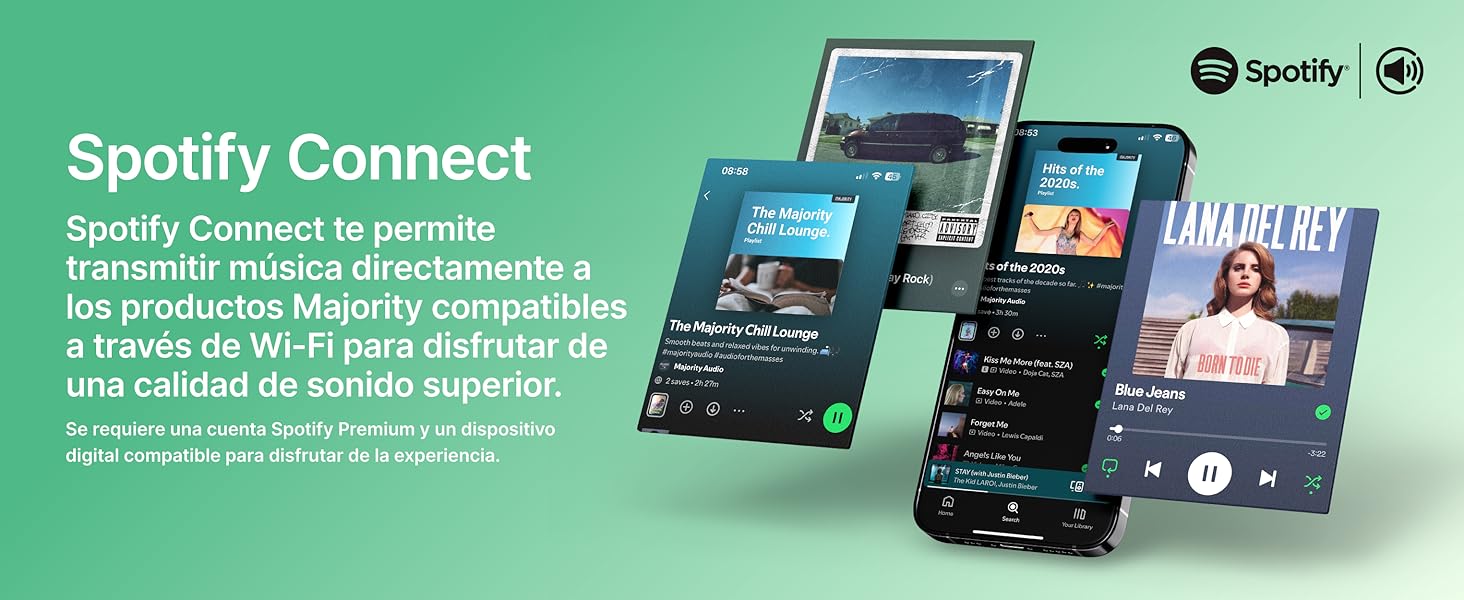
Image: Visual guide to using Spotify Connect with the Quadriga.
6.10 Podcast'ler
In 'Internet Radio' mode, navigate to the 'Podcasts' section. You can browse and listen to a wide variety of podcasts from around the world.
6.11 OKTIV App Control
The OKTIV app allows wireless control of your Majority product via Wi-Fi, enabling you to adjust settings and manage music from anywhere in your home. The app is compatible with iOS and Android devices.
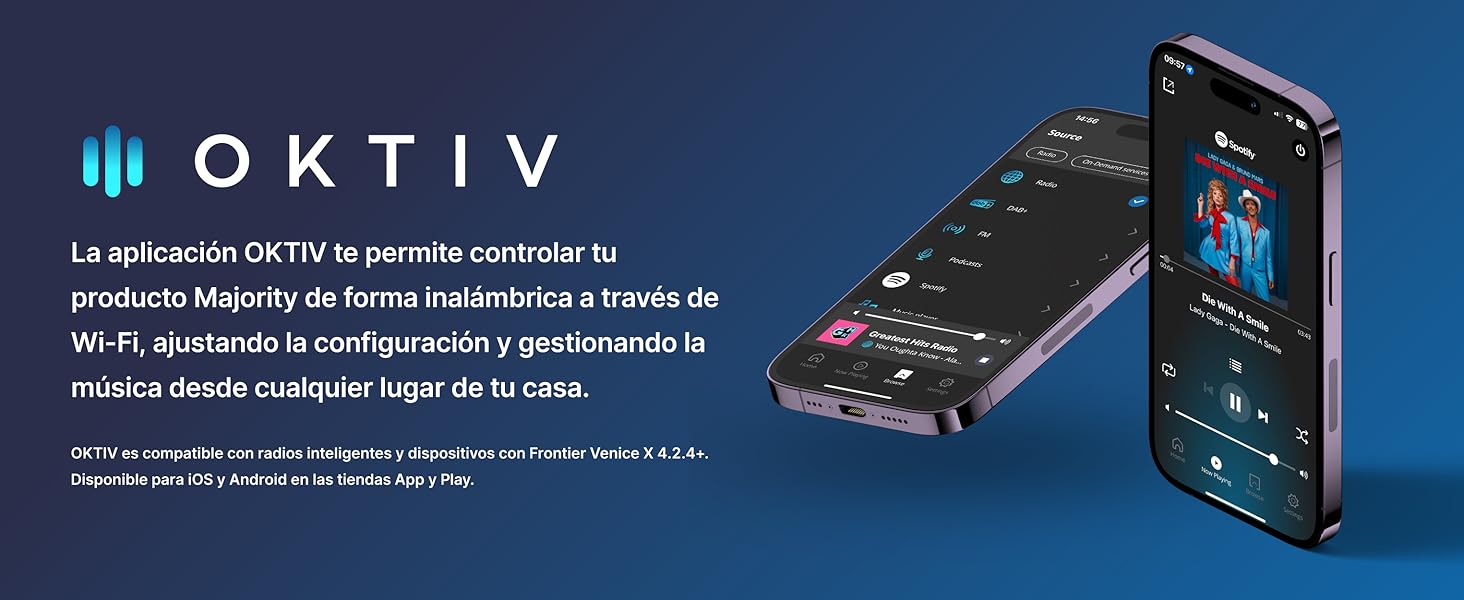
Image: Smartphones displaying the OKTIV app for remote control.
7. Bakım
- Temizlik: Cihazı temizlemek için yumuşak, kuru bir bez kullanın. Aşındırıcı temizleyiciler veya çözücüler kullanmayın.
- CD Çalar Bakımı: Handle CDs by the edges to avoid fingerprints. If the CD player experiences reading errors, try cleaning the disc with a soft, lint-free cloth.
- Havalandırma: Aşırı ısınmayı önlemek için havalandırma açıklıklarının toz ve kirden arındırılmış olduğundan emin olun.
8. Sorun Giderme
| Sorun | Olası Neden | Çözüm |
|---|---|---|
| Güç yok | Power cable not connected; Wall socket faulty | Check power cable connection; Try a different wall socket. |
| Ses yok | Volume too low; Incorrect input mode selected; Mute activated | Increase volume; Select correct input mode; Deactivate mute. |
| Zayıf radyo alımı | Anten uzatılmamış; Zayıf sinyal; Girişim | Extend antenna fully; Reposition the unit; Move away from other electronic devices. |
| Wi-Fi'ye bağlanılamıyor | Yanlış parola; Yönlendirici çok uzakta; Ağ sorunu | Verify Wi-Fi password; Move unit closer to router; Restart router. |
| CD oynatılmıyor/okunmuyor | Disc dirty/scratched; Disc type not supported | Clean the CD; Ensure it is a supported CD, CD-R, or CD-RW. |
9. Özellikler
- Modeli: Dörtlü
- Boyutlar (U x G x Y): 43x27x12.8 cm
- Ağırlık: 5.4 kilo
- Ses Çıkış Gücü: 120W (2.1 Stereo with Subwoofer)
- Bağlantı: Wi-Fi, Bluetooth, Ethernet
- Radyo Tuner: İnternet Radyosu, DAB+, FM
- Disk Uyumluluğu: CD, CD-R, CD-RW
- Girişler: AUX (3.5mm), RCA, Optical, USB
- Özel Özellikler: Spotify Connect, Podcasts
- Güç Kaynağı: Wired Electric (240 Volts)
- Görüntüleme Türü: LCD
- Malzeme: Plastik

Resim: View of the integrated subwoofer and 120W audio output.
10. Garanti
The MAJORITY Quadriga comes with a 3 yıl uzatılmış garanti. Product registration may be required to activate the full warranty period. Please refer to the warranty card included in your package or visit the official MAJORITY website for detailed terms and conditions regarding warranty claims and registration.
11. Destek
For further assistance, technical support, or to access additional resources, please visit the official MAJORITY website. You can find FAQs, updated manuals, and contact information for customer service there.
Webalan: www.majority.co.uk