
VANBAR D500
VANBAR Trail Camera D500 User Manual
Model: D500
For Wildlife Monitoring, Hunting, and Home Security
1. Giriş
The VANBAR D500 Trail Camera is a high-performance digital camera designed for outdoor use, ideal for capturing wildlife, monitoring property, or for hunting applications. It features advanced imaging capabilities, motion detection, and robust weather resistance to ensure reliable operation in various environments. This manual provides detailed instructions for setting up, operating, and maintaining your camera.

Resim 1.1: Üzeriview of the VANBAR D500 Trail Camera and its key features.
2. Kutuda Neler Var?
- VANBAR D500 Wildlife Camera
- 64GB Micro SD Card (pre-inserted)
- Kullanıcı Kılavuzu
- Montaj için vida seti
- Ayarlanabilir Braket
- Altıgen anahtarı
- Montaj Kayışı
- USB kablosu
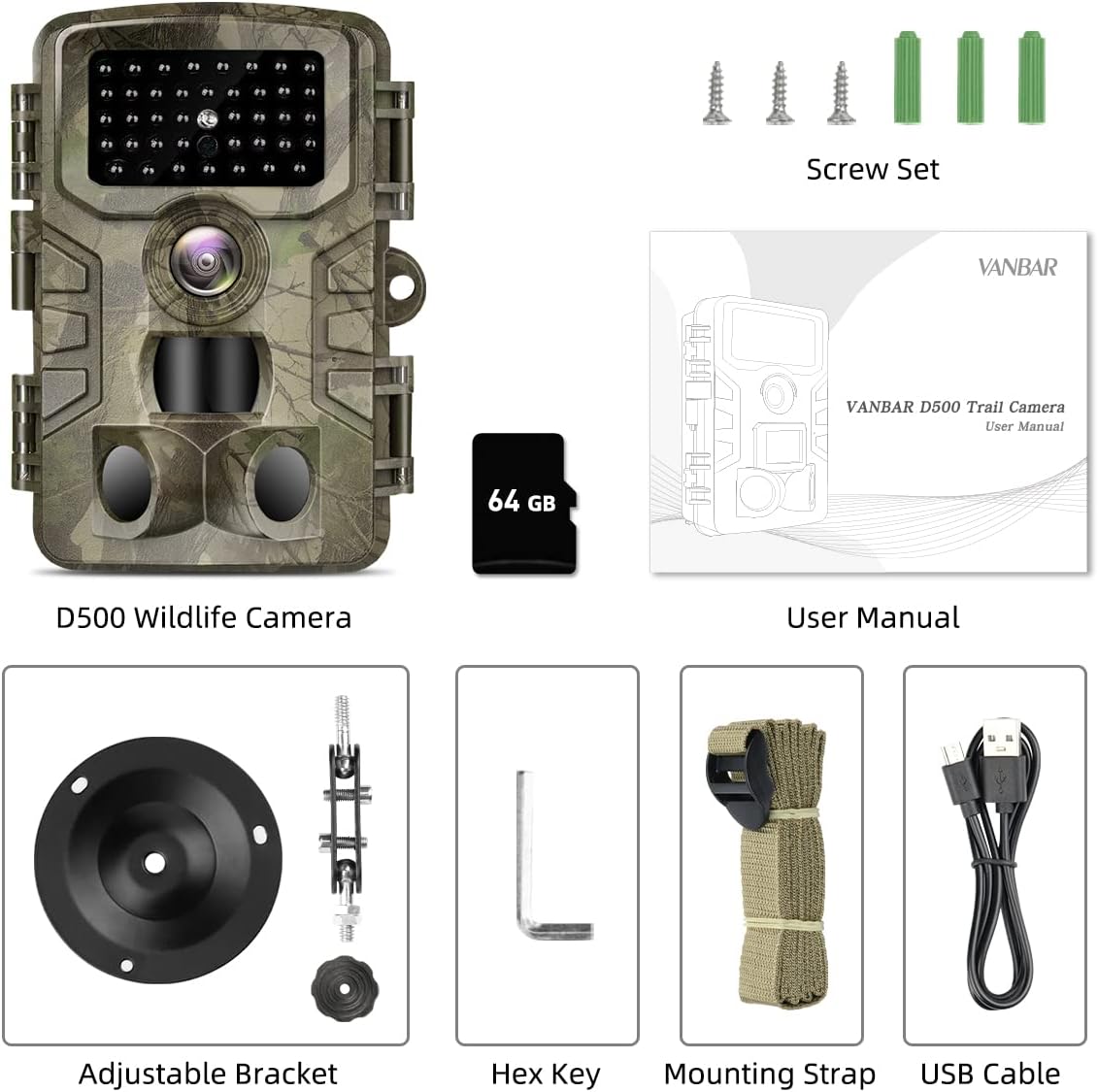
Image 2.1: All components included with your VANBAR D500 Trail Camera.
3. Ürün Bittiview
Familiarize yourself with the main components of your VANBAR D500 Trail Camera:

Image 3.1: Front and internal view of the camera with labeled parts.
- Kızılötesi LED: Gece görüşü için kızılötesi LED'ler.
- Cam Lens: Main camera lens for capturing images and videos.
- PIR Sensörleri: Passive Infrared sensors for motion detection (one 60° central, two 30° side sensors).
- Lock Catch: Kamera gövdesini sabitler.
- 2.0" LCD Ekran: İçin viewing settings, playback, and live preview.
- İşlem paneli: Buttons for navigation and control (MENU, REPLAY, SHOT, OK, navigation arrows).
- Konuşmacı: Ses oynatma için.
- USB Bağlantı Noktası: Bilgisayara bağlanmak için.
- TF Yuvası: Mikro SD kartı takmak için.
- ON/TEST/OFF Switch: Power and mode selection switch.
- DC Girişi: Port for external power supply (not included).
- Pil Bölmesi: Holds 8 AA batteries (not included).
4. Kurulum
Follow these steps for initial setup of your trail camera:
- Pilleri Takın: Open the camera housing. Insert 8 AA batteries (not included) into the battery compartment, ensuring correct polarity.
- Micro SD Kartı Takın: The 64GB Micro SD card is pre-inserted. If removed, re-insert it into the TF slot until it clicks.
- Switch to TEST Mode: Move the ON/TEST/OFF switch to the 'TEST' position. The LCD screen will turn on.
- SD Kartı Biçimlendir: Press the 'MENU' button. Navigate to 'Format' and select 'Yes' to format the Micro SD card. This prepares the card for optimal performance and clears any previous data.
- Tarih ve Saati Ayarla: In the 'MENU' settings, navigate to 'Set Clock' to adjust the date and time. This ensures accurate timestampKayıtlarınızda.
- Ayarları Yapılandırın: Adjust other settings such as 'Mode' (Photo, Video, Photo+Video), 'Video Length', 'Photo Size', 'PIR Interval', and 'PIR Level' according to your needs.
- Switch to ON Mode: Once all settings are configured, move the ON/TEST/OFF switch to the 'ON' position. The screen will turn off, and the camera will enter active monitoring mode.

Image 4.1: Visual guide for quick setup of the D500 Trail Camera.
5. Kameranın Çalıştırılması
5.1 Yakalama Modları
The camera supports three capture modes: Photo, Video, and Photo+Video. Select your desired mode from the 'Mode' setting in the menu.
- Fotoğraf Modu: Captures still images at up to 32MP resolution.
- Video Modu: Records video clips at up to 1520P resolution.
- Fotoğraf+Video Modu: Tetiklendiğinde önce durağan bir görüntü, ardından bir video klibi kaydeder.

Image 5.1: High-resolution capture capabilities of the D500 camera.
5.2 Motion Activation and Trigger Speed
The camera utilizes 3 PIR sensors for a 120° wide detection range. With a rapid 0.2-second trigger speed, it ensures that fast-moving subjects are captured effectively.

Image 5.2: The camera's fast trigger speed captures dynamic moments.
5.3 Gece Görüşü
Equipped with 40pcs non-glow IR LEDs, the camera provides clear black-and-white images and videos at night without disturbing wildlife. The 120° wide-angle detection range is maintained in low-light conditions.

Image 5.3: Advanced night vision capabilities for clear nocturnal recordings.
5.4 Döngü Kaydı
The loop recording feature automatically overwrites the oldest files when the memory card is full, ensuring continuous operation without manual intervention. You can set specific files to be protected from deletion.
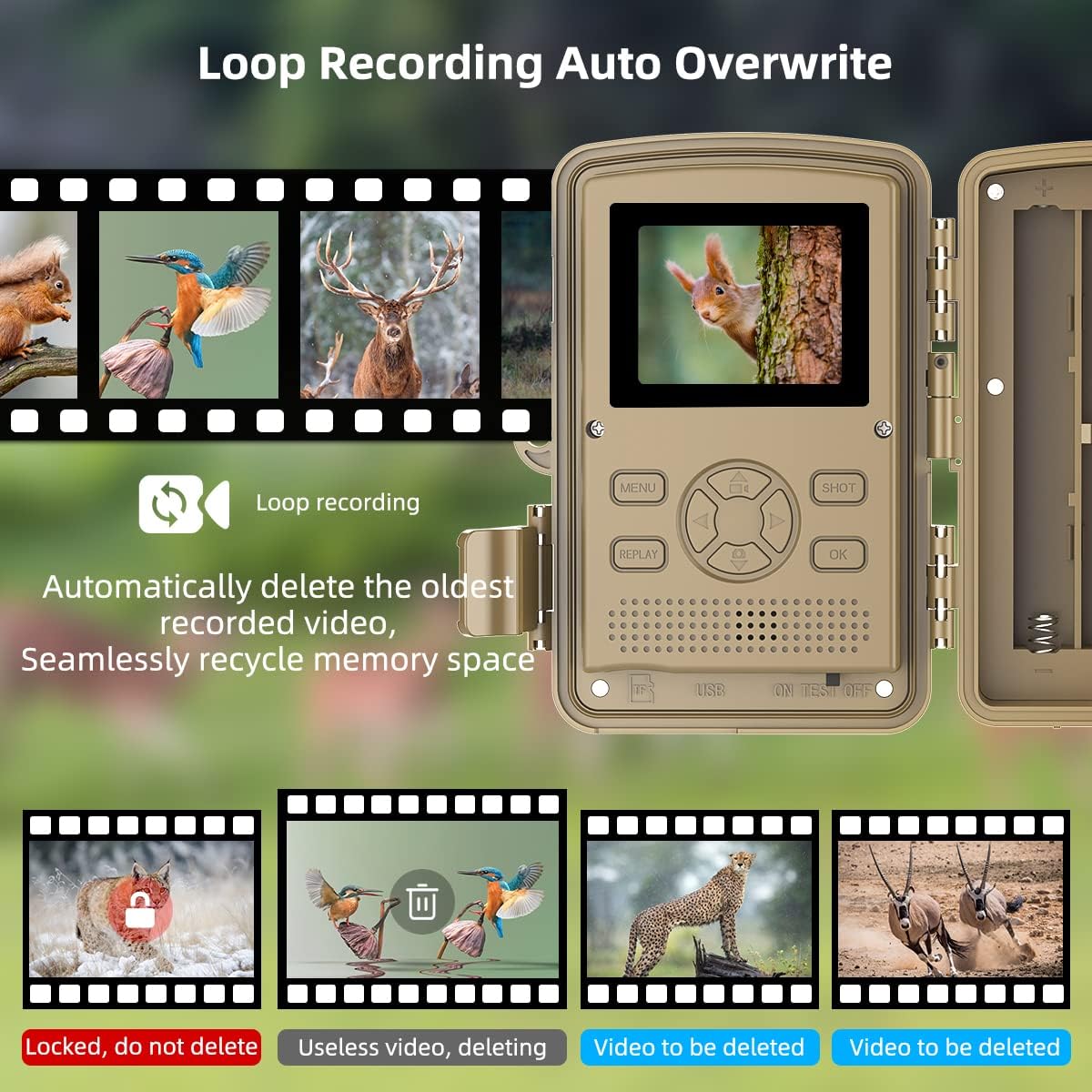
Image 5.4: Explanation of the loop recording and auto-overwrite function.
5.5 Uygulamalar
The VANBAR D500 Trail Camera is versatile and can be used for various purposes:
- Yaban Hayatı İzleme: Observe animal behavior in their natural habitat.
- Avcılık: Scout game trails and identify animal patterns.
- Ev Güvenliği: Monitor your property for unauthorized activity.
- Farm Surveillance: Keep an eye on livestock or deter trespassers.
- Plant Monitoring: Document the growth process of plants over time using time-lapse.

Image 5.5: Diverse applications of the VANBAR D500 Trail Camera.

Image 5.6: Additional monitoring applications including plant growth and property surveillance.
6. Bakım
Doğru bakım, kameranızın uzun ömürlü olmasını ve en iyi performansı göstermesini sağlar:
- Suya ve Toza Dayanıklılık: The camera has an IP66 rating, making it highly resistant to water and dust. It is suitable for outdoor use in various weather conditions, operating effectively between -20°C to 70°C (-4°F to 158°F).
- Temizlik: Fotoğraf makinesinin objektifini ve gövdesini temizlemek için yumuşak, kuru bir bez kullanın. Aşındırıcı temizleyicilerden veya çözücülerden kaçının.
- Pil Ömrü: The camera offers a long standby time of 8-10 months. Replace batteries when the low battery indicator appears on the screen.
- SD Kart Bakımı: Regularly back up important data from the SD card to a computer and format the card periodically to maintain performance.
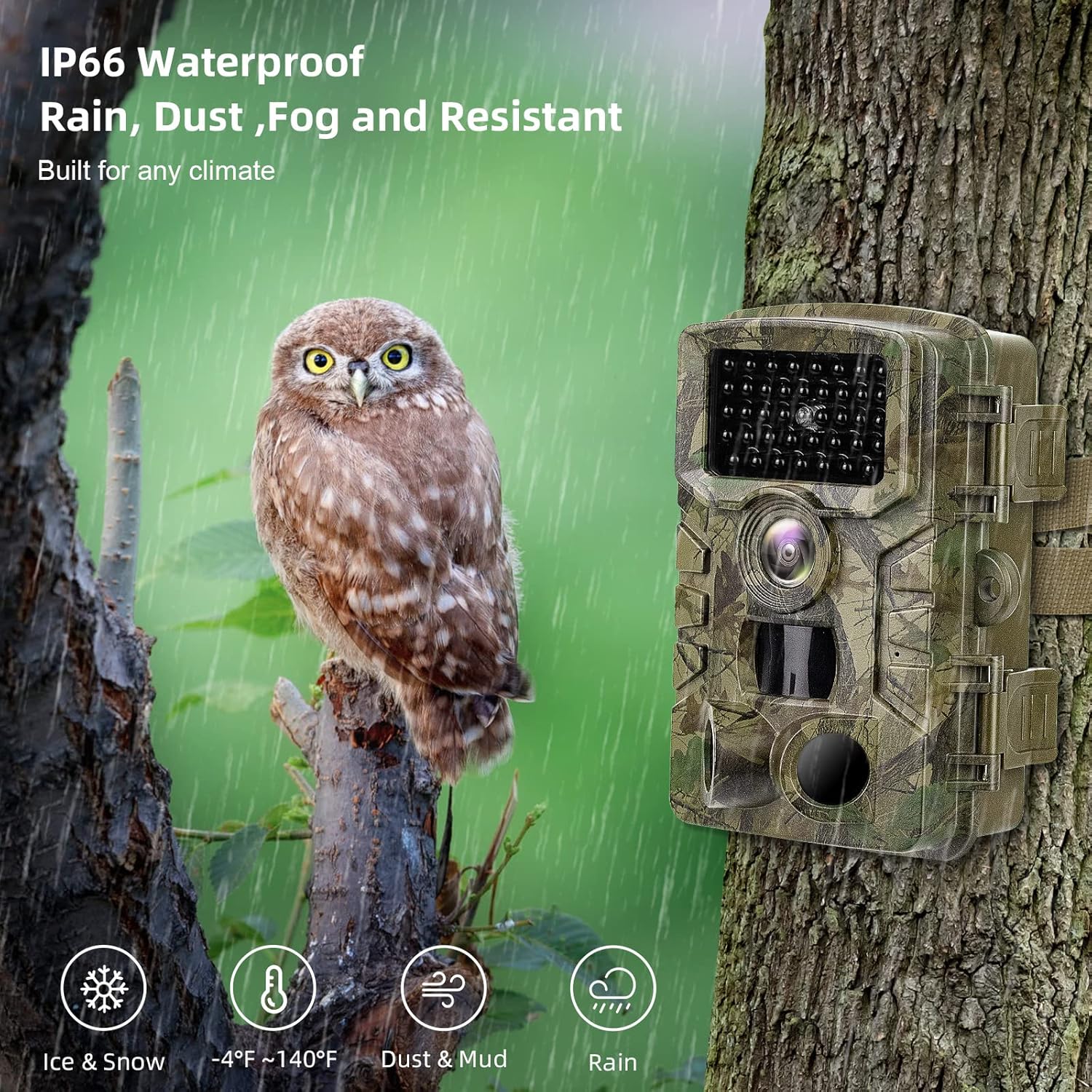
Image 6.1: The camera's IP66 waterproof and dustproof design for all-weather use.
7. Sorun Giderme
Kameranızla ilgili sorunlarla karşılaşırsanız, aşağıdaki yaygın sorunlara ve çözümlere bakın:
| Sorun | Olası Neden | Çözüm |
|---|---|---|
| Kamera açılmıyor | Low or dead batteries; incorrect battery polarity; switch not in ON/TEST position. | Replace batteries; ensure correct polarity; set switch to ON or TEST. |
| Hiçbir görüntü/video yakalanmadı | SD card full or corrupted; incorrect mode setting; PIR sensitivity too low; camera not in ON mode. | Format or replace SD card; select appropriate mode (Photo/Video/Photo+Video); increase PIR sensitivity; ensure camera is in ON mode. |
| Kötü görüntü/video kalitesi | Dirty lens; low light conditions (for color images); subject too far or too close. | Clean the lens; ensure adequate lighting or rely on night vision; adjust camera placement. |
| Aşırı yanlış tetiklemeler | PIR hassasiyeti çok yüksek; kamera hareketli dallara veya ısı kaynaklarına bakıyor. | Decrease PIR sensitivity; reposition camera to avoid false triggers. |
8. Özellikler
| Özellik | Detay |
|---|---|
| Resolution (Photo) | 32 MP |
| Çözünürlük (Video) | 1520P |
| PIR Sensörleri | 3 (120° wide detecting range) |
| Tetik Hızı | 0.2 saniye |
| Algılama Aralığı | 80-100ft (approx. 24-30m) |
| IR LEDler | 40pcs Non-Glow Infrared LEDs |
| Su Geçirmezlik Derecesi | IP66 |
| Çalışma Sıcaklığı | -20°C ~ 70°C (-4°F ~ 158°F) |
| Görüntülemek | 2.0 inç LCD |
| Depolamak | 512 GB'a kadar Micro SD kartı destekler (64 GB dahildir) |
| Güç Kaynağı | 8 AA Pil (dahil değildir) |
| Bekleme Süresi | 8-10 ay |
| Çekim Modları | Fotoğraf, Video, Fotoğraf+Video |
| Özel Özellikler | Zaman stamp, Operation hours, Time lapse, Loop recording |
9. Garanti ve Destek
VANBAR products are designed for durability and performance. For warranty information and technical support, please refer to the contact details provided on the product packaging or the official VANBAR webSite. Satın alma fişinizi, garanti talepleriniz için satın alma belgeniz olarak saklayın.