
giriiş
The Keychron C2 is a full-size (104-key) wired mechanical keyboard designed for both Mac and Windows operating systems. It features durable Red mechanical switches and retro-colored ABS keycaps, providing a comfortable and responsive typing experience. This manual provides essential information for setting up, operating, maintaining, and troubleshooting your Keychron C2 keyboard.

Image: The Keychron C2 Full Size Wired Mechanical Keyboard connected to a computer setup.
Paket İçeriği
Paketin içerisinde tüm ürünlerin mevcut olduğundan emin olun:
- Keychron C2 Full Size Wired Mechanical Keyboard
- USB-C - USB-A Kablosu
- Tuş Çektirmesi
- Extra Keycaps for Mac and Windows operating systems
Kurmak
- Klavyeyi Bağlayın: Plug the USB-C end of the provided cable into the keyboard's USB-C port and the USB-A end into an available USB port on your computer. The keyboard is a wired-only device and does not require batteries.
- İşletim Sistemi Modunu Seçin: Locate the operating system switch on the back or side of the keyboard. Slide the switch to the appropriate position for your computer (Mac or Windows). This ensures correct function key mapping.
- Klavye Açısını Ayarla: The keyboard features 2-level adjustable feet. Flip out the feet on the underside of the keyboard to achieve your preferred typing angle for ergonomic comfort.
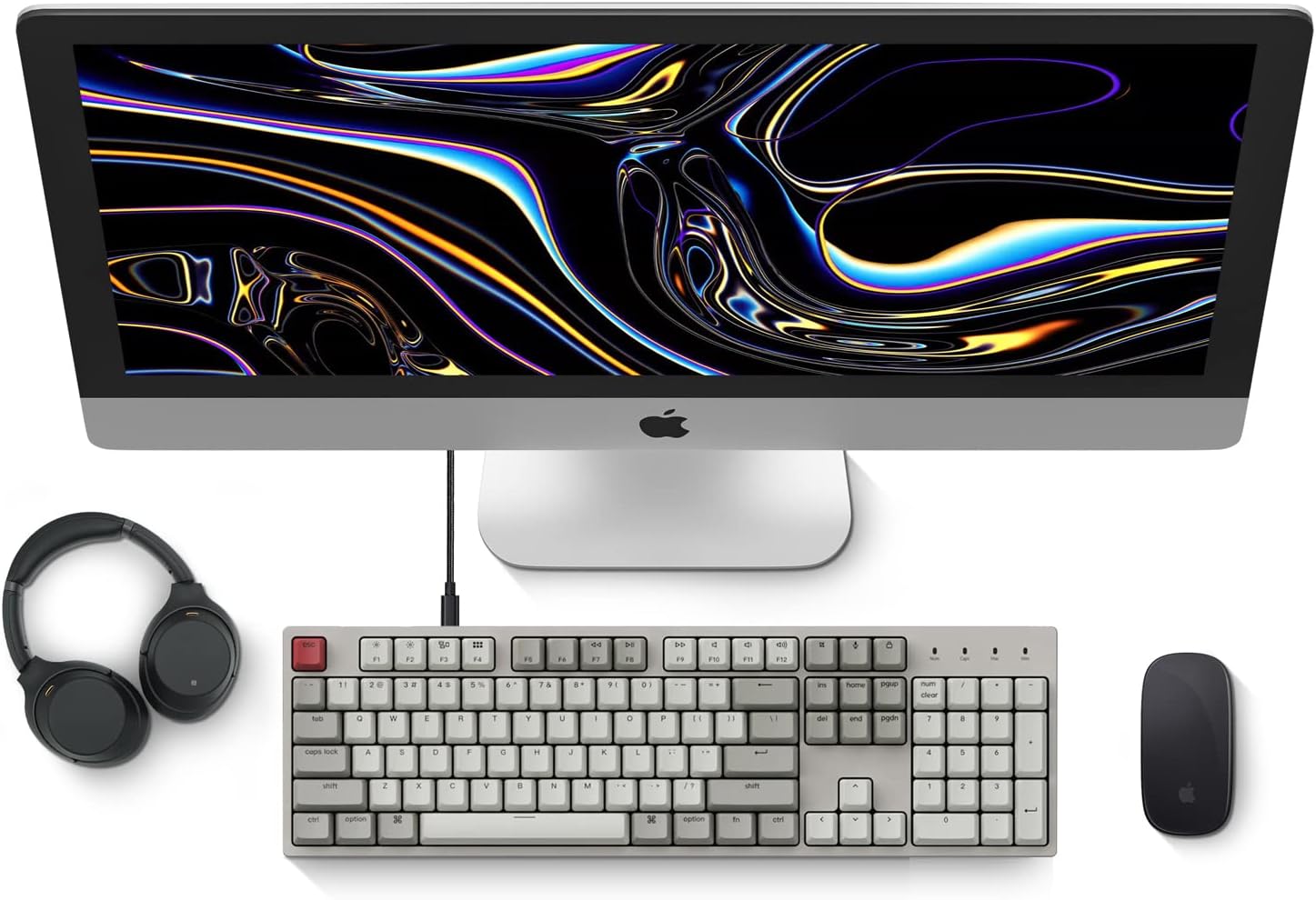
Image: Diagram showing compatibility with Mac and Windows operating systems.

Resim: Yan view of the Keychron C2 keyboard illustrating the adjustable feet for angle customization.
Kullanım Talimatları
Temel Fonksiyonlar
- Yazma: The keyboard features a standard 104-key full-size layout.
- Multimedya Tuşları: The top row of function keys (F1-F12) includes multimedia controls. These functions are optimized for Mac but are also compatible with Windows.
- Siri/Cortana Key: A dedicated key is provided for activating Siri (on Mac) or Cortana (on Windows).
Tuş kapağı değişimi
The Keychron C2 comes with extra keycaps for both Mac and Windows layouts. To replace keycaps:
- Use the provided keycap puller to gently remove the desired keycap by hooking it onto the keycap and pulling upwards.
- Align the new keycap with the switch stem and press down firmly until it clicks into place.

Resim: Yakın çekim view of the Keychron Red mechanical switches beneath removed keycaps.
Bakım
- Temizlik: Klavyenizde toz ve kir birikmesini önlemek için düzenli olarak temizleyin. Tuş başlıkları arasındaki parçacıkları temizlemek için yumuşak bir fırça veya basınçlı hava kullanın. Yüzey temizliği için ise hafifçe tozlanmış bir bez kullanın.ampTüy bırakmayan bir bez kullanın. Sert kimyasallardan kaçının.
- Tuş Başlığı Bakımı: While durable, avoid excessive force when removing or installing keycaps to prevent damage to the keycap stems or switches.
- Kablo yönetimi: Ensure the USB-C cable is not bent sharply or placed under heavy objects to prolong its lifespan.

Image: Close-up of the ABS keycaps on the Keychron C2 keyboard.
Sorun giderme
- Klavye Yanıt Vermiyor:
- Check the USB-C cable connection at both the keyboard and the computer. Ensure it is securely plugged in.
- Klavyeyi bilgisayarınızdaki farklı bir USB portuna bağlamayı deneyin.
- Verify that the operating system switch on the keyboard is set correctly (Mac/Windows).
- Bilgisayarınızı yeniden başlatın.
- Çalışmayan Belirli Tuşlar:
- Carefully remove the non-functional keycap using the keycap puller. Inspect the mechanical switch for any visible damage or debris.
- Clean around the switch with compressed air.
- Tuş başlığını sıkıca yerine oturtun.
- Yanlış Tuş Çıkışı:
- Ensure the operating system switch is set to the correct mode for your computer.
- Check your computer's keyboard settings to ensure the correct layout is selected.
Özellikler
| Özellik | Detay |
|---|---|
| Marka | Anahtarkron |
| Model Adı | Keychron C2 |
| Model Numarası | HS-C2K1Z |
| Bağlantı Teknolojisi | USB-C (Kablolu) |
| Uyumlu Cihazlar | Dizüstü Bilgisayar |
| Uyumlu İşletim Sistemi Ailesi | MacOS, Windows |
| Anahtar Sayısı | 104 |
| Anahtar Türü | Linear (Red Switch) |
| Tuş Malzemesi | ABS (Akrilonitril Bütadien Stiren) |
| Klavye Düzeni | Q klavye |
| Özel Özellik | Arkadan Aydınlatmalı (Tek Renk) |
| Ürün Ağırlığı | 5390 Gram |
| Güç Kaynağı | Kablolu Elektrik |
Garanti ve Destek
Garanti bilgileri, teknik destek veya daha fazla yardım için lütfen Keychron'un resmi web sitesini ziyaret edin. website or contact Keychron customer service. Details regarding product registration and specific warranty terms can be found through official Keychron channels.