
1. Giriş
Thank you for choosing the Calex Smart Ceiling Lamp. This 30cm smart ceiling light is designed for indoor use in spaces such as bedrooms and living rooms, offering versatile lighting options including 16 million colors and tunable white light. It can be controlled via the Calex Smart App and is compatible with popular voice assistants.

Figure 1: Calex Smart Ceiling Lamp (Model 5301000200)
2. Güvenlik Bilgileri
- Bu ürün için tasarlanmıştır sadece iç mekanda kullanılabilir. Do not install in wet or damp Konumlar.
- Ensure the power supply is disconnected before installation, maintenance, or cleaning to prevent electric shock.
- Kurulum, yetkili bir elektrikçi tarafından veya yerel elektrik yönetmeliklerine uygun olarak yapılmalıdır.
- l'yi çalıştıramp only within the specified voltage range of 230 Volts AC.
- l'yi sökmeye veya değiştirmeye çalışmayın.ampİçerisinde kullanıcının müdahale edebileceği herhangi bir parça bulunmamaktadır.
- l'yi tutamp ısı kaynaklarından ve doğrudan güneş ışığından uzak tutun.
3. Paket İçeriği
Paketin tüm bileşenlerinin mevcut olduğunu doğrulayın:
- 1x Calex Smart Ceiling Lamp (Model 5301000200)
4. Kurulum ve Kurulum
The Calex Smart Ceiling Lamp requires ceiling mounting and assembly. Follow these steps carefully:
- Hazırlık: Turn off the main power supply at the circuit breaker before starting installation.
- Montaj: L'yi güvenli bir şekilde takınamp's mounting bracket to the ceiling using appropriate screws and anchors (not included, typically supplied by installer). Ensure the mounting surface can support the lamp's weight (934 grams).
- Kablolama: Tavandan gelen elektrik kablolarını l'ye bağlayın.amp's terminals. Ensure correct polarity (Live, Neutral, Earth) as indicated in the lamp's wiring diagram.
- Toplantı: l'yi ekleamp body to the mounting bracket, ensuring it is firmly secured.
- Güç Açık: Restore power at the circuit breaker. The lamp should turn on or enter pairing mode.
5. L'yi Çalıştırmaamp
The Calex Smart Ceiling Lamp is primarily controlled via the Calex Smart App. It offers a wide range of lighting options:
- Renk Seçimi: Choose from 16 million colors to set the perfect mood.
- Ayarlanabilir Beyaz: Beyaz ışığın tonunu sıcaktan soğuğa doğru ayarlayın.
- Kısılabilir: Parlaklığı %0 ile %100 arasında ayarlayın.
- Sahneler ve Programlar: Create custom lighting scenes and set timers for automated operation.
6. Calex Smart App Control
To unlock the full potential of your Calex Smart Ceiling Lamp, download and install the Calex Smart App on your smartphone or tablet. The app allows you to control your lamp İnternet bağlantısı olan her yerden.
- Uygulamayı indirin: Arama "Calex Smart" in your device's app store (iOS or Android).
- Hesap oluşturmak: Open the app and follow the instructions to create a new user account or log in if you already have one.
- Cihaz Ekle: In the app, select "Add Device" or the "+" icon. Choose "Lighting" and then "Ceiling Lamp" or a similar option.
- Eşleştirme: l'nizi sağlayınamp is powered on and in pairing mode (it may flash). Follow the in-app instructions to connect the lamp to your 2.4 GHz Wi-Fi network.
- Kontrol: Once paired, you can control the lamp's color, brightness, and set schedules directly from the app.
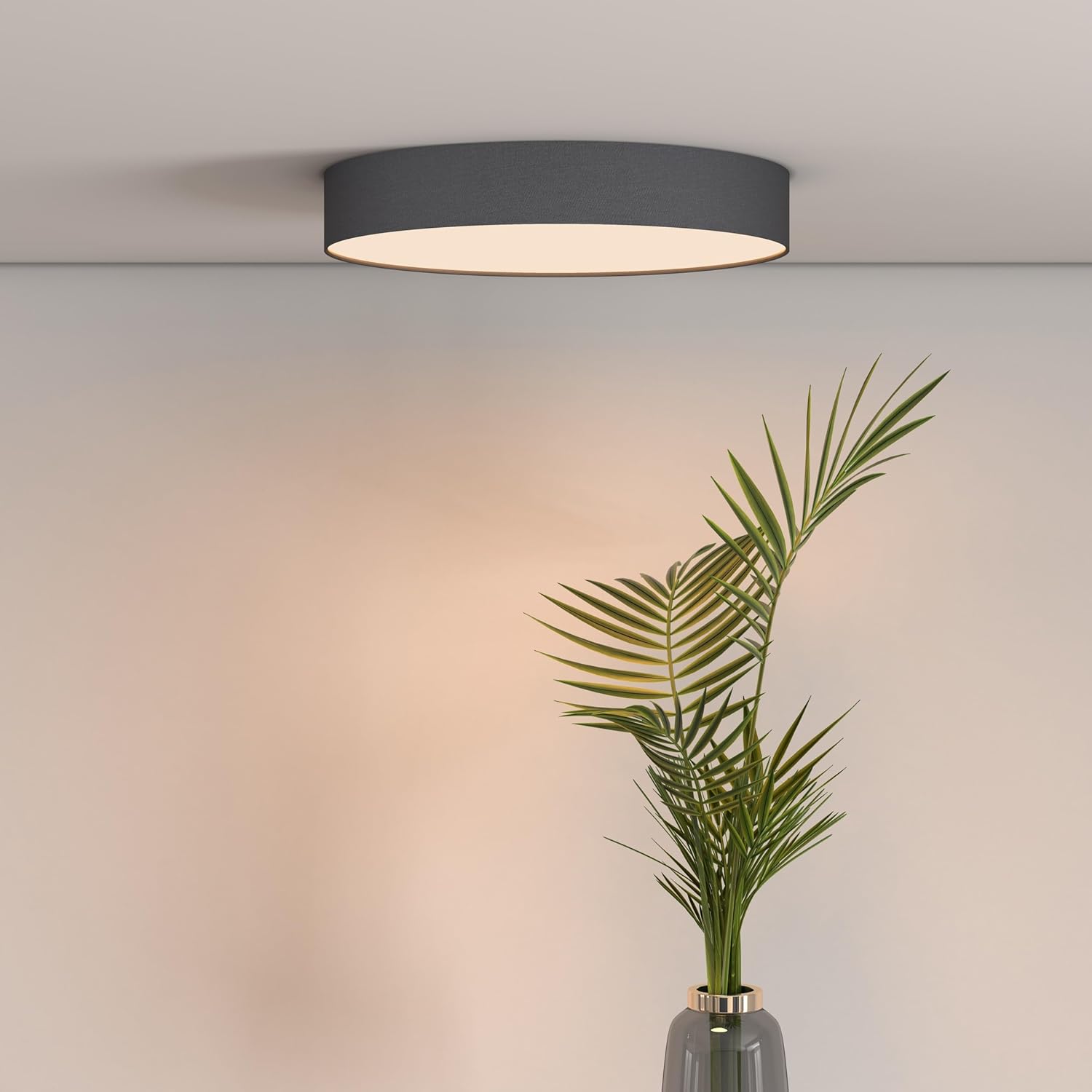
Figure 2: Calex Smart App Interface
7. Ses Kontrolü
The Calex Smart Ceiling Lamp is compatible with leading voice assistants, allowing for hands-free control:
- Amazon Alexa: Link your Calex Smart account to Alexa through the Alexa app.
- Google Ev Asistanı: Link your Calex Smart account to Google Home through the Google Home app.
- Siri: Use Siri Shortcuts to control your lamp (setup via the Calex Smart App).
Once linked, you can use commands such as: "Alexa, turn on the ceiling lamp," "Hey Google, set the ceiling lamp to blue," or "Siri, dim the ceiling lamp %50'a kadar."
8. Bakım
To ensure the longevity and optimal performance of your Calex Smart Ceiling LampAşağıdaki basit bakım yönergelerini izleyin:
- Temizlik: Temizlemeden önce elektriği kesin. Yumuşak, kuru veya hafif nemli bir bez kullanın.amp l yüzeyini silmek için bezamp. Do not use abrasive cleaners, solvents, or harsh chemicals, as these can damage the finish.
- Denetleme: L'yi periyodik olarak kontrol edinamp for any signs of damage or loose connections. If any issues are found, disconnect power and consult a qualified technician.
- Kullanıcı Tarafından Bakımı Yapılabilecek Parça Yok: The LED light source is integrated and not replaceable by the user. Do not attempt to open the lamp.
9. Sorun Giderme
If you encounter issues with your Calex Smart Ceiling LampAşağıdaki yaygın çözümlere bakın:
- Lamp açılmıyor:
- Ana güç kaynağının açık olup olmadığını kontrol edin.
- l'yi sağlayınamp is correctly wired and securely connected to the power source.
- Verify that the light switch (if applicable) is in the ON position.
- Lamp does not connect to Wi-Fi/App:
- Ensure your Wi-Fi network is 2.4 GHz. The lamp does not support 5 GHz Wi-Fi.
- Check your Wi-Fi signal strength at the lampkonumu.
- Wi-Fi yönlendiricinizi yeniden başlatın.
- l'yi sıfırlaamp to pairing mode (usually by cycling power ON/OFF several times). Refer to the Calex Smart App for specific reset instructions.
- Eşleştirme işlemi sırasında akıllı telefonunuzun aynı 2.4 GHz Wi-Fi ağına bağlı olduğundan emin olun.
- Ses kontrolü çalışmıyor:
- Verify that your Calex Smart account is correctly linked to your voice assistant app (Alexa, Google Home).
- İnternet bağlantınızı kontrol edin.
- l'yi sağlayınamp is online and controllable via the Calex Smart App.
10. Özellikler
| Özellik | Şartname |
|---|---|
| Marka | Calex |
| Model Numarası | 5301000200 |
| GTIN | 08712879151081 |
| Renk | Black (exterior) |
| Boyutlar | 30cm diameter (approx.) |
| Ağırlık | 934 Gram |
| Güç Kaynağı | AC |
| Cilttage | 230 Volt |
| Netage | 16 Vat |
| Parlaklık | 1500 Lümen |
| Işık kaynağı | Entegre LED |
| Açık Renk | RGBW (16 million colors + Tunable White) |
| Kısılabilir | Evet |
| Bağlantı | Wi-Fi (2.4 GHz) |
| Kontrol Yöntemi | Calex Smart App, Voice Control (Alexa, Google Home, Siri) |
| Kurulum Türü | Tavan Montajı |
| İç/Dış Mekan Kullanımı | Sadece İç Mekan |
| Enerji Verimliliği Sınıfı | F |

Figure 3: Energy Label for Model 5301000200
Ayrıntılı ürün bilgileri için EPREL veri tabanına bakınız: https://eprel.ec.europa.eu/qr/711744
11. Garanti ve Destek
Calex products are manufactured to high-quality standards and come with a manufacturer's warranty. For specific warranty terms and conditions, please refer to the documentation provided with your purchase or visit the official Calex webalan.
For technical support, troubleshooting assistance, or warranty claims, please contact Calex customer service through their official website veya ürün ambalajınızda yer alan iletişim bilgileri.