
Ürün Bittiview
The Ratakee Digital AM/FM Radio Alarm Clock (Model RA01SA) is designed for ease of use and clear readability, featuring large 1.4-inch LED digits. This versatile alarm clock offers multiple alarm sound options, an AM/FM radio with preset capabilities, a dimmable display, sleep timer, and snooze function. It operates via AC power with a battery backup for continued functionality during power outagee.
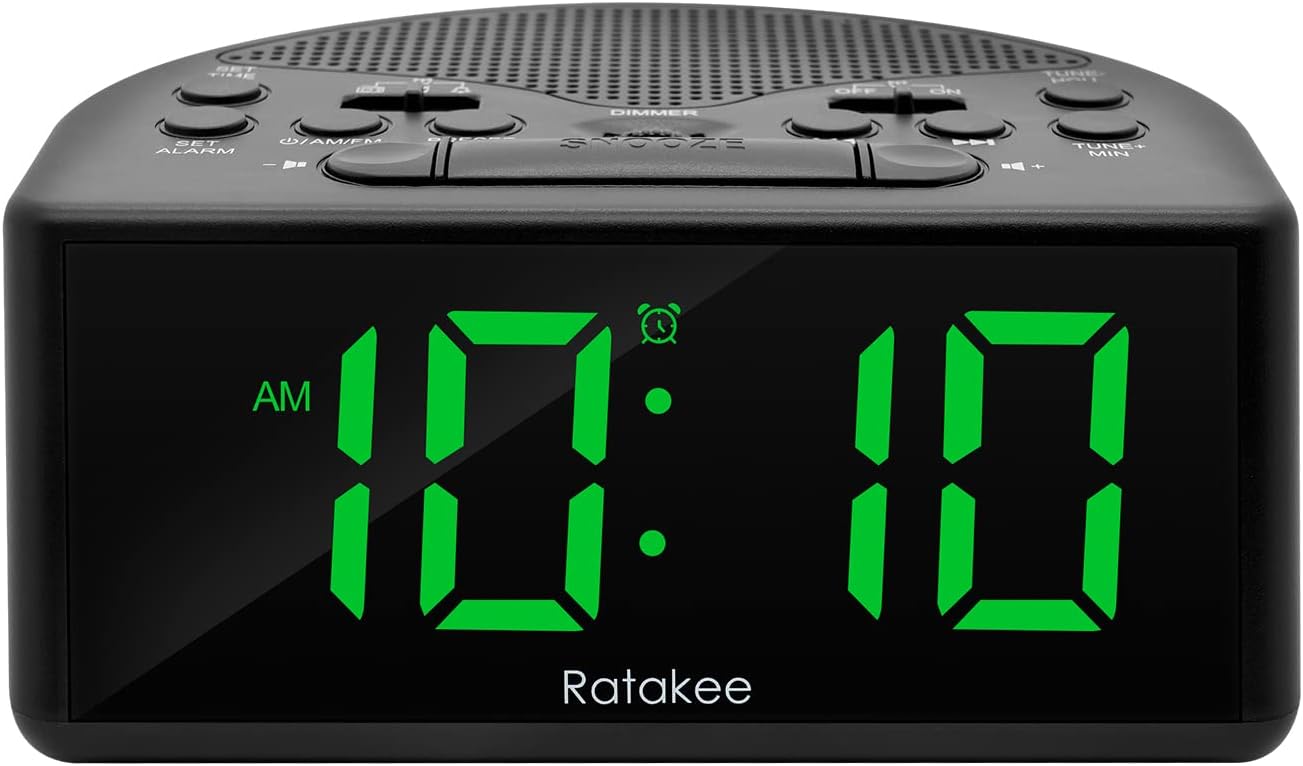
Şekil 1: Ön view of the Ratakee Digital AM/FM Radio Alarm Clock displaying 10:10 AM.
Kurmak
Çalar Saati Çalıştırma
The alarm clock can be powered by an AC outlet or by batteries for backup.
- AC Gücü: Connect the included power cord to the AC120V outlet and plug it into a wall socket. The display will light up, and the radio will be operational.
- Pil Yedekleme: güç içintage protection, insert 3 AA batteries (not included) into the battery compartment located on the bottom of the unit. When powered by batteries, the display will auto-dim after 20 seconds of no operation to conserve power, but the clock, alarm, and radio functions will remain active.

Figure 2: Illustration of the dual power methods: AC cord connection and battery compartment for 3 AA batteries.
Kullanım Talimatları
This section details the operation of your Ratakee alarm clock. Refer to Figure 3 for button and switch locations.

Figure 3: Top panel controls of the Ratakee Digital AM/FM Radio Alarm Clock.
Zamanı Ayarlama
- Basılı tutun AYARLANAN ZAMAN button for 2 seconds. The hour digits will begin to flash.
- Kullanın TUNE+ HOU Saati ayarlamak için düğmesine basın.
- Kullanın TUNE- MIN dakikayı ayarlamak için düğmesine basın.
- Basın AYARLANAN ZAMAN Zaman ayarı modundan çıkmak ve onaylamak için tekrar düğmeye basın.
Alarmı Ayarlama
The alarm clock offers three selectable alarm sounds: AM/FM radio, music, or a classic beep.

Figure 4: The alarm clock offers three distinct alarm sound options.
- Basılı tutun ALARM KURMAK button for 2 seconds. The alarm hour digits will flash.
- Kullanın TUNE+ HOU Alarm saatini ayarlamak için düğme.
- Kullanın TUNE- MIN Alarm dakikasını ayarlamak için düğme.
- Slide the alarm tone switch (located near the ALARM KURMAK button) to select your desired alarm sound: radio, music, or beep.
- Basın ALARM KURMAK button again to confirm the alarm time and sound.
- To turn the alarm ON or OFF, use the dedicated ON/OFF slide switch for the alarm (located on the top panel, near the right side).
Alarm Sesi Ayarı: The alarm volume is adjustable from 5 to 15 levels. When using the radio as an alarm, the clock will play the last station you listened to at the set volume level.
AM/FM Radyo Çalışması
The radio allows you to store up to 20 AM and 20 FM stations.

Figure 5: The alarm clock features AM/FM radio with strong reception capabilities.
- Turn Radio On/Off: Basın ON/AM/FM Radyoyu açıp kapatmak için kullanılan düğme.
- Switch Bands: Radyo açıkken, tuşuna basın. ON/AM/FM AM ve FM frekans bantları arasında geçiş yapmak için kullanılan düğme.
- Manuel Ayarlama: Kullanın TUNE+ HOU Ve TUNE- MIN buttons to manually tune to your desired frequency.
- Otomatik Tarama/Ön Ayar: Basın ÖN AYAR button to scan and store available stations automatically.
- Ön Ayarları Geri Çağır: Kullanın ÖN AYAR button to cycle through stored stations.
- Sesi Ayarla: Kullanın SES + Ve HACİM - buttons to adjust the radio volume (1-16 levels).
Not: When listening to FM stations with earphones (via the earphone jack), stereo mode will automatically activate for enhanced sound.
Dimmer Ekranı
The alarm clock features a full-range dimmable LED display (0-100% brightness).

Figure 6: Adjusting the display brightness from 0% to 100% for optimal viewIng.
Döndür DİMMER knob (located on the top panel) to adjust the display brightness to your preferred level.
Uyku Zamanlayıcısı
Uyku zamanlayıcısı, radyonun belirli bir süre boyunca çalmasına ve ardından otomatik olarak kapanmasına olanak tanır.
Uyku zamanlayıcısını etkinleştirmek için, tuşuna basın. UYUMAK button. Each press will cycle through available sleep timer durations (e.g., 10, 20, 30, 60, 90 minutes). The radio will turn off automatically after the selected time.
Erteleme Fonksiyonu
Alarm çaldığında, büyük düğmeye basın. UYUKLAMA button (located on the top center) to temporarily silence the alarm for an additional 9 minutes of sleep.

Figure 7: Easily activate the snooze function for a short delay in your alarm.
Kulaklık girişi
A 3.5mm earphone jack is provided on the side of the unit for private listening. Plug in your earphones to enjoy radio content without disturbing others.
Bakım
- Temizlik: To clean the unit, wipe it with a soft, dry cloth. Do not use abrasive cleaners or solvents.
- Pil Değişimi: If using battery backup, replace the 3 AA batteries when the display dims significantly or the clock functions become unreliable during a power outage. Yeni pilleri takarken doğru kutuplara dikkat edin.
- Depolamak: Cihazı uzun süre saklayacaksanız, sızıntıyı önlemek için pilleri çıkarın.
Sorun giderme
| Sorun | Olası Neden / Çözüm |
|---|---|
| Ekran loş veya kapalı. |
|
| Alarm çalmıyor. |
|
| Zayıf radyo alımı veya statik. |
|
| Cannot set radio presets. |
|
Özellikler
| Özellik | Detay |
|---|---|
| Marka | Komisyoncu |
| Model Numarası | RA01SA |
| Görüntü Türü | Digital LED (Green Digits) |
| Ekran Boyutu | 1.4 inches (LED Digits) |
| Güç Kaynağı | Corded Electric (AC120V) / Battery Powered (3 AA batteries, not included) |
| Ürün Boyutları | 5.4"G x 2.4"Y |
| Ürün Ağırlığı | 0.4 Kilogram (14 ons) |
| Radyo Bantları | AM/FM (20 AM, 20 FM presets) |
| Alarm Zil Sesleri | 3 (AM/FM Radio, Music, Beep) |
| Alarm Sesi | Adjustable (5-15 levels) |
| Dimmer Ekranı | 0-100% (Rotary Knob) |
| Uyku Zamanlayıcısı | 10-90 dakika |
| Erteleme süresi | 9 dakikadır. |
| Kulaklık girişi | Evet |
| Malzeme | Plastik |
| İç/Dış Mekan Kullanımı | Kapalı |
Garanti ve Destek
Garanti Türü: Ömür Boyu Garanti
For technical support, troubleshooting assistance, or warranty claims, please contact Ratakee customer service. Refer to the product packaging or the official Ratakee webEn güncel iletişim bilgileri için sitemizi ziyaret edin.
You may also find helpful resources and frequently asked questions on the manufacturer's support page.


